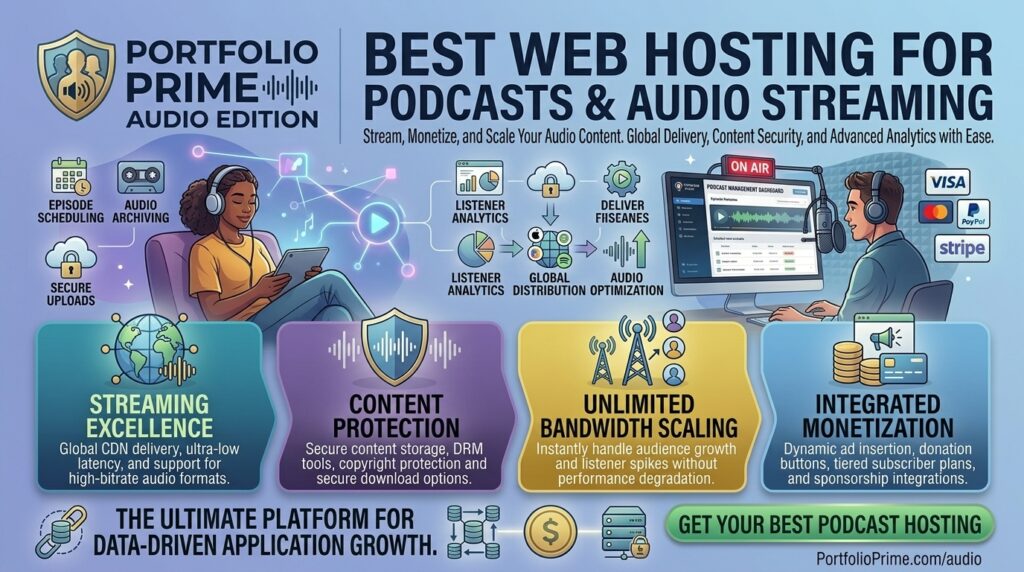
What is the best web hosting for podcasts and audio streaming? Audio content is enjoying a massive golden age. Whether you are launching an independent interview-style podcast, building a multi-host network, or streaming a 24/7 live internet radio station, audio data consumes substantial server resources.
Many creators make the critical mistake of uploading massive high-bitrate MP3, WAV, or AAC audio files directly to standard shared web hosting accounts. Doing so quickly triggers bandwidth throttling, storage penalties, and server crashes. Audio streaming requires specialized distribution networks, continuous stream protocols (like SHOUTcast or Icecast), or dedicated RSS media enclosures.
If your media enterprise or digital production agency operates out of major US hubs like New York, San Francisco, Texas, Washington, or Los Angeles, selecting the right web hosting architecture is essential to ensuring zero buffering, flawless RSS feed syndication, and high organic search visibility.
This exhaustive guide explores the absolute best web hosting options for podcasts and audio streaming, critical technical requirements, optimization strategies, and 10 detailed FAQs.
The Two Distinct Types of Audio Hosting: On-Demand vs. Live Streaming
Before selecting a web host, you must clarify your audio delivery model:
- On-Demand Audio (Podcasts & Pre-Recorded Shows): Listeners download or stream pre-recorded episodes at their own convenience via directories like Apple Podcasts, Spotify, and Amazon Music. This requires RSS media hosting platforms that handle file enclosures, bandwidth delivery, and listener analytics.
- Live Audio Streaming (Internet Radio & Live Broadcasts): Real-time continuous transmission where users tune into a live stream simultaneously. This requires SHOUTcast or Icecast streaming servers with guaranteed concurrent listener capacities and uninterrupted uptime.
Top 5 Hosting Providers for Podcasts and Audio Streaming
To balance storage quotas, listener bandwidth, network reliability, and directory distribution, these five platforms represent the absolute best choices for audio creators:
1. Transistor (Best Overall Podcast Hosting for Networks & Brands)
Transistor is widely regarded as the premier podcast hosting platform for professional creators, businesses, and multi-show networks.
- Why it shines for audio: Transistor allows you to host multiple podcasts under a single account, generates clean RSS feeds instantly, and supports both audio and video podcast syndication. It also includes built-in private podcasting and dynamic ad insertion tools.
- Pros: Clean analytics dashboards, automatic distribution to Apple Podcasts, Spotify, and Google, robust team collaboration controls, and built-in website builders.
- Cons: No free tier (starts with paid subscription models), though a 14-day free trial is available.
2. Buzzsprout (Best Beginner-Friendly Podcast Host)
Buzzsprout is legendary in the audio community for its exceptionally clean onboarding process and user-friendly interface, making it ideal for first-time podcasters.
- Why it shines for audio: Buzzsprout automatically optimizes audio file bitrates, generates professional podcast players for your website, and handles seamless submission to all major directories.
- Pros: Extremely intuitive layout, helpful educational resources, automatic audio mastering tools, and a flexible free tier.
- Cons: Free plans delete episodes after 90 days, and paid pricing tiers are bound by monthly upload hour limits.
3. Ultahost (Best Budget Hosting for Live Radio & Audio Streams)
If you are running live internet radio stations or custom audio streaming websites, Ultahost provides high-performance, budget-friendly VPS and streaming server configurations.
- Why it shines for audio: Ultahost offers robust, unmetered bandwidth packages, NVMe storage, and full root control, making it seamless to install streaming applications like SHOUTcast and Icecast.
- Pros: Highly affordable monthly pricing, 24/7 technical support, free migrations, and strong global server nodes.
- Cons: Unmanaged configurations require technical familiarity with streaming software setup.
4. Podbean (Best for Integrated Monetization & Scaling)
Podbean is a mature, all-in-one audio hosting platform catering to creators looking to monetize their listener base quickly.
- Why it shines for audio: Podbean features built-in ad marketplaces, patron-tier subscription management, and tools for hosting live audio streaming shows directly within their ecosystem.
- Pros: Comprehensive monetization tools, mobile app management, reliable RSS distribution, and flexible storage options.
- Cons: The user interface feels slightly dated compared to newer competitors like Transistor.
5. Hostinger (Best Value WordPress Hosting for Audio-Centric Websites)
If your audio brand requires a fully custom WordPress website—complete with membership portals, show notes, and embedded audio players—Hostinger provides incredible value.
- Why it shines for audio: Hostinger’s cloud and VPS plans feature high-speed NVMe storage and robust bandwidth allowances, ensuring your WordPress site loads instantly even while visitors stream embedded audio files.
- Pros: Low introductory pricing, free SSL certificates, reliable 99.9% uptime guarantees, and intuitive control panels.
- Cons: Does not natively generate podcast RSS feed directories out of the box; you must use WordPress plugins (like Seriously Simple Podcasting).
Actionable Tips to Optimize Audio Streaming and Podcast Sites
Delivering crisp, buffer-free audio while maintaining strong search engine rankings requires careful technical execution:
- Never Host Large Audio Files on Standard Shared Web Servers: Always offload large MP3 file enclosures to dedicated media hosts (like Transistor, Buzzsprout, or cloud storage buckets like Amazon S3) rather than bloating your core website database.
- Standardize Audio Bitrates: Export your audio files at 96 kbps to 128 kbps mono or stereo for spoken word, and 192 kbps for music streaming. This strikes the ideal balance between high audio fidelity and fast loading times.
- Implement Lazy Loading for Audio Players: If your website features multiple episode posts with embedded media players, ensure your audio players lazy-load so they don’t block initial page rendering and harm your Google Core Web Vitals.
- Publish Detailed Show Notes for SEO: Audio files cannot be crawled by Google search bots. Boost your organic search rankings by publishing comprehensive written show notes, transcripts, and timestamps for every episode.
- Use Content Delivery Networks (CDNs) for Global Reach: Ensure your media assets are distributed via a global CDN so listeners in San Francisco, New York, Texas, and Washington experience zero playback latency.
10 Frequently Asked Questions (FAQs)
1. Can I host podcast audio files on standard web hosting?
While technically possible on a high-end VPS, it is strongly discouraged. Standard web hosts limit bandwidth and concurrent connections, causing audio buffering and site crashes during traffic spikes. Dedicated podcast hosts handle RSS distribution much better.
2. What is the difference between podcast hosting and live audio streaming hosting?
Podcast hosting stores pre-recorded audio files and distributes them via RSS feeds to directories like Spotify. Live audio streaming hosting uses servers (like SHOUTcast/Icecast) to broadcast continuous real-time audio streams.
3. Why do I need an RSS feed for a podcast?
An RSS feed is an XML file that acts as the bridge between your audio host and podcast directories. When you publish a new episode, the RSS feed automatically updates Apple Podcasts, Spotify, and Amazon Music.
4. How does audio streaming speed affect my Google SEO rankings?
Google measures page load performance and Core Web Vitals. Heavy, unoptimized audio players or slow server responses can hurt your page speed, impacting organic search visibility.
5. What audio format is best for web streaming?
MP3 is the universal industry standard supported by 100% of podcast apps and web browsers. AAC is also widely used for high-efficiency mobile streaming.
6. Are there free podcast hosting platforms available?
Yes, platforms like Spotify for Creators and Buzzsprout offer limited free tiers. However, free plans often include storage caps, ads, or episode expiration limits.
7. Can I monetize my podcast through my hosting provider?
Many modern hosts (like Podbean) offer built-in monetization tools, dynamic ad insertion, and listener support subscriptions.
8. How much bandwidth do I need for live audio streaming?
Bandwidth depends on your stream bitrate and concurrent listener count. For example, a 128 kbps stream with 100 simultaneous listeners requires roughly 5.6 GB of bandwidth per hour.
9. Do I need a custom domain name for my podcast website?
Yes! Purchasing a custom domain (e.g., thehostreviews.com) builds professional brand authority, secures your ownership independence, and enhances search engine credibility.
10. Which US data center locations work best for American listeners?
To minimize latency for listeners distributed across California, Texas, New York, and Washington, choose hosts with multi-region US East and West coastal data center nodes or global edge CDNs.
Conclusion
Launching a successful podcast or audio streaming website requires moving away from restrictive shared web hosts and adopting infrastructure engineered specifically for media delivery. Whether you choose the professional network features of Transistor, the beginner-friendly simplicity of Buzzsprout, the live radio power of Ultahost, or the high-value WordPress flexibility of Hostinger, pairing your audio content with elite hosting guarantees crystal-clear playback, seamless directory syndication, and a digital platform optimized to rank at the top of Google search results.