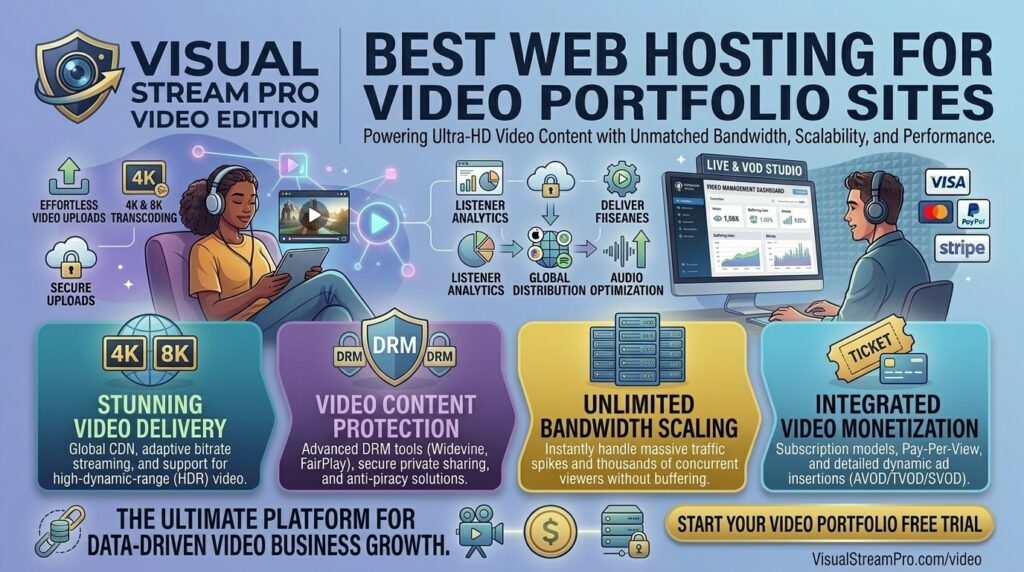
What is the high bandwidth web hosting for video portfolio sites? For videographers, filmmakers, motion designers, animators, and creative directors, a digital portfolio is the single most important tool for landing high-paying clients. However, showcasing high-definition (HD), 4K, or even 8K cinematic reels introduces a massive engineering challenge: bandwidth consumption.
A single uncompressed or poorly optimized 4K video reel can easily consume gigabytes of data within a few dozen views. If you upload large video files directly to a standard budget web hosting account, you will instantly exhaust your monthly bandwidth limits, trigger server-side throttling, or cause your portfolio to stall indefinitely for prospective clients.
If your creative practice or digital agency operates out of major innovation and design hubs like San Francisco, New York, Texas, Washington, or Los Angeles, choosing high-bandwidth web hosting architecture or specialized video content delivery infrastructure is vital for maintaining flawless playback speed, protecting Google Core Web Vitals, and securing new contracts.
This exhaustive guide breaks down the technical realities of video portfolio hosting, evaluates the top high-bandwidth providers and dedicated video CDNs, outlines performance optimization tips, and answers 10 detailed FAQs.
Why Standard Web Hosting Fails Video Portfolios
Many creators make the critical mistake of treating a video portfolio like a traditional text-and-image website. They purchase a cheap $3/month shared hosting plan and upload raw MP4 files directly into their website’s media library.
This approach creates immediate operational bottlenecks:
- Bandwidth Overage Penalties: Shared hosting accounts enforce strict, hidden bandwidth caps. When a few prospective clients stream your heavy project reels simultaneously, your host will suspend your account or charge expensive overage fees.
- Disastrous Time to First Byte (TTFB): Standard web servers are configured to handle text and lightweight code. They struggle to stream large binary video payloads concurrently, leading to endless buffering circles for viewers.
- Lack of Adaptive Bitrate Streaming (HLS/DASH): Without professional video transcoding, a visitor viewing your site on a mobile device in San Francisco on a cellular connection is forced to download the exact same heavy 4K file intended for a desktop monitor in New York, causing brutal load lags.
The Two Paths to High-Bandwidth Video Portfolio Hosting
When building a high-performance video portfolio, you generally choose between two architecture types:
- Approach A: High-Bandwidth Cloud VPS / Dedicated Servers. You host your website frontend on a high-speed server (like Kamatera or Hostinger Cloud) and host your heavy media assets on object storage (such as Amazon S3, Wasabi, or Backblaze B2) routed through a global Content Delivery Network (CDN) like Bunny.net or Cloudflare.
- Approach B: Specialized Video Hosting Platforms Embedded into a Lightweight Site. You host your website on a clean, fast static or managed host while embedding your reels via professional developer-friendly video engines (such as Vimeo, Cloudflare Stream, or Gumlet) that handle adaptive transcoding and global bandwidth delivery automatically.
Top 5 High-Bandwidth Hosting & Video Delivery Solutions
To balance unlimited or high-cap bandwidth, fast global edge delivery, and pristine player presentation, these five options lead the market:
1. Bunny.net (Best Cost-Effective High-Bandwidth & Video Storage CDN)
Bunny.net has built a stellar reputation among developers and creative agencies for offering blazing-fast global edge delivery at a fraction of traditional cloud costs.
- Why it shines for video portfolios: Bunny Stream offers dedicated video libraries with automatic adaptive bitrate encoding, secure HTML5 embedding, and ultra-cheap per-gigabyte bandwidth pricing that prevents unexpected bills.
- Pros: Incredible global edge network coverage (spanning North America and Europe), transparent pay-as-you-go pricing, built-in video watermarking, and instant API integration.
- Cons: Requires basic technical setup to configure custom player skins and embedding tokens.
2. Cloudflare Stream (Best Developer-First Scalable Video Delivery)
Cloudflare Stream leverages Cloudflare’s massive global network backbone to transcode, store, and stream video content seamlessly.
- Why it shines for video portfolios: You pay solely based on storage used and minutes delivered, eliminating rigid bandwidth throttling. It automatically transcodes your master video into optimal resolutions for every user device globally.
- Pros: Enterprise-grade security, lightning-fast edge delivery across US tech hubs, customisable responsive players, and simple developer APIs.
- Cons: Billing model is usage-based, which requires monitoring if traffic experiences viral spikes.
3. Vimeo / Vimeo Enterprise (Best Professional Ad-Free Presentation)
For creatives who want a turnkey, plug-and-play solution without touching code or managing cloud storage buckets, Vimeo remains the industry standard.
- Why it shines for video portfolios: Vimeo provides a completely ad-free, customizable video player that integrates cleanly into WordPress, Webflow, Squarespace, or custom HTML sites. Paid tiers offer robust privacy controls and unmetered bandwidth allowances for professional portfolios.
- Pros: Pristine playback quality, zero ads, domain-level locking (so your videos can only play on your portfolio domain), and password protection options.
- Cons: Annual subscription costs are higher than raw developer storage CDNs.
4. Kamatera (Best for High-Bandwidth Custom Cloud VPS Infrastructure)
If you host heavy self-hosted portfolio frameworks (such as custom-built Next.js or Nuxt applications with embedded media archives), Kamatera provides hyper-scalable cloud server blocks.
- Why it shines for video portfolios: Kamatera allows you to spin up high-RAM, high-CPU virtual servers with massive network throughput capacities and unmetered or high-cap bandwidth options, giving you absolute freedom over your software stack.
- Pros: Instant server provisioning, custom resource scaling, NVMe disk arrays, and reliable US coastal data center nodes (California, New York, Texas).
- Cons: Unmanaged infrastructure requiring manual server hardening and security configuration.
5. Hostinger Cloud Global (Best All-in-One Value for Resource-Heavy Sites)
Hostinger’s advanced Cloud hosting packages offer isolated CPU and RAM pools coupled with generous bandwidth allotments suitable for growing media agencies.
- Why it shines for video portfolios: If your portfolio site runs on WordPress with heavy media plugins, Hostinger’s cloud tier provides enough overhead to manage heavy site traffic without immediate server crashes.
- Pros: Budget-friendly introductory pricing, user-friendly hPanel control dashboards, free SSL certificates, and daily backups.
- Cons: Not designed for hosting raw, uncompressed terabyte-scale video libraries directly on the server disk.
Actionable Tips to Optimize Video Portfolios for Performance & SEO
Streaming high-definition video files can easily compromise website speed if not handled correctly. Follow these technical optimization guidelines:
- Never Autoplay Heavy Reels with Audio: Autoplaying heavy video files destroys your Google Core Web Vitals scores (specifically Interaction to Next Paint and Largest Contentful Paint) and frustrates users. Always require user interaction to start playback.
- Use Poster Images (Video Thumbnails): Always define a lightweight, compressed WebP poster image for your video containers so the browser displays a crisp preview instantly while the actual video stream loads lazily in the background.
- Implement Adaptive Bitrate Streaming (HLS): Ensure your videos are transcoded into multiple resolutions (1080p, 720p, 480p). This ensures mobile users on cellular networks in San Francisco or Austin experience instant playback without buffering.
- Write Detailed Transcript and Project Case Studies: Google search bots cannot “watch” video files to understand your skill set. Accompany every portfolio video with comprehensive written case studies, technical breakdowns, and client testimonials rich in target keywords.
- Isolate Media Storage from Web Hosting: Keep your core website files on a fast web host, but offload your video files to a specialized CDN or video platform (like Bunny.net or Vimeo) to distribute the network load.
10 Frequently Asked Questions (FAQs)
1. Can I host video portfolio files on standard shared web hosting?
No. Standard shared hosts enforce tight bandwidth limits and slow disk read speeds. Uploading heavy video files will quickly exhaust your resource quota and result in account suspension or severe buffering.
2. What is the difference between video hosting CDNs and traditional web hosts?
Traditional web hosts serve standard web files (HTML, CSS, images). Video CDNs (like Bunny.net or Cloudflare Stream) utilize specialized edge servers distributed globally to stream heavy video data chunks efficiently with zero latency.
3. Why is adaptive bitrate streaming important for video portfolios?
Adaptive streaming automatically adjusts video resolution based on the viewer’s internet speed and screen size, preventing mobile users from downloading massive 4K files unnecessarily.
4. How does video file size affect my Google SEO rankings?
Heavy, unoptimized video embeds can cause sluggish page load speeds and poor Core Web Vitals metrics, which can negatively impact your organic search rankings.
5. Can I use YouTube for my professional video portfolio?
While YouTube is free and offers unlimited bandwidth, its embedded player displays public recommended videos, advertisements, and YouTube branding, which detracts from a professional freelance or agency brand identity.
6. What video format is best for web portfolio embedding?
MP4 (encoded with H.264 video codec and AAC audio) is universally supported across 100% of web browsers and mobile devices without requiring third-party plugins.
7. How much bandwidth do I need for a high-traffic video portfolio?
Bandwidth depends on your video bitrate and monthly view counts. For example, a 500MB video streamed 1,000 times in a month consumes roughly 500GB of bandwidth.
8. How do I prevent clients from downloading or stealing my portfolio videos?
Professional video hosts (like Vimeo, SproutVideo, or Gumlet) offer domain-level restriction settings, hotlink protection, and encrypted streaming tokens that prevent unauthorized downloading or embedding.
9. What is the best platform for a Webflow or WordPress video portfolio?
Embedding videos hosted on Vimeo or Bunny Stream via lightweight plugins or custom HTML blocks provides the best balance of aesthetic design control and rapid page loading.
10. Which US data center regions should I choose for American clients?
To ensure low latency for recruiters and clients located across California, Texas, New York, Washington, and San Francisco, select global CDN edge distribution nodes or multi-region US East and West hosting options.
Conclusion
Showcasing your creative work through a high-definition video portfolio requires infrastructure built to handle heavy data payloads without breaking a sweat. By moving away from restrictive shared hosting and investing in high-bandwidth specialized solutions—such as Bunny.net, Cloudflare Stream, Vimeo, or Kamatera Cloud VPS—you guarantee lightning-fast playback, robust security protection, and an elite digital presence engineered to win clients and rank at the top of Google search results.