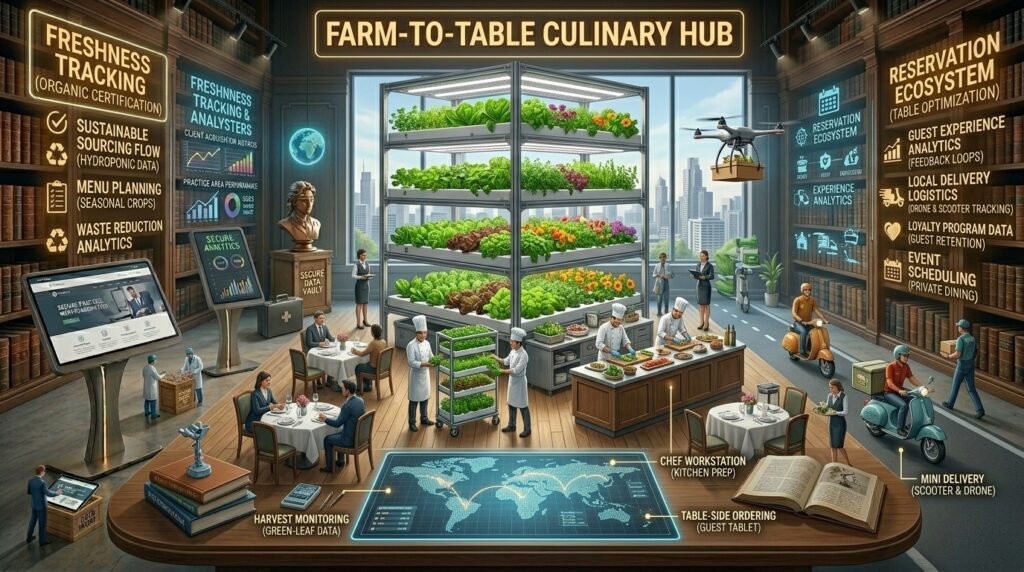
What is the best web hosting for local restaurant online ordering? For local restaurant owners, café operators, and culinary businesses expanding across competitive metropolitan hubs like Texas, New York, California, Washington, and San Francisco, having a digital presence is no longer optional—it is your primary lifeline.
When hungry customers search Google for local dining options, they want immediate satisfaction: they expect to look at a mouth-watering menu, browse high-res photos, select custom options (like dressing on the side or allergen adjustments), and execute a seamless online checkout in under a minute.
However, running direct online ordering on your own website introduces severe technical challenges. Unlike static informational pages, online ordering requires heavy database synchronization (handling real-time item modifications, cart sessions, inventory status, and payment gateway security tokens). If your web hosting provider is sluggish, your checkout page will lag, orders will fail to sync with your kitchen printers, and frustrated customers will bounce to third-party apps that charge massive commission fees.
This comprehensive guide explores the best web hosting architectures for local restaurant online ordering, vital POS software integrations, and technical SEO strategies designed to rank your establishment #1 on Google.
1. Why Restaurant Online Ordering Demands Specialized Web Hosting
Many local restaurant operators make the mistake of using generic, low-end shared hosting plans or outdated website builders. When you add dynamic menu structures, user accounts, shopping carts, and real-time payment checkouts to a website, resource demands skyrocket.
- Database Queries and Cart Session Management: Every time a customer adds a burger to their cart, selects modifiers, and applies a discount code, your server writes and reads data from the database. On cheap shared hosting, simultaneous customer orders during a Friday night dinner rush will overwhelm server memory, causing cart crashes or timeout errors.
- Payment Gateway Security and SSL Encryption: Handling online food transactions requires strict PCI-DSS compliance, impenetrable HTTPS protocols, and robust firewalls to safeguard customer credit card data and personal information.
- The Cost of Downtime vs. Commission Apps: If your website crashes during peak dinner hours, you lose revenue instantly. More importantly, reliable direct web hosting lets you bypass the 15% to 30% commission fees charged by major third-party food delivery aggregators, protecting your profit margins.
- Mobile-First Speed and Local SEO: Over 80% of restaurant searches happen on smartphones by users on the go. Google’s mobile-first indexing and Core Web Vitals metrics mean that slow-loading menus will tank your local map rankings.
2. Essential Technical Features to Demand for Ordering Sites
Before committing to a hosting provider or platform for your restaurant, verify that it supports these essential technical benchmarks:
- NVMe SSD Storage: Traditional mechanical hard drives cause processing delays during database queries. Solid-state NVMe drives read and write cart checkout data up to 10x faster.
- Built-In POS and Gateway Integrations: Your hosting environment or CMS must seamlessly integrate with leading restaurant POS ecosystems (such as Toast, Square, Clover, or WooCommerce-based food plugins) so orders push straight to your kitchen without manual re-entry.
- Advanced Server Caching (LiteSpeed / Redis): Essential for keeping static menu pages lightning-fast while maintaining dynamic, uncached checkout sessions for ordering customers.
- Automated Daily Backups & WAF Security: Protection against malicious bot attacks, checkout tampering, and accidental database deletions is non-negotiable.
3. Top Web Hosting Providers and Platforms for Restaurant Ordering
Depending on whether you want a turnkey website builder with native ordering or a powerful self-hosted WordPress platform, here are the top choices on the market:
A. Hostinger (Best Value and Budget-Friendly Hosting for Local Restaurants)
Hostinger combines lightning-fast LiteSpeed server architecture with incredibly affordable pricing tiers, making professional web performance accessible to local diners.
- Why it shines for Restaurants: Hostinger’s implementation of LiteSpeed Cache (LSCache) and NVMe storage ensures fast menu loading speeds. Their platform easily integrates with WordPress e-commerce plugins or embedded third-party ordering widgets like ChowNow or GloriaFood.
- Best For: Independent local restaurants and family-owned spots launching direct online ordering on a budget.
- Pricing: Introductory plans start around $2.69/month.
B. SiteGround (Best Mid-Range Managed Hosting for High-Volume Dining)
Powered by the Google Cloud Platform, SiteGround is globally recognized for superior speed, bulletproof uptime, and exceptional customer support.
- Why it shines for Restaurants: SiteGround provides a robust 3-layer caching system, automated daily backups, advanced anti-bot security, and stable infrastructure capable of handling high traffic spikes during weekend dinner rushes.
- Best For: Popular local eateries, bustling pizzerias, and multi-location restaurants with steady daily ordering traffic.
- Pricing: Introductory plans start around $2.99 to $3.95/month.
C. Square Online / Squarespace (Best All-in-One Turnkey Ordering Systems)
If you prefer not to manage a self-hosted content management system, dedicated all-in-one website builders with native checkout systems offer an out-of-the-box solution.
- Why it shines for Restaurants: Square Online integrates natively with Square Point of Sale, ensuring menu updates, inventory counts, and customer orders sync automatically with your physical restaurant terminal. Squarespace offers stunning aesthetic templates with commission-free ordering integrations.
- Best For: Restaurant owners who want a maintenance-free, plug-and-play solution without touching code.
- Pricing: Plans range from $16 to $49+/month, plus standard transaction processing fees.
D. WP Engine (Best Enterprise Managed WordPress Hosting for Large Restaurant Groups)
For enterprise hospitality groups, franchise chains, or high-volume food halls, WP Engine provides unmatched cloud performance.
- Why it shines for Restaurants: WP Engine’s proprietary EverCache technology, isolated architecture, and elite global CDN routing ensure zero latency during high-traffic promotional events or holiday catering rushes.
- Best For: Large hospitality groups and high-volume multi-location restaurant brands.
- Pricing: Plans start around $20 to $115+/month.
4. Masterclass: Maximizing Local SEO for Restaurant Online Ordering
Having a fast website with online ordering is only half the battle. You need local customers to find your menu when searching Google. Implement these advanced local SEO strategies to dominate search results:
Dominating “Near Me” and Local Map Pack Searches
Customers searching for food use hyper-local intent (e.g., “Best tacos in Austin, TX” or “Late-night pizza delivery San Francisco”). Structure your website directory cleanly to target your service neighborhoods (e.g., [yourrestaurant.com/locations/downtown-san-francisco](https://yourrestaurant.com/locations/downtown-san-francisco)) and embed your verified Google Business Profile map using lightweight loading methods that do not delay your server response time.
Implementing Restaurant Schema Markup
Incorporate detailed Restaurant and Menu schema markup across your site’s code. This structured data tells Google your operating hours, cuisine type, price range, address, and direct ordering links, enabling your business to trigger rich snippets and Google Maps reservation or ordering buttons directly in search results.
Optimizing Menu Imagery and Core Web Vitals
Food photography drives online ordering conversions. However, unoptimized high-res food photos will ruin your mobile page speed. Use automated server-side compression to serve images in WebP or AVIF formats and enable lazy loading so your checkout page loads instantly on mobile devices.
5. Frequently Asked Questions (FAQ)
1. Is it cheaper to host my own online ordering system than using UberEats or DoorDash?
Yes, significantly. While third-party delivery apps charge 15% to 30% commission per order, hosting your own direct online ordering system on a platform like Hostinger or SiteGround only costs a few dollars a month plus standard payment gateway transaction fees (around 2.9% + $0.30).
2. Can I connect my website online ordering directly to my restaurant POS system?
Yes. Modern platforms like Square Online integrate natively with point-of-sale hardware. If you use WordPress, plugins like WooCommerce can be integrated via plugins or API bridges to popular POS hardware systems so tickets print directly in the kitchen.
3. Will cheap $3/month shared hosting handle a Friday night rush of orders?
Cheap shared hosting often struggles under concurrent traffic spikes. During a busy Friday night dinner rush, multiple users checking out simultaneously can crash a low-end server, resulting in lost sales. Upgrading to a performance host like Hostinger or SiteGround prevents this.
4. How does website speed affect my restaurant’s local search rankings?
Google prioritizes mobile user experience in its local search algorithm. If your menu pages take more than 3 seconds to load on a smartphone, users will bounce, signaling a poor experience to Google and dropping your local map rankings.
5. Do I need an SSL certificate for restaurant online ordering?
Absolute security is mandatory. Any website accepting online food orders and credit card payments must use a secure HTTPS connection via an SSL certificate to protect customer financial data and comply with payment security laws.
6. How can I prevent my online ordering system from going down during holidays?
Choose a reliable managed web host with a 99.9% uptime guarantee, automated daily backups, and robust server caching layers (like LiteSpeed or Redis) capable of absorbing traffic surges during major holidays like Super Bowl Sunday or Mother’s Day.
7. Should I use WordPress or an all-in-one builder like Square Online?
If you want total control over your design, blog, and advanced SEO structure, self-hosted WordPress paired with a fast host is ideal. If you want a quick, turnkey ordering system with zero technical setup headaches, Square Online or Squarespace is easier.
8. How can I optimize my restaurant menu for Google Image Search?
Name your food image files descriptively (e.g., wood-fired-margherita-pizza.jpg instead of IMG_1234.jpg) and include appetizing keyword-rich alternative text. This helps your dishes appear in Google Image Search when locals look for specific foods.
9. What is the best way to handle food delivery zones on my website?
Most reliable online ordering plugins and platform extensions (such as WooCommerce Delivery or Square Online settings) let you draw custom radius maps or set zip-code restrictions so customers outside your delivery range cannot place an order.
10. How can I test if my restaurant website is fast enough for mobile users?
You can test your website’s speed, server response time (TTFB), and Core Web Vitals compliance using free performance tools like Google PageSpeed Insights or GTmetrix.
6. Conclusion
Setting up a direct online ordering system on your restaurant’s website is the single most effective way to cut out high third-party commission fees, own your customer data, and boost profit margins. However, your ordering platform is only as strong as the web hosting infrastructure supporting it.