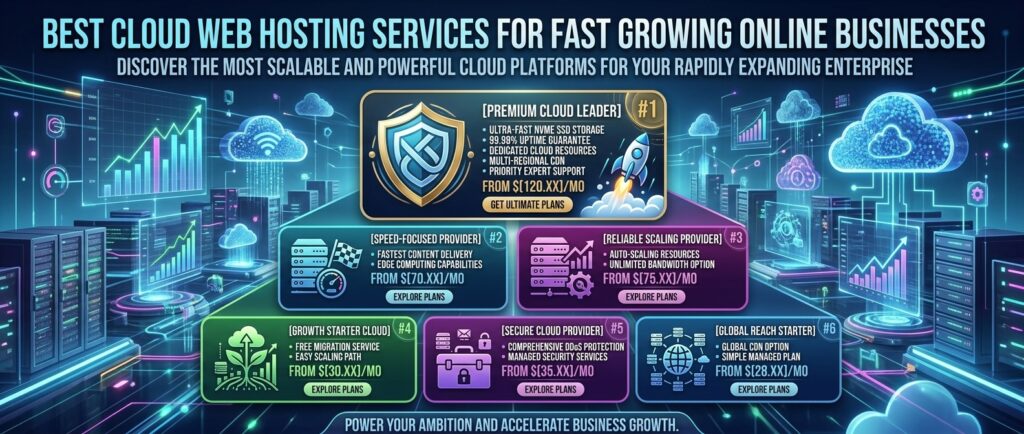
Best cloud web hosting services for fast growing online businesses: As digital enterprises scale operations across primary business hubs like Texas, New York, California, Washington, and San Francisco, traditional shared hosting environments quickly become performance bottlenecks. When an online business experiences rapid spikes in web traffic, handles heavy e-commerce checkout loads, or scales marketing campaigns, standard servers crash, slow down, and fail.
For fast-growing online businesses, moving to Cloud Web Hosting is no longer optional—it is a mandatory operational upgrade.
Unlike legacy single-server hosting, cloud web hosting distributes your website’s data and resource demands across an interconnected cluster of virtual servers. If one node experiences heavy traffic or hardware strain, another seamlessly picks up the slack.
This masterclass review guide analyzes the best cloud web hosting services for fast-growing online businesses, evaluating infrastructure reliability, horizontal scaling, speed benchmarks, and overall business value.
Why Fast-Growing Businesses Need Cloud Web Hosting
Standard shared hosting puts your website on a single physical machine alongside hundreds of other sites, meaning “noisy neighbor” resource theft can crash your store. Cloud hosting provides distinct competitive advantages:
- Guaranteed Isolated Resources: Your website receives dedicated RAM, CPU cores, and storage allocations that never fluctuate based on other users’ activities.
- Instant Vertical & Horizontal Scaling: As your business grows, you can scale up your server resources (CPU and RAM) with a single click—often with zero downtime or complex data migrations.
- Redundant High Availability: Because cloud data is mirrored across multiple virtual nodes, if a hardware failure occurs at the data center level, your site automatically fails over to an active server instance instantly.
Top 5 Cloud Web Hosting Services for Growing Enterprises
1. Cloudways — Best Managed Cloud Hosting Platform for Performance
Cloudways bridges the gap between raw enterprise cloud power and user-friendly management, making it a favorite for scaling e-commerce brands and high-traffic publishers.
- Underlying Cloud Infrastructure: Operates as a master orchestration layer on top of top-tier cloud providers including DigitalOcean, AWS (Amazon Web Services), and Google Cloud Platform (GCP).
- Key Features for Growing Businesses:
- Unified control panel that simplifies server deployment, scaling, and backups.
- Advanced caching stack combining Redis, Memcached, and Varnish for ultra-fast database queries.
- 1-click vertical server scaling as your business traffic multiplies.
- Pros: Incredible performance out of the box; no advanced Linux command-line skills required to manage enterprise cloud infrastructure.
- Cons: Does not include native email hosting inbox creation out of the box (requires third-party integrations like Google Workspace).
2. DigitalOcean — Best Developer-Friendly Cloud Infrastructure
DigitalOcean is an industry favorite for tech-forward businesses, SaaS platforms, and digital agencies building custom applications or high-scale web properties.
- Underlying Cloud Infrastructure: Proprietary high-performance SSD/NVMe cloud droplets backed by a globally distributed network.
- Key Features for Growing Businesses:
- Full root access and complete command over your virtual private server environment.
- Managed databases, Kubernetes clusters, and cloud load balancers.
- Predictable flat-rate pricing models with zero hidden data egress charges compared to legacy hyperscalers.
- Pros: Highly cost-effective; massive library of technical documentation; exceptional raw speed.
- Cons: Requires technical systems administration experience or managed layers (like Cloudways) to operate safely.
3. Amazon Web Services (AWS) — The Ultimate Global Enterprise Cloud
AWS is the largest cloud computing ecosystem on earth, powering everything from nimble tech startups to multinational corporate platforms.
- Underlying Cloud Infrastructure: Massive global network of data centers, edge locations, and custom virtual private cloud (VPC) instances.
- Key Features for Growing Businesses:
- Infinite scalability across computing, machine learning, serverless functions, and relational database storage.
- Advanced multi-region redundancy and failover routing.
- Granular pay-as-you-go pricing models.
- Pros: Unmatched global infrastructure scale; can handle virtually any volume of concurrent traffic.
- Cons: Steep learning curve; complex billing structures that can surprise uninitiated users.
4. Hostinger Cloud Hosting — Best Value Scalable Cloud for Businesses
For growing online stores or media sites that want cloud performance without navigating complex developer dashboards, Hostinger provides an optimized, budget-friendly cloud tier.
- Underlying Cloud Infrastructure: Fully managed cloud server containers with dedicated IP addresses and isolated compute resources.
- Key Features for Growing Businesses:
- Custom beginner-friendly control panel (
hPanel). - Integrated Object Caching and automated daily backups.
- Generous resource allocations supporting massive monthly visitor volumes.
- Custom beginner-friendly control panel (
- Pros: Very affordable entry point for managed cloud hosting; simple 1-click scaling.
- Cons: Less architectural flexibility compared to raw infrastructure providers like AWS or DigitalOcean.
5. Google Cloud Platform (GCP) — Best for Data-Driven & AI Applications
Google Cloud offers compute-optimized C2 and C3D virtual machine instances that excel at rendering dynamic web applications and processing heavy e-commerce transactions.
- Underlying Cloud Infrastructure: Google’s private fiber-optic global network infrastructure.
- Key Features for Growing Businesses:
- Cutting-edge machine learning and data analytics integrations.
- Secure containerized workloads via Google Kubernetes Engine.
- Exceptional TTFB (Time to First Byte) performance metrics globally.
- Pros: Lightning-fast processor performance; elite security standards.
- Cons: Premium support plans require separate paid subscriptions; configuration requires technical expertise.
Comparative Matrix: Top Cloud Web Hosting Options
| Hosting Provider | Primary Infrastructure Model | Managed / Unmanaged | Starting Price | Best Suited For |
| Cloudways | AWS / GCP / DigitalOcean | Fully Managed | $14.00 / mo | Growing WordPress & E-commerce Sites |
| DigitalOcean | Proprietary Droplets | Unmanaged / Semi | $4.00 / mo | Developers & SaaS Applications |
| AWS | Global Hyperscale Cloud | Unmanaged (IaaS) | Pay-as-you-go | Large Enterprises & Complex Apps |
| Hostinger Cloud | Managed Cloud Servers | Fully Managed | $9.99 / mo | Small-to-Mid Businesses Seeking Simplicity |
| Google Cloud | GCP Compute Engine | Unmanaged (IaaS) | Pay-as-you-go | Data-Intensive & High-Speed Apps |
Strategic Tips for Migrating a Growing Business to the Cloud
Transitioning your online business to a cloud infrastructure requires careful execution to prevent downtime or revenue loss:
- Perform a Staging Migration First: Never migrate a live business website directly to a new cloud server. Spin up a staging environment on your cloud host, test your checkout flows, forms, and scripts thoroughly, and only update your DNS records once everything is verified.
- Implement Enterprise CDN & Edge Caching: Pair your cloud host with a robust Content Delivery Network (such as Cloudflare Enterprise or CloudwaysCDN) to cache static assets close to your users in major markets like New York and San Francisco, reducing load on your origin cloud server.
- Automate Cloud Snapshots & Backups: Always configure automated daily snapshots of your entire cloud instance. In the event of a bad plugin update or database corruption, you can roll back your entire business infrastructure in seconds.
Frequently Asked Questions (FAQ)
1. What is the difference between traditional shared hosting and cloud hosting?
Shared hosting places your site on a single server shared with hundreds of others, while cloud hosting distributes your site across a cluster of interconnected virtual servers, offering dedicated resources and failover redundancy.
2. Is cloud hosting difficult to manage for non-technical business owners?
It depends on the provider. Unmanaged cloud hosts (like AWS or DigitalOcean) require advanced sysadmin skills, but managed platforms like Cloudways or Hostinger Cloud handle server maintenance, security patches, and software updates for you.
3. Can I scale my cloud hosting resources as my business grows?
Yes. That is the primary benefit of cloud hosting. You can scale up your RAM, CPU cores, and storage space instantly with a single click as traffic increases, without migrating files.
4. Will cloud hosting improve my website’s speed and Google SEO rankings?
Indirectly and directly, yes. Cloud hosting eliminates noisy-neighbor slowdowns, reduces Time to First Byte (TTFB), and ensures high Core Web Vitals scores, which are vital components of Google’s search ranking algorithms.
5. Does cloud hosting protect against website downtime?
Yes. If the specific physical node hosting your virtual instance experiences a hardware failure, cloud architectures automatically spin up your site on an alternate healthy node with minimal to zero downtime.
6. Which cloud hosting provider is best for an online store (WooCommerce/Shopify)?
Cloudways (running on DigitalOcean or AWS infrastructure) is widely considered the top choice for WooCommerce stores due to its advanced object caching and high-concurrency transaction handling.
7. Are SSL certificates included with cloud hosting?
Yes. Providers like Cloudways, Hostinger, and Google Cloud integrations offer free, automated Let’s Encrypt SSL certificates with forced HTTPS configuration.
8. What are cloud egress fees, and should I worry about them?
Egress fees are charges levied by certain hyperscale cloud providers for transferring data out of their network to users. Providers like DigitalOcean and Cloudways include generous flat-rate bandwidth tiers that mitigate this risk.
9. Can I host business email accounts on a cloud hosting plan?
Some managed cloud platforms do not include native email hosting boxes to preserve server security and deliverability. Most businesses pair cloud hosting with dedicated enterprise email services like Google Workspace or Microsoft 365.
10. How do I choose the right cloud host for my business?
If you want raw enterprise power with a simplified management layer, choose Cloudways. If you have an internal development team and require total infrastructure control, opt for DigitalOcean or AWS.
Conclusion
As your online business accelerates its growth across major metropolitan and commercial landscapes, relying on outdated hosting infrastructure will throttle your potential. By transitioning to a robust cloud web hosting solution—such as the managed power of Cloudways, the developer freedom of DigitalOcean, or the enterprise scale of AWS—you ensure that your digital operations remain secure, infinitely scalable, and lightning-fast to dominate search engine results and convert customers seamlessly.