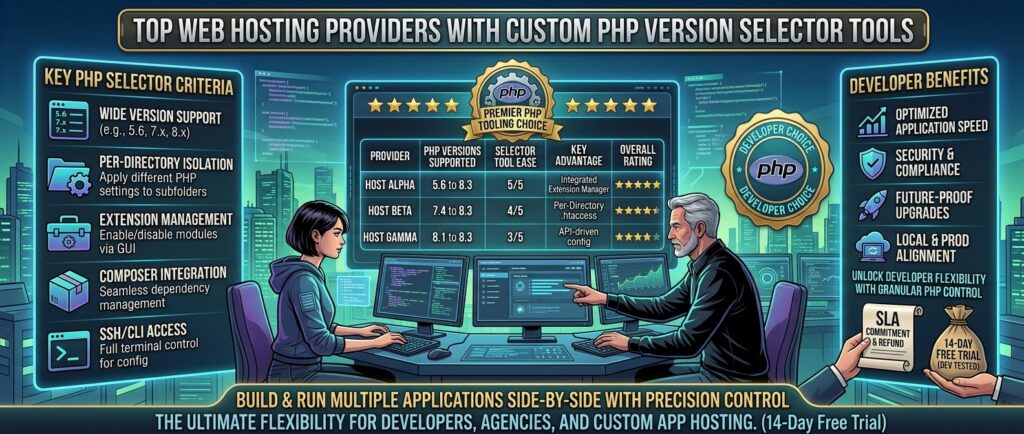
Top web hosting providers with custom php version selector tools: For web developers, digital agencies, custom software creators, and growing business owners building websites across major commercial powerhouses like Texas, New York, California, Washington, and San Francisco, PHP remains one of the most vital programming languages on the web. Powering foundational content management systems like WordPress, WooCommerce, Magento, and complex custom frameworks like Laravel and Symfony, PHP is the backbone of dynamic web applications.
However, managing PHP environments comes with a major challenge: software compatibility.
When a core plugin, a legacy enterprise theme, or a custom application script requires an older version of PHP (such as PHP 7.4 or 8.0) while modern security standards demand the latest stable releases (such as PHP 8.3, 8.4, or 8.5), a rigid server environment will break your site, triggering the dreaded “500 Internal Server Error” or a white screen of death.
To maintain absolute software compatibility, security hardening, and peak execution speeds, you need a web host that provides an intuitive, built-in Custom PHP Version Selector Tool.
This comprehensive masterclass review guide analyzes the top web hosting providers offering seamless PHP version control, breaking down their control panels, extension management utilities, performance metrics, and overall value.
Why a Custom PHP Version Selector Tool Is Non-Negotiable
Before reviewing specific hosting platforms, let’s explore why having granular control over your server’s PHP environment is critical for modern web operations:
- Immediate Compatibility Control: If an essential third-party plugin or custom module crashes after a core update, having a one-click dropdown menu to safely downgrade or upgrade your PHP version in seconds prevents extended downtime.
- Granular PHP Extension Toggle: Different web applications require specific PHP modules (such as
cURL,GD,mbstring,PDO,bcmath, orionCube Loader). A true PHP selector tool allows you to enable or disable individual extensions without modifying complex server configuration files (php.inior.htaccess). - Enterprise Security and End-of-Life (EOL) Protection: Running unsupported, outdated PHP versions leaves your web application vulnerable to hackers. A good selector tool lets you transition seamlessly to modern PHP releases that offer significant speed boosts and active security patches.
Top 5 Web Hosting Providers with Custom PHP Version Selectors
1. Hostinger — Best Overall PHP Hosting with Intuitive hPanel Controls
Hostinger has established itself as an industry leader by combining high-performance LiteSpeed server infrastructure with a remarkably clean and user-friendly custom control panel (hPanel).
- PHP Selector Tool: Hostinger’s
hPanelincludes a dedicated Select PHP Version utility under the Advanced section. It allows users to instantly switch between legacy releases and the latest stable versions (including PHP 8.1, 8.2, and 8.3). - Extension & Parameter Tuning: Users can easily check or uncheck individual PHP modules and modify configuration parameters like
max_execution_time,memory_limit, andpost_max_sizedirectly via visual toggles. - Key Features: LiteSpeed web server integration, native
LSCacheoptimization, automated daily backups, and a fast browser-based terminal. - Pros: Incredibly easy to use for beginners; instant configuration updates; excellent server speed.
- Cons: Proprietary control panel means custom workflows differ slightly from traditional cPanel layouts.
2. Hosting.com (formerly A2 Hosting) — Developer-Friendly cPanel with Multi-PHP Management
Hosting.com is renowned for its high-speed “Turbo” servers and robust developer toolkits designed to handle resource-intensive applications with ease.
- PHP Selector Tool: Powered by CloudLinux’s industry-standard Select PHP Version module inside cPanel, allowing developers to pin their applications to exact minor releases.
- Extension & Parameter Tuning: Provides a complete matrix of PHP extensions that can be toggled on or off instantly, alongside an intuitive options editor for adjusting memory limits and file upload capacities.
- Key Features: NVMe storage drives, optimized caching platforms, free account migrations, and proactive perimeter security.
- Pros: Exceptional server response speeds; full cPanel portability; deep developer customization.
- Cons: High-speed Turbo features require upgrading to higher-tier hosting plans.
3. ScalaHosting — Secure Cloud VPS & Shared Hosting with SPanel Control
ScalaHosting provides innovative, secure hosting environments tailored for businesses and developers who require advanced system control alongside effortless management tools.
- PHP Selector Tool: Features a built-in PHP Manager inside their proprietary
SPanel(and standard cPanel variants), enabling multi-PHP version control across different directories and subdomains. - Extension & Parameter Tuning: Granular control over PHP modules, execution timeouts, and memory buffers with instant saving capabilities.
- Key Features: Proprietary
SShieldreal-time cybersecurity AI, free website migrations, dedicated IP addresses, and isolated container architecture. - Pros: Outstanding proactive security monitoring; versatile control panel options; stellar customer support.
- Cons: Custom control panel ecosystem has a minor learning curve for users strictly habituated to legacy interfaces.
4. Bluehost — Beginner-Friendly WordPress Host with Multi-PHP Support
Bluehost is an official WordPress-recommended hosting provider that combines streamlined setup wizards with dependable backend management tools.
- PHP Selector Tool: Integrated directly into the advanced cPanel dashboard or updated dashboard utility, allowing users to select and test various PHP iterations with a single click.
- Extension & Parameter Tuning: Straightforward toggles for activating necessary extensions like
ImagickorFileinforequired by modern themes and plugins. - Key Features: Guided setup workflows, free domain name for the first year, automatic WordPress core updates, and secure SSL provisioning.
- Pros: Excellent onboarding support; robust documentation base; trusted industry reputation.
- Cons: Promotional checkout flows frequently suggest auxiliary add-ons that must be manually cleared.
5. InMotion Hosting — High-Performance Shared and VPS PHP Management
InMotion Hosting is a premier choice for growing businesses, digital agencies, and developers who demand robust hardware allocations and flexible server configurations.
- PHP Selector Tool: Full support for multi-PHP selection across shared, VPS, and dedicated hosting tiers, granting developers absolute control over their runtime environments.
- Extension & Parameter Tuning: Comprehensive administrative tools to adjust directives, memory limits, and error-reporting levels.
- Key Features: Enterprise NVMe storage arrays, real-time malware scanning, free data migrations, and cPanel/WHM management options.
- Pros: Generous resource limits; robust hybrid support options; high-performance hardware.
- Cons: Higher starting price points compared to ultra-budget introductory providers.
Comparative Matrix: PHP Selector Web Hosts
| Hosting Provider | Control Panel Type | PHP Versions Supported | Extension Management? | Starting Price |
| Hostinger | hPanel (Custom) | PHP 7.4 – 8.3+ | Yes (Visual Toggles) | $2.49 / mo |
| Hosting.com | cPanel / CloudLinux | Legacy to PHP 8.x | Yes (CloudLinux Selector) | $1.99 / mo |
| ScalaHosting | SPanel / cPanel | Legacy to PHP 8.x | Yes (Granular Manager) | $14.95 / mo |
| Bluehost | cPanel / Custom | PHP 7.4 – 8.x | Yes (Standard Selector) | $1.99 / mo |
| InMotion Hosting | cPanel / WHM | Legacy to PHP 8.x | Yes (Advanced Editor) | $2.29 / mo |
Essential Best Practices for Managing PHP Versions on Your Website
Using a PHP version selector tool incorrectly can break your site or expose security vulnerabilities. Follow these professional guidelines to keep your applications running smoothly:
- Always Test on a Staging Site First: Before upgrading your production site’s PHP version from 8.1 to 8.3, duplicate your site onto a staging environment. Run the PHP upgrade there first to ensure your active theme and plugins do not throw fatal deprecation errors.
- Upgrade Incrementally: If your site is running an older version like PHP 7.4 or 8.0, do not jump straight to the newest release. Step up version-by-version (e.g., 7.4 $\rightarrow$ 8.1 $\rightarrow$ 8.3) to isolate and troubleshoot code conflicts easily.
- Check Error Logs When Things Break: If a white screen or 500 error occurs after changing your PHP version, check your hosting control panel’s Error Log or enable
WP_DEBUGin your WordPresswp-config.phpfile to pinpoint the exact plugin or function causing the failure. - Prioritize PHP 8.x Performance: Modern PHP versions (8.2 and 8.3) include significant Just-In-Time (JIT) compilation improvements and memory optimizations that make your website noticeably faster than legacy versions.
Frequently Asked Questions (FAQ)
1. What is a PHP version selector tool?
A PHP version selector tool is a built-in hosting control panel utility that allows you to change the PHP programming language version running on your server with a simple click of a button.
2. Why would I need to change my website’s PHP version?
You may need to upgrade to a newer PHP version to boost site speed and security, or downgrade temporarily if an older plugin or custom script is incompatible with recent PHP releases.
3. Will changing my PHP version delete my website files?
No. Changing your PHP version only updates the server-side language interpreter. Your website files, databases, and media uploads remain completely untouched.
4. What happens if I select an unsupported PHP version?
Selecting an unsupported or severely outdated PHP version (like PHP 5.6 or 7.0) exposes your website to unpatched security vulnerabilities and malicious cyber exploits.
5. Can I run different PHP versions on different subdomains?
Yes. Advanced hosting control panels (such as CloudLinux-powered cPanel or SPanel) allow you to assign different PHP versions to different directories or subdomains under the same hosting account.
6. What is a PHP extension, and how do I enable it?
A PHP extension is an addon library that adds specific functionality to PHP (such as image processing or database connectivity). You can enable or disable them instantly via checkboxes inside your host’s PHP selector tool.
7. How do I know which PHP version my website currently requires?
You can check your content management system’s documentation (e.g., WordPress system requirements) or review your site’s health screen inside your administrative dashboard.
8. Will upgrading my PHP version make my website faster?
Yes. Each successive major release of PHP introduces massive performance enhancements, reducing CPU overhead and lowering page load times.
9. What should I do if my site crashes after changing the PHP version?
Immediately log back into your hosting control panel, use the PHP selector tool to revert to your previous stable PHP version, and your site will instantly recover while you debug the incompatible code.
10. Which web host offers the best overall PHP management tools?
For an exceptional blend of modern speed optimization, intuitive visual toggles, and affordable pricing, Hostinger is the top overall recommendation—while Hosting.com and ScalaHosting lead for advanced developer configurations.
Conclusion
Managing dynamic web applications requires precise control over your server’s scripting environment. By partnering with a top-tier web hosting provider equipped with an intuitive, built-in Custom PHP Version Selector Tool—such as Hostinger, Hosting.com, ScalaHosting, Bluehost, or InMotion Hosting—developers, e-commerce managers, and digital business owners operating across major commercial centers like Texas, New York, California, Washington, and San Francisco can ensure seamless software compatibility, protect against security vulnerabilities, and achieve peak operational speed.