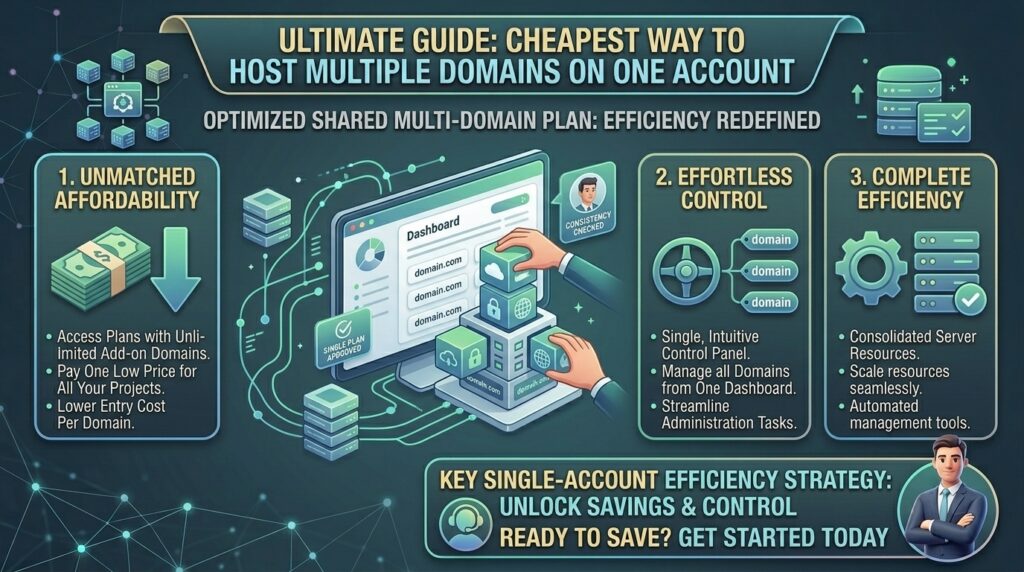
The Cheapest Way to Host Multiple Domains on One Account: The Definitive Multi-Site Guide
Introduction: Why Buy Multiple Hosting Accounts When One Will Do?
When managing a portfolio of digital assets—whether you are launching e-commerce sites in New York, tech blogs in San Francisco, agency workspaces in Texas, digital media channels in Washington, or creative portfolios in California—overhead costs compound quickly. A common mistake for beginners is purchasing a brand-new, individual web hosting plan for every single domain name they acquire.
If you own three, five, or even twenty separate websites, buying individual plans at $5 to $15 per month each will quickly drain your capital.
The most cost-effective solution is utilizing a single, consolidated web hosting account that supports unlimited or multiple domains under one roof. By routing multiple addon domains, subdomains, and separate WordPress installations through one master control panel account, you pay a single flat monthly fee while housing an entire network of sites.
In this comprehensive guide, we break down how multi-domain hosting works, analyze the best budget providers for multi-site setups, review resource limits, and provide a technical blueprint to scale your domains affordably without sacrificing Google SEO performance.
The Core Concept: How Hosting Multiple Domains on One Account Works
Before purchasing a plan, it is critical to understand the architecture behind multi-site hosting. Most budget-friendly shared and cloud hosting packages are structured around account resource pools rather than strict domain limitations.
+-------------------------------------------------------------+
|               Multi-Domain Account Structure                |
+-------------------------------------------------------------+
|  [Master Hosting Account] --> One Monthly Fee               |
|    ├── Primary Domain     --> /public_html/primary.com      |
|    ├── Addon Domain #1    --> /public_html/secondsite.com   |
|    ├── Addon Domain #2    --> /public_html/thirdsite.com    |
|    └── Subdomain          --> /public_html/sub.primary.com  |
+-------------------------------------------------------------+
1. Primary vs. Addon Domains
- The Primary Domain: The first domain name you use to register your hosting account. Its root directory is typically
/public_html/. - Addon Domains: Additional, entirely separate websites (e.g., managing site-a.com and site-b.com under one account). The control panel creates a unique subfolder inside your public directory (e.g.,
/public_html/[site-b.com/](https://site-b.com/)) where that specific site’s files live, completely isolated from your other properties. - Subdomains: Extensions of your main domain (e.g., blog.yoursite.com) used to build auxiliary sections without purchasing a new top-level domain.
Top Budget Providers for Hosting Multiple Domains
Not all cheap hosting plans allow multiple domains. Entry-level packages (such as Hostinger’s Single plan or Namecheap’s Stellar plan) restrict your account to 1 or 3 hosted websites. To host multiple domains cheaply, you must select mid-tier plans that unlock unlimited websites.
| Provider | Minimum Plan Supporting Multiple Domains | Approx. Promo Price | Max Domains Allowed | Control Panel |
| Hostinger | Premium / Business Plan | ~$2.99 – $3.99 / mo | Unlimited | hPanel |
| Namecheap | Stellar Plus Plan | ~$2.98 / mo | Unlimited | cPanel |
| HostArmada | Web Shuttle / Start Up+ | ~$3.49 / mo | Unlimited | cPanel |
| DreamHost | Unlimited Plan | ~$3.95 / mo | Unlimited | Custom Panel |
Step-by-Step Guide: How to Add Multiple Domains to One Hosting Account
Once you purchase a multi-site-compatible hosting plan, adding secondary domains is a straightforward process.
Step 1: Point Your Domain DNS to Your Host
Before your host can recognize a new domain, your domain registrar (where you bought the name, like Namecheap, GoDaddy, or Cloudflare) needs to know where your server is located.
- Log into your domain registrar.
- Locate the Nameserver (NS) settings.
- Replace the default registrar nameservers with the primary nameservers provided by your web host (e.g.,
ns1.yourhost.comandns2.yourhost.com).
Step 2: Create the Addon Domain in Your Control Panel
- If using cPanel (Namecheap/HostArmada): Navigate to the Domains section, click on Addon Domains, enter your new domain name, and cPanel will auto-generate a document root folder and FTP username.
- If using Hostinger (hPanel): Navigate to the Website dropdown menu, click Add Website, select the platform (e.g., WordPress), and type your new domain name into the prompt.
Step 3: Install Free SSL Certificates
Every separate domain hosted on your account requires its own SSL certificate to secure data and serve via HTTPS.
- Modern budget hosts include free, automated Let’s Encrypt SSL installation. In cPanel, navigate to SSL/TLS Status and run auto-SSL; in hPanel, toggle the SSL status switch to active for the new domain.
Step 4: Install Your Content Management System (CMS)
Use your host’s 1-click installer (such as Softaculous or Hostinger’s Auto-Installer) to deploy WordPress, WooCommerce, or custom scripts directly into the unique folder directory created for your addon domain.
Hidden Resource Limits: What “Unlimited” Domains Really Means
While hosts market plans as supporting “unlimited domains” or “unlimited websites,” no shared server offers infinite physical hardware resources. You must monitor three critical technical boundaries to keep your multi-site account stable:
- Inodes (File Count Limits): An inode represents every individual file and folder on your hosting account (images, PHP files, plugins, emails). Most shared hosts enforce a soft limit of 200,000 to 600,000 inodes. If you run 20 small WordPress sites, each stuffed with thousands of media files, you can exhaust your inode limit long before your storage space runs out.
- Server RAM and CPU Throttling: All websites on your account share the same pool of processing power. If one of your addon domains experiences a sudden traffic spike or runs an unoptimized database query, it can consume shared CPU cycles and slow down all other domains hosted on that same account.
- Database Limitations: Check how many MySQL databases your budget plan allows. While storage may be unmetered, some hosts cap the number of active databases, which limits how many distinct WordPress installations you can deploy.
SEO Impact: Managing Multiple Sites on Shared IP Addresses
Running a network of niche websites or client landing pages from a single shared hosting account introduces unique SEO considerations:
- Shared IP Neighborhood: All domains on your account will typically share the same server IP address. For standard content sites, blogs, and local business pages (whether in New York or San Francisco), this has zero negative impact on Google rankings. Google evaluates sites based on content quality, not shared server infrastructure.
- The PBN Trap Warning: If you are building a Private Blog Network (PBN) to manipulate search rankings by linking multiple sites together from the exact same hosting account and IP address, Google’s algorithms easily detect the footprint, resulting in index penalties. Multi-domain hosting should be used for legitimate business portfolios, separate blogs, and client projects—not black-hat link schemes.
- Isolate Vulnerabilities: If one poorly coded plugin on a neglected addon domain gets hacked, malicious actors can potentially exploit adjacent directories in your
/public_html/folder. Always maintain strict security isolation, independent backups, and strong passwords for every site.
Pros and Cons of Hosting Multiple Domains on One Plan
The Pros 👍
- Massive Cost Savings: Paying $3 to $5 per month total instead of buying separate plans for five different sites cuts annual expenses by hundreds of dollars.
- Unified Management: Manage all your files, databases, backups, and SSL renewals from a single dashboard login.
- Resource Sharing: Quiet websites use very few resources, allowing high-traffic pages to draw from the broader shared performance pool when needed.
The Cons 👎
- Single Point of Failure: If the main server experiences downtime, or if your account gets suspended for resource abuse, every website hosted on that account goes offline simultaneously.
- Performance Competition: Heavy resource consumption by one site can degrade page load speeds across your other domains.
Step-by-Step Guide: Best Practices to Isolate Multi-Domain Sites
To prevent one rogue website from crashing your entire portfolio, follow these isolation protocols:
- Use Separate Database Prefixes: When installing WordPress on multiple domains via 1-click installers, always customize your database table prefix (e.g., change
wp_tosite2_orstore_) to avoid database conflicts. - Implement Independent Caching: Utilize lightweight, site-specific caching plugins rather than relying solely on server-wide configurations that might not suit different CMS builds.
- Run Individual Backups: Never rely on a single global backup. Configure automated separate weekly backups for each addon domain so you can restore a single compromised site without rolling back your entire network.
10 Essential Tips to Find and Maximize Cheap Multi-Domain Hosting
- Read the Fine Print on Tier Names: Never assume a cheap introductory plan supports multiple domains; always verify that the package specifically lists “Unlimited Websites” or “Multiple Addon Domains”.
- Check Database Caps: Ensure your chosen plan permits enough MySQL databases to match your planned total number of websites.
- Monitor Inode Usage Regularly: Keep an eye on your file counts in your control panel to avoid sudden account suspensions due to file clutter.
- Leverage Wildcard SSL: If you run subdomains under your domains, look for hosts that provide free Wildcard SSL certificates to cover them automatically.
- Keep Plugins Lean on Small Sites: Since all sites share CPU power, keep auxiliary blogs lightweight with minimal plugins to preserve server resources.
- Use Cloudflare for Free CDN: Route all your domains through a free Cloudflare account to cache static assets globally and reduce direct load on your shared hosting server.
- Secure Every Site Independently: Install robust security firewalls (like Wordfence or Imunify360) on each individual CMS instance.
- Plan for Future Upgrades: Choose a host that makes it seamless to scale from shared multi-domain hosting to a Cloud or VPS tier as your traffic expands.
- Consolidate Staging Environments: Use lightweight staging tools per domain to test updates safely before pushing changes live.
- Track Renewal Pricing: Factor in post-introductory renewal rate spikes so your multi-domain hosting strategy remains cost-effective long-term.
Frequently Asked Questions (FAQ)
1. What is the absolute cheapest way to host multiple domains?
The cheapest method is purchasing a mid-tier shared or cloud hosting plan from a budget provider (like Hostinger or Namecheap) that explicitly supports unlimited websites on a single billing subscription.
2. Can I run completely different websites on addon domains?
Yes. Each addon domain operates as an entirely independent website with its own files, design, database, content management system, and email addresses.
3. Do I need to buy separate SSL certificates for each domain?
No. Most reputable budget hosts provide free, automated Let’s Encrypt SSL certificates that can be individually assigned to every addon domain hosted on your account.
4. How many websites can I realistically host on a cheap shared plan?
While hosts advertise “unlimited” domains, hardware resource limits (RAM, CPU, and inodes) usually cap practical shared hosting portfolios at 5 to 20 low-to-medium traffic websites before performance begins to degrade.
5. Will hosting multiple domains on one account hurt my Google SEO?
No. Google evaluates each website based on its individual content quality, backlinks, and technical speed. Sharing a server account with your other websites has no direct negative impact on search rankings.
6. What happens if one website gets hacked on my multi-domain account?
If security isolation is weak, malicious actors can potentially access adjacent directory folders. This is why using strong passwords, separate database prefixes, and individual security plugins for each site is essential.
7. Can I use different domain extensions (.com, .org, .net) on one account?
Yes. Your hosting account can manage any combination of top-level domain extensions (.com, .net, .co, .io, .org, etc.) as addon domains.
8. What is the difference between a parked domain and an addon domain?
A parked domain simply points to your primary website’s content (displaying the same site under a different URL), whereas an addon domain hosts an entirely separate, unique website with its own files.
9. When should I upgrade from shared multi-domain hosting to a VPS?
You should upgrade to a Virtual Private Server (VPS) or Cloud plan when your combined web traffic triggers frequent server resource warnings, slow database response times, or CPU throttling.
10. Do all budget hosts allow unlimited addon domains?
No. Many ultra-cheap entry plans restrict accounts to a single website. You must read plan specifications carefully to select tiers that explicitly support multiple or unlimited domains.
Conclusion
Hosting multiple domains on a single web hosting account is the ultimate financial strategy for webmasters, developers, and entrepreneurs looking to minimize overhead. By selecting a high-value shared or cloud package that supports unlimited websites, properly structuring your root directories, and maintaining strict security across your digital portfolio, you can run an entire network of sites for the price of a single subscription.