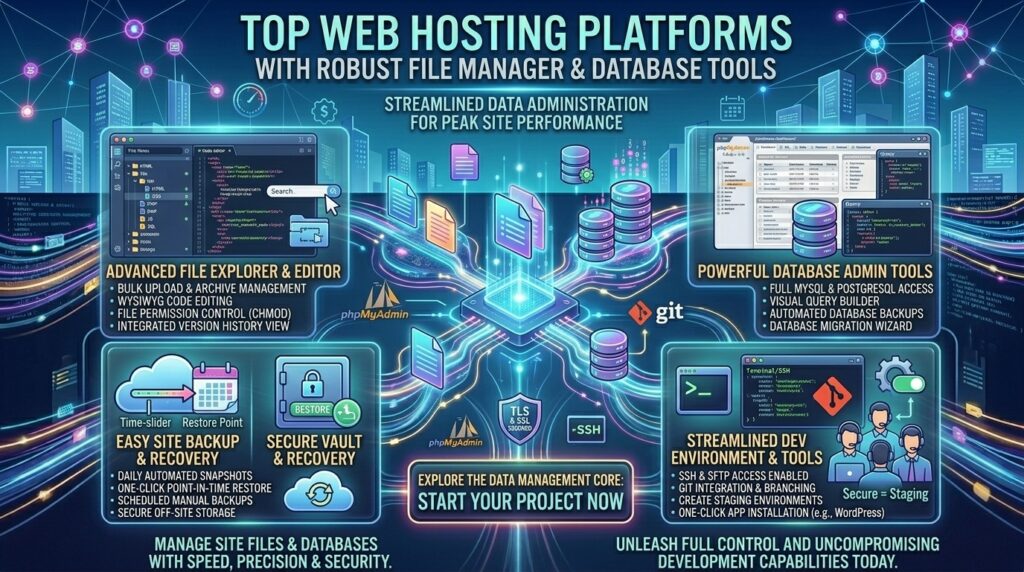
Top web hosting platforms with robust file manager and database tools. Managing a modern website requires more than just pointing a domain name to a server and uploading an initial landing page. Whether you are troubleshooting a broken theme script via code inspection, importing massive SQL product databases for an e-commerce catalog, or clearing server-side error logs, having direct, granular control over your backend files and databases is non-negotiable.
For developers, system administrators, web agencies, and tech entrepreneurs scaling operations across major commercial epicenters like Texas, New York, California, Washington, and San Francisco, relying on clunky, restrictive backend interfaces wastes valuable engineering hours. You need a web hosting platform equipped with a robust file manager and advanced database management tools (such as phpMyAdmin, integrated MySQL/PostgreSQL managers, and lightning-fast file execution layers).
This masterclass review guide analyzes the top-rated web hosting platforms featuring elite file managers and database tools, breaking down their directory interfaces, database query controls, performance specs, and overall value.
Why File Managers and Database Tools Matter for Your Workflow
Before examining specific hosting providers, let’s explore why backend file and database architecture forms the bedrock of professional web development:
- Emergency Code Recovery via File Managers: When a faulty plugin crashes your WordPress dashboard or corrupts your
functions.phpfile, being able to log into a lightning-fast web-based file manager to delete or edit the broken file saves your site from total downtime. - Granular Database Administration (phpMyAdmin / SQL): Dynamic websites rely heavily on relational databases to store user accounts, orders, and content. Robust database tools let you optimize tables, execute direct SQL queries, import massive backups, and clean transient database bloat instantly.
- Inode Efficiency and Large File Uploads: High-performance hosts provide generous inode limits and high memory caps, allowing you to upload media-heavy assets, custom scripts, and heavy database exports without throwing server timeout errors.
Top 5 Web Hosting Platforms with Robust File Managers and Database Tools
1. Hostinger — Modern Custom Dashboard (hPanel) with Advanced File & Database Utilities
Hostinger has earned global acclaim by replacing legacy control systems with a lightning-fast, highly intuitive proprietary dashboard known as hPanel.
- File Manager Capabilities: Features a sleek, browser-based file manager equipped with mass file extraction, multi-file drag-and-drop uploads, integrated file searching, and direct permission editing.
- Database Tools: Provides robust MySQL database creation, user management, and seamless access to phpMyAdmin for complex SQL queries, index optimization, and manual table repairs.
- Key Features: Custom LiteSpeed server acceleration, NVMe storage drives, automated backups, and integrated Git deployment tools.
- Pros: Exceptionally modern, clean user interface; lightning-fast file operations; very affordable introductory pricing.
- Cons: Shared hosting tier resource limits require eventual scaling for massive enterprise application databases.
2. SiteGround — Premium Custom Control Panel (Site Tools) and Developer Utilities
SiteGround is globally celebrated by developers and agencies for its high-performance infrastructure backed by Google Cloud and its bespoke management interface, Site Tools.
- File Manager Capabilities: A meticulously engineered file manager featuring inline code editing syntax highlighting, compressed archive extraction, and secure permission controls.
- Database Tools: Complete MySQL database management suite with instant phpMyAdmin access, remote database connection settings, and automated database optimization routines.
- Key Features: One-click staging environments, free automated daily backups, custom Security Optimizer, and native Git/SSH integration.
- Pros: Outstanding file search speeds; rock-solid Google Cloud stability; top-tier technical support.
- Cons: Renewal pricing increases significantly following the initial introductory term.
3. Bluehost — Industry-Standard cPanel and Advanced WHM Ecosystems
Bluehost remains an industry veteran and a favorite among traditional web administrators who prefer the gold standard of backend management: cPanel and phpMyAdmin.
- File Manager Capabilities: Full access to the traditional cPanel File Manager, supporting hidden file visibility (
.htaccess), robust code editors, and rapid directory archiving. - Database Tools: Comprehensive phpMyAdmin integration alongside MySQL database wizards, remote MySQL access control, and PostgreSQL support.
- Key Features: Oracle Cloud infrastructure integration, free domain name for the first year, free automated daily backups, and free SSL certificates.
- Pros: Familiar cPanel environment; highly reliable uptime tracking; beginner-friendly resource monitors.
- Cons: Standard renewal pricing climbs higher after the initial introductory term.
4. Hosting.com (formerly A2 Hosting) — High-Performance Turbo Servers with Complete Database Control
Hosting.com delivers developer-friendly hosting packages paired with high-speed Turbo server hardware engineered to execute resource-heavy database queries effortlessly.
- File Manager Capabilities: Equipped with advanced cPanel file managers or custom server panel interfaces supporting large payload file transfers and high inode thresholds.
- Database Tools: Advanced phpMyAdmin administration tools optimized with NVMe caching layers to execute large SQL imports and complex relational queries without timing out.
- Key Features: Turbo server caching layers, NVMe storage pools, full SSH access, and free account migrations.
- Pros: Blazing-fast database execution speeds; robust multi-version PHP support; reliable uptime history.
- Cons: Maximum speed and caching features require upgrading to higher-tier Turbo plans.
5. ScalaHosting — Custom Cloud Management via SPanel and Advanced Security
ScalaHosting provides innovative cloud VPS architecture managed through their proprietary control panel, SPanel, giving developers absolute root access alongside user-friendly file tools.
- File Manager Capabilities: Advanced web-based file manager supporting root-level permissions, file search indexing, and bulk file manipulation.
- Database Tools: Complete MySQL and MariaDB management utilities with built-in database repair tools, phpMyAdmin integration, and automated backup scheduling.
- Key Features: Proprietary
SShieldAI cybersecurity, dedicated IP addresses, free website migrations, and isolated container architecture. - Pros: Excellent resource isolation; incredible security monitoring; versatile control panel options.
- Cons: Custom control panel layout has a slight learning curve for users accustomed strictly to legacy cPanel interfaces.
Comparative Matrix: File Manager & Database Hosting Platforms
| Hosting Provider | Control Panel Interface | phpMyAdmin Integration? | Inode Limits / File Capacity | Starting Price |
| Hostinger | Custom hPanel | Yes | Extremely Generous (High Inodes) | $2.49 / mo |
| SiteGround | Custom Site Tools | Yes | Robust Business Tier Limits | $2.99 / mo |
| Bluehost | Classic cPanel | Yes | Standard Shared Thresholds | $1.99 / mo |
| Hosting.com | cPanel / Turbo Panel | Yes | High-Performance NVMe Pools | $1.99 / mo |
| ScalaHosting | SPanel or cPanel | Yes | Dedicated Cloud Scale | $14.95 / mo |
Best Practices for Managing Backend Files and Databases
When handling core files and database operations on your web server, follow these professional best practices to protect your site from data loss:
- Always Export a Database Backup Before Running Queries: Before modifying SQL tables or running database optimization scripts in phpMyAdmin, always export a
.sqlbackup file locally. One mistyped query can drop an entire table structure. - Monitor Inode Usage Regularly: Inodes represent the total number of files and directories on your hosting account. If you store thousands of small image thumbnails or cached files, you can hit your inode limit long before your disk storage space runs out. Choose hosts with high inode thresholds like Hostinger.
- Secure Your
.htaccessand Configuration Files: Use your file manager to set strict file permissions (e.g.,644for files and755for directories) to prevent malicious external scripts from altering your core code. - Clean Database Bloat Over Time: Over months of operation, WordPress and custom CMS platforms accumulate transient options, post revisions, and spam comments in their MySQL databases. Use database tools to run periodic table optimizations and keep your server response times snappy.
Frequently Asked Questions (FAQ)
1. What is a web hosting file manager?
A web hosting file manager is a browser-based interface provided by your host that allows you to view, upload, edit, delete, and organize your website’s server files without needing an external FTP client like FileZilla.
2. What is phpMyAdmin, and why is it important?
phpMyAdmin is a free, open-source software tool written in PHP that handles the administration of MySQL and MariaDB databases over the web, allowing you to run SQL queries, import backups, and inspect tables visually.
3. Will editing files directly in the file manager break my website?
If you make a syntax error while editing code (like PHP or CSS) directly in the file manager, it can temporarily break your site. Always keep local backups of files before editing them.
4. What are inodes in web hosting, and why do they matter?
Inodes measure the total number of individual files, folders, and emails stored on your hosting account. Exceeding your host’s inode limit prevents you from uploading new files even if your storage drive has physical gigabytes remaining.
5. Can I manage multiple databases on a single hosting plan?
Yes. Most mid-tier and advanced hosting packages allow you to create and manage multiple MySQL databases, enabling you to run several distinct websites or staging environments under one account.
6. How do I import a large SQL database backup if phpMyAdmin times out?
If your database file is too large for phpMyAdmin’s upload limit, you can upload the .sql file via the file manager or command line via SSH and import it efficiently using terminal commands.
7. Do custom panels like Hostinger’s hPanel offer the same tools as cPanel?
Yes. hPanel and SiteGround’s Site Tools offer equivalent file management, database creation, SSL management, and phpMyAdmin access, organized in a modern, streamlined layout.
8. Is it safe to manage databases using browser-based tools?
Yes. Reputable web hosts secure their phpMyAdmin and file manager portals behind encrypted SSL connections and secure user authentication walls.
9. What is the difference between MySQL and PostgreSQL?
Both are powerful relational database management systems. MySQL is the universal standard for WordPress and PHP apps, while PostgreSQL is favored for complex enterprise data analytics and advanced custom programming.
10. Which web host offers the best overall file and database management experience?
For modern, lightning-fast file operations and clean database layouts, Hostinger is the top overall value recommendation—while SiteGround and Bluehost lead for professional agency and traditional cPanel workflows.
Conclusion
Absolute control over your digital infrastructure relies on having fast, reliable backend file managers and robust database administration utilities at your fingertips. By partnering with a top-rated web hosting provider equipped with advanced file controls and seamless phpMyAdmin integration—such as Hostinger, SiteGround, Bluehost, Hosting.com, or ScalaHosting—developers, agencies, and business owners operating across major commercial centers like Texas, New York, California, Washington, and San Francisco can troubleshoot instantly, optimize database efficiency, and secure their websites for long-term operational success.