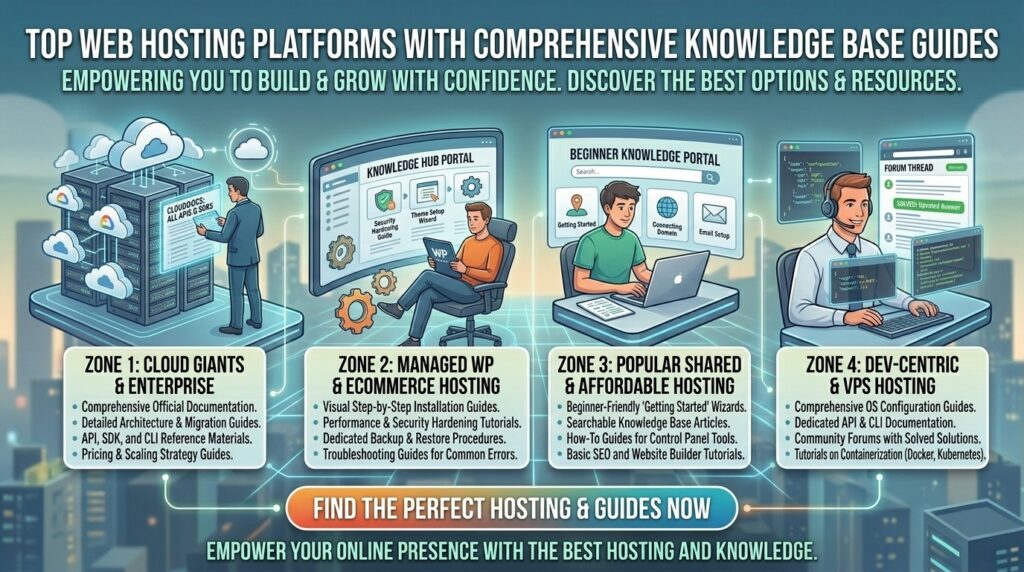
Top web hosting platforms with comprehensive knowledge base guides. Launching, configuring, and scaling a website often involves navigating complex technical terrain. Whether you are pointing DNS records, setting up SSL encryption, configuring email routing, or troubleshooting a sudden PHP memory error, hitting a technical roadblock can grind your workflow to a halt. When you are operating a business, portfolio, or community portal across major commercial hubs like Texas, New York, California, Washington, and San Francisco, waiting hours for customer support replies is not an option.
The hallmark of an elite web hosting provider is not just raw server speed or cheap introductory pricing—it is the depth, clarity, and accessibility of its self-help documentation. A robust, search-optimized knowledge base, tutorial library, and video guide ecosystem empowers you to solve problems instantly at any hour of the day.
This comprehensive masterclass review guide analyzes the top web hosting platforms featuring world-class knowledge base guides and documentation portals, breaking down their tutorial structures, video academies, troubleshooting directories, and overall value.
Why a Comprehensive Knowledge Base Matters
Before reviewing individual providers, let’s explore why high-quality documentation is critical to your long-term website management strategy:
- Instant Problem Resolution: Instead of waiting in a live chat queue for tier-one support agents, a well-indexed knowledge base allows you to search for error codes or configuration steps and find step-by-step solutions in seconds.
- Empowerment Through Education: Quality guides do more than fix immediate bugs—they teach you best practices regarding server security, database maintenance, and performance optimization.
- Reduced Operational Friction: For freelance developers and agency managers handling multiple client websites, having centralized, reliable documentation saves countless hours of trial-and-error configuration.
Top 5 Web Hosting Providers with Exceptional Knowledge Base Guides
1. InMotion Hosting — Industry-Leading Support Center with 5,000+ Detailed Guides
InMotion Hosting sets the gold standard for educational content in the web hosting industry, housing a massive, meticulously organized support ecosystem.
- Knowledge Base Structure: Features over 5,000 published articles, technical manuals, and community walkthroughs covering everything from basic control panel navigation to advanced Ubuntu server configurations.
- Format Diversity: Combines rich-text tutorials with high-resolution screenshots, command-line code blocks, and video walkthroughs.
- Key Educational Channels: Dedicated learning hubs for WordPress, cPanel, e-commerce optimization, security hardening, and DNS management.
- Pros: Unmatched volume of in-depth technical guides; highly structured search categories; active community forums.
- Cons: The sheer depth of documentation can occasionally feel overwhelming for absolute beginners seeking a quick, one-sentence answer.
2. Hostinger — Modern Tutorials, Hostinger Academy, and Step-by-Step Walkthroughs
Hostinger pairs its high-speed infrastructure with an exceptionally polished, beginner-friendly educational framework designed to guide users from zero to launch.
- Knowledge Base Structure: The Hostinger Tutorials hub offers thousands of comprehensive articles addressing web development, SEO, security, and troubleshooting.
- Format Diversity: Highly visual tutorials featuring step-by-step UI highlights alongside Hostinger Academy, a dedicated YouTube video channel providing visual walkthroughs for every aspect of
hPanel. - Key Educational Channels: Comprehensive guides on WordPress deployment, WooCommerce configuration, custom domain binding, and speed optimization.
- Pros: Clean, modern writing style; excellent video integration; highly accessible for non-technical creators.
- Cons: Advanced enterprise system administration topics are kept lighter compared to veteran developer hosts.
3. Bluehost — Deep WordPress Integration and Guided Onboarding Documentation
As an official WordPress-recommended hosting provider, Bluehost provides extensive documentation tailored specifically to the world’s most popular content management system.
- Knowledge Base Structure: A robust help center featuring thousands of searchable articles categorized by account management, domain setup, email configuration, and plugin troubleshooting.
- Format Diversity: Step-by-step graphic guides, interactive onboarding tooltips inside the user dashboard, and structured webinar archives.
- Key Educational Channels: Dedicated WordPress help guides, security walkthroughs, and e-commerce building tutorials.
- Pros: Exceptional focus on WordPress-specific workflows; clear, jargon-free explanations; integrated live search inside user dashboards.
- Cons: Some general server-management guides are gated behind traditional cPanel structures which vary across newer proprietary dashboards.
4. SiteGround — Expert-Authored Tutorials and Intelligent In-Dashboard Help
SiteGround is globally respected for its elite technical support, backed by an equally rigorous library of internal documentation and smart help tools.
- Knowledge Base Structure: Curated, expert-authored tutorials that cut straight to the technical point without unnecessary fluff or outdated instructions.
- Format Diversity: Clear text guides, annotated screenshots, and context-aware help prompts built directly into their custom
Site Toolscontrol panel. - Key Educational Channels: Advanced caching tutorials, staging workflow guides, email client configurations, and security optimization manuals.
- Pros: High accuracy and up-to-date technical relevance; context-aware search that suggests articles based on what you are currently configuring.
- Cons: Smaller total article volume compared to massive archives like InMotion, though quality consistently outweighs quantity.
5. A2 Hosting — Developer-Focused Knowledge Base and Technical Archives
A2 Hosting caters heavily to developers, system administrators, and performance-driven creators who require granular technical documentation.
- Knowledge Base Structure: An expansive support database structured specifically around server environments, SSH commands, database optimization, and high-speed caching setups.
- Format Diversity: Code-heavy tutorials, command-line scripts, configuration file examples (like
.htaccessandnginx.conf), and troubleshooting flowcharts. - Key Educational Channels: Developer tools, SSL installation guides, Turbo server optimization, and multi-version PHP management.
- Pros: Highly technical, developer-friendly accuracy; excellent command-line documentation; robust troubleshooting archives.
- Cons: Interface design of the support portal feels utilitarian and less visually polished than modern consumer hosts.
Comparative Matrix: Knowledge Base & Documentation Platforms
| Hosting Provider | Estimated Article Volume | Video Integration? | Developer / Code Focus | Primary Support Hub Name |
| InMotion Hosting | 5,000+ Guides | Yes (YouTube / Embeds) | High (VPS & Dedicated) | InMotion Support Center |
| Hostinger | Thousands | Yes (Hostinger Academy) | Moderate | Hostinger Tutorials |
| Bluehost | Extensive | Yes (Webinars / Guides) | Moderate (WordPress Focus) | Bluehost Help Center |
| SiteGround | Highly Curated | Moderate | High (Cloud & Agency) | Site Tools Knowledge Base |
| A2 Hosting | Extensive Archives | Minimal | Very High (SysAdmin) | A2 Knowledge Base |
Best Practices for Utilizing Web Hosting Knowledge Bases
When you run into a technical issue and turn to your host’s documentation library, follow these professional strategies to find accurate solutions quickly:
- Search Using Exact Error Codes: If your website throws an error screen (such as “Error Establishing a Database Connection” or a specific HTTP 500 status code), copy and paste the exact error string into the knowledge base search bar rather than a vague description.
- Verify Article Timestamps: Technical software evolves rapidly. Always check the publication or last-updated date on documentation to ensure the tutorial references current PHP versions, modern control panels, and updated security protocols.
- Bookmark Frequently Used Guides: Save direct links to essential guides—such as how to point nameservers, configure custom email MX records, or restore automated backups—so you have them ready during emergency migrations.
- Combine Documentation with Community Forums: If a knowledge base article addresses a general scenario but your specific plugin conflict is unique, check the host’s community forums or comment sections where other users often share real-world fixes.
Frequently Asked Questions (FAQ)
1. What makes a web hosting knowledge base truly comprehensive?
A comprehensive knowledge base features clear, up-to-date, step-by-step tutorials covering everything from basic account setup to advanced server administration, supplemented by screenshots, video guides, and active search indexes.
2. Which web host has the largest support documentation library?
InMotion Hosting leads the industry with over 5,000 detailed articles and guides in their centralized Support Center.
3. Are web hosting knowledge bases beginner-friendly?
Most host knowledge bases (like Hostinger and Bluehost) are specifically structured to accommodate beginners with jargon-free guides, while others (like A2 Hosting) cater more toward advanced developers.
4. Do I need to read documentation, or can I just use live chat?
While 24/7 live chat is invaluable, consulting a knowledge base often solves minor configuration tasks (like creating an email account or changing PHP limits) in seconds without waiting for a support agent.
5. Are video tutorials included in most hosting knowledge bases?
Yes. Leading hosts supplement their written articles with embedded video walkthroughs, YouTube academies, and visual screen recordings to accommodate different learning styles.
6. How do I know if a knowledge base article is outdated?
Check the bottom or top of the support article for a “Last Updated” timestamp. Reputable hosts regularly audit and refresh their tutorials to match current software releases.
7. Can knowledge bases help me optimize my website for SEO?
Yes. Many hosting guides include dedicated tutorials on configuring SSL security, enabling server compression, setting up caching, and integrating Content Delivery Networks (CDNs), all of which boost search engine rankings.
8. Do custom control panels have built-in documentation?
Yes. Modern dashboards like Hostinger’s hPanel and SiteGround’s Site Tools feature contextual help tooltips and embedded tutorial links directly beside advanced settings.
9. What should I do if a knowledge base guide does not fix my specific issue?
If a tutorial doesn’t resolve your error, you can use the knowledge base to gather the correct terminology before opening a support ticket or connecting with 24/7 live chat agents.
10. Which web host offers the best overall learning and documentation experience?
For an ideal blend of massive article volume, clear video academies, and beginner-to-advanced depth, InMotion Hosting and Hostinger are the top overall recommendations.
Conclusion
Navigating web infrastructure becomes effortless when you have access to clear, authoritative, and exhaustive educational resources. By choosing a web hosting provider that prioritizes comprehensive knowledge base guides and tutorial ecosystems—such as InMotion Hosting, Hostinger, Bluehost, SiteGround, or A2 Hosting—entrepreneurs, developers, and small business owners operating across major commercial centers like Texas, New York, California, Washington, and San Francisco can troubleshoot instantly, master server management, and secure their digital platforms for long-term success.