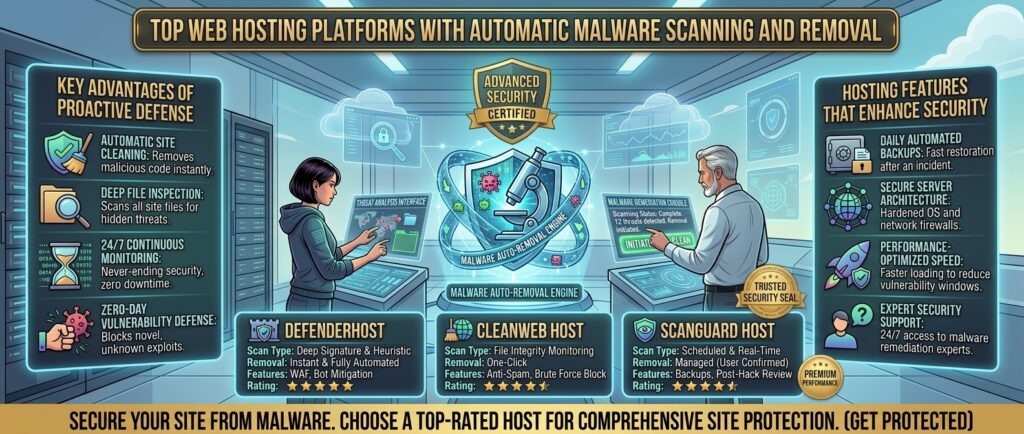
Top web hosting platforms with automatic malware scanning and removal. Securing your online presence is no longer just an optional task; it is an absolute necessity. For digital entrepreneurs, business owners, e-commerce managers, and bloggers operating across competitive markets like Texas, New York, California, Washington, and San Francisco, a security breach can be catastrophic.
When automated bots, malicious scripts, and zero-day exploits compromise your files, your website can be blacklisted by search engines, flagged by web browsers with terrifying red warning screens, and stripped of your hard-earned Google rankings overnight.
While manual security monitoring and third-party plugins can help, the most reliable defense is choosing a web hosting provider that builds automatic malware scanning and removal directly into its infrastructure.
This comprehensive masterclass review guide analyzes the top web hosting platforms featuring built-in automated malware protection, breaking down their scanning engines, cleanup mechanisms, firewall defenses, and overall value.
Why Automated Malware Scanning and Removal is Critical
Before exploring individual hosting options, let’s look at why server-level security automation outperforms manual setups:
- Proactive Threat Detection: Cyber threats evolve constantly. Automated server scanners monitor file systems, database entry points, and upload directories 24/7/365, catching malicious code before it can execute.
- Zero-Day Exploit Mitigation: Hackers frequently target vulnerabilities in popular themes and plugins. Built-in malware tools patch or quarantine compromised scripts instantly, neutralizing threats autonomously.
- Preservation of Search Engine Trust: If malware infects your site, Google’s search crawlers detect the anomaly and apply a “This site may be hacked” label. Automated cleanups protect your search visibility and organic traffic streams.
Top 5 Web Hosting Platforms with Automated Malware Protection
1. SiteGround — The Gold Standard for Built-In Security and Custom Firewalls
SiteGround is globally celebrated for its robust infrastructure, custom security plugins, and proactive approach to web defense.
- Malware Scanning System: Features a proprietary Security Optimizer plugin alongside server-level anti-bot systems and real-time behavioral scanners that monitor inbound traffic and file modifications.
- Removal & Cleanup: Automatically isolates suspicious files and alerts site owners, with advanced tools designed to quarantine infected scripts safely.
- Key Features: Custom Web Application Firewall (WAF) with regularly updated security rules, free automated SSL certificates, daily backups, and managed WordPress updates.
- Pros: Industry-leading security architecture; exceptional automated defense protocols; top-tier technical support.
- Cons: Renewal pricing increases after the introductory promotional period ends.
2. HostArmada — Feature-Rich Cloud Hosting with Proactive Security Scans
HostArmada delivers advanced cloud-backed hosting platforms that include comprehensive security shielding and automated malware removal right out of the box.
- Malware Scanning System: Outfitted with robust, automated malware detection scanners that sweep server directories on a scheduled daily basis.
- Removal & Cleanup: Includes automated threat neutralization features that identify, isolate, and eliminate malicious injections without disrupting clean system files.
- Key Features: Free daily backups, automated malware scanning and removal, Web Application Firewall (WAF), and DDoS mitigation.
- Pros: All-inclusive security features on standard plans; great performance-to-price ratio; rapid customer support response.
- Cons: Standard renewal rates scale upward following the initial sign-up term.
3. ScalaHosting — Enterprise AI-Driven Cybersecurity (SShield)
ScalaHosting provides innovative cloud VPS and shared hosting solutions enhanced by their proprietary security technology designed to block web attacks automatically.
- Malware Scanning System: Powered by SShield, a real-time cybersecurity AI that monitors all incoming web traffic, blocks malicious connection attempts, and scans files for code alterations.
- Removal & Cleanup: SShield boasts a 99.99% success rate in blocking cyberattacks and automatically notifying administrators of suspicious script behavior while neutralizing threats.
- Key Features: Isolated container architecture, dedicated IP options, free website migrations, and fully managed server support.
- Pros: Advanced AI-driven threat prevention; strong isolation between server accounts; exceptional managed support.
- Cons: Custom control panel ecosystem has a minor learning curve for beginners accustomed strictly to traditional cPanel layouts.
4. Hosting.com (formerly A2 Hosting) — Enhanced Security Shielding and Perpetual Defense
Hosting.com incorporates robust, multi-layered security toolkits across its shared and high-speed Turbo hosting environments.
- Malware Scanning System: Integrated KernelCare rebootless kernel updates and proactive virus/malware scanners that inspect directories continuously.
- Removal & Cleanup: Automated quarantine protocols isolate compromised files to prevent lateral movement across database structures.
- Key Features: Enhanced DDoS protection, dual web application firewalls, free account migrations, and NVMe-backed storage options.
- Pros: Strong focus on server hardening; fast high-speed Turbo tiers; reliable uptime track record.
- Cons: Maximum performance and security features require upgrading to higher-tier plans.
5. Bluehost — Beginner-Friendly Security with CodeGuard Integration
Bluehost is an official WordPress-recommended host that pairs streamlined onboarding workflows with dependable site protection features.
- Malware Scanning System: Automated spam and malware monitoring scans your core files and database tables for unauthorized modifications.
- Removal & Cleanup: Integrates seamless backup restore capabilities, allowing you to roll back your site to a clean pre-infection state with a single click.
- Key Features: Guided setup wizards, free domain name for the first year, resource protection, and 24/7 customer support.
- Pros: Excellent onboarding for WordPress users; reliable infrastructure; straightforward security dashboards.
- Cons: Advanced automated malware removal suites on lower tiers sometimes require auxiliary configuration.
Comparative Matrix: Malware Protection Web Hosts
| Hosting Provider | Built-In Malware Scanner? | Automated Removal? | Firewall Protection | Starting Price |
| SiteGround | Yes (Security Optimizer) | Yes (Quarantine & Repair) | Custom WAF & Anti-Bot | $2.99 / mo |
| HostArmada | Yes (Scheduled Scans) | Yes (Automated Shield) | Advanced WAF & DDoS | $2.49 / mo |
| ScalaHosting | Yes (SShield AI) | Yes (Real-Time Blocking) | Isolated Container Defense | $14.95 / mo |
| Hosting.com | Yes (Proactive Scanner) | Yes (File Isolation) | Dual Firewall & KernelCare | $1.99 / mo |
| Bluehost | Yes (Spam & Malware) | Yes (Backup Rollback) | Resource Protection | $1.99 / mo |
Essential Best Practices to Keep Your Website Malware-Free
Even with elite web hosting security features enabled, follow these professional guidelines to maintain an impenetrable digital defense:
- Enforce Strict User Passwords and 2FA: The vast majority of malware injections occur because of weak administrator passwords or compromised FTP credentials. Enforce complex passwords and enable Two-Factor Authentication (2FA) across all user accounts.
- Keep CMS Core, Themes, and Plugins Updated: Outdated software plugins represent the primary backdoor for hackers. Run software updates promptly or enable automated background updates for trusted plugins.
- Limit Administrative User Accounts: Audit your user roles regularly. Remove inactive developer accounts or old contractor logins that no longer require administrative privileges.
- Maintain Independent Offsite Backups: Never rely solely on a single backup copy. Ensure your host or a third-party tool stores redundant backup archives on an independent cloud server array.
Frequently Asked Questions (FAQ)
1. What is automatic malware scanning in web hosting?
Automatic malware scanning is a server-level utility that inspects your website’s source code, database tables, and directories on a scheduled or real-time basis to detect unauthorized code injections.
2. Does automated malware removal delete my website files?
Advanced malware tools isolate and clean infected lines of code or quarantine malicious files. If a file cannot be repaired, they alert you or restore a clean version from a recent backup.
3. Why do hackers target small business and personal websites?
Hackers often target smaller websites not to steal data, but to hijack server resources, send spam emails, or embed malicious redirect links pointing to fraudulent pages.
4. Are free security plugins enough to protect my website?
While security plugins (like Wordfence or Sucuri) are useful, they consume local website resources. Server-level protection (like SiteGround’s security suite or ScalaHosting’s SShield) catches threats before they ever hit your CMS.
5. What is a Web Application Firewall (WAF)?
A WAF is a security filter that monitors and blocks malicious HTTP traffic before it reaches your web application, stopping SQL injections, cross-site scripting (XSS), and brute-force attacks.
6. Will malware scanners slow down my website’s performance?
Quality hosts run their malware scanners asynchronously on backend server nodes or utilize cloud-based intelligence (like SShield), ensuring zero negative impact on your page load speeds.
7. How often should malware scans run?
Standard security protocols dictate that a full system malware scan should run automatically at least once every 24 hours, alongside real-time behavioral monitoring for inbound traffic.
8. What should I do if my website is already blacklisted for malware?
First, run a deep cleanup via your host’s security tool or request a manual cleanup. Once clean, submit a review request via Google Search Console to clear your security warning labels.
9. Does shared hosting make my site more vulnerable to malware?
Basic shared hosting where accounts are unisolated can pose risks if a neighboring site gets hacked. Premium hosts utilize account isolation containers to prevent cross-contamination.
10. Which web host offers the best overall malware protection?
For comprehensive, out-of-the-box security architecture and proactive defense tools, SiteGround is the top overall recommendation—while ScalaHosting leads for AI-driven cloud VPS security.
Conclusion
Safeguarding your digital properties against malicious exploits is paramount to long-term online success. By partnering with a top-tier web hosting provider equipped with automated malware scanning, removal, and advanced firewall tools—such as SiteGround, HostArmada, ScalaHosting, Hosting.com, or Bluehost—entrepreneurs, developers, and business owners operating across major commercial centers like Texas, New York, California, Washington, and San Francisco can protect sensitive consumer data, preserve brand reputation, and ensure uninterrupted Google search visibility.