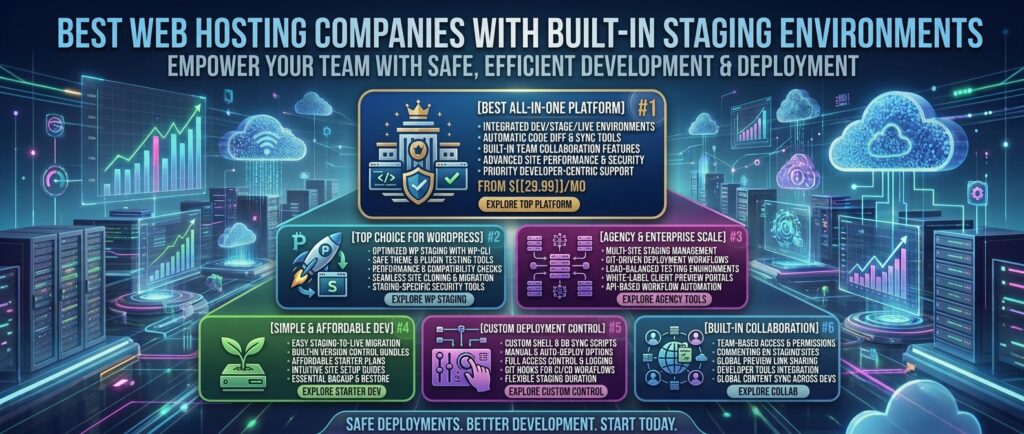
Best web hosting companies with built in staging environments: For web developers, digital agency directors, e-commerce managers, and professional bloggers operating across competitive markets like Texas, New York, California, Washington, and San Francisco, pushing code changes, plugin updates, or theme redesigns directly to a live website is a recipe for disaster.
A single incompatible plugin, a broken PHP snippet, or a botched database update can trigger the dreaded “White Screen of Death,” taking your website offline, damaging your brand authority, and tanking your search engine rankings.
The professional solution is a built-in staging environment.
A staging environment is an exact, isolated clone of your live website hosted on a private server subdomain where you can safely test, experiment, and break things without affecting your production site. Once your changes are perfected, a built-in 1-click deployment tool pushes the updates back to your live site seamlessly.
This comprehensive masterclass review guide analyzes the best web hosting companies featuring built-in staging environments, comparing deployment workflows, server performance, data security, and overall value.
Why a Built-In Staging Environment is Mandatory
Before evaluating specific hosting providers, let’s look at why built-in staging environments outperform manual local development or third-party staging plugins:
- Risk-Free Experimentation: You can test major core CMS updates, experimental CSS/JS code, and database alterations in an environment that mirrors your live production server.
- Zero-Downtime Push & Pull Deployment: Top-tier hosts provide bidirectional synchronization. You can push updates from staging to live, or pull live database changes (like new e-commerce orders or blog comments) back to your staging site without overwriting user data.
- Eliminating Fragile Third-Party Plugins: Free WordPress staging plugins often overload your database, fail on large websites with heavy media files, or crash due to PHP memory timeouts. Server-level staging handles resources natively.
Top 5 Web Hosting Providers with Built-In Staging Environments
1. WP Engine — The Ultimate Three-Tier Staging Ecosystem
WP Engine is widely recognized as the premier enterprise managed hosting platform for mission-critical web applications, offering advanced developer workflows.
- Staging Implementation: Provides a robust Three-Tier Staging Environment (Development, Staging, and Production). Every site gets an isolated workflow where code is built in Dev, tested in Staging, and pushed to Production.
- Infrastructure & Speed: Built on Google Cloud Platform and AWS with proprietary EverCache technology, delivering elite Time to First Byte (TTFB) metrics.
- Key Features: 1-click push/pull synchronization, Git integration, SSH access, and automated daily backups.
- Pros: Unmatched enterprise-grade staging workflow; exceptional handling of complex multisite networks.
- Cons: Higher starting price point (around $27–$30/month); visitor limitations per plan tier.
2. Kinsta — Lightning-Fast Google Cloud Staging
Powered exclusively by the Google Cloud Platform (C2 and C3D compute-optimized virtual machines), Kinsta is a top pick for speed-obsessed publishers and developers.
- Staging Implementation: Every Kinsta plan includes a seamless 1-click staging environment accessible directly from the
MyKinstadashboard. You can also create custom staging environments or push staging to live with optional database preservation. - Infrastructure & Speed: Containerized architecture (LXD) ensures zero resource sharing between your staging site and live production site.
- Key Features: Built-in Application Performance Monitoring (APM), free Cloudflare Enterprise edge caching, and automated weekly database optimizations.
- Pros: Gorgeous custom dashboard; blistering load speeds; reliable isolated environments.
- Cons: Strict limits on monthly visits and storage across entry tiers.
3. SiteGround — Best Value 1-Click Staging for Growing Sites
SiteGround is an independent hosting favorite that combines powerful server optimization tools with an intuitive user interface for mid-tier web builders.
- Staging Implementation: Available on their GrowBig and GoGeek plans, SiteGround offers an effortless 1-click staging creator. You can create a clone, make modifications, and choose whether to deploy all changes or specific files/database tables back to live.
- Infrastructure & Speed: Built on Google Cloud infrastructure with custom SuperCacher technology and dynamic caching.
- Key Features: Free automated migrations, Git integration on higher tiers, and collaborative user access controls.
- Pros: Extremely user-friendly staging wizard; affordable entry pricing for growing projects.
- Cons: High renewal rates after the initial introductory term ends.
4. Hostinger — Best Budget Host with Built-In Staging
Hostinger has transformed budget web hosting by offering advanced features—traditionally reserved for expensive enterprise hosts—on affordable plans.
- Staging Implementation: Hostinger provides a simple 1-click staging tool on its business and cloud hosting tiers, allowing users to clone their WordPress sites instantly inside
hPanel. - Infrastructure & Speed: Powered by LiteSpeed web servers and built-in LSCache object caching for rapid asset rendering.
- Key Features: Free automated backups, global CDN, and an intuitive custom control panel.
- Pros: Incredible value for money; very low learning curve for beginners.
- Cons: Staging is restricted on basic entry-level shared tiers and requires upgrading to business plans.
5. Cloudways — Best Managed Cloud Staging for Agencies & Developers
Cloudways provides a flexible managed orchestration layer over top-tier cloud providers like DigitalOcean, AWS, and Google Cloud, making it a favorite for scaling web agencies.
- Staging Implementation: Features a dedicated “Application Staging” tab in the server dashboard. You can clone your app with one click, test updates, and push changes live while selecting specific files or database tables to sync.
- Infrastructure & Speed: Dedicated RAM and CPU cores with advanced caching stacks (Redis, Varnish, Memcached).
- Key Features: Full root and SSH access, vertical server scaling, and team collaboration controls.
- Pros: Absolute freedom to choose your underlying cloud provider; excellent multi-site staging tools.
- Cons: Does not include native email hosting boxes out of the box.
Comparative Matrix: Staging Hosting Providers
| Hosting Provider | Staging Type | Push / Pull Synchronization | Included on Entry Plan? | Starting Price |
| WP Engine | Dev/Stage/Prod (3-Tier) | Bidirectional | Yes | $27.00 / mo |
| Kinsta | 1-Click Cloud Staging | Bidirectional | Yes | $30.00 / mo |
| SiteGround | 1-Click cPanel/Tools Staging | Selective Deployment | GrowBig & Up | $3.99 / mo (Intro) |
| Hostinger | 1-Click hPanel Staging | Direct Deployment | Business Tier & Up | $2.99 / mo |
| Cloudways | Dedicated Application Clone | Selective Deployment | Yes | $14.00 / mo |
Best Practices for Using a Web Hosting Staging Environment
To maximize efficiency and protect your live web traffic, follow these golden rules when utilizing a staging environment:
- Put Your Live Site in Maintenance Mode (When Necessary): If you are running heavy database migrations that involve active user registrations or e-commerce checkouts, put your live site on a temporary maintenance splash page before executing the final push from staging.
- Test Responsive Breakpoints: Use your staging environment to test mobile, tablet, and desktop responsiveness after modifying CSS styles or layout frameworks.
- Check Permalinks and SSL Configurations: Occasionally, pushing data from a staging subdomain (
staging.yoursite.com) to a live domain (yoursite.com) can corrupt internal image URLs or break SSL redirects. Always inspect your site immediately after deployment.
Frequently Asked Questions (FAQ)
1. What is a web hosting staging environment?
A staging environment is an isolated, exact clone of your live website hosted on a private URL where you can safely test updates, code, and design changes without risking your live production site.
2. Do all web hosting companies include built-in staging?
No. Standard budget shared hosting providers often omit staging tools to save server resources, requiring users to rely on fragile third-party WordPress plugins or manual database cloning.
3. What is the difference between staging and local development?
Local development takes place offline on your personal computer (using software like LocalWP), whereas staging takes place on an online server environment provided by your web host that mimics your live server configuration.
4. Can I push changes from staging back to live with one click?
Yes. Top-tier hosts like WP Engine, Kinsta, and Cloudways feature 1-click push/pull tools that automatically transfer files and database modifications from your staging clone to your live site.
5. Will using a staging environment slow down my live website?
No. Built-in server staging runs on isolated file directories or separate virtual containers (such as Kinsta’s LXD containers), ensuring your live site’s performance remains completely unaffected.
6. Do I need technical coding skills to use a staging environment?
Not with modern managed hosts. Providers like Hostinger, SiteGround, and Kinsta feature user-friendly buttons labeled “Create Staging” and “Push to Live” that handle the backend engineering automatically.
7. What happens to new e-commerce orders placed while testing on staging?
If you push a staging database blindly to your live site, you risk overwriting recent live orders or blog comments. Advanced hosts allow “selective pushing,” enabling you to push only theme or plugin code without overwriting live database tables.
8. Is staging only available for WordPress websites?
While most commonly associated with WordPress, advanced cloud hosts (like Cloudways and DigitalOcean-backed platforms) allow you to create staging clones for custom PHP, Magento, Laravel, and Drupal applications.
9. Are staging sites indexed by Google search engines?
Reputable hosts automatically password-protect staging subdomains or apply noindex robots meta tags, ensuring Google search engine crawlers never index your incomplete testing site.
10. Which hosting provider offers the best staging environment overall?
For high-end developer workflows and absolute reliability, WP Engine and Kinsta are the industry benchmarks. For small businesses and growing blogs seeking value, SiteGround and Hostinger provide exceptional 1-click tools.
Conclusion
Implementing major updates without a staging environment is a gamble no professional web owner should take. By selecting a web hosting provider with robust, built-in staging capabilities—such as WP Engine, Kinsta, SiteGround, or Hostinger—you gain the freedom to test, build, and innovate safely across major digital markets like Texas, New York, California, Washington, and San Francisco, ensuring your live website remains fast, secure, and error-free at all times.