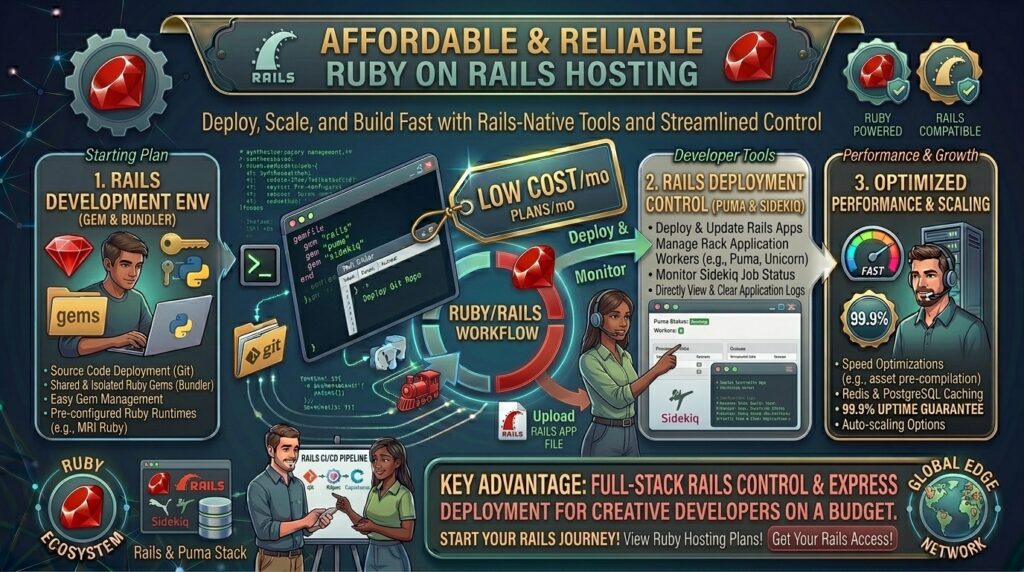
Low Budget Web Hosting with Ruby on Rails Compatibility: The Developer’s Cost-Saving Guide
Introduction: Deploying Full-Stack Ruby Applications Without Enterprise Expenses
Whether you are spinning up backend microservices in San Francisco, building custom database platforms in New York, launching rapid prototypes in Texas, developing automation portals in Washington, or scaling modern SaaS applications in California, Ruby on Rails (RoR) remains one of the most powerful, convention-over-configuration frameworks in software engineering.
However, deploying a Ruby on Rails application has traditionally presented structural hurdles. Unlike lightweight PHP scripts that run on rigid shared-hosting folders, a production-ready Rails app demands a complex stack: a Ruby version manager (RVM/rbenv), a JavaScript/Asset bundler pipeline (assets:precompile), background job processors (Sidekiq or Solid Queue), a persistent database (PostgreSQL/MySQL), and an application server wrapper like Puma running behind an Nginx or Apache reverse proxy.
Historically, running a production Rails app meant paying $30 to $100+ a month for managed Platform-as-a-Service (PaaS) tools or dedicated cloud tiers. Today, intense competition in the virtual server market means you can secure high-performance, developer-friendly low budget web hosting with Ruby on Rails compatibility starting at just a few dollars a month.
In this comprehensive guide, we explore how low-cost Rails hosting works, review the top budget providers, outline a step-by-step deployment workflow, and examine how proper server configuration protects your long-term Google SEO performance.
Understanding Ruby on Rails Architecture and Hosting Requirements
Before purchasing a hosting package, it helps to understand how a Rails application handles requests compared to traditional content management systems.
+-------------------------------------------------------------+
|              The Rails-to-Production Request Flow           |
+-------------------------------------------------------------+
|  [Client Web Browser] (HTTPS Request)                       |
|          │                                                  |
|          ▼                                                  |
|  [Nginx Reverse Proxy] (Handles SSL & Serves Static Assets) |
|          │                                                  |
|          ▼ (TCP Socket / Unix Socket)                       |
|  [Puma Application Server] (Multi-threaded Ruby Processes)  |
|          │                                                  |
|          ▼                                                  |
|  [Ruby on Rails Core Engine & ActiveRecord]                 |
|          │                                                  |
|          ▼                                                  |
|  [PostgreSQL / MySQL Database Server]                       |
+-------------------------------------------------------------+
- The Application Server (Puma): Rails requires an app server like Puma to manage multi-threaded request processing.
- RAM and Garbage Collection: Ruby’s memory management requires sufficient RAM. Running Rails on a server with less than 1GB to 2GB of RAM frequently leads to Out-Of-Memory (OOM) crashes during
bundle installor asset compilation tasks. - Why Shared Hosting Fails for Rails: Standard, ultra-cheap shared hosting plans lock down system paths and prohibit installing custom gems or running background worker daemons. Consequently, budget-conscious developers rely on entry-level Virtual Private Servers (VPS) or cloud instances that grant full root shell access.
Top Budget Web Hosts with Ruby on Rails Compatibility
Review how leading low-cost hosting platforms compare when delivering developer-grade toolsets, full root access, and Rails-friendly environments:
| Hosting Provider | Starting Promo Price | Infrastructure Type | Control Panel / Access | Best Suited For |
| Hostinger | ~$4.99 / mo | NVMe KVM VPS | Full Root / hPanel / Web Terminal | Fast deployments & medium-scale Rails apps |
| Kamatera | ~$4.00 / mo | Customizable Cloud VPS | Hourly Cloud Console / Root | Highly scalable custom Rails clusters |
| DigitalOcean | ~$4.00 / mo | Basic Cloud Droplets | CLI / Cloud Dashboard | Developer-centric micro-apps |
| Amazon Lightsail | ~$3.50 / mo | Simplified AWS Instances | AWS Console / SSH | AWS-ecosystem integration |
In-Depth Analysis: Best Budget Rails Hosting Providers
1. Hostinger: Best Overall Value VPS for Rails Applications
Hostinger has earned widespread acclaim among developers by pairing high-performance NVMe storage infrastructure with aggressively priced virtual private server packages.
- The Rails Environment: Because Hostinger’s KVM VPS plans grant full root SSH access, you can install Ruby via rbenv, configure PostgreSQL, set up Puma and Nginx, and run automated deployment scripts without restriction.
- Hardware Performance: Powered by AMD EPYC processors and fast NVMe storage, database queries and asset compilation execute swiftly, preventing bottlenecks during heavy traffic spikes.
2. DigitalOcean: Best Developer-Centric Cloud Droplets
DigitalOcean remains a gold standard for indie developers and engineering teams seeking unmanaged, predictable infrastructure for Ruby on Rails.
- The Rails Environment: You can spin up a clean Ubuntu Droplet and use modern deployment automation frameworks like Kamal (the Rails-team-blessed deployment tool) to push code seamlessly from your local machine to your server container.
- Ecosystem and Documentation: DigitalOcean provides some of the clearest, most extensive technical tutorials on the internet for configuring Rails, Puma, and PostgreSQL from scratch.
SEO Impact: How Rails Hosting Performance Affects Google Rankings
Ruby on Rails powers data-dense web applications, custom directories, programmatic SEO content networks, and interactive client portals. Technical search engine optimization depends heavily on how your hosting environment performs:
- Time to First Byte (TTFB) Optimization: Rails renders dynamic views on the fly. If your budget server lacks adequate CPU threads or RAM, server response time lags. Fast server response speeds satisfy Google’s Core Web Vitals requirements.
- Clean Routing and Parameter Handling: Rails uses powerful RESTful routing (
config/routes.rb) that allows you to construct clean, semantic URL paths. Ensuring your Nginx proxy handles URL rewrites smoothly prevents duplicate content indexing issues. - Secure HTTPS Encryption: Cheap VPS hosts provide full terminal access to configure Let’s Encrypt SSL certificates, ensuring your application serves pages securely over HTTPS—a mandatory Google ranking signal.
Pros and Cons of Low Budget Rails Hosting
The Pros 👍
- Incredible Cost Efficiency: Run a complete, database-backed full-stack web application for the price of a streaming subscription each month.
- Absolute Server Control: On VPS plans, you control your Ruby versions, Gemfile dependencies, environment variables, and background worker threads.
- Scalability on Demand: Easily resize your cloud server RAM and vCPUs as your user base and database traffic grow.
The Cons 👎
- Steeper Technical Learning Curve: Unlike managed WordPress hosting, budget VPS Rails hosting requires basic Linux administration, command-line usage, and manual configuration skills.
- Maintenance Responsibility: You are responsible for handling system security updates, firewall configurations, and database backup routines.
Step-by-Step Guide: Deploying a Rails App on a Budget VPS
Deploying a Ruby on Rails application to an affordable Linux VPS follows a clean, structured workflow:
- Spin Up a Budget VPS: Purchase a virtual server running Ubuntu 24.04 LTS from a provider like Hostinger or DigitalOcean with at least 2GB of RAM.
- Install System Dependencies and Ruby: Connect via SSH and install required packages, using
rbenvto manage your Ruby version:Bashsudo apt update && sudo apt upgrade -y sudo apt install git curl libpq-dev libsqlite3-dev build-essential zlib1g-dev -y - Install PostgreSQL Database: Set up a production database user and secure password for your Rails application.
- Clone and Configure Your Rails App: Clone your repository from GitHub, bundle your gems, precompile assets, and run database migrations:Bash
bundle install RAILS_ENV=production bundle exec rails assets:precompile RAILS_ENV=production bundle exec rails db:migrate - Configure Puma and Nginx: Set up Puma as a systemd service to keep your application running continuously, and configure an Nginx reverse proxy to route public HTTP/HTTPS traffic to your Puma Unix socket.
10 Essential Tips to Optimize Low-Cost Rails Hosting
- Allocate at Least 2GB of RAM: Avoid 512MB or 1GB RAM tiers if possible; compiling Rails assets (
assets:precompile) during deployment routinely consumes heavy memory and causes 1GB servers to crash. - Use Kamal or Capistrano for Deploys: Automate your production deployments using modern tools like Kamal or Capistrano so you never have to manually update files via terminal copy commands.
- Configure Database Connection Pooling: Tune your
database.ymlpool size parameter to match your Puma worker thread count, optimizing database query efficiency. - Run Background Workers (Sidekiq): Offload heavy tasks (sending emails, processing image uploads) to background worker queues managed via systemd.
- Monitor Disk Space (Inodes): Storing old log files and precompiled asset caches can quickly exhaust disk space on small budget drives; set up automated log rotation.
- Store Secrets in Environment Files: Never hardcode database passwords or secret keys into your codebase; manage them securely using Rails encrypted credentials or
.envfiles. - Set Up Automated Backups: Configure automated weekly or daily server snapshots to protect your PostgreSQL database against catastrophic data loss.
- Keep Ruby and Gems Patched: Periodically audit your Gemfile for security vulnerabilities using
bundle auditand update system packages regularly. - Leverage Nginx Caching: Route static asset requests directly through Nginx to minimize CPU load on your Ruby Puma processes.
- Test Core Web Vitals: Run Google PageSpeed insights on your front-end layouts to ensure fast rendering times and seamless mobile experiences.
Frequently Asked Questions (FAQ)
1. What is Ruby on Rails hosting?
Ruby on Rails hosting refers to a server environment configured with the necessary software dependencies (Ruby, a database like PostgreSQL, a web server like Nginx, and an application server like Puma) to run RoR web applications.
2. Can I run Ruby on Rails on cheap shared hosting?
No. Standard cheap shared hosting plans are locked down for PHP and do not permit installing custom gems, running background daemons, or executing long-running Ruby processes. You need a VPS or cloud instance.
3. What is the cheapest way to host a Rails application?
Purchasing a budget Virtual Private Server from providers like Hostinger or DigitalOcean starting around $4 to $5 a month provides the cheapest and most flexible environment.
4. How much RAM do I need to run a Rails app smoothly?
While a simple app can boot on 1GB of RAM, it is strongly recommended to use at least 2GB of RAM to prevent Out-Of-Memory errors during asset compilation (assets:precompile) and bundle installations.
5. Do cheap Rails hosts provide full root access?
Yes. Affordable Rails hosting relies on VPS or cloud server plans, which grant full root SSH access so you can install custom software stacks and configure server settings freely.
6. Do I need management tools like Kamal or Heroku?
While PaaS platforms like Heroku handle server management for a premium price, modern deployment tools like Kamal allow you to deploy Rails apps to a cheap raw VPS easily.
7. Will cheap VPS hosting hurt my Google SEO performance?
No. As long as your VPS has enough RAM and CPU resources to maintain fast response times (TTFB) and proper caching, your Rails web app will rank exceptionally well on Google.
8. What database should I use for a budget Rails app?
PostgreSQL is the industry standard for Ruby on Rails and runs exceptionally well on lightweight Linux VPS instances alongside your app container.
9. How do I keep my Rails app running continuously in the background?
You can use a process manager like systemd or Upstart to ensure your Puma application server restarts automatically if your server reboots.
10. Which budget host is best overall for Ruby on Rails?
Hostinger stands out as an exceptional choice, offering high-performance NVMe KVM VPS plans with full root access and reliable uptime at very competitive rates.
Conclusion
Securing low budget web hosting with Ruby on Rails compatibility no longer requires overpaying for expensive enterprise cloud environments or restrictive PaaS platforms. By leveraging low-cost VPS and cloud providers like Hostinger and DigitalOcean, developers can build, deploy, and scale robust Rails applications on a strict budget.