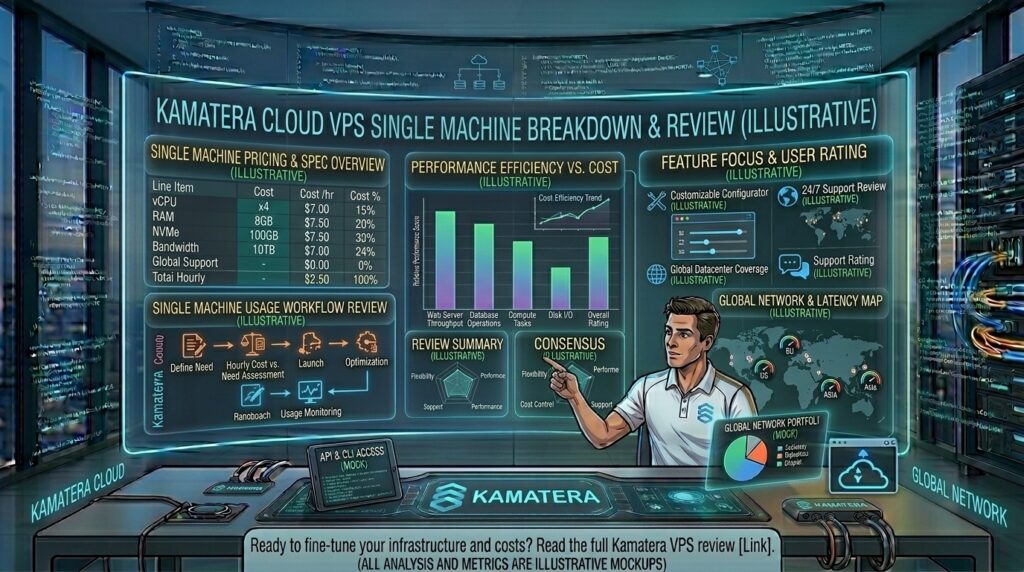
Kamatera cloud vps hourly pricing breakdown review: When managing digital assets, high-traffic applications, or client websites across demanding commercial regions—from New York and San Francisco to Los Angeles (California), Seattle (Washington), and Austin (Texas)—traditional fixed shared hosting often falls short. Modern webmasters require infrastructure that scales instantly, delivers unthrottled hardware resources, and maintains absolute pricing transparency.
Kamatera has built a stellar reputation in the cloud computing space by offering enterprise-grade infrastructure with extreme customization. Among its standout financial models is its hourly pricing system, which allows developers and businesses to spin servers up or down on demand and pay strictly for the minutes they consume.
This exhaustive, data-driven review breaks down Kamatera’s hourly pricing structure, analyzes its performance architecture, evaluates its search engine optimization (SEO) implications, and provides expert guidance to help you maximize your return on investment.
1. Understanding Kamatera’s Dynamic Pricing Model
Unlike traditional web hosts that lock you into rigid monthly bundles or force multi-year contracts to secure low rates, Kamatera operates on a modular Infrastructure-as-a-Service (IaaS) model.
+-----------------------------------+-----------------------------------+
|         MONTHLY COMMITMENT        |          HOURLY METERING          |
+-----------------------------------+-----------------------------------+
| • Best for permanent production   | • Best for staging, testing, CI/CD|
|   websites, SaaS tools, and blogs |   pipelines, and sudden traffic   |
| • Fixed baseline cost calculated  |   surges                          |
|   predictably per month           | • Billed down to the exact minute |
| • Fully compatible with long-term | • Terminate servers anytime to    |
|   operational budgeting           |   cease all billing immediately   |
+-----------------------------------+-----------------------------------+
How the Hourly Metering Works
Kamatera translates its monthly resource estimates directly into transparent hourly and minute-by-minute fractions.
- Granular Tracking: When you select hourly billing, your server consumption is metered precisely by the minute.
- The Power-Down Rule: A critical nuance of Kamatera’s hourly model is how server states affect billing. If you select an hourly server, charges accrue based on whether the server is powered on or off. To stop incurring hourly charges completely, you must terminate (delete) the server instance from your management console rather than just shutting it down.
2. Granular Component Pricing Breakdown
Kamatera’s pricing calculator allows you to configure individual vCPUs, RAM increments, NVMe storage pools, and network data allowances independently.
+-----------------------------------------------------------------------+
|                 SAMPLE HOURLY COST CONFIGURATIONS                     |
+-----------------------------------------------------------------------+
| Configuration Profile      | Estimated Monthly | Approximate Hourly  |
+----------------------------+-------------------+---------------------+
| Basic (1 vCPU, 1GB RAM,    | $4.00 / mo        | ~$0.006 / hr        |
| 20GB NVMe, 5TB Traffic)    |                   |                     |
| Standard (2 vCPU, 2GB RAM, | $15.00 / mo       | ~$0.021 / hr        |
| 20GB NVMe, 5TB Traffic)    |                   |                     |
| Pro (2 vCPU, 4GB RAM,      | Custom Build      | Scaled by minute    |
| 20GB NVMe, 5TB Traffic)    |                   |                     |
+-----------------------------------------------------------------------+
Key Resource Cost Factors:
- CPU Types (Type A vs. Type B): Kamatera offers different vCPU architectures (such as Availability cores vs. General Purpose/Dedicated cores). Choosing high-frequency, dedicated CPU cores scales your hourly rate upward to guarantee zero resource contention.
- RAM Scaling: Memory can be scaled up or down independently of storage, allowing you to fine-tune your hourly costs if your application is heavily memory-bound (e.g., running high-traffic MySQL or Redis caches).
- Storage Expansion: Additional NVMe SSD storage blocks scale at very affordable marginal rates (typically around $0.05 per extra GB per month).
- Massive Bandwidth Allocations: Most baseline packages include a generous 5 TB of internet traffic, shielding growing sites from unexpected bandwidth overage penalties. Additional traffic scales at roughly $0.01 per GB.
3. Performance, Speed, and Global Infrastructure
How does Kamatera’s low-cost hourly hardware perform under real-world stress tests?
- NVMe SSD Storage Arrays: Kamatera utilizes enterprise-grade NVMe drives, delivering blazing-fast input/output operations (IOPS) that drastically reduce database read and write latency.
- Global Data Center Spread: With high-performance data center nodes strategically positioned across North America (including East and West Coast US locations), Europe, the Middle East, and Asia, you can spin up hourly servers right next to your target audience to minimize network transit times.
- Uptime Reliability: Backed by a robust 99.95% uptime SLA, Kamatera ensures stable server operations that prevent unexpected downtime.
4. Google SEO and Core Web Vitals Impact
When selecting cloud infrastructure to rank competitive digital assets across regions like New York, San Francisco, Texas, Washington, and California, technical performance dictates success.
+-----------------------------------------------------------------------+
|                    SEO ADVANTAGES OF KAMATERA INFRASTRUCTURE          |
+-----------------------------------------------------------------------+
| 1. Sub-200ms TTFB: Dedicated vCPU cores and rapid NVMe storage drive  |
|    down Time to First Byte, directly boosting Core Web Vitals (LCP).  |
| 2. Elimination of Crawl Errors: Rock-solid uptime stability ensures   |
|    Googlebot never encounters 5xx server drops during indexation.     |
| 3. Flexible Staging Environments: Hourly billing allows you to spin up|
|    exact replicas of live sites for safe plugin and theme testing.    |
+-----------------------------------------------------------------------+
5. Strategic Tips for Maximizing Kamatera’s Hourly Model
- Leverage Hourly Billing for Staging: Instead of keeping expensive test environments running 24/7, spin up an exact replica of your production server on an hourly plan only when running updates, debugging code, or testing site modifications.
- Audit Your Server States Remember: Remember that powered-off hourly servers still occupy allocated storage block space and continue to accrue minimal baseline fees unless completely terminated.
- Utilize the 30-Day Free Trial: Kamatera offers a generous trial period (often up to $100 in credit), allowing you to test hourly server configurations and benchmark your website speed risk-free.
- Harden Your Security Layer: Because Kamatera instances are unmanaged by default, enforce SSH key authentication, disable root password logins, and set up a cloud firewall immediately after deployment.
6. Frequently Asked Questions (FAQ)
1. How does Kamatera’s hourly pricing model work?
Kamatera calculates costs down to the exact minute based on the resources (vCPU, RAM, storage, and traffic) you select. You are billed incrementally for the time the server exists in your account.
2. Do I get charged if I power off my hourly Kamatera server?
Yes. If you simply power down your hourly server from the dashboard, storage and resource reservations remain active, meaning fractional billing continues. To stop all charges, you must terminate the server instance completely.
3. What is the cheapest hourly server configuration available?
Basic entry-level configurations start at roughly $4.00 per month, translating to an extremely low fractional hourly rate (around $0.006 per hour) for 1 vCPU, 1 GB of RAM, and 20 GB of NVMe storage.
4. Can I switch from hourly billing to monthly billing later?
Yes. Kamatera’s management console provides the flexibility to adjust billing terms and scale your hardware resources vertically (CPU, RAM, storage) on demand as your website traffic grows.
5. Are there any hidden setup fees or contracts?
No. Kamatera does not lock you into long-term contracts for hourly servers, and there are no hidden setup fees—you pay strictly for what you provision.
6. Is Kamatera suitable for beginner webmasters?
Kamatera provides unmanaged cloud servers, meaning it requires basic Linux terminal knowledge or the installation of a third-party control panel (like CyberPanel or CloudPanel) to mimic a traditional cPanel experience.
7. Does Kamatera include automated backups with hourly servers?
Automated backups and monitoring services can be added to your configuration for a small additional fee, or you can capture manual snapshots anytime from your dashboard.
8. Where are Kamatera’s data centers located for US traffic?
Kamatera operates multiple data center hubs across North America, allowing you to deploy servers near major hubs like New York, Texas, or California for optimal latency.
9. How does Kamatera handle data transfer and bandwidth overages?
Most configurations include a massive 5 TB data transfer allowance per month, which is more than enough for small-to-medium enterprise websites and applications.
10. How do Kamatera’s hourly servers impact my Google SEO rankings?
By delivering dedicated resources, rapid NVMe storage I/O, and fast server response times (low TTFB), Kamatera helps your website easily satisfy Google’s Core Web Vitals performance standards.
7. Conclusion
Kamatera’s hourly pricing breakdown offers an exceptional blend of enterprise-grade performance and granular cost control. Whether you are spinning up temporary staging environments for software development or deploying high-performance production nodes for long-term growth, the ability to pay strictly by the minute provides unmatched financial flexibility.
For digital entrepreneurs, developers, and growing businesses scaling across New York, San Francisco, Texas, Washington, and California, Kamatera delivers the raw speed, rock-solid reliability, and cost-efficient infrastructure needed to dominate Google search rankings.