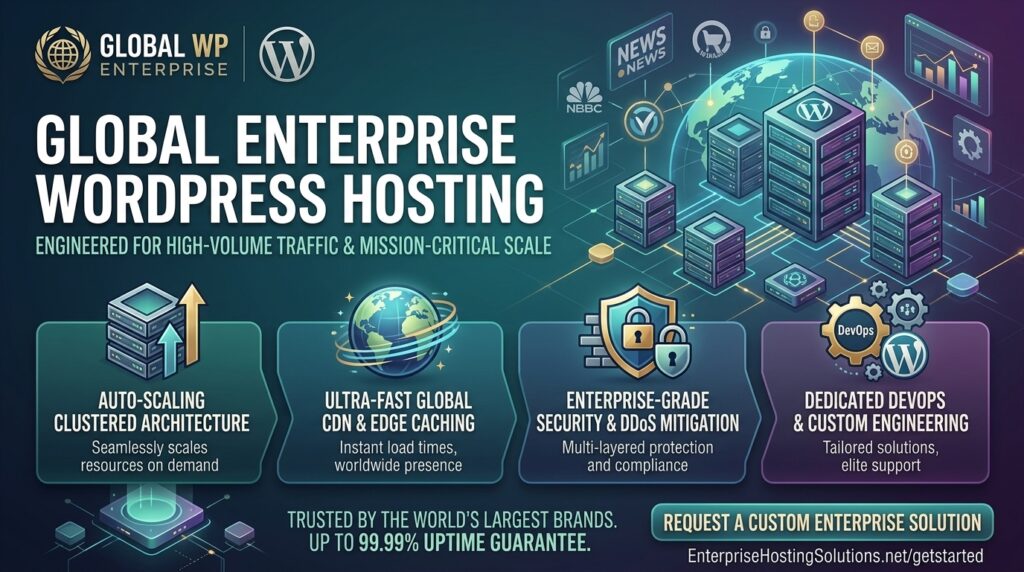
What is the best enterprise WordPress hosting for high volume traffic? WordPress powers over 40% of the entire web, scaling from tiny personal blogs to massive global digital publications, high-volume e-commerce stores, and enterprise news portals. However, when a website starts drawing hundreds of thousands—or millions—of monthly visitors, standard shared or entry-level managed hosting fails completely.
If your high-traffic publication or corporate brand serves audiences across major technology and commercial hubs like New York, San Francisco, Texas, Washington, or Los Angeles, architectural resilience is non-negotiable. A fraction of a second in server delay can mean thousands of dollars in lost ad revenue or abandoned checkouts.
This comprehensive guide breaks down the core architecture required for high-volume enterprise WordPress sites, evaluates the absolute best hosting providers on the market, outlines critical optimization tips, and answers 10 essential FAQs.
Why High-Volume Traffic Crushes Standard WordPress Hosting
Many site owners experience a rude awakening when a marketing campaign or viral piece of content drives a sudden influx of traffic, causing their server to crash with 502 Bad Gateway or 504 Gateway Timeout errors.
Standard hosting treats WordPress like a static HTML site. However, dynamic WordPress architecture executes heavy operations behind the scenes:
- Uncached PHP and Database Queries: Every logged-in user, comment submission, AJAX cart action, or search query forces MySQL/MariaDB to fetch data dynamically.
- Exhausted PHP Workers: Shared hosting limits your site to 2 to 5 PHP workers. If 20 users hit your site simultaneously, subsequent visitors are forced into a queue, resulting in staggering load times.
- Bot Traffic and DDoS Exploits: High-profile enterprise sites are constant targets for malicious scrapers, brute-force XML-RPC attacks, and credential stuffing. Weak servers buckle under this synthetic load.
Critical Features of Enterprise WordPress Hosting
To support millions of monthly pageviews safely, enterprise-grade WordPress infrastructure must incorporate:
- Isolated Resource Containers: Dedicated CPU, RAM, and PHP worker allocations that ensure “noisy neighbor” websites on the same physical rack cannot affect your uptime.
- Advanced Server-Level Caching (Redis Object Cache + Edge Caching): Bypassing PHP execution entirely by serving cached HTML pages directly from network edge nodes or high-speed RAM.
- Web Application Firewall (WAF) & Enterprise DDoS Protection: Intercepting and filtering malicious bot traffic before it reaches your core WordPress directory.
- Auto-Scaling Architecture: The dynamic ability to provision extra server resources instantly during traffic spikes without requiring manual intervention or causing downtime.
Top 5 Enterprise WordPress Hosting Providers for High Volume
To guarantee elite uptime, blistering Core Web Vitals, and bulletproof security, these platforms represent the pinnacle of enterprise WordPress hosting:
1. Kinsta (Best Performance-Obsessed Google Cloud Enterprise Architecture)
Kinsta builds its entire infrastructure on the elite tiers of the Google Cloud Platform (utilizing high-performance C3D and C2 virtual machines), tailored explicitly for high-traffic sites.
- Why it shines for Enterprise: Kinsta offers isolated software containers, powerful edge caching across hundreds of global points of presence, and automated database optimization tools.
- Pros: Incredible page speeds, proactive uptime monitoring, staging environments, and custom Cloudflare Enterprise security integrations.
- Cons: Strict visitor and PHP worker limitations per tier; premium pricing reflecting its elite performance level.
2. WP Engine (Best Established Enterprise Standard & Developer Workflow)
WP Engine is a titan in the managed WordPress space, trusted by major global media outlets, agencies, and enterprise brands.
- Why it shines for Enterprise: Their proprietary EverCache architecture, combined with bespoke multi-region availability and dedicated account management, ensures mission-critical stability under heavy load.
- Pros: Advanced threat detection, automated daily backups, robust developer staging environments, and unmatched ecosystem support.
- Cons: High cost of entry and rigid restrictions against certain resource-heavy database plugins.
3. Rocket.net (Best Edge-Optimized Global Content Delivery)
Rocket.net has redefined high-traffic WordPress hosting by integrating Enterprise Cloudflare infrastructure directly into the core hosting experience.
- Why it shines for Enterprise: Instead of relying on a traditional origin server, Rocket.net pushes your entire WordPress site to the network edge across the globe. When a user in San Francisco or New York requests a page, it is delivered instantly from the nearest edge node.
- Pros: Blistering-fast Time to First Byte (TTFB), built-in Enterprise WAF, zero configuration complexity, and rock-solid reliability.
- Cons: Advanced multi-site network management options are less customizable compared to raw AWS setups.
4. Pagely (Best Tailored AWS-Powered Enterprise Solutions)
Pagely pioneered managed WordPress hosting on Amazon Web Services (AWS) and specializes in ultra-large-scale enterprise, government, and high-volume media deployments.
- Why it shines for Enterprise: Pagely offers bespoke AWS architectures, advanced security partitioning, containerized scaling, and dedicated solutions architects to handle custom enterprise compliance.
- Pros: Unmatched scalability through AWS, high-end security hardening, and dedicated white-glove support.
- Cons: Extremely expensive; custom-tailored for large organizations with substantial IT budgets.
5. Cloudways Enterprise (Best Flexible Pay-As-You-Go Cloud Infrastructure)
Cloudways provides a fully managed interface layer on top of premium infrastructure providers like AWS, Google Cloud, and DigitalOcean.
- Why it shines for Enterprise: You get absolute control over your server size and scaling capabilities without the rigid pricing lock-in of traditional PaaS hosts. It comes pre-installed with Varnish, Redis, and Nginx FastCGI caching.
- Pros: Cost-effective custom resource scaling, pay-as-you-go billing models, and full root/SSH access.
- Cons: Server-level system maintenance and security patches require active oversight.
Actionable Tips to Optimize High-Volume WordPress Sites
Deploying on elite enterprise hardware is only half the formula. To squeeze maximum velocity out of your high-traffic site, enforce these rules:
- Implement Redis Object Caching: Prevent redundant database calls by caching complex database objects, user sessions, and transient options directly in high-speed server RAM.
- Audit and Lean Out Plugin Bloat: Every plugin adds hooks, scripts, and database queries. Strip away unneeded plugins and replace multipurpose plugins with lean, custom-coded alternatives.
- Deploy a Global Edge CDN: Offload static asset delivery (images, fonts, CSS/JS files) to a robust Content Delivery Network to minimize distance latency for coast-to-coast users.
- Optimize Database Tables and Autoloaded Data: High-traffic sites accumulate massive
wp_optionstables filled with autoloaded data. Audit your database regularly and keep autoloaded options under 800KB. - Block Malicious Scrapers and Bad Bots: Use enterprise-grade firewalls (like Cloudflare Enterprise) to intercept aggressive web scrapers and automated vulnerability scanners before they consume your PHP worker pools.
10 Frequently Asked Questions (FAQs)
1. What defines an “enterprise” or high-volume WordPress site?
An enterprise WordPress site typically handles hundreds of thousands to millions of monthly visitors, runs complex e-commerce or publishing workflows, requires high concurrency handling, and demands strict uptime SLAs.
2. Why do standard shared hosting plans fail with high traffic?
Shared hosts pool hundreds of websites onto a single server and strictly limit PHP workers, CPU cores, and memory. A sudden traffic surge quickly exhausts these shared pools, leading to server crashes and timeout errors.
3. What is the difference between Edge Caching and standard server caching?
Standard caching stores files on your origin web server. Edge caching distributes your fully rendered HTML pages across a global network of proxy servers, serving content directly from locations closest to the user in milliseconds.
4. How do PHP workers affect site capacity under heavy traffic?
PHP workers process dynamic requests (like logged-in user actions or WooCommerce checkouts). If your plan provides 4 PHP workers, only 4 concurrent dynamic requests can be processed simultaneously; everyone else enters a delay queue.
5. Does enterprise hosting improve Google SEO rankings?
Yes. Google evaluates Core Web Vitals, including Time to First Byte (TTFB) and interaction responsiveness. High-performance enterprise hosting ensures fast rendering under load, protecting organic search visibility.
6. Are free or cheap CDN services enough for high-volume sites?
While basic CDNs help cache static images, high-volume enterprise sites require advanced edge caching, Web Application Firewalls (WAF), and automated threat mitigation that only enterprise CDN tiers provide.
7. How do I handle database bloat on a high-traffic WordPress site?
Over time, post revisions, spam comments, transient tokens, and analytics logs bloat your MySQL database. Regular cleanups, database indexing, and offloading logs keep query speeds lightning-fast.
8. What is auto-scaling in enterprise WordPress hosting?
Auto-scaling is an automated infrastructure capability that detects sudden traffic spikes and temporarily provisions additional CPU and RAM resources to absorb the surge without downtime.
9. Is it difficult to migrate a high-volume site to an enterprise host?
Most premium enterprise hosts (like Kinsta, WP Engine, and Rocket.net) include free white-glove migration services, handling complex database transfers, DNS configurations, and staging tests with zero downtime.
10. How much does enterprise WordPress hosting typically cost?
Enterprise WordPress hosting plans range anywhere from $100 to over $1,000+ per month depending on traffic volume, storage requirements, dedicated resource allocations, and custom SLA agreements.
Conclusion
Running a high-volume traffic website on WordPress is a tremendous achievement, but it requires infrastructure engineered to match your scale. By pairing your digital platform with an elite enterprise hosting provider—such as Kinsta, WP Engine, or Rocket.net—alongside rigorous database and caching optimization, you guarantee lightning-fast performance, maximum uptime, and robust protection against traffic surges.