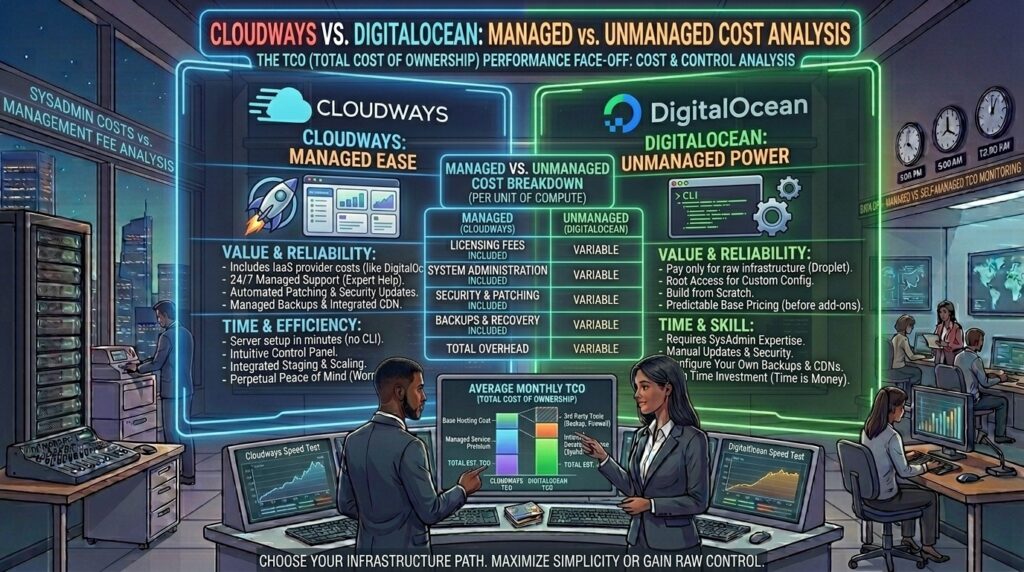
Cloudways vs digitalocean managed vs unmanaged cost. When scaling a high-performance website, web application, or e-commerce store targeting competitive digital hubs like Texas, New York, California, Washington, or San Francisco, traditional shared hosting quickly becomes a growth bottleneck. Low-cost shared servers often suffer from resource throttling, slow Time to First Byte (TTFB), and unpredictable downtime.
To break past these limits, many site owners and developers pivot to cloud infrastructure. However, a major architectural dilemma immediately arises: Should you use a managed cloud platform like Cloudways, or spin up a raw, unmanaged cloud server directly on DigitalOcean?
While both choices can run on identical underlying hardware, their cost structures, operational demands, security overhead, and hidden expenses vary wildly. This comprehensive guide breaks down the true cost of ownership between Cloudways and DigitalOcean, analyzing managed versus unmanaged models to help you make the smartest financial and technical decision for your business.
1. Core Definitions: What Do “Managed” and “Unmanaged” Actually Mean?
Before comparing dollar amounts, it is vital to understand the operational difference between the two ecosystems:
- Unmanaged Hosting (Raw DigitalOcean Droplet): You rent a virtual private server (VPS), known on DigitalOcean as a Droplet. You receive root access via SSH, a blank Linux operating system (usually Ubuntu or Debian), and a command line. You are entirely responsible for everything else: installing a web stack (Nginx, Apache, PHP, MySQL), configuring firewalls, setting up SSL certificates, managing security updates, patching vulnerabilities, and setting up backup cron jobs.
- Managed Cloud Hosting (Cloudways): Cloudways acts as a powerful software-as-a-service (SaaS) orchestration layer built on top of cloud providers like DigitalOcean. Cloudways handles the server setup, deploys your stack automatically via an intuitive visual dashboard, provisions firewalls, configures automated backups, handles security patching, and provides built-in caching tools. You do not touch a command line unless you want to.
2. Direct Cost Comparison: Sticker Price vs. Reality
At first glance, raw unmanaged hosting appears dramatically cheaper. However, evaluating the “total cost of ownership” reveals hidden variables that shift the value proposition.
A. Raw DigitalOcean Pricing (Unmanaged)
DigitalOcean offers basic entry-level virtual machines starting at very low price points:
- Basic 1GB RAM / 1 vCPU Droplet: Costs roughly $6.00 to $7.00/month (or basic tiers starting around $4.00/month for smaller specs).
- Premium Intel/AMD 1GB RAM Droplet: Costs around $7.00 to $14.00/month, offering faster clock speeds and NVMe-backed storage.
- What is included: Pure server resources, a dedicated IP address, and raw network bandwidth (typically 500GB to 1TB+).
- What is NOT included: Automated backups (cost extra), server monitoring software, control panel licenses, or technical support for application errors.
B. Cloudways Pricing (Managed DigitalOcean)
Cloudways bundles the cost of the DigitalOcean server infrastructure directly into its management fee:
- Standard 1GB RAM Plan: Costs $11.00/month.
- Premium 1GB RAM Plan: Costs $14.00/month.
- Premium 2GB RAM / 1 vCPU Plan: Costs $28.00/month.
- What is included: The cloud server itself, Cloudways’ custom management panel, free SSL certificates, automated backups, staging environments, dedicated firewalls, real-time server monitoring, built-in advanced caching (Varnish, Redis, Memcached), and 24/7/365 live chat support.
3. Financial Breakdown Table: Managed vs. Unmanaged
| Cost Component | Raw DigitalOcean (Unmanaged) | Cloudways (Managed) |
| Base Server Cost (1GB RAM) | ~$6.00 to $7.00 / mo | $11.00 to $14.00 / mo (Includes management) |
| Control Panel License | Free (CLI) or $8–$15/mo for third-party panels (RunCloud/CyberPanel) | Included natively |
| Automated Backup Storage | ~20% of droplet cost extra (~$1.50/mo) | Included natively |
| Security & Firewall Setup | Free (Manual configuration via UFW/Fail2ban) | Fully automated and managed |
| Professional Email Hosting | Not included (Requires Google Workspace or external provider) | External add-on (~$1.00/mailbox via Rackspace) |
| Your Time / Labor Cost | High (Hours spent on maintenance, troubleshooting, and patches) | Low (Focus entirely on content, sales, and code) |
4. The Hidden Cost of Unmanaged Hosting: Time and Expertise
When calculating the cost of an unmanaged DigitalOcean droplet, money is only part of the equation. You must account for human capital and risk:
- Security Vulnerabilities: If a zero-day exploit drops for Linux, OpenSSL, or PHP, an unmanaged server owner must log in via SSH immediately to patch the system. A missed update can lead to server compromise, malware injection, or blacklisting by Google.
- Server Configuration Labor: Setting up a secure LEMP stack (Linux, Nginx, MySQL, PHP), configuring server-side object caching (Redis), tuning PHP workers for WooCommerce, and setting up automated cron backups takes specialized systems administration experience. If you bill your own time at an hourly rate, spending five troubleshooting hours fixing a broken Nginx configuration costs far more than the $14 monthly fee Cloudways charges for automation.
- Emergency Downtime: If your unmanaged server crashes at 2:00 AM due to a corrupted database table or a memory exhaustion loop, there is no customer support team to ping. You are your own system administrator.
5. When Does Unmanaged DigitalOcean Make Financial Sense?
Despite the management overhead, raw unmanaged hosting is the preferred choice for specific user profiles:
- Developers and System Administrators: If you love working in the terminal, managing Linux environments, and optimizing raw code down to the metal, unmanaged hosting gives you absolute freedom and maximum resource efficiency per dollar.
- Agencies Managing Multiple Independent Clients: Skilled dev agencies often use server control panels (like RunCloud, ServerAvatar, or CyberPanel) installed on top of raw DigitalOcean droplets. This allows them to host dozens of client sites on a single $24/mo droplet, maximizing profit margins if they possess the internal engineering talent to maintain security.
- SaaS and Custom Web Applications: Custom node.js, Python, or Ruby applications that do not fit into standard WordPress/PHP hosting frameworks often require custom system-level dependencies that are easier to deploy directly on a raw Linux instance.
6. When Is Cloudways Worth the Price Premium?
Cloudways is specifically engineered for users who want the raw speed of cloud infrastructure without the sysadmin headaches:
- Growing E-Commerce Stores (WooCommerce/Magento): Checkout pages cannot afford downtime or database lag. Cloudways provides isolated resources, Redis object caching, and staging environments that keep checkout speeds blazing fast.
- Non-Technical Bloggers and Content Publishers: If your core competency is publishing articles, driving SEO traffic, or running marketing campaigns rather than editing Linux configuration files, Cloudways saves you countless hours of technical frustration.
- Small Agencies and Freelancers: Cloudways makes it simple to collaborate with team members, transfer app ownership to clients, and scale server resources vertically with a single click as traffic expands.
7. Frequently Asked Questions (FAQ)
1. Is Cloudways actually just DigitalOcean under the hood?
Yes. When you select DigitalOcean as your provider on Cloudways, your website lives on a standard DigitalOcean Droplet. The difference is that Cloudways places its proprietary software layer on top to manage databases, caching, firewalls, and backups automatically.
2. Why is Cloudways more expensive than raw DigitalOcean?
You are paying a markup for convenience, software automation, pre-configured performance stacks (Nginx, Varnish, Apache, Redis), automated security patches, and 24/7 live chat customer support.
3. Can I migrate an existing website easily from DigitalOcean to Cloudways?
Yes. Cloudways provides a free WordPress migration plugin that allows you to input your site details and migrate smoothly without data loss.
4. Does raw DigitalOcean include any technical support?
DigitalOcean provides support for basic account and billing queries, but they do not provide support for application-level code, database errors, or website troubleshooting. For code issues, you are entirely on your own.
5. Which option is better for Google SEO rankings?
Both options use elite cloud hardware capable of delivering lightning-fast Core Web Vitals. However, Cloudways makes it significantly easier to enable advanced server-level caching and CDN integrations, which help optimize your Time to First Byte (TTFB) for better search rankings.
6. Are there any hidden costs with Cloudways?
While base pricing is transparent, you may incur extra costs for optional add-ons like email hosting (via Rackspace at $1/mailbox), advanced Cloudflare enterprise CDN integration, or offsite backup storage overages.
7. Can I scale my server resources up or down on both platforms?
Yes. Both Cloudways and DigitalOcean allow vertical scaling (increasing RAM, CPU, and storage) with a few clicks. However, note that scaling down storage on raw unmanaged droplets can sometimes be complex.
8. Do I need coding knowledge to use Cloudways?
No. Cloudways features a graphical dashboard designed to manage WordPress, WooCommerce, and PHP applications without writing a single line of command-line code.
9. How secure is an unmanaged DigitalOcean droplet?
An unmanaged droplet is only as secure as your own technical configurations. If you fail to configure a firewall, disable root password logins, or apply regular software patches, your server is highly vulnerable to botnet attacks.
10. Which option offers better value for a beginner website?
For beginners, raw unmanaged hosting is a recipe for disaster. If you lack Linux administration skills, Cloudways offers far better value because it prevents costly security mistakes and keeps your site online without requiring system admin expertise.
8. Conclusion: Which Architecture Wins?
The battle between Cloudways and raw DigitalOcean ultimately comes down to a trade-off between capital/labor time and control: