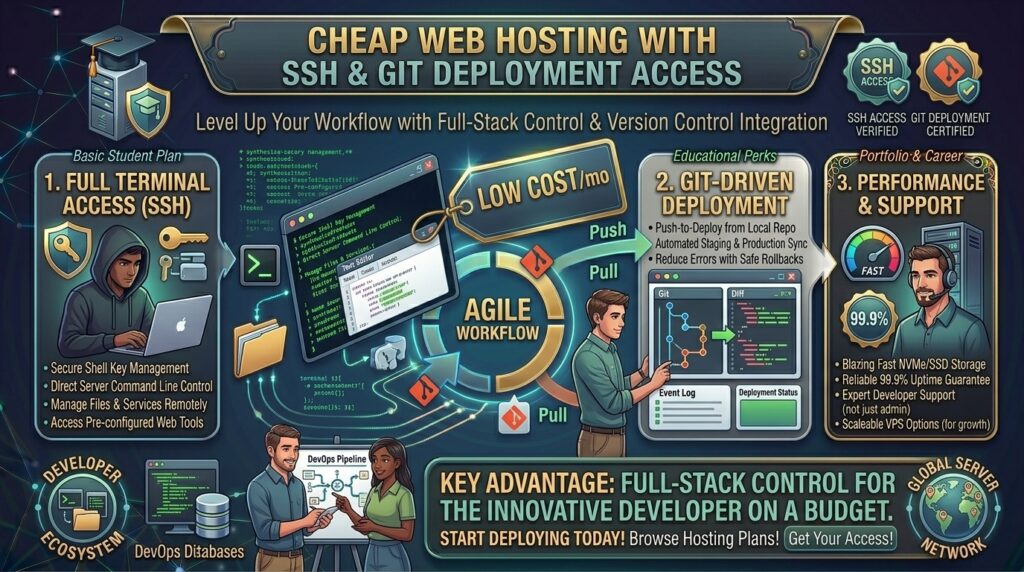
Whether you are spinning up backend microservices in San Francisco, building custom applications in New York, managing client staging sites in Texas, deploying full-stack web apps in Washington, or scaling digital products in California, standard drag-and-drop website builders quickly fall short.
If you are a developer, designer, or technical project manager, manual SFTP file transfers and rigid graphical control panels slow down your workflow. You need Secure Shell (SSH) access for command-line control and Git deployment integration to push code changes straight from your local repository to production with a single command (git push production main).
Historically, securing root or shell access meant buying an expensive Virtual Private Server (VPS) starting at $20 to $40 a month. Today, a new wave of budget-friendly web hosting providers includes full SSH and Git deployment capabilities on shared or cloud tiers starting at just a few dollars a month.
In this comprehensive guide, we explore how cheap hosting with SSH and Git works, review top developer-friendly budget hosts, evaluate technical security best practices, and explain how proper shell management supports long-term Google SEO performance.
Understanding SSH and Git Deployment in Web Hosting
Before purchasing a budget plan, it helps to understand how command-line access and version control interact on a shared or cloud server backend.
+-------------------------------------------------------------+
|              The Git-to-Production Workflow                 |
+-------------------------------------------------------------+
|  [Local Developer Machine] (VS Code / Terminal)             |
|          │                                                  |
|          ▼ (`git push production main`)                     |
|  [Remote Web Hosting Server via SSH]                      |
|          │                                                  |
|          ├──> Post-Receive Hook Triggered                   |
|          └──> /public_html/ (Files Automatically Updated)   |
+-------------------------------------------------------------+
- Secure Shell (SSH): A cryptographic network protocol that gives you secure, encrypted command-line terminal access to your server container, allowing you to run shell scripts, manage dependencies (
npm,composer,pip), and inspect file structures. - Git Deployment Integration: A version control mechanism that replaces manual file uploading by syncing a remote Git repository directly with your server’s web root directory using automated deployment hooks.
Top Cheap Web Hosts Offering SSH and Git Access
Review how leading budget hosting providers compare when delivering developer-grade toolsets, shell access, and cost efficiency:
| Hosting Provider | Starting Promo Price | SSH Access Level | Git Deployment Tools | Control Panel / Interface | Best Suited For |
| Hostinger | ~$1.99 / mo | Yes (Web Terminal & CLI) | Git Integration & Webhooks | hPanel | Fast deployment & light apps |
| WebHostMost | ~$2.50 / mo | Full Shell Access | Native Git Clone/Push | wPanel / DirectAdmin | Full-stack Python/Node/PHP |
| A2 Hosting | ~$2.99 / mo | Full SSH Access | Git Version Control | cPanel | Speed-optimized developer stacks |
| SiteGround | ~$3.99 / mo | Full SSH Access | Site Tools Git Manager | Custom Site Tools | Secure staging & team workflows |
In-Depth Analysis: Best Budget Hosts for Developers
1. WebHostMost: Best Value for Advanced Developer Stacks
WebHostMost stands out by delivering heavy-duty developer tools typically reserved for expensive cloud instances—all at a fraction of the cost.
- The Developer Toolkit: Unlike restricted jail-shell environments found on basic shared hosts, WebHostMost provides full SSH shell access, native Git repository cloning/pushing, multiple PHP/Python/Node.js runtime versions, and database flexibility (MariaDB, PostgreSQL, and MongoDB).
- Pricing Stability: Their plans maintain consistent renewal pricing, ensuring your developer budget doesn’t explode after the introductory term ends.
2. Hostinger: Best Budget Option with Web Terminal
Hostinger remains a popular entry point for developers seeking affordable server space with modern workflow conveniences.
- The Developer Toolkit: Hostinger includes an in-browser web terminal alongside traditional SSH connection keys, making quick configuration edits easy without needing an external SSH client. It also supports Node.js, Python, and automated Git webhooks.
SEO Impact: How Developer-Optimized Hosting Affects Google Rankings
Managing your website via SSH and Git isn’t just about developer convenience; it has a direct positive impact on technical search engine optimization:
- Lightning-Fast Server Response Times (TTFB): Command-line access allows you to run advanced caching tools, optimize database tables, and purge server-side caches directly, keeping your Time to First Byte low to satisfy Google’s Core Web Vitals.
- Flawless Automated Deployments: Pushing code via Git eliminates human error (such as accidentally deleting a stylesheet or footer script during manual FTP transfers), preventing broken pages that trigger crawler errors in Google Search Console.
- Instant SSL and Security Patching: With shell access, you can manage security headers (
HSTS,CSP) and configure automated certificate renewals instantly, protecting your site’s HTTPS integrity.
Pros and Cons of Cheap SSH/Git Hosting
The Pros 👍
- Blazing Fast Workflows: Deploy updates instantly using Git commands instead of dragging and dropping files through slow FTP clients.
- Massive Cost Savings: Access terminal shells and version control on shared accounts costing under $5 a month instead of paying for a dedicated VPS.
- Full Stack Flexibility: Install dependencies, manage Node/Python environments, and run cron jobs with absolute precision.
The Cons 👎
- Resource Limitations on Shared Tiers: While you have SSH access, heavy compilation tasks (like large Webpack builds or intensive
npm installroutines) can occasionally trigger shared server CPU limits. - Security Risks if Misconfigured: Poorly managed SSH keys or unsecure Git hooks can expose your production environment to vulnerabilities.
Step-by-Step Guide: Setting Up Git Deployment on Budget Hosting
Deploying code automatically via Git on a budget host follows a clean, repeatable workflow:
- Purchase a Developer-Friendly Host: Choose a provider like WebHostMost or Hostinger that explicitly supports SSH and Git integration.
- Generate and Add Your SSH Keys: Create an SSH key pair on your local machine (
ssh-keygen) and add your public key to your hosting control panel for secure authentication. - Initialize the Remote Git Repository: Navigate to your hosting dashboard’s Git manager, create a new repository linked to your public HTML folder, or clone an existing remote repository from GitHub/GitLab.
- Configure Post-Receive Hooks: Set up a deployment hook script so that whenever you execute
git push, the server automatically checks out the latest files into your live web directory. - Test Your Pipeline: Make a minor text change locally, commit your code, push to production, and verify that the live site updates instantly.
10 Essential Tips for Managing SSH and Git Hosting Securely
- Never Hardcode Credentials: Store database passwords and API keys in environment (
.env) files rather than committing them directly into your public Git repository. - Use SSH Key Authentication: Disable password-based SSH logins entirely and rely exclusively on robust SSH key pairs for server access.
- Monitor Inode and Disk Quotas: Running package managers like
npm installcreates thousands of small files that can quickly exhaust your shared hosting inode limits. - Leverage Staging Environments: Test complex code updates on a staging subdomain before pushing changes directly to your production Git branch.
- Set Up Automated Backups: Ensure your host provides automated daily backups so you can instantly roll back a broken Git deployment.
- Secure Your Git Directory: Verify that your
.gitfolder is blocked from public web access via.htaccessor Nginx rules to prevent leaking source code history. - Keep Runtimes Updated: Use your shell access to periodically check and update your Node.js, Python, or PHP versions for critical security patches.
- Optimize Cron Job Timing: Configure automated server background tasks during low-traffic night hours to preserve peak performance.
- Clean Up Build Artifacts: Remove unnecessary cache files and temporary build directories via the terminal to conserve storage space.
- Test Core Web Vitals After Deploys: Always run a quick performance check after pushing major Git updates to ensure your Google PageSpeed scores remain high.
Frequently Asked Questions (FAQ)
1. What is SSH access in web hosting?
SSH (Secure Shell) is a cryptographic network protocol that grants you secure, text-based command-line terminal access to your hosting server backend.
2. Can I use Git deployment on cheap shared hosting plans?
Yes. Modern budget hosts like WebHostMost and Hostinger include built-in Git deployment tools and repository managers on their affordable shared and cloud plans.
3. Do I need a VPS to get SSH and Git access?
No. While VPS plans offer root access, several advanced shared and cloud hosting providers give you restricted or full user-level shell access and Git hooks at a fraction of the cost.
4. Is SSH access safe on shared hosting accounts?
Yes, provided the host uses a secure jail-shell or isolated container environment that prevents users from accessing other customers’ files on the same server.
5. How does Git deployment improve my website workflow?
It replaces slow, manual SFTP file uploads with automated version control, allowing you to push updates live instantly using simple terminal commands.
6. Will cheap SSH hosting slow down my Google SEO performance?
No. In fact, shell access allows you to optimize caching and clean up server configurations efficiently, which improves site speed and supports better Google rankings.
7. Can I run Node.js and Python applications with cheap Git hosting?
Yes, provided your host supports multiple language runtimes alongside SSH access (such as WebHostMost or Hostinger).
8. What is a post-receive hook in Git hosting?
It is a server-side script that triggers automatically after a successful git push, copying your updated code files directly into your live web production directory.
9. Why are my npm install commands failing on shared hosting?
Shared hosting environments often impose strict RAM and CPU caps. Heavy package installations can exceed these limits; running builds locally and pushing compiled assets is often a safer alternative.
10. Which cheap web host is best overall for developers using Git?
WebHostMost stands out as a top recommendation, offering full shell access, multi-language runtimes, and native Git integration starting at a very affordable price point.
Conclusion
Securing cheap web hosting with SSH and Git deployment access bridges the gap between enterprise-level developer control and tight budgetary constraints. By choosing forward-thinking budget hosts that provide secure shell terminals, automated version control, and multi-language runtime support, you can streamline your engineering workflow without paying for an expensive dedicated server.