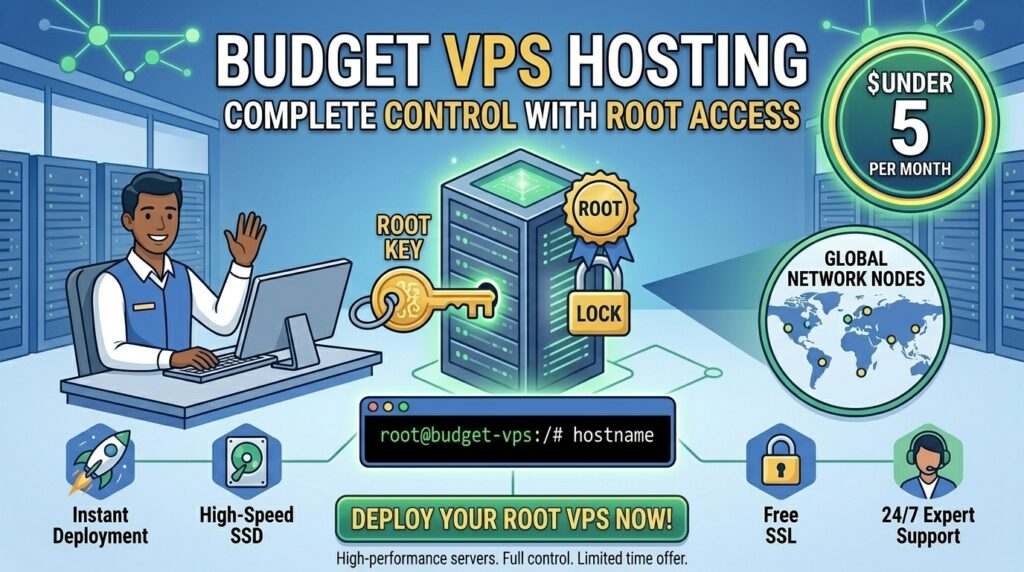
When launching a performance-critical digital project—whether you are deploying an API in San Francisco, an e-commerce backend in New York, a SaaS application in Texas, a data scraper in Washington, or a developer staging node in California—shared web hosting often falls short. Shared plans restrict your software choices, hide server configuration files behind locked control panels, and suffer from “noisy neighbor” resource slowdowns.
The solution is a Virtual Private Server (VPS) with full root access. With root privileges, you have absolute command over your environment: you can install custom software stacks, tune kernel parameters, run Docker containers, and configure advanced security firewalls. Historically, dedicated root control meant paying $20 to $50 per month. Today, fierce competition in cloud infrastructure has made it entirely possible to secure a high-performance budget VPS hosting plan with full root access for under 5 dollars per month.
In this comprehensive guide, we explore how sub-$5 virtual servers operate, evaluate top providers, analyze their impact on Google SEO performance, and provide a technical roadmap for securing and configuring your low-cost server.
What “Full Root Access” Means on a Budget VPS
Before purchasing a low-cost virtual machine, it is vital to understand what root access entails and why it transforms how you manage web infrastructure.
+-------------------------------------------------------------+
|             Anatomy of a Root-Access VPS Environment        |
+-------------------------------------------------------------+
|  [Superuser Privileges] --> Absolute control via SSH (`su`) |
|  [Custom Stack Control] --> Install Nginx, Node.js, Docker  |
|  [OS Flexibility]       --> Ubuntu, Debian, AlmaLinux, Arch |
+-------------------------------------------------------------+
1. Complete Superuser (Administrator) Status
Having “root access” means you log into your server via SSH as the root user or a sudo-enabled user with administrative privileges. You are no longer restricted by a host’s pre-approved application whitelists. You can modify core configuration files (/etc/nginx/nginx.conf, php.ini), open or close network ports, and compile custom software packages from source code.
2. Isolated Hardware Virtualization
Unlike shared hosting—where hundreds of websites compete for a single pool of resources—a budget VPS uses hypervisor technology (such as KVM) to partition a physical server into distinct, isolated virtual machines. Your assigned RAM, CPU cores, and storage are strictly reserved for your workloads.
Top Budget VPS Providers Offering Root Access Under $5/Mo
Several reputable cloud and VPS providers offer robust, root-enabled virtual servers at or below the $5 threshold.
1. DigitalOcean (Best for Developer Documentation & Ecosystem)
- Approximate Pricing: Entry-level shared CPU “Droplets” starting at $4.00 per month.
- Specifications: 1 vCPU, generous RAM tiers depending on promotional updates, NVMe storage options, and full root access via SSH.
- Key Inclusions: Global data center availability (including New York and San Francisco), one-click application images, and comprehensive developer documentation.
- Verdict: The top choice for users who want affordable root access backed by industry-standard guides and a frictionless control panel.
2. Hetzner Cloud (Best Raw Performance Per Dollar)
- Approximate Pricing: Cloud instances starting as low as €3.79 to €4.00 per month (roughly $4.50 USD).
- Specifications: High-performance shared vCPUs, robust RAM allocations, and enterprise-grade NVMe drives.
- Key Inclusions: Full root access, lightning-fast network speeds, and clean API management tools.
- Verdict: Unbeatable hardware performance per dollar, though primarily optimized for European data centers with expanding North American nodes.
3. RackNerd (Best Value for Annual Budget Self-Hosting)
- Approximate Pricing: Promotional KVM VPS packages frequently drop between $2.50 and $4.00 per month when billed annually.
- Specifications: Full root SSH access, KVM virtualization, SSD/NVMe storage pools, and dedicated IPv4 addresses.
- Key Inclusions: Multiple US data center locations (including New York, Dallas, and Los Angeles).
- Verdict: The king of deep-discount promotional pricing, ideal for budget-conscious self-hosters and hobbyists.
4. Vultr (Best Global Deployment Flexibility)
- Approximate Pricing: Cloud compute nodes starting near $5.00 per month.
- Specifications: Instant deployment, full root access, and customizable ISO uploads.
- Key Inclusions: 30+ global server locations with high-frequency CPU compute options.
- Verdict: Excellent for developers requiring low-latency routing across North American business hubs.
SEO Impact: How a Root-Access VPS Enhances Search Rankings
Moving away from constrained shared hosting to a root-configured VPS gives you direct control over technical search engine optimization metrics:
- Lightning-Fast TTFB via Custom Caching: With root access, you can install high-performance web servers like OpenLiteSpeed or Nginx paired with Redis object caching and server-side page caching. This drastically reduces Time to First Byte (TTFB), directly satisfying Google’s Core Web Vitals thresholds for Largest Contentful Paint (LCP).
- Eliminating Neighbor-Induced Downtime: On shared hosts, a resource spike on a neighboring site can temporarily freeze your pages, harming your crawl rate. Isolated VPS resources guarantee stable uptime consistency for Googlebot.
- Advanced Security and SSL Tuning: Root control lets you configure strict TLS 1.3 encryption protocols, deploy custom Web Application Firewalls (WAF), and secure your application against malicious bots.
Pricing Structures and Resource Benchmarks
When shopping for a sub-$5 VPS, review what standard hardware configurations look like across the industry:
| Provider | Starting Price | vCPU Cores | RAM Allocation | Storage Type |
| DigitalOcean | ~$4.00 / mo | 1 vCPU | 512MB to 1GB | NVMe / SSD |
| Hetzner Cloud | ~$4.50 / mo | 1 to 2 vCPUs | 2GB to 4GB | NVMe SSD |
| RackNerd | ~$3.00 / mo | 1 vCPU | 1GB to 2GB | SSD / NVMe |
| Vultr | ~$5.00 / mo | 1 vCPU | 1GB | NVMe SSD |
Pros and Cons of Budget VPS Hosting
The Pros 👍
- Complete Administrative Freedom: Install any software stack, custom database version, or programming runtime without restrictions.
- Unbeatable Cost-to-Performance Ratio: Get dedicated virtual server resources starting at less than the price of a cup of coffee per month.
- Isolation and Security: Your operating system environment is entirely isolated from other users on the physical machine.
- Ideal Learning Environment: The ultimate platform for developers learning Linux administration, bash scripting, and server architecture.
The Cons 👎
- Unmanaged Support Model: Cheap VPS plans are unmanaged. The host maintains the hardware and network, but software configuration, security patches, and troubleshooting are your responsibility.
- Risk of Misconfiguration: A poorly configured firewall or unsecured SSH port can expose your server to brute-force attacks.
Step-by-Step Guide: Provisioning and Securing a $5 VPS
Because budget VPS plans are unmanaged, securing your server immediately after deployment is critical. Follow this setup checklist:
- Deploy Your Instance: Log into your provider dashboard (e.g., DigitalOcean or RackNerd), select Ubuntu 24.04 LTS or Debian, choose a US data center region, and click deploy.
- Access via SSH: Open your terminal (Linux/macOS) or PuTTY (Windows) and log into your server using the root IP address and temporary password provided by email:Bash
ssh root@your_server_ip - Create a Non-Root Sudo User: For safety, avoid executing daily commands as the root user. Create a new user and grant sudo privileges:Bash
adduser deployer usermod -aG sudo deployer - Configure SSH Key Authentication: Disable password-based logins entirely and enforce secure SSH key pairs to prevent brute-force break-ins.
- Enable a Network Firewall (UFW): Restrict incoming traffic while allowing essential web and SSH ports:Bash
ufw allow OpenSSH ufw allow 'Nginx Full' ufw enable
10 Essential Tips to Maximize a Sub-$5 VPS
- Install Fail2Ban: Protect your SSH login channels by automatically banning IP addresses that show malicious brute-force patterns.
- Select Local US Data Centers: If your core audience is based in North American tech hubs (New York, Texas, California, Washington, or San Francisco), choose a local server region to minimize network latency.
- Leverage Free Control Panels: Install lightweight, open-source control panels like HestiaCP or CyberPanel to manage websites through a graphical interface without wasting excessive RAM.
- Use Swap Space on 1GB RAM Plans: If your VPS has 1GB of RAM or less, configure a 1GB swap file to prevent out-of-memory (OOM) crashes during heavy software updates.
- Route DNS Through Cloudflare: Protect your server’s true IP address from DDoS attacks and accelerate static asset delivery by proxying your domains through Cloudflare.
- Automate Weekly Backups: Even on budget plans, take advantage of automated snapshot features or configure automated cron jobs to back up critical database dumps to external cloud storage.
- Keep System Packages Updated: Run regular system updates (
sudo apt update && sudo apt upgrade -y) to patch security vulnerabilities across your OS packages. - Monitor Disk Space Usage: Keep track of your storage allocation using
df -hto ensure log files do not unexpectedly fill your entire disk drive. - Deploy Lightweight Web Stacks: Avoid resource-heavy setups when possible; opt for lightweight LEMP stacks (Linux, Nginx, MySQL/MariaDB, PHP) tailored for low-spec hardware.
- Treat It as a Scaling Launchpad: Use an under-$5 VPS as your development and staging launchpad, then scale your server specs upward seamlessly once your enterprise traffic expands.
Frequently Asked Questions (FAQ)
1. Can I really get a VPS with full root access for under $5 a month?
Yes. Providers like DigitalOcean, RackNerd, and Hetzner offer entry-level virtual private servers starting between $3 and $5 per month that include full root SSH access.
2. What does “unmanaged VPS” mean?
An unmanaged VPS means the hosting provider is responsible only for physical hardware uptime and network connectivity. All software installation, security hardening, updates, and troubleshooting are handled by you.
3. Is 1GB of RAM enough to run a website on a budget VPS?
Yes. A 1GB RAM server running a lightweight Linux distribution (like Ubuntu Server) and an optimized Nginx stack can easily handle a small-to-medium WordPress site, blog, or API.
4. How do I access my VPS after purchasing it?
You access your VPS via Secure Shell (SSH) using a terminal client on your computer, entering the server’s public IPv4 address and your root credentials.
5. Can I host multiple websites on a single $5 VPS?
Yes. Because you have full root access, you can configure virtual hosts in Nginx or Apache to host an unlimited number of separate websites, constrained only by your server’s storage and RAM limits.
6. Do cheap VPS plans include free backups?
Some budget providers include weekly snapshots or backups for free, while others charge a small optional fee (typically $1 to $2/month) for automated backup storage. Always check the provider’s backup policy.
7. Are sub-$5 VPS servers suitable for absolute beginners?
They have a steeper learning curve than shared hosting because they require basic command-line familiarity. However, they are the best tools available for beginners wanting to learn Linux administration.
8. Will a budget VPS improve my Google SEO rankings?
Yes. By providing dedicated resources and allowing you to implement advanced server-side caching, a VPS dramatically improves your site speed, lowering TTFB and satisfying Core Web Vitals metrics.
9. Can I install a graphical user interface (GUI) on my budget VPS?
While technically possible, installing a desktop GUI consumes valuable RAM and CPU resources. Most users manage budget VPS servers entirely through the command line or lightweight web control panels.
10. Which provider offers the best overall budget VPS with root access?
DigitalOcean stands out for beginners due to its extensive documentation, while providers like RackNerd and Hetzner offer exceptional raw hardware value for experienced self-hosters.
Conclusion
Securing budget VPS hosting with root access under 5 dollars unlocks unmatched technical freedom and enterprise-grade performance without inflating your operational overhead. By moving away from restrictive shared plans and taking direct control of your virtual machine, you gain total authority over your software stack and security configurations.