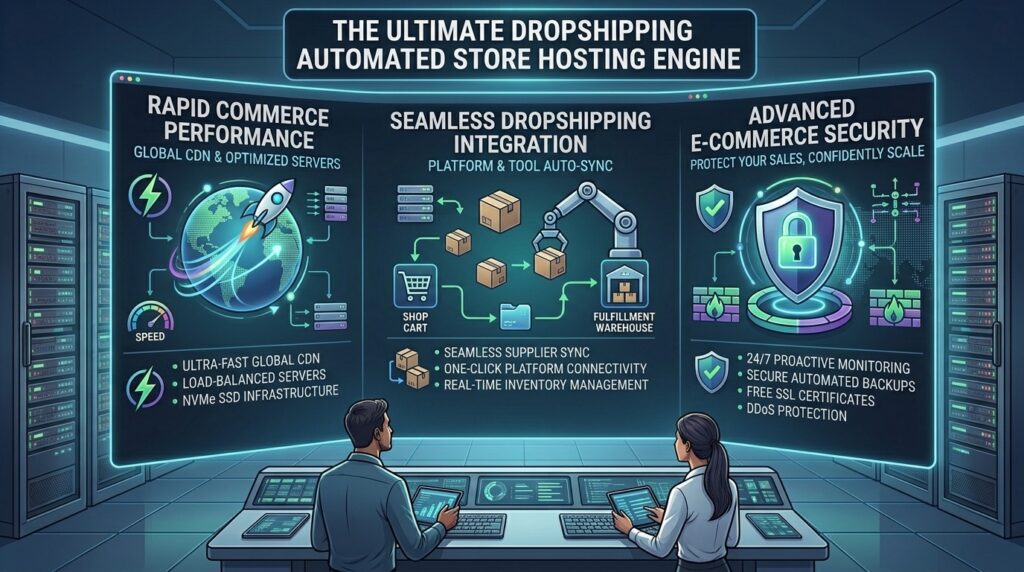
What is the best web hosting for drop shipping automated stores? Scaling an automated dropshipping store requires more than just a slick frontend theme and a winning product imported via DSers, Spocket, or Zendrop. For digital entrepreneurs and e-commerce operators scaling across major commercial hubs like Texas, New York, California, Washington, and San Francisco, your hosting architecture and e-commerce infrastructure dictate whether your business thrives or crashes under sudden traffic surges.
When running an automated dropshipping store, your website performs complex background tasks continuously: real-time inventory synchronization with international suppliers, automated currency conversions, cart session tracking, dynamic pixel firing for Facebook and TikTok ads, and automated order fulfillment handoffs. If your web hosting provider or e-commerce platform is sluggish, your checkout page will lag, conversion rates will plummet, and search engines like Google will penalize your store for failing Core Web Vitals.
This comprehensive guide explores the best hosting environments and all-in-one platforms for dropshipping automated stores, essential server-side optimizations, and technical SEO strategies designed to rank your store #1 on Google.
1. Why Automated Dropshipping Stores Require Specialized Infrastructure
Many beginner dropshippers make the fatal mistake of launching heavy, plugin-bloated stores on cheap, unoptimized shared hosting plans. Automated dropshipping carries unique technical demands that break standard web hosts:
- Heavy Background Cron Jobs and API Syncing: Automated fulfillment tools constantly ping supplier databases to update stock levels and tracking numbers. These background server requests consume significant RAM and CPU resources. On cheap shared hosting, cron execution conflicts will freeze your site.
- The High Cost of Ad-Driven Latency: If you are spending capital on paid traffic (Meta, Google, TikTok Ads) and a prospective buyer clicks your ad only to encounter a 4-second loading screen, they will bounce immediately. Every millisecond of latency directly burns your advertising budget.
- Database Scaling During Traffic Spikes: If a product goes viral on social media, your store can experience a sudden influx of thousands of simultaneous visitors. Your hosting environment must handle these surges without crashing or throwing database connection errors.
- Google Core Web Vitals and E-Commerce SEO: Because most dropshipping stores list hundreds of products with manufacturer-provided descriptions, organic search differentiation is difficult. Fast server responses, clean code structures, and exceptional Core Web Vitals help your product and category pages outrank duplicate competitor listings on Google.
2. Essential Technical Specifications to Demand
Before choosing a hosting provider or e-commerce platform for your dropshipping store, verify that it meets these strict performance benchmarks:
- NVMe SSD Storage: Traditional mechanical hard drives create processing bottlenecks during database lookups. Solid-state NVMe drives read and write customer checkout data up to 10 times faster.
- Server-Level Object Caching (Redis / Memcached): Crucial for self-hosted WooCommerce dropshipping setups to store repetitive database queries in server memory, keeping your catalog lightning-fast.
- Global Content Delivery Network (CDN) Integration: Essential for serving product images, stylesheets, and scripts from edge servers closest to international buyers across North America and global markets.
- PCI-DSS Compliance and SSL Security: Secure credit card tokenization and forced HTTPS encryption are mandatory for processing customer transactions safely and maintaining consumer trust.
3. Top Hosting Providers and Platforms for Automated Dropshipping
Depending on whether you prefer a fully managed, turnkey e-commerce ecosystem or a self-hosted, infinitely customizable WordPress/WooCommerce stack, here are the top choices on the market:
A. Shopify (The Industry Standard for Fully Managed Dropshipping)
While technically a hosted SaaS platform rather than traditional web hosting, Shopify is the undisputed king of automated dropshipping.
- Why it shines for Dropshipping: Shopify handles all server maintenance, security patching, PCI compliance, and global scaling automatically behind the scenes. Its app store integrates natively with virtually every automated fulfillment tool on earth (DSers, Zendrop, Spocket, AutoDS).
- Best For: Dropshippers who want to focus entirely on marketing, product research, and automation without touching server code.
- Pricing: Plans typically start around $39/month.
B. Hostinger (Best Value and High-Speed Hosting for WooCommerce Dropshipping)
If you prefer complete data ownership and zero monthly platform revenue cuts using WordPress and WooCommerce, Hostinger provides exceptional budget performance.
- Why it shines for Dropshipping: Hostinger utilizes lightning-fast LiteSpeed web servers, NVMe storage, and built-in object caching. Their custom control panel makes launching automated WooCommerce stores simple and affordable.
- Best For: Entrepreneurs launching self-hosted WooCommerce dropshipping stores on a lean budget.
- Pricing: Introductory plans start around $2.99/month.
C. ScalaHosting (Best Managed Cloud VPS for High-Volume Automated Stores)
For growing dropshipping empires handling heavy order volumes and custom API scripts, ScalaHosting offers powerful, fully managed cloud VPS infrastructure.
- Why it shines for Dropshipping: You get dedicated, unshared cloud resources (RAM and CPU cores) that ensure background supplier syncs never bottleneck your storefront speed. Their proprietary security shield blocks 99.98% of web attacks.
- Best For: Mid-to-large scale dropshippers requiring dedicated server power and custom backend control.
- Pricing: Managed cloud VPS plans start around $14.95/month.
D. BigCommerce (Best Scalable Alternative with Zero Extra Transaction Fees)
BigCommerce is a powerhouse enterprise SaaS platform built for high-growth e-commerce merchants.
- Why it shines for Dropshipping: Unlike Shopify, BigCommerce charges zero additional transaction fees regardless of your payment gateway, and it handles complex product variants and large inventory catalogs natively.
- Best For: Established dropshipping brands managing extensive product lines who want built-in enterprise features without heavy reliance on third-party apps.
- Pricing: Plans start around $29+/month.
4. Masterclass: Maximizing Google SEO for Automated Dropshipping Stores
Dropshipping SEO is notoriously difficult because thousands of competing stores often use the exact same supplier product descriptions and images. To stand out and capture free organic search traffic, implement these advanced SEO strategies:
Rewrite Manufacturer Descriptions and Build Unique Content
Google penalizes duplicate content. Never copy and paste raw product descriptions from AliExpress or supplier catalogs. Rewrite every product description to be unique, engaging, and benefit-driven. Better yet, adopt a “content-then-commerce” strategy by publishing in-depth buyer guides and review articles that naturally link to your product pages.
Optimizing Core Web Vitals and Image Loading
Dropshipping stores rely heavily on product galleries. Compress all product images into next-gen WebP or AVIF formats and enable lazy loading. A fast Largest Contentful Paint (LCP) keeps bounce rates low and satisfies Google’s mobile-first indexing standards.
Implementing Rich Product Schema Markup
Ensure your store automatically generates clean Product schema markup (including price, currency, availability, and review star ratings). This structured data enables Google to display rich product cards directly in search results, dramatically increasing your organic click-through rate.
5. Frequently Asked Questions (FAQ)
1. Is Shopify better than WooCommerce for automated dropshipping?
For 90% of dropshippers, yes. Shopify removes all technical friction by managing server uptime, security, and updates automatically, while offering seamless 1-click integration with fulfillment apps like DSers. WooCommerce is better only if you want 100% code ownership and advanced content marketing capabilities.
2. Can I use cheap $3/month shared hosting for an automated dropshipping store?
While you can launch on cheap shared hosting, automated dropshipping creates heavy background database tasks (inventory syncing, order tracking). As your store grows, shared servers will experience resource exhaustion, leading to slow checkout speeds and lost sales.
3. How do background automation plugins affect store speed?
Automated tools (like inventory updaters and currency switchers) execute continuous background processes. If your hosting server lacks sufficient RAM and object caching (like Redis), these scripts block the main browser thread, slowing down your store.
4. Do I need a Content Delivery Network (CDN) for a dropshipping store?
Yes. If your target buyers span nationwide or international markets, a CDN caches your product images and static assets across global edge servers, ensuring lightning-fast load times regardless of where the customer is located.
5. How do I prevent my dropshipping store from looking like duplicate spam to Google?
Avoid importing raw supplier descriptions verbatim. Write unique product copy, add custom customer review sections, and publish helpful blog content related to your niche to build genuine topical authority.
6. What is the best way to handle fast image optimization on a dropshipping store?
Use automated image compression apps on Shopify or plugins like ShortPixel/Imagify on WooCommerce to compress large supplier photos into lightweight WebP formats without losing visual quality.
7. Does my dropshipping store need an SSL certificate?
Yes, absolutely. An SSL certificate (HTTPS) is mandatory for encrypting customer checkout data, securing credit card transactions, and meeting basic browser and search engine trust requirements.
8. How can I scale my hosting when my dropshipping store goes viral?
If you use a managed host like ScalaHosting or a cloud provider, you can instantly scale your CPU cores and RAM with a single click. If you use Shopify or BigCommerce, the platform handles traffic scaling automatically behind the scenes.
9. Why are my product pages taking too long to load?
Slow product pages are usually caused by uncompressed high-resolution images, too active third-party tracking pixels (Meta, TikTok), heavy pop-up apps, or a slow server response time (high TTFB).
10. How can I test my dropshipping store’s SEO and speed performance?
You can evaluate your store’s mobile speed, server response time, and Core Web Vitals compliance using free optimization tools like Google PageSpeed Insights or GTmetrix.
6. Conclusion
Launching an automated dropshipping store offers an incredible path to e-commerce success, but your business is only as strong as its technical foundation. Whether you choose the turnkey, hands-off ecosystem of Shopify, the robust cloud VPS power of ScalaHosting, the budget WooCommerce flexibility of Hostinger, or the enterprise scalability of BigCommerce, investing in high-performance infrastructure ensures your store loads instantly, automates fulfillment smoothly, and dominates Google search results.