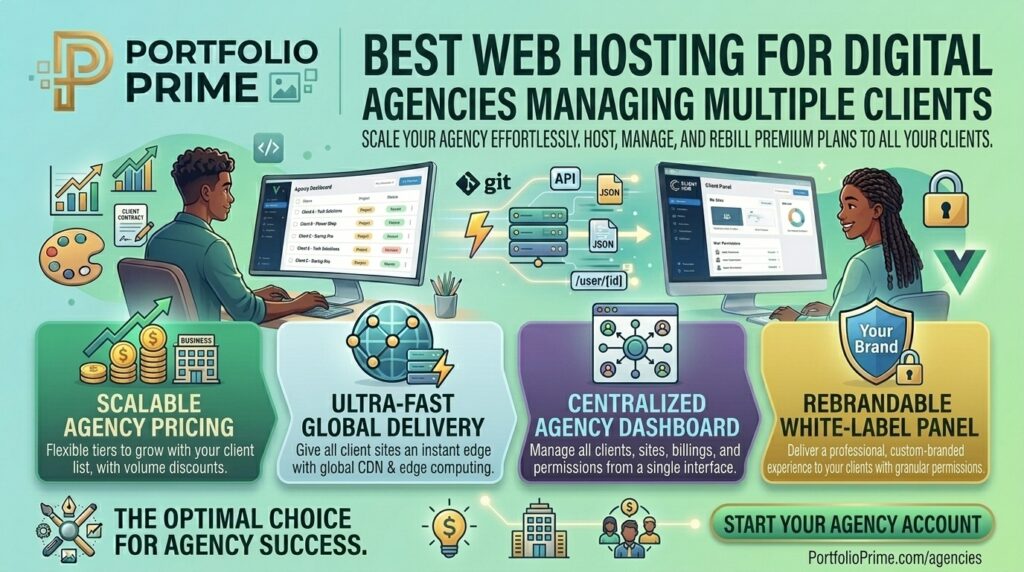
What is the best web hosting for digital agencies managing multiple clients? Running a digital marketing agency, web development shop, or freelance design practice comes with a unique set of infrastructural challenges. Unlike individual site owners who manage a single web property, an agency is juggling dozens—or even hundreds—of client websites simultaneously.
Every client expects flawless uptime, blazing-fast page loads, bulletproof security, and rapid turnaround times when content updates or code changes are requested. Choosing the wrong hosting provider turns site management into a daily operational nightmare characterized by siloed login credentials, unpredictable renewal price hikes, slow support teams, and fragmented billing structures.
If your agency operates out of or serves clients across major US commercial centers like New York, San Francisco, Texas, Washington, or Los Angeles, having a streamlined, high-performance agency hosting stack is the foundation of a profitable business.
This comprehensive guide breaks down the essential criteria for agency hosting, evaluates the absolute best web hosting providers for managing multiple clients, outlines operational workflows, and answers 10 detailed FAQs.
Why Standard Web Hosting Fails Digital Agencies
Many nascent agencies make the mistake of purchasing individual shared hosting accounts for each new client. This approach creates massive inefficiencies:
- Administrative Chaos: Managing 30 different client sites means keeping track of 30 separate control panel logins, different renewal dates, and scattered billing invoices.
- No Client Isolation: On cheap shared hosting, if one client’s site is compromised by malware or experiences a traffic surge, it can drag down performance across every other site hosted on that same server slice.
- Lack of White-Labeling: Presenting a hosting dashboard branded by a budget consumer host to high-end corporate clients undermines your agency’s professional authority.
- Tedious Staging & Collaboration: Without built-in multi-user permissions, staging environments, and Git deployment integrations, collaborating with remote team members or contractors becomes painful.
Key Requirements for Agency-Grade Web Hosting
To protect your profit margins and scale your client roster smoothly, an ideal multi-client hosting platform must provide:
- Centralized Management Dashboards (WHM / Multi-Site Control): A unified interface where you can provision new client accounts, manage DNS records, and monitor security from a single master login.
- Resource Isolation (VPS or Containerization): Guaranteeing that each client site has dedicated CPU, RAM, and PHP worker limits so bad traffic or heavy scripts remain safely quarantined.
- White-Label Branding Options: The ability to strip the host’s brand identity and present custom control panels, nameservers, and reports featuring your agency logo.
- Automated Staging & Client Handoffs: Built-in 1-click staging environments to test updates safely before pushing them live, plus secure ways to transfer ownership or billing when a project concludes.
Top 5 Web Hosting Platforms for Managing Multiple Clients
To balance performance, administrative ease, client security, and cost efficiency, these five providers represent the absolute best choices for modern digital agencies:
1. Cloudways (Best for Flexible Cloud Infrastructure & Team Collaboration)
Cloudways provides a fully managed abstraction layer on top of premium cloud providers like DigitalOcean, Vultr, Linode, AWS, and Google Cloud. It is a favorite among growing digital agencies.
- Why it shines for agencies: Cloudways allows you to group multiple client sites onto independent server instances or isolated application folders. You can assign different team members granular access controls, launch staging environments instantly, and manage server-level caching seamlessly.
- Pros: Pay-as-you-go billing, choice of elite cloud data centers (including US East and West coasts), free automated migrations, and zero restrictions on custom applications or plugins.
- Cons: Server-level system updates require manual oversight compared to fully hands-off shared reseller tiers.
2. GreenGeeks Reseller Hosting (Best Eco-Friendly WHM/cPanel Choice)
GreenGeeks offers robust, high-performance reseller hosting packages packed with enterprise tools designed specifically for agencies managing up to dozens of client accounts.
- Why it shines for agencies: You receive full WHM (Web Host Manager) access, allowing you to create custom resource packages, brand your control panels with your agency logo, and host up to 80+ isolated cPanel accounts under a single predictable monthly invoice.
- Pros: White-label branding, free SSL certificates, daily backups, built-in LiteSpeed performance caching, and a strong commitment to green energy hosting.
- Cons: Reseller limits cap the maximum number of cPanel accounts per tier, requiring plan upgrades as your agency grows.
3. Kinsta (Best Premium Agency Partner Program for High-End WordPress Clients)
If your agency builds high-traffic, mission-critical WordPress sites for enterprise clients, law firms, or e-commerce brands, Kinsta’s Agency Partner Program is unmatched.
- Why it shines for agencies: Kinsta’s MyKinsta dashboard features specialized tools for managing multiple client sites, bulk migration credits, automated uptime monitoring, and free staging environments. Agencies also gain access to free hosting for their own primary portfolio site.
- Pros: Google Cloud C3D/C2 compute infrastructure, isolated container architecture, enterprise-grade Cloudflare security, and elite developer support.
- Cons: Premium pricing model; managing a high volume of small, low-budget client sites can become cost-prohibitive.
4. ScalaHosting (Best Managed Cloud VPS with SPanel for Agencies)
ScalaHosting offers fully managed cloud VPS infrastructure equipped with their proprietary SPanel control panel—a faster, more secure, and cost-effective alternative to traditional cPanel.
- Why it shines for agencies: SPanel includes a built-in Reseller Management feature that allows you to create individual, isolated accounts for your clients, each with its own resource limits, email boxes, and custom domains.
- Pros: Full dedicated cloud resources, free professional site migrations, real-time cyber security (SShield), and predictable flat-rate scaling.
- Cons: SPanel interface has a slight learning curve for developers accustomed strictly to legacy cPanel environments.
5. SiteGround (Best for Reliable Managed WordPress Client Management)
SiteGround powers millions of domains globally and offers specialized multi-site management tools optimized for digital agencies handling WordPress and WooCommerce builds.
- Why it shines for agencies: Their higher-tier GoGeek plans include priority support, white-label client access tools, Git integration, dynamic caching, and advanced site-transfer wizards that make handing completed sites over to clients seamless.
- Pros: Exceptional customer support response times, robust server security shields, and optimized speed performance.
- Cons: Sharp renewal price increases after the initial introductory term expires.
Actionable Tips to Streamline Agency Hosting Operations
Managing multiple client websites efficiently requires disciplined standard operating procedures (SOPs):
- Implement a Standardized Tech Stack: Do not let every client dictate their own random hosting environment. Standardize your agency around a preferred stack (e.g., WordPress + LiteSpeed/Redis or Headless + Cloudflare) to simplify maintenance, updates, and troubleshooting.
- Enforce Strict Access Control & Password Management: Never share master login credentials across your team. Use enterprise password managers (like 1Password or Bitwarden) and assign role-based access levels via WHM, Cloudways, or MyKinsta.
- Bundle Hosting Into Retainer Packages: Don’t just build a site and hand the hosting bill directly to a confused client. Bundle ongoing hosting, security monitoring, and daily backups into a monthly maintenance retainer, turning hosting into a recurring revenue profit center.
- Automate Offsite Backups and Security Monitoring: Set up automated daily backups stored on an independent offsite server (such as Amazon S3 or Wasabi) so you can restore a broken client site in minutes.
- Use Staging Environments for Every Update: Never test plugin or core updates directly on a live client site. Always push changes to a staging clone first, verify functionality, and deploy updates cleanly.
10 Frequently Asked Questions (FAQs)
1. What is the difference between Shared Reseller Hosting and Cloud VPS for agencies?
Reseller hosting (like GreenGeeks WHM) pools multiple cPanel accounts onto a shared server environment under one master dashboard. Cloud VPS (like Cloudways or ScalaHosting) grants you isolated, dedicated server resources with superior performance and custom configuration control.
2. How can I white-label my hosting services for clients?
Using WHM or agency control panels, you can configure custom nameservers (e.g., ns1.youragency.com), brand the control panel dashboard with your agency logo, and ensure clients never see the underlying host’s brand name.
3. How do I handle client billing for web hosting?
Many agencies charge clients a flat monthly or annual fee that covers both hosting and basic maintenance. You manage the master hosting invoice centrally, ensuring uninterrupted service even if a client forgets to pay their individual bill on time.
4. Can I easily transfer a hosted site to a client later?
Yes. Quality agency hosts feature built-in account migration tools or ownership transfer wizards that allow you to seamlessly decouple a client’s site and assign it to their own billing profile when a contract concludes.
5. Why is site isolation critical when managing multiple clients?
If multiple client sites share a non-isolated environment, a security vulnerability on one neglected client site can allow hackers to inject malware into neighboring client directories. Isolated containers protect your entire portfolio.
6. Does agency hosting performance affect my clients’ Google SEO rankings?
Yes. Google’s Core Web Vitals evaluate server response times and page load speeds. Hosting client sites on fast, optimized cloud infrastructure prevents slow-downs and protects organic search visibility.
7. What is the best hosting setup for an agency managing over 50+ WordPress sites?
For high-volume portfolios, a managed cloud VPS platform (like Cloudways) or an enterprise partner network (like Kinsta) provides the necessary resource scaling, automated backups, and security hardening.
8. How do I handle client emails without overloading my server?
Hosting resource-heavy email accounts on the same server as your web applications can degrade performance. It is best practice to offload client email to dedicated enterprise providers like Google Workspace or Microsoft 365.
9. What should I do if a client site experiences a traffic spike?
If you use a cloud platform like Cloudways or Kinsta, you can scale your server CPU and RAM vertically with a single click to absorb traffic spikes without experiencing downtime.
10. Are free site migrations included with agency hosting plans?
Most reputable agency hosts (such as Cloudways, ScalaHosting, GreenGeeks, and Kinsta) offer free professional white-glove site migrations, transferring all client files and databases with zero downtime.
Conclusion
Managing multiple client websites successfully requires stepping away from fragmented, low-end shared hosting and adopting a centralized, high-performance agency infrastructure. Whether you choose the cloud flexibility of Cloudways, the white-label WHM power of GreenGeeks, or the premium enterprise scaling of Kinsta, establishing a unified hosting stack saves countless operational hours, secures your client portfolios, and turns hosting management into a predictable, highly profitable recurring revenue stream.