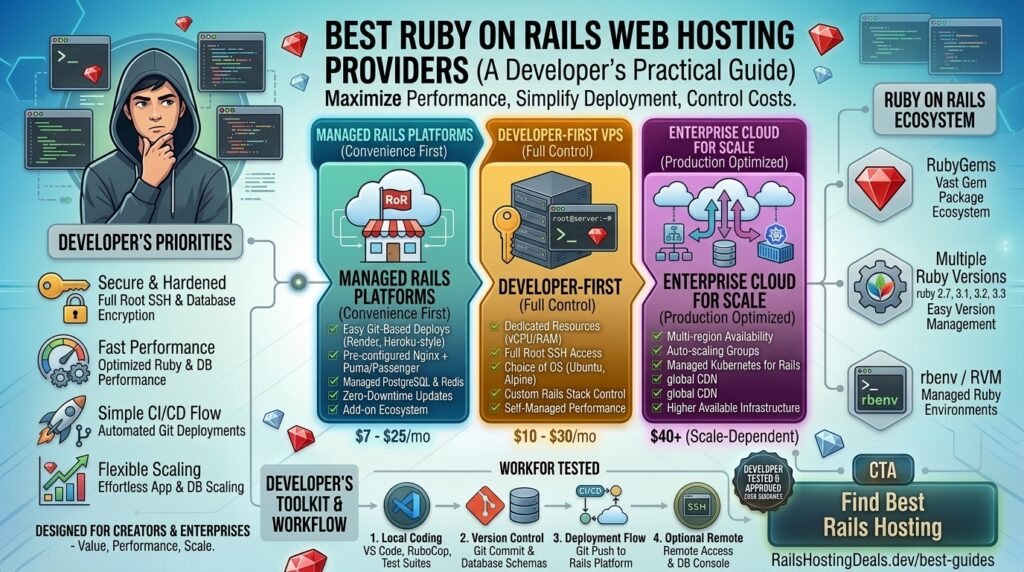
What is the best Ruby on Rails web hosting providers? Ruby on Rails (RoR) remains one of the most productive, elegant, and powerful full-stack web frameworks ever engineered. From early-stage MVPs to massive production platforms like Shopify, GitHub, and Airbnb, Rails empowers developers to ship features at incredible speeds. However, hosting a Rails application introduces specific infrastructural demands—such as running Puma or Passenger web servers, managing persistent background worker queues (like Sidekiq), connecting to PostgreSQL or MySQL databases, and configuring asset pipelines.
Traditional shared web hosting providers are fundamentally incompatible with Ruby on Rails. If your digital enterprise or development agency operates out of major commercial and technical hubs like Texas, New York, California, Washington, or San Francisco, finding a hosting provider tailored for Rails architecture is essential for minimizing latency and maximizing Google Core Web Vitals.
This comprehensive guide breaks down the absolute best Ruby on Rails web hosting providers, architectural strategies, deployment tips, and 10 detailed FAQs.
Why Ruby on Rails Demands Specialized Hosting
Unlike simple static websites or basic PHP scripts, a Ruby on Rails application is a dynamic, long-running process stack. When a user requests a page, Rails executes Ruby code through a web application server, queries relational databases via Active Record, and occasionally triggers background processing jobs.
A robust Rails hosting environment must deliver:
- Application Servers (Puma or Passenger): The interface layer that bridges HTTP web traffic from Nginx/Apache to your Ruby application threads.
- Background Worker Support (Sidekiq / Resque): Dedicated RAM and CPU resources to process asynchronous tasks like sending transactional emails, processing webhooks, or generating reports.
- Database Management (PostgreSQL / MySQL): Optimized database instances capable of handling complex relational queries without locking tables.
- Git-Centric Deployment Capabilities: Native integration with Git workflows (such as
git push origin mainor modern tools like Kamal) to push updates seamlessly.
Top Ruby on Rails Web Hosting Providers
To balance deployment speed, server control, pricing, and high-availability performance, these hosting solutions represent the top tier for Rails applications:
1. Heroku (Best Platform-as-a-Service for Zero-Maintenance Deployments)
Heroku is historically intertwined with the Ruby on Rails community and remains the gold standard for rapid prototyping and effortless maintenance.
- Why it shines for Rails: Heroku abstracts away all server administration. You deploy your app via a simple
git push heroku maincommand. It features native add-ons for PostgreSQL, Redis, and background worker dynos. - Pros: Zero DevOps overhead, automatic SSL, seamless horizontal/vertical scaling, and robust developer ergonomics.
- Cons: Can become significantly more expensive than raw cloud servers as your traffic and resource footprints grow.
2. DigitalOcean (Best Value Cloud VPS with Full Root Control)
DigitalOcean is a favorite among Rails developers who want cost-effective, high-performance infrastructure without sacrificing system-level permissions.
- Why it shines for Rails: Using DigitalOcean Droplets (Virtual Private Servers), you receive full root access to install Ruby via
rbenvorasdf, configure Puma, and spin up PostgreSQL databases. They even offer a 1-click Rails app marketplace droplet. - Pros: Highly predictable flat-rate pricing, powerful NVMe storage options, and global data centers (including robust US East and West Coast nodes).
- Cons: Entirely unmanaged; you are responsible for handling server security patches, firewalls, and updates.
3. Render (Best Modern PaaS Alternative to Heroku)
Render has quickly become one of the most popular modern platforms for deploying full-stack web applications, APIs, and background workers with minimal friction.
- Why it shines for Rails: Render natively supports Ruby on Rails out of the box. You connect your GitHub or GitLab repository, and Render automatically builds and deploys your code, managing web processes and Sidekiq workers concurrently.
- Pros: Native managed PostgreSQL databases, automatic TLS certificates, continuous deployment from Git, and clean dashboards.
- Cons: Free/Hobby tiers spin down after periods of inactivity, causing slight cold-start delays.
4. Kamatera (Best for High-Performance Scalable Infrastructure)
Kamatera offers hyper-scalable cloud hosting with fully customizable CPU, RAM, and enterprise-grade storage configurations.
- Why it shines for Rails: You can provision raw virtual machines tailored down to the exact resource specifications your Rails application demands, ensuring rapid database calls and asset compilation.
- Pros: Blistering NVMe disk speeds, instant resource scaling, and flexible billing models.
- Cons: Completely unmanaged infrastructure requiring expert system administration.
5. Fly.io (Best Edge-Optimized Global Rails Hosting)
Fly.io takes a unique approach by running your application containers close to your users across a global edge network.
- Why it shines for Rails: Fly.io embraces modern Rails 8 deployment practices (such as Kamal), allowing you to deploy your containerized Rails app globally to reduce latency for international or coast-to-coast audiences (e.g., San Francisco to New York).
- Pros: Exceptional edge routing speeds, built-in Postgres and Redis support, and modern developer CLI tools.
- Cons: Steeper learning curve for developers unfamiliar with containerization (Docker).
Actionable Tips to Optimize Ruby on Rails for Production
Deploying Rails to a production server requires fine-tuning application settings to ensure memory efficiency and high speed:
- Tune Puma Workers and Threads: Configure your
puma.rbconfiguration file based on your server’s available RAM. Balance worker processes and threads carefully to handle concurrent user requests without triggering Out-Of-Memory (OOM) killer errors. - Precompile Assets Efficiently: Always run
rails assets:precompileduring your deployment pipeline so that stylesheets, JavaScript, and Hotwire components are served as static assets rather than compiled dynamically on the fly. - Implement Redis Caching: Use Redis for Action Cable, fragment caching, and background job queues (Sidekiq). This drastically minimizes database query overhead.
- Enforce Environment Variables Securely: Never commit database credentials, master keys, or secret tokens into version control. Use Rails’ built-in encrypted credentials or server environment files (
.env). - Database Indexing: Regularly review your Active Record queries and add proper database indexes to foreign keys and frequently searched columns to accelerate search and response times.
10 Frequently Asked Questions (FAQs)
1. Can I host a Ruby on Rails application on cheap shared cPanel hosting?
Generally, no. Traditional shared hosting runs limited PHP configurations that do not support persistent Ruby processes (Puma/Passenger) or background workers like Sidekiq. Rails apps require a VPS or a PaaS platform.
2. What is the difference between a PaaS (like Heroku/Render) and a VPS (like DigitalOcean)?
A PaaS manages the underlying infrastructure and deployment pipelines for you, letting you push code via Git instantly. A VPS gives you a raw virtual server where you must configure the operating system, Nginx, Ruby, and databases manually.
3. How does web hosting performance affect my Google SEO rankings?
Google evaluates Core Web Vitals, including server response latency (Time to First Byte). Fast cloud hosting and optimized Rails asset delivery ensure your pages render instantly, directly improving organic search visibility.
4. What database works best with Ruby on Rails?
PostgreSQL is widely considered the gold standard and default choice for production Rails applications due to its advanced data types, JSON support, and robust concurrency handling.
5. How do I handle background jobs (like Sidekiq) on a budget host?
If you use a VPS, you can run Sidekiq as a background system service managed via Systemd. If you use a PaaS like Render or Heroku, you simply spin up a separate worker instance alongside your web process.
6. Are free hosting options available for Ruby on Rails?
Some platforms (like Render or Fly.io) offer limited free or hobby tiers, which are ideal for testing applications, learning Rails, or running small proof-of-concept APIs.
7. How do I deploy updates to a production Rails server?
Modern Rails apps are typically deployed using Git-based PaaS workflows, CI/CD pipelines (GitHub Actions), or modern deployment toolkits like Kamal targeting a Docker-ready cloud server.
8. How much RAM does a basic production Rails server need?
A minimal production Rails app running on a VPS requires at least 1GB to 2GB of RAM to comfortably support the operating system, Nginx, Puma, PostgreSQL, and background job workers.
9. How do I secure my Rails hosting environment against attacks?
Ensure you configure a strong firewall (UFW), disable root password logins via SSH, install an auto-renewing SSL certificate (Let’s Encrypt), and keep your Ruby gems and Rails framework updated.
10. Why is Kamal becoming popular for Rails deployment?
Kamal is a deployment tool built into modern Rails ecosystems that allows you to deploy containerized Rails applications directly to any cloud VPS (like DigitalOcean or Kamatera) via Docker without relying on expensive PaaS middlemen.
Conclusion
Choosing the right web hosting provider for Ruby on Rails depends on whether you value absolute simplicity and zero maintenance or total server control and budget optimization. By pairing your Rails project with a high-performance platform—such as the streamlined convenience of Heroku and Render or the robust developer control of DigitalOcean and Kamatera—you can build, scale, and deliver lightning-fast web applications optimized for long-term Google search dominance.