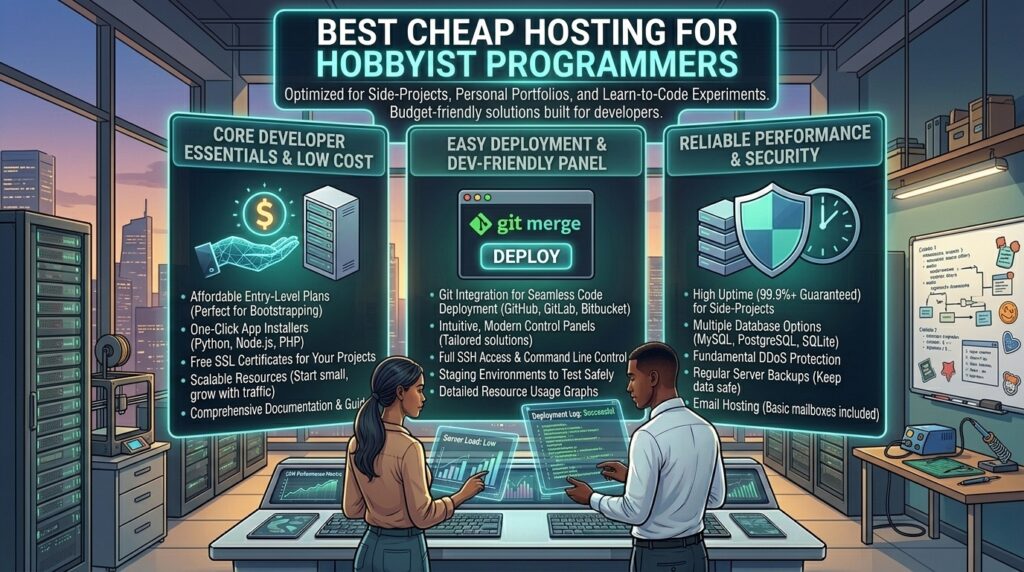
What is the best cheap hosting for hobbyist programmers? For hobbyist programmers, indie developers, and computer science students, the journey from writing local code on a personal machine to deploying a live production web app is a monumental milestone. Whether you are scaling personal projects across major tech hubs like Texas, New York, California, Washington, or San Francisco, or building open-source utilities globally, you need a hosting environment that bridges the gap between raw developer flexibility and a tight hobbyist budget.
Traditional shared hosting plans marketed to standard bloggers are often frustratingly restrictive for developers. They hide server configurations behind locked file managers, block terminal access, and refuse to support modern developer runtimes like Node.js, Python, Ruby, or Docker containers.
Fortunately, the hosting landscape has evolved. Today, developers can spin up high-performance Linux VPS instances, developer-friendly cloud servers, and Git-integrated hosting platforms for the price of a cup of coffee. This exhaustive guide explores the best cheap hosting options for hobbyist programmers, analyzes critical developer features, and provides a blueprint for optimizing your web stack.
1. What Hobbyist Programmers Actually Need From a Web Host
When you code as a hobby or build side projects, your requirements differ drastically from a traditional business owner. Before choosing a provider, look closely for these core developer-centric features:
- Full Shell Access (SSH & SFTP): Essential for managing files, running terminal commands, updating packages, and managing your server environment directly.
- Git Integration & CI/CD Support: The ability to automatically pull, build, and deploy code straight from your GitHub or GitLab repository without manual FTP uploads.
- Support for Modern Runtimes & Databases: Native or easily configurable support for Node.js, Python (Django/Flask), PHP, Go, Rust, PostgreSQL, and MongoDB.
- Root Access or Containerization: The freedom to install custom software, configure Nginx/Apache reverse proxies, modify environment variables (
.env), and handle cron jobs without hitting arbitrary shared hosting walls. - Predictable, Low-Cost Pricing: Hobby budgets are tight. You need transparent pricing models without aggressive hidden renewal spikes or surprise fees.
2. Top Cheap Web Hosting Providers for Hobbyist Programmers
Based on price-to-performance ratios, developer tooling, command-line access, and infrastructure reliability, here are the top hosting providers tailored for programmers:
A. Hostinger (Best Overall Value for Shared Node.js & VPS Sandboxes)
Hostinger has transformed into a favorite platform for developers, striking a rare balance between cheap introductory pricing and advanced developer features.
- Why it shines for Programmers: Hostinger supports shared Node.js applications and Python execution out-of-the-box on its custom hPanel, while its low-cost KVM VPS plans give you full root access to build custom Linux environments. It even integrates smoothly with modern AI coding tools and GitHub workflows.
- Best For: Programmers looking for cheap, versatile hosting that handles both traditional scripts and modern JavaScript frameworks smoothly.
- Pricing: Shared and cloud developer tiers start between $2.49 and $4.99/month.
B. DigitalOcean (Best Developer-First Cloud Droplets)
DigitalOcean is an industry icon built explicitly by developers, for developers. Their virtual private servers (known as “Droplets”) give you a clean slate of Linux to configure however you choose.
- Why it shines for Programmers: Total infrastructure freedom. You get absolute root access, custom firewall controls, a massive library of developer documentation, and one-click app marketplaces (Docker, Node.js, LAMP stacks, WordPress, Ghost).
- Best For: Developers who want to master Linux system administration, Docker containers, and scalable cloud architectures.
- Pricing: Droplets start around $4.00 to $6.00/month.
C. Kamatera (Best High-Performance Customizable Cloud VPS)
Kamatera offers exceptionally powerful and flexible cloud infrastructure, allowing hobbyists to custom-build virtual servers with precise CPU, RAM, and storage allocations.
- Why it shines for Programmers: If your hobby project involves data-heavy processing, API scraping, or game server hosting, Kamatera lets you scale resources instantly. They support custom OS images, giving you total control over your runtime environment.
- Best For: Programmers building resource-intensive scripts, custom web scrapers, or lightweight databases.
- Pricing: Highly scalable cloud servers starting around $4.00/month.
D. InterServer (Best Cheap Standard VPS with Fixed Renewal Pricing)
InterServer is famous in the developer community for its straightforward “no price increase” guarantee, meaning your hosting bill will never spike unexpectedly upon renewal.
- Why it shines for Programmers: Their Standard Linux VPS and cloud compute slices give you unmetered terminal access, choice of control panels, and support for a vast array of web servers, programming languages (Perl, Python, Ruby, Node.js), and database managers (MySQL, PostgreSQL, MongoDB).
- Best For: Programmers seeking long-term budget stability without sudden renewal shock.
- Pricing: VPS slices start at $6.00/month.
3. Masterclass: Setting Up a Pro Developer Workflow on a Cheap Host
Purchasing a cheap VPS or developer-friendly host is only step one. To turn your hosting environment into a streamlined coding sandbox, follow these best practices:
Configuring SSH Key-Based Authentication
Never rely on root passwords. When you spin up your Linux VPS (on DigitalOcean, Hostinger, or Kamatera), immediately generate an SSH key pair (ssh-keygen), copy your public key to ~/.ssh/authorized_keys on the server, and disable password-based login inside /etc/ssh/sshd_config. This locks out brute-force bot attacks entirely.
Automating Deployments with Webhooks and Git
Instead of manually moving files via SFTP every time you push code updates:
- Initialize a bare Git repository on your server.
- Write a simple post-receive Git hook shell script that automatically checks out your repository into your web root (
/var/www/html) whenever you rungit push origin mainfrom your local development machine.
Process Management with PM2 and Systemd
If you are hosting a Node.js, Python Flask, or Go application on a cheap VPS, do not run your app using node app.js directly in an open terminal session. Use PM2 (Process Manager for Node.js) or configure a custom Systemd service file (/etc/systemd/system/yourapp.service) to ensure your app automatically restarts if the server reboots or crashes.
4. Frequently Asked Questions (FAQ)
1. What is the difference between shared hosting and a VPS for a programmer?
Shared hosting locks down your environment, limiting terminal access and custom software installations. A VPS (Virtual Private Server) gives you a dedicated slice of an operating system with root access, allowing you to install any programming language, database, or package you want.
2. Can I host Node.js applications on cheap web hosting?
Yes, but you must choose a host that explicitly supports Node.js (such as Hostinger’s cloud plans or a cheap Linux VPS from DigitalOcean or InterServer). Traditional budget shared hosting typically restricts apps to PHP.
3. Are there free hosting options for hobbyist programmers?
Yes. Platforms like GitHub Pages, Vercel, Netlify, and Render offer robust free tiers designed specifically for static sites, frontend frameworks (React, Vue, Next.js), and serverless functions. However, they lack persistent backend databases or full shell access without upgrading.
4. How do I secure my cheap Linux VPS from hackers?
Basic security hygiene includes setting up an unprivileged sudo user, disabling root password login, configuring a firewall (like UFW), installing fail2ban to block brute-force attempts, and keeping your system packages updated (apt update && apt upgrade).
5. Can I run Docker containers on a cheap hobbyist server?
Yes, if you use a cloud VPS (like DigitalOcean or Kamatera) with root access. Docker allows you to containerize your web apps, databases, and microservices locally and deploy them identically to your remote server.
6. Do cheap web hosts provide databases like PostgreSQL or MongoDB?
Cloud VPS providers let you install any database engine directly via the command line. If you choose a developer-friendly shared host, check their control panel to ensure they support PostgreSQL or MySQL databases out of the box.
7. How do I point my custom domain name to my VPS?
Log into your domain registrar, create an A Record pointing your root domain (and www subdomain) directly to the public static IP address provided by your VPS host, and configure your DNS settings.
8. What is a reverse proxy, and why do I need one?
A reverse proxy (such as Nginx or Caddy) sits in front of your web application. It handles incoming HTTP/HTTPS requests, manages SSL/TLS certificates (Let’s Encrypt), and forwards traffic safely to your Node.js or Python backend running on a local port (e.g., localhost:3000).
9. How do I set up free SSL certificates on a custom VPS?
You can install Certbot on your Linux VPS and use it to automatically generate, install, and renew free SSL/TLS certificates from Let’s Encrypt for your web domains.
10. Can I host multiple hobby projects on a single cheap server?
Yes! By configuring Nginx virtual hosts (server blocks) on a cheap Linux VPS, you can host dozens of different subdomains and independent web projects on a single $5/month server instance.
5. Conclusion
For hobbyist programmers, finding the right web hosting provider is all about balancing freedom, performance, and cost. While restrictive shared hosts will stunt your growth, developer-focused platforms like Hostinger, DigitalOcean, Kamatera, and InterServer give you the tools you need to experiment, build, and scale your code live on the web.