When building a digital presence—whether you are deploying an e-commerce storefront in New York, a SaaS application in San Francisco, an agency workspace in Texas, a digital media outlet in Washington, or a creative portfolio in California—cybersecurity is often overlooked until disaster strikes.
Malware infections, malicious code injections, cross-site scripting (XSS), and zero-day exploits do not only target massive corporate enterprises. Automated botnets continuously crawl the web looking for vulnerabilities in content management systems like WordPress, plugins, and themes. If your website is compromised, you risk facing blacklisted search results, stolen customer data, broken code, and catastrophic drops in Google organic traffic.
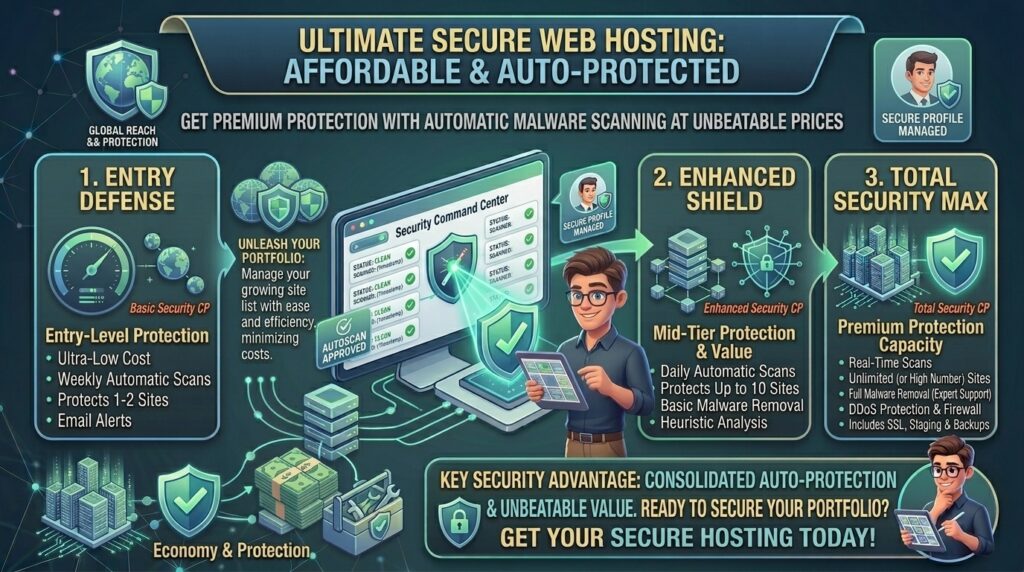
Historically, robust security tools like automated malware scanners and real-time Web Application Firewalls (WAF) were locked behind expensive enterprise plans. Today, intense market competition means you can find affordable web hosting with automatic malware scanning built right into entry-level pricing tiers.
In this comprehensive guide, we examine how automated malware protection works, evaluate top budget hosts offering integrated security, outline critical configuration tips, and detail how keeping your site clean protects your long-term Google SEO performance.
Understanding Automatic Malware Scanning: How It Works
Before selecting a budget host, it helps to understand the difference between passive hosting and active, security-hardened server environments.
+-------------------------------------------------------------+
|             Anatomy of Automated Malware Defense            |
+-------------------------------------------------------------+
|  [Real-Time WAF]       --> Blocks malicious traffic at entry|
|  [Proactive Scanner]   --> Scans file system changes 24/7   |
|  [Automated Cleanup]   --> Isolates & disinfects bad code   |
|  [Instant Notification] --> Alerts webmaster immediately     |
+-------------------------------------------------------------+
1. Signature-Based vs. Heuristic Scanning
- Signature-Based Scanning: The system checks your website’s file structure against a massive, regularly updated database of known malware signatures, backdoors, and trojans.
- Heuristic and Behavioral Scanning: Advanced tools analyze code behavior in real time. If a plugin file suddenly attempts unauthorized modifications to your core database or configuration files, the system flags it as suspicious behavior, even if the specific script signature is brand new.
2. Manual Scans vs. Automatic Background Scans
Cheap legacy hosts often force you to manually log into a control panel or install a clunky plugin to run a security scan. Premium budget hosts utilize server-level suites (such as Imunify360 or BitNinja) that run automatic background scans daily or hourly without impacting your site’s speed.
Top Affordable Web Hosts Featuring Built-In Malware Scanning
Several reputable web hosting companies stand out for offering advanced automated malware detection and cleanup features on their low-cost plans:
| Hosting Provider | Starting Promo Price | Malware Scanning & Defense System | Backup Integration | Control Panel |
| HostArmada | ~$1.99 / mo | Imunify360 Real-Time Scanning | Daily Backups | cPanel |
| Namecheap | ~$2.28 / mo | Imunify360 + Web App Firewall | Automated & Manual | cPanel |
| Hostinger | ~$2.49 / mo | Built-in Malware Scanner | Automated Backups | hPanel |
| AccuWeb Hosting | ~$2.00 / mo | Antivirus & Custom Firewall | Daily Backups | cPanel / Plesk |
SEO Impact: Why Malware Protection Directly Protects Your Google Rankings
Your web host’s security posture has a direct, undeniable impact on your search engine optimization results:
- Preventing the dreaded “This Site May Be Hacked” Warning: If malware injects spam links or malicious scripts into your pages, Google’s safety crawlers will flag your URL. Browsers like Chrome will display a massive red interstitial warning screen to visitors, causing your click-through rate (CTR) to plunge to zero.
- Preserving Crawl Budget: When a site is infected, malicious bot traffic consumes server resources. This degrades your Time to First Byte (TTFB) and slows down server response times, leading Googlebot to crawl fewer pages during its indexation sweeps.
- Avoiding De-indexation: Severe malware infections can result in Google completely removing compromised pages from search results until a clean security review is submitted via Google Search Console.
Pros and Cons of Budget Hosting with Integrated Security
The Pros 👍
- Zero Additional Software Cost: Avoid paying $150 to $300 per year for third-party security plugins or external scanner licenses.
- Set-and-Forget Protection: Automated background scans operate silently without requiring manual user intervention.
- Faster Remediation: Server-level scanners can automatically clean infected files or isolate them before they spread across your database.
The Cons 👎
- False Positives: Occasionally, aggressive security scanners may flag custom code snippets or complex plugin functions as suspicious, requiring manual whitelisting.
- Shared Server Limitations: While server-level firewalls protect the infrastructure, a severely compromised neighboring site on a cheap shared server can still present risks if account isolation is weak.
Step-by-Step Guide: How to Verify and Maximize Your Host’s Security Tools
Once you choose an affordable host with built-in malware scanning, configure these settings immediately:
- Log Into Your Control Panel: Navigate to your dashboard (such as cPanel or hPanel) and locate the security section (e.g., Imunify360, Security Center, or Malware Scanner).
- Verify Scan Frequencies: Ensure automatic daily scanning is toggled to Active rather than manual mode.
- Configure Email Alert Notifications: Input your primary email address so the server alerts you instantly if a suspicious file is detected or quarantined.
- Enable Two-Factor Authentication (2FA): Protect your master hosting dashboard with 2FA to prevent unauthorized brute-force login attempts at the server entry point.
- Set Up Automated Backups: Pair your malware scanner with automated daily backups so you can instantly roll back to a clean state if a zero-day exploit breaches your defenses.
10 Essential Tips to Keep Your Budget Website Secure
- Choose Hosts with Imunify360 or Equiv: Look for hosting providers that advertise proactive, machine-learning security firewalls rather than basic passive file checks.
- Never Download Nulled Plugins: Premium plugins or themes downloaded illegally from free warez sites are the #1 vector for backdoor malware injections.
- Keep CMS Core and Plugins Updated: Outdated software versions contain known vulnerabilities that automated bots exploit within hours of public disclosure.
- Enforce Strong Admin Passwords: Avoid generic usernames like “admin” and use complex alphanumeric passwords combined with login attempt limiters.
- Audit File Permissions: Ensure your WordPress directories are set to
755and configuration files to644to prevent unauthorized file writing. - Use a Free Web Application Firewall (WAF): Route your domains through Cloudflare’s free tier to add an extra layer of DDoS mitigation and edge security.
- Monitor Inode and File Counts: Sudden spikes in file counts on your server can indicate that malware has generated thousands of spam landing pages in your directories.
- Delete Inactive Themes and Plugins: Unused code sitting dormant on your server still represents an attack vector if left unpatched.
- Test Your Backup Restoration: Periodically test your host’s 1-click restore tool to ensure your recovery workflow operates smoothly.
- Review Access Logs Regularly: Check server access logs in your control panel to monitor unusual IP addresses attempting administrative log-ins.
Frequently Asked Questions (FAQ)
1. What is automatic malware scanning in web hosting?
It is a built-in server security feature that continuously monitors your website files and databases in the background, automatically detecting, isolating, or cleaning malicious code without manual user action.
2. Can I get automatic malware scanning on cheap shared hosting plans?
Yes. Several modern budget providers (such as HostArmada, Namecheap, and Hostinger) include automated server security tools like Imunify360 on their entry-level plans.
3. Do I still need a security plugin like Wordfence if my host has malware scanning?
While server-level scanners protect your file system and infrastructure, many webmasters choose to run a lightweight application-level firewall for extra WordPress-specific hardening. However, it is not strictly mandatory if your host’s built-in defense is robust.
4. What happens if the scanner finds malware on my website?
Depending on your host’s configuration, the automated system will either automatically clean the infected file, quarantine it safely, or send you an alert detailing the exact location of the malicious code so you can review it.
5. Will malware scanning slow down my website’s loading speed?
No. High-performance security suites operate asynchronously in the background during low-traffic intervals, ensuring your website speed, TTFB, and Core Web Vitals remain completely unaffected.
6. Does free malware scanning cover e-commerce checkout pages?
Yes, server-level security suites scan all website directories, including customer databases and checkout scripts, protecting sensitive transaction environments from script-injection attacks.
7. How often do automated web hosting security scanners run?
Most quality hosting providers run automated scans at least once every 24 hours, while advanced real-time solutions monitor file modifications continuously as they occur.
8. Can malware infections hurt my Google search rankings?
Yes. If malware injects spam links into your site or triggers safety warnings in web browsers, Google can flag your domain, drop your organic traffic, or remove your pages from the search index.
9. What is the difference between a firewall and a malware scanner?
A firewall (WAF) acts as a security guard blocking malicious traffic before it reaches your site, whereas a malware scanner inspects your existing files to find and neutralize code that has already breached your defenses.
10. Which cheap web host offers the best built-in security features?
Providers like HostArmada (utilizing Imunify360) and Namecheap offer exceptional value, combining low introductory pricing with comprehensive, automated malware scanning and defense tools.
Conclusion
Securing affordable web hosting with automatic malware scanning is no longer a luxury—it is an absolute necessity for anyone launching a serious digital project. By choosing budget-friendly providers that integrate advanced tools like Imunify360 or real-time file monitors directly into their hosting plans, you protect your enterprise from costly downtime, data breaches, and ruined search rankings without inflating your operational overhead.