When building a website for a startup, digital agency, or local enterprise across fast-moving tech hubs like Texas, New York, California, Washington, and San Francisco, keeping operational costs low is crucial. However, budget-friendly web hosting shouldn’t mean sacrificing fundamental server management capabilities.
When you need to upload bulky theme files, update custom code templates, or collaborate with freelance developers, relying solely on a web-based file manager becomes limiting. You need dedicated FTP (File Transfer Protocol) and SFTP (Secure File Transfer Protocol) account creation features.
Unfortunately, some ultra-cheap or site-builder-driven platforms lock down server access, making direct file transfers impossible. This comprehensive guide explores how to secure low-cost web hosting that provides full, unrestricted FTP and SFTP account creation, helping you maintain complete developer control while maximizing your site’s technical SEO and performance.
What are FTP and SFTP, and Why Do You Need Account Access?
Before diving into hosting choices, it is vital to understand the mechanism behind file transfers and why account creation flexibility matters for your website strategy.
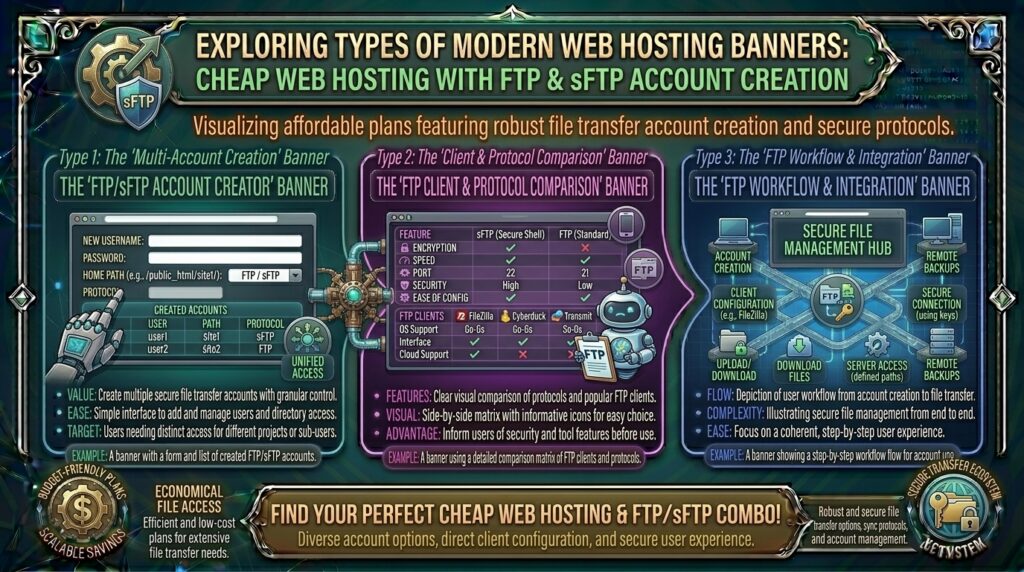
- FTP (File Transfer Protocol): A standard network protocol used to transfer files between a client computer and a web server over the internet.
- SFTP (SSH File Transfer Protocol): A more secure companion to FTP that runs over the SSH protocol, encrypting both authentication credentials and data packets in transit to prevent interception.
Why Dedicated FTP/SFTP Account Creation Matters:
- Developer Collaboration: Instead of handing out your master hosting control panel login, you can create isolated, restricted FTP/SFTP accounts for external designers or developers, pointing them only to specific project subdirectories.
- Mass File Uploads: Uploading thousands of media files, custom plugins, or large e-commerce product databases is significantly faster and more stable via a dedicated FTP client (like FileZilla or Cyberduck) than a browser upload window.
- Emergency Site Recovery: If a bad plugin update crashes your WordPress dashboard, having active SFTP access allows you to manually delete the faulty plugin directory and instantly restore site functionality.
Core Criteria: Finding Cheap Web Hosting with Robust File Transfer Tools
When evaluating budget hosting plans (typically ranging from $1.50 to $5.00 per month), look closely at how they handle file transfer permissions. Ensure your provider offers:
- Unlimited or Generous FTP Account Creation: Look for hosts that allow you to spin up multiple distinct FTP accounts with custom directory paths.
- Native SFTP / SSH Access: Standard unencrypted FTP can expose passwords. Ensure the host allows secure connections via SFTP or provides encrypted FTP over SSL/TLS (FTPS).
- Reliable Control Panel Integration: Standard panels like cPanel, DirectAdmin, or advanced custom dashboards make generating, modifying, and deleting FTP credentials simple.
- Stable Bandwidth & Inodes: Ensure file transfer limits and inode caps (total file count allowances) are high enough to support active file management.
Top Budget Web Hosting Providers Supporting FTP & SFTP
Several reputable, low-cost web hosting platforms provide full FTP and SFTP account management tools out of the box:
1. Hostinger
- Starting Price: ~$2.49 – $3.00 / month
- File Transfer Features: Unlimited FTP accounts, secure SFTP support, and dedicated SSH access options on standard plans.
- Why it fits: Hostinger combines high-speed LiteSpeed infrastructure with an intuitive custom control panel (hPanel) that makes setting up new FTP users and managing port configurations effortless.
2. Spaceship Shared Hosting
- Starting Price: ~$1.66 – $2.41 / month (depending on tier)
- File Transfer Features: Up to 50 or unmetered FTP accounts depending on the selected plan, backed by robust security.
- Why it fits: Known for ultra-low pricing and lightning-fast cloud storage arrays, Spaceship provides a modern, developer-friendly environment ideal for managing multi-domain setups via standard transfer tools.
3. Namecheap Shared Hosting
- Starting Price: ~$2.28 – $2.98 / month
- File Transfer Features: Complete cPanel integration allowing unlimited FTP account creation, path restrictions, and instant SFTP/SSH activation.
- Why it fits: Namecheap is an industry staple for budget-conscious creators, providing tried-and-true file management structures compatible with every major FTP software suite.
Pro-Tips: Optimizing Your FTP/SFTP Workflow for Security and SEO
Managing site files via FTP directly impacts your technical workflow and, by extension, your site’s search engine health. Implement these best practices:
1. Always Prioritize SFTP Over Standard FTP
Standard FTP transmits passwords and data in plain text, making it vulnerable to packet sniffing on public networks. Always configure your FTP client (like FileZilla) to connect via SFTP (Port 22) using your SSH credentials, or secure FTPS (Port 990) to encrypt traffic end-to-end.
2. Isolate User Permissions (Chroot Directory)
When creating sub-accounts for freelance developers, never give them access to your entire root public directory unless necessary. Use your hosting panel to lock (chroot) their user account to a specific subfolder (e.g., /public_html/wp-content/themes/), protecting the rest of your server files from accidental deletion.
3. Clean Up Unused Development Files
When uploading updates or staging themes via FTP, developers often leave compressed .zip, .tar.gz, or .bak backup files sitting in root public directories. Search engines or malicious crawlers can index these exposed archives, leaking source code. Regularly sweep your directories via your FTP client to remove redundant files.
Frequently Asked Questions (FAQ)
1. What is the difference between FTP and SFTP?
FTP transfers files unencrypted over the internet, whereas SFTP transfers files securely over an SSH (Secure Shell) channel, encrypting both commands and data for maximum security.
2. Can I create multiple FTP accounts on cheap web hosting?
Yes. Most reputable budget hosts (such as Namecheap, Hostinger, and Spaceship) allow you to create multiple FTP accounts with tailored directory permissions.
3. Do I need special software to use FTP?
Yes, you will need an FTP client application installed on your computer to connect to your server. Popular, free choices include FileZilla, Cyberduck, and WinSCP.
4. Is SFTP supported on budget shared hosting plans?
Most modern budget hosts support SFTP, though some ultra-cheap providers restrict direct SSH/SFTP access on their absolute lowest tiers for security reasons. Always verify features before checkout.
5. Why is my FTP connection timing out?
Timeouts usually occur due to overly aggressive firewall settings on your local computer, incorrect port configurations (e.g., using port 21 instead of port 22 for SFTP), or passive mode configuration errors in your FTP client.
6. Can I restrict an FTP user to a single folder?
Yes. When creating a new FTP account in cPanel or custom hosting dashboards, you can designate a specific directory path so the user can only view and modify files inside that designated folder.
7. What port number should I use for SFTP connections?
SFTP typically operates securely over Port 22, which is the standard port for SSH connections. Standard FTP usually uses Port 21.
8. Does file transfer activity affect Google SEO rankings?
Indirectly, yes. Using SFTP allows you to rapidly upload performance tweaks, compressed asset structures, and sitemap modifications that improve site speed and crawlability.
9. What should I do if I forget my master FTP password?
You can easily reset your master FTP or hosting account password directly through your web host’s customer dashboard or control panel interface.
10. Which cheap web hosting provider offers the best FTP/SFTP features?
Providers featuring cPanel or advanced custom dashboards—such as Hostinger, Spaceship, and Namecheap—offer reliable, unhindered FTP and SFTP account management tools tailored for budget users.
Conclusion
Securing cheap web hosting doesn’t mean you have to surrender granular technical control over your digital assets. By choosing a budget-friendly provider that supports unlimited FTP/SFTP account creation, secure SSH connections, and flexible directory permissions, you empower yourself—and your development team—to manage site files safely and efficiently. Implement the security tips outlined above, streamline your workflow, and set your website up for long-term technical success and top-tier Google search visibility.