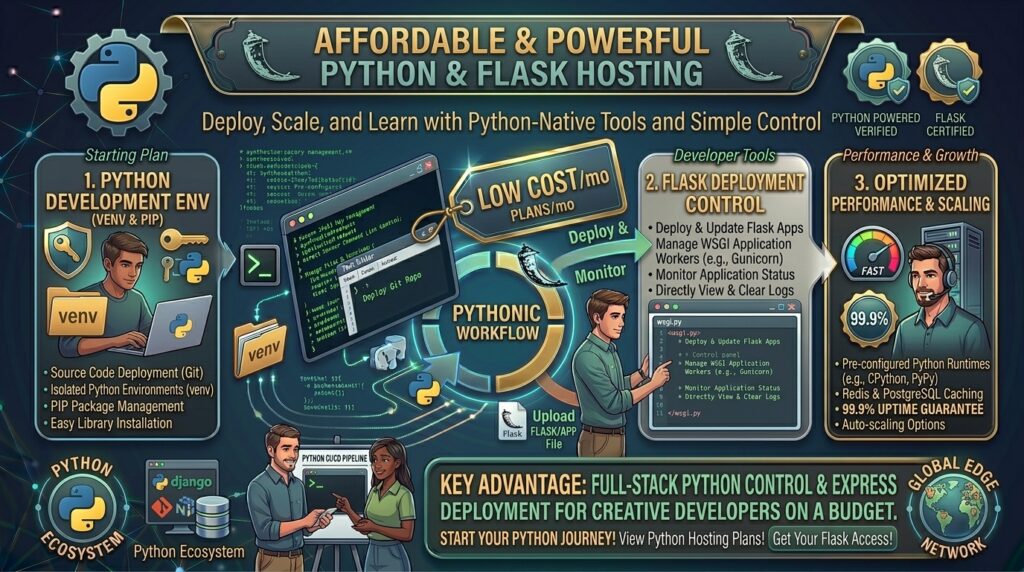
Whether you are building microservices in San Francisco, designing custom data dashboards in New York, launching backend APIs in Texas, developing automation scripts in Washington, or scaling SaaS prototypes in California, Python has cemented its status as the world’s most versatile programming language.
Within the Python ecosystem, Flask stands out as the ultimate micro-framework. It is lightweight, flexible, unopinionated, and gives developers complete control over their project architecture. However, deploying a Flask application presents a unique challenge: unlike standard PHP applications that run seamlessly on basic shared hosting folders, Flask requires a WSGI/ASGI server gateway (such as Gunicorn or uWSGI), a virtual environment, and specific Python runtimes.
Historically, running Python web applications meant paying $20 to $50 a month for specialized cloud dynos or dedicated virtual servers. Today, a growing number of budget-friendly web hosts provide robust Python and Flask support starting at just a few dollars a month.
In this comprehensive guide, we examine how budget Flask hosting works, review top cheap providers, outline a step-by-step deployment workflow, and explain how a properly optimized Python stack boosts your long-term Google SEO performance.
Understanding Flask Architecture and Web Hosting Requirements
Before selecting a hosting package, it helps to understand how a Python Flask web application processes traffic compared to conventional content management systems.
+-------------------------------------------------------------+
|              The Flask-to-Production Request Flow           |
+-------------------------------------------------------------+
|  [Client Browser] (HTTPS Request)                           |
|          │                                                  |
|          ▼                                                  |
|  [Nginx / Apache Reverse Proxy]                             |
|          │                                                  |
|          ▼ (WSGI Protocol / Unix Socket)                    |
|  [Gunicorn / uWSGI Application Server]                      |
|          │                                                  |
|          ▼                                                  |
|  [Python Virtual Environment & Flask App (app.py)]          |
+-------------------------------------------------------------+
- The WSGI/ASGI Interface: Flask apps cannot talk directly to raw web traffic like Apache or Nginx by default. They require a Web Server Gateway Interface (WSGI) like Gunicorn to translate HTTP requests into Python-readable objects.
- Virtual Environments (
venv): Python projects rely on isolated module libraries (requirements.txt). Your budget host must permit SSH or virtual environment creation so you canpip installpackages locally without breaking global server configurations. - Shared vs. VPS Python Hosting: While ultra-cheap shared hosting often restricts command-line control, specialized platforms (and cheap NVMe VPS providers like Hostinger or Kamatera) give you the freedom to configure custom Python versions and WSGI bindings.
Top Budget Web Hosts with Python and Flask Support
Review how leading cost-effective hosting platforms compare when delivering Python environments, developer tools, and pricing structures:
| Hosting Provider | Starting Promo Price | Python / Flask Support Type | Control Panel / Access | Best Suited For |
| IONOS | ~$1.00 / mo | Shared & Unmanaged VPS Python | Custom / SSH Access | Ultra-low-cost basic scripts |
| Hostinger | ~$4.99 / mo | NVMe VPS Hosting | Full Root / hPanel | Production-ready Flask APIs |
| Kamatera | ~$4.00 / mo | Customizable Cloud VPS | Hourly Cloud Console | Scalable Python apps & microservices |
| PythonAnywhere | Free / ~$5.00 / mo | Specialized Managed Python | Web-Based Console | Beginners & lightweight webhooks |
In-Depth Analysis: Best Python & Flask Hosting Providers
1. Hostinger: Best Value VPS for High-Performance Flask Apps
Hostinger bridges the gap between raw cloud power and user-friendly budget management, making it a favorite for developers deploying production-ready Python projects.
- The Python Environment: Because Hostinger’s budget VPS lines grant full root SSH access, you can install any Python version (Python 3.10, 3.11, 3.12+), configure virtual environments, and deploy Gunicorn with absolute freedom.
- Hardware Performance: Powered by NVMe SSD storage and robust AMD processors, your backend endpoints execute fast response times, ensuring low latency for API calls.
2. PythonAnywhere: Best Managed Zero-Config Platform for Beginners
If you want to skip Linux server administration entirely and focus purely on writing Flask code, PythonAnywhere offers a specialized cloud platform tailored specifically for Python.
- The Python Environment: Python comes pre-installed with pip, virtualenv, and major frameworks like Flask and Django out of the box. You get a web-based bash console and simple WSGI configuration files.
- The Free Tier: They offer a popular free beginner tier, making it ideal for testing small scripts or learning web development before scaling to a paid plan.
SEO Impact: How Python Hosting Performance Affects Google Rankings
While Flask is frequently used to build backend APIs and hidden SaaS dashboards, it also powers fully server-side rendered websites using Jinja2 templates. Technical search engine optimization depends heavily on how your Python backend behaves:
- Time to First Byte (TTFB) Optimization: Flask is inherently lightweight, but if your server lacks adequate CPU resources or database connection pooling, response times will lag. Fast server response speeds satisfy Google’s Core Web Vitals requirements.
- Clean Routing and Semantic URLs: Flask’s routing decorator (
@app.route('/blog/<slug>')) allows you to structure clean, keyword-rich URL paths that Googlebot can crawl and index seamlessly. - Secure HTTPS Encryption: Cheap Python hosts provide free automated SSL certificates (via Let’s Encrypt), ensuring your web app serves pages securely over HTTPS—a mandatory Google ranking factor.
Pros and Cons of Cheap Python Flask Hosting
The Pros 👍
- Blazing Fast Micro-Framework Execution: Flask runs without the heavy operational bloat of traditional enterprise CMS platforms.
- Absolute Code Control: Manage exact package dependencies via
requirements.txtwith zero unwanted plugin interference. - Incredible Cost Efficiency: Host custom backend applications and REST APIs for the price of a small coffee each month.
The Cons 👎
- Steeper Learning Curve: Standard shared hosting rarely supports raw Flask out of the box; you will often need basic command-line knowledge to configure WSGI servers on a VPS.
- Manual Maintenance: Unmanaged budget VPS plans require you to handle your own security patches, firewall rules, and software updates.
Step-by-Step Guide: Deploying a Flask App on a Cheap VPS
Deploying a lightweight Flask application to an affordable Linux VPS follows a clean, repeatable workflow:
- Spin Up a Budget VPS: Purchase an entry-level virtual server from a provider like Hostinger or Kamatera running Ubuntu.
- Install Python and Pip: Connect via SSH and install the system package dependencies:Bash
sudo apt update sudo apt install python3-pip python3-venv nginx - Set Up Your Flask Project: Create a project directory, initialize a virtual environment, and install Flask and Gunicorn:Bash
mkdir my_flask_app && cd my_flask_app python3 -m venv venv source venv/bin/activate pip install flask gunicorn - Create a Basic App (
app.py):Pythonfrom flask import Flask app = Flask(__name__) @app.route('/') def home(): return "Hello from Flask on Cheap Hosting!" if __name__ == "__main__": app.run() - Configure Gunicorn and Nginx: Set up a Gunicorn systemd service file to keep your Flask application running in the background, and configure an Nginx reverse proxy to forward incoming web traffic to your app socket.
10 Essential Tips to Optimize Cheap Python Hosting
- Always Use Virtual Environments: Isolate your project dependencies inside a
venvto prevent version conflicts with system-level Python libraries. - Pin Your Dependencies: Keep an up-to-date
requirements.txtfile (pip freeze > requirements.txt) so your application environment remains reproducible. - Deploy Behind Gunicorn or uWSGI: Never run Flask’s built-in development server (
app.run()) in a production environment; it is insecure and not built for scale. - Leverage Nginx Caching: Route static assets (CSS, JavaScript, images) directly through Nginx to reduce CPU strain on your Python backend process.
- Monitor Disk Space (Inodes): Installing large machine learning packages or heavy Python modules can quickly consume storage space on budget SSD drives.
- Secure Environment Variables: Store database credentials and secret API keys in a
.envfile usingpython-dotenvrather than hardcoding them into your source code. - Set Up Automated Backups: Ensure your hosting provider takes daily snapshots or configure automated shell scripts to back up your database and app files.
- Keep Python Runtimes Patched: Periodically run terminal updates to ensure your Python interpreter and system security packages are up to date.
- Implement Database Connection Pooling: If your Flask app communicates heavily with PostgreSQL or MySQL, use connection pools to prevent timeout spikes.
- Test Core Web Vitals: Run Google PageSpeed insights on your Jinja2 template views to ensure fast page render times.
Frequently Asked Questions (FAQ)
1. What is Flask hosting?
Flask hosting refers to a web hosting environment configured to run Python web applications built with the lightweight Flask micro-framework.
2. Can I run Flask on cheap shared web hosting?
Most traditional cheap shared hosting plans only support PHP. To run Flask properly, you typically need a developer-friendly VPS (like Hostinger) or a specialized Python platform (like PythonAnywhere).
3. What is the cheapest way to host a Python Flask app?
PythonAnywhere offers a free beginner tier, while unmanaged budget VPS providers like IONOS and Hostinger offer paid hosting plans starting at $1 to $5 a month.
4. Do I need command-line skills to use cheap Flask hosting?
If you use a managed platform like PythonAnywhere, you can manage files via a browser. However, using cheap VPS hosting requires basic Linux command-line and SSH knowledge.
5. Why can’t I use Flask’s built-in server in production?
Flask’s development server is single-threaded, highly insecure, and designed strictly for local testing. Production environments require a WSGI server like Gunicorn.
6. Will cheap Python hosting hurt my Google SEO rankings?
No. As long as your server has enough RAM and CPU resources to maintain fast response times and proper HTTPS security, your Python web app will rank exceptionally well.
7. Can I connect a MySQL or PostgreSQL database to my cheap Flask app?
Yes. Budget VPS hosts allow you to install and configure any relational database locally or connect securely to external cloud database instances.
8. How do I keep my Flask app running continuously in the background?
You can use a process manager like systemd or Supervisor to ensure Gunicorn restarts automatically if your server reboots.
9. Are free SSL certificates included with Python hosting plans?
Yes. Reputable budget providers include automated Let’s Encrypt SSL certificates, securing your Flask application over HTTPS at no extra cost.
10. Which budget host is best overall for Flask development?
Hostinger stands out as an exceptional choice, offering high-performance NVMe VPS plans with full root access and reliable uptime at very competitive rates.
Conclusion
Finding cheap web hosting with Python and Flask support no longer requires compromising on performance or overpaying for enterprise cloud infrastructure. By leveraging low-cost VPS providers like Hostinger and Kamatera, or developer-friendly platforms like PythonAnywhere, you can build, test, and deploy robust Python applications on a strict budget.