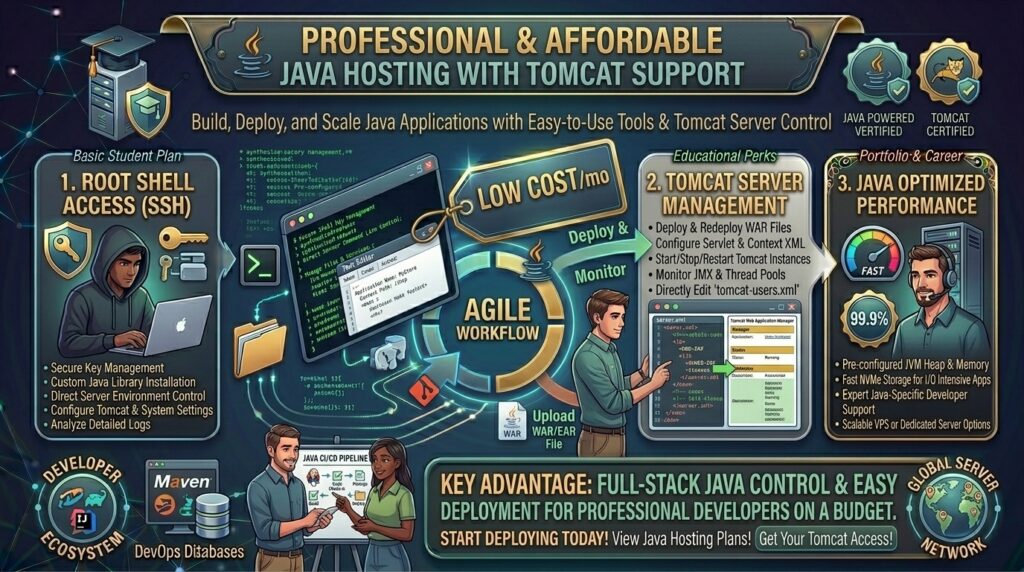
Whether you are deploying enterprise backend microservices in San Francisco, building custom Java EE applications in New York, launching scalable fintech systems in Texas, managing high-throughput academic projects in Washington, or testing Spring Boot services in California, finding reliable infrastructure that supports Java can be surprisingly challenging.
Unlike lightweight PHP applications that run seamlessly on cheap shared hosting packages, Java applications require a Java Development Kit (JDK), a Java Runtime Environment (JRE), and a servlet container like Apache Tomcat to process Java Servlets and JavaServer Pages (JSP). Traditionally, setting up a private JVM (Java Virtual Machine) required expensive dedicated servers or high-tier enterprise cloud nodes costing upwards of $50 to $150 per month.
Fortunately, the hosting industry has evolved. Today, you can secure high-performance, developer-friendly affordable Java hosting with Tomcat server support starting at just a few dollars a month.
In this comprehensive guide, we explore how cheap Tomcat hosting works, evaluate the top budget providers, review essential configuration strategies, and explain how optimizing your Java application architecture protects your long-term Google SEO performance.
Understanding Apache Tomcat and Java Hosting Architectures
Before purchasing a hosting plan, it is vital to understand how Java hosting differs from traditional web hosting.
+-------------------------------------------------------------+
|               The Java/Tomcat Hosting Request Flow          |
+-------------------------------------------------------------+
|  [Client Web Browser] (HTTPS Request)                       |
|          │                                                  |
|          ▼                                                  |
|  [Nginx / Apache Web Server] (Reverse Proxy / Static Assets) |
|          │                                                  |
|          ▼ (Port 8080 / AJP Connector)                      |
|  [Apache Tomcat Servlet Container] (Runs .war files / Servlets) |
|          │                                                  |
|          ▼                                                  |
|  [JVM / JDK Runtime Environment] (Executes Bytecode)        |
+-------------------------------------------------------------+
- The Java Virtual Machine (JVM): The core engine that executes compiled Java bytecode. Cheap hosting plans require careful RAM allocation to ensure the JVM garbage collector does not trigger Out-Of-Memory (OOM) errors.
- Apache Tomcat: An open-source web server and servlet container developed by the Apache Software Foundation. It is specifically designed to run Java Servlets, Jakarta EE components, and JSP pages efficiently.
- Shared vs. VPS Tomcat Hosting: While “shared Java hosting” with a private JVM exists on specialized platforms like JVM Host, most modern budget developers opt for cheap Virtual Private Servers (VPS) (from providers like Hostinger or Kamatera) because they grant full root access to install custom JDK versions, configure server.xml files, and manage memory limits directly.
Top Budget Hosts Offering Tomcat Server Support
Review how leading cost-effective hosting platforms compare when delivering Java-friendly environments, root privileges, and pricing structures:
| Hosting Provider | Starting Promo Price | Java / Tomcat Support Type | Control Panel / Access | Best Suited For |
| Hostinger | ~$4.99 / mo | Full VPS (Manual Tomcat/JDK Setup) | Full Root Access | Spring Boot, Servlets, & Custom Apps |
| Kamatera | ~$4.00 / mo | Cloud VPS (Customizable RAM/CPU) | Hourly Cloud Console | Scalable Enterprise Java Stacks |
| InterServer | ~$6.00 / mo | VPS & Webuzo Integration | cPanel / Webuzo | Lightweight Java & JSP Deployments |
| JVM Host | ~$7.95 / mo | Specialized Managed Private Tomcat | Custom Java Control Panel | Beginners wanting pre-configured Tomcat |
In-Depth Analysis: Best Tomcat Hosting Providers
1. Hostinger: Best Value VPS for Flexible Java Environments
Hostinger provides some of the cheapest entry-level Virtual Private Server plans on the market, making them a favorite for developers looking to deploy Java applications without breaking the bank.
- The Java Setup: Because Hostinger provides unmanaged or semi-managed VPS plans with full root access, you can easily install OpenJDK, configure Apache Tomcat via the terminal, and manage your
.wardeployment files manually or via custom build scripts. - Performance: Backed by fast NVMe SSD storage and robust bandwidth allowances, your Java server processes dynamic backend requests swiftly.
2. Kamatera: Best Cloud Infrastructure for Elastic Java Scaling
If your Java project experiences fluctuating traffic or requires precise hardware sizing, Kamatera delivers unmatched flexibility.
- The Java Setup: Kamatera lets you build a custom cloud server in seconds, choosing your exact amount of RAM, vCPUs, and storage. You can deploy a clean Linux distribution (Ubuntu/Debian/CentOS) and install Tomcat and Maven with absolute freedom.
- Billing Flexibility: Their hourly and monthly billing model allows you to spin up testing environments for pennies.
SEO Impact: How Java Hosting Performance Affects Google Rankings
Java web applications are often data-heavy, powering complex SaaS platforms, client portals, and dynamic e-commerce catalogs. Technical search engine optimization depends heavily on how your server performs:
- Time to First Byte (TTFB) and Heap Memory: If your cheap Java server lacks sufficient RAM, the JVM will spend excessive time running garbage collection cycles, causing massive latency spikes. Slow response times hurt your Core Web Vitals and damage your Google rankings.
- Clean URL Routing and Dispatchers: Java frameworks (like Spring MVC or Jakarta EE) handle URL routing dynamically. Ensuring your Tomcat server is correctly configured behind an Nginx or Apache reverse proxy prevents duplicate content issues and keeps clean URL structures intact for Googlebot.
- Secure HTTPS Configurations: Tomcat must be configured with valid SSL certificates (via Let’s Encrypt or custom keystores) to serve pages securely over HTTPS, satisfying Google’s mandatory security ranking signals.
Pros and Cons of Cheap Java Tomcat Hosting
The Pros 👍
- Incredible Cost Efficiency: Run robust backend Java code for the price of a cup of coffee per month.
- Absolute Environment Control: On VPS plans, you control your JVM heap size, garbage collection algorithms, and server.xml parameters.
- Enterprise Ecosystem Compatibility: Deploy standard
.warpackages, connect to external MySQL/PostgreSQL databases, and run Maven build pipelines seamlessly.
The Cons 👎
- Higher Technical Learning Curve: Unlike managed WordPress hosting, cheap Tomcat hosting on VPS instances requires command-line Linux administration skills.
- Resource Constraints on Starter Tiers: Entry-level plans with 1GB of RAM require careful memory tuning to prevent Tomcat from crashing under heavy request loads.
Step-by-Step Guide: Deploying a Java App on a Cheap Tomcat VPS
Deploying a Java web application on an affordable VPS follows a structured sequence:
- Spin Up a Budget VPS: Purchase a Linux VPS from a provider like Hostinger or Kamatera with at least 1GB to 2GB of RAM.
- Install OpenJDK: Connect via SSH and install the Java Development Kit:Bash
sudo apt update sudo apt install default-jdk - Install Apache Tomcat: Download and extract the latest stable release of Apache Tomcat into your server directory, creating a dedicated system user for security.
- Configure Server Ports and SSL: Edit your
server.xmlfile or set up an Nginx reverse proxy to route incoming web traffic smoothly from port 80/443 to Tomcat’s default port 8080. - Deploy Your
.warFile: Build your project locally using Maven (mvn clean package), upload your compiled.wararchive into Tomcat’swebapps/directory, and verify that your application runs live.
10 Essential Tips to Optimize Cheap Java Hosting Performance
- Tune JVM Heap Memory: Explicitly set your minimum and maximum heap sizes (
-Xmsand-Xmx) in your Tomcat configuration so the JVM doesn’t consume all available server RAM. - Choose the Right Garbage Collector: For low-RAM budget servers, utilize lightweight garbage collectors like G1GC to minimize latency pauses.
- Use an Nginx Reverse Proxy: Route public web traffic through Nginx to handle static assets (images, CSS) efficiently, leaving Tomcat free to process dynamic Java servlets.
- Monitor Inode and Disk Usage: Compiling large Java projects and storing build logs can quickly exhaust storage space on small budget drives.
- Implement Connection Pooling: Configure database connection pools (like HikariCP) in your application to prevent memory leaks and reduce database query overhead.
- Keep Java Runtimes Updated: Regularly update your OpenJDK and Tomcat versions via the terminal to patch critical security vulnerabilities.
- Set Up Automated Backups: Ensure your hosting provider takes daily snapshots or configure a cron job to back up your database and configuration files.
- Test Core Web Vitals: Run Google PageSpeed insights on your Java frontend views to ensure server rendering times remain optimal.
- Enable Gzip Compression: Turn on compression in your Tomcat
server.xmlconnector settings to reduce payload sizes and speed up page delivery. - Use Staging Environments: Test major Java version upgrades or Spring framework migrations on a separate staging instance before updating your production server.
Frequently Asked Questions (FAQ)
1. What is Tomcat hosting?
Tomcat hosting is a web hosting environment configured to run Apache Tomcat, an open-source Java servlet container used to execute Java Servlets, JSPs, and Jakarta EE applications.
2. Can I run Java applications on cheap shared hosting?
Standard cheap shared hosting usually only supports PHP. To run Java and Tomcat, you typically need a specialized Java shared host (like JVM Host) or an affordable Linux VPS.
3. What is the cheapest way to host a Java application?
Purchasing a budget VPS (such as Hostinger or Kamatera starting around $4 to $5 a month) and manually installing OpenJDK and Tomcat provides the cheapest and most flexible environment.
4. How much RAM do I need for a basic Tomcat server?
While Tomcat can technically boot on 512MB of RAM, it is recommended to use at least 1GB to 2GB of RAM to prevent Out-Of-Memory errors during application deployment and garbage collection.
5. Do cheap Java hosts provide root access?
Yes. Affordable Java hosting powered by VPS plans grants full root SSH access, allowing you to install custom software libraries and configure server environments freely.
6. Can I deploy Spring Boot apps on affordable Tomcat hosting?
Yes. Spring Boot applications can either be packaged as executable JAR files (running on an embedded Tomcat server) or traditional .war files deployed directly to a standalone Tomcat container.
7. Will cheap Java hosting negatively impact my Google SEO?
No. As long as your VPS has enough RAM to maintain fast server response times (TTFB) and proper caching, your Java application will rank just as well as any other site.
8. How do I upload my Java web application to the server?
You can build your project into a .war file locally and upload it via SFTP directly into Tomcat’s webapps/ directory, or automate deployments using Git and shell scripts.
9. Is Apache Tomcat the same as Apache HTTP Server?
No. Apache HTTP Server is a general web server for static and dynamic content, whereas Apache Tomcat is specifically designed to execute Java-based server code (Servlets and JSPs).
10. Which budget host is best overall for Java and Tomcat?
Hostinger stands out as an exceptional choice, offering high-performance NVMe VPS plans with full root access at very affordable introductory rates.
Conclusion
Finding affordable Java hosting with Tomcat server support no longer means sacrificing performance or overpaying for enterprise hardware. By leveraging low-cost VPS and cloud providers like Hostinger and Kamatera, developers can build, deploy, and scale robust Java applications on a strict budget.