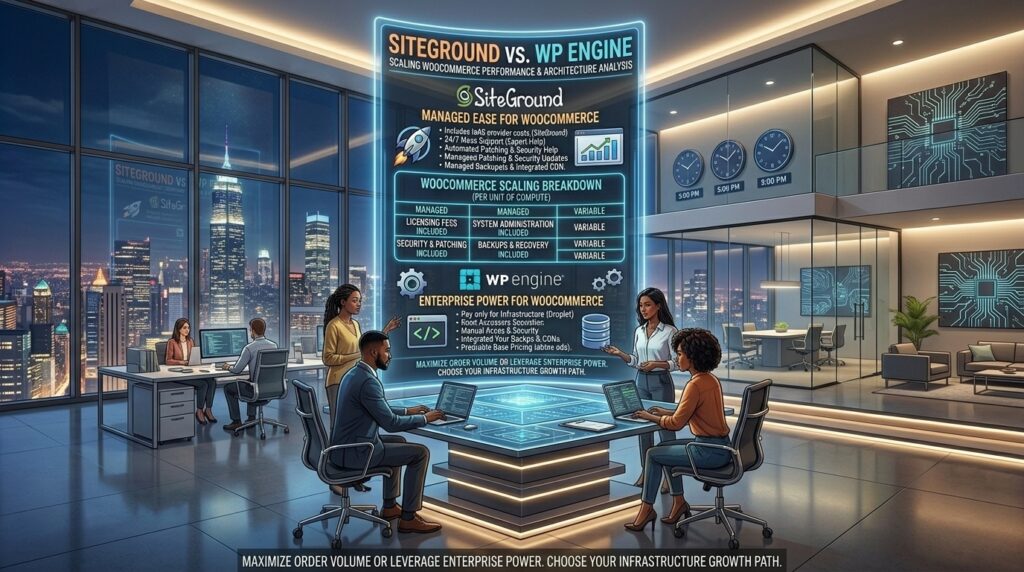
Siteground vs wp engine for scaling WooCommerce. Scaling an e-commerce store built on WooCommerce requires far more raw computing muscle than a standard content blog or corporate brochure. Whether you are running a high-volume digital storefront targeting dense commercial hubs like Texas, New York, California, Washington, or San Francisco, or scaling an international retail brand, your database undergoes continuous pressure.
Every time a customer adds a product to their cart, filters a catalog by attribute, modifies quantities, or completes a secure checkout, your server must process dynamic PHP requests and execute complex MySQL queries in real time. Standard caching plugins cannot cache a dynamic cart or checkout page. If your hosting architecture lacks the necessary memory limits, object caching, and CPU capacity, your store will suffer from cart abandonment, sluggish response times, and lost revenue.
Two industry titans dominate the managed WordPress and WooCommerce landscape: SiteGround and WP Engine. While both are trusted by elite developers, their underlying hardware stacks, pricing models, caching layers, and handling of database-heavy traffic diverge significantly.
This comprehensive architectural breakdown examines how SiteGround and WP Engine stack up when scaling WooCommerce, evaluating speed metrics, server-side caching, security features, and total cost of ownership.
1. Architectural Foundations: How They Handle WooCommerce
To understand how these hosts manage heavy e-commerce traffic, we must look beneath the hood at their server infrastructure:
- SiteGround (Google Cloud Platform & SuperCacher): SiteGround hosts its infrastructure on the Google Cloud Platform (GCP), utilizing high-speed persistent SSD storage and an in-house proprietary caching technology called SuperCacher. SuperCacher operates on three distinct levels: static cache, dynamic cache, and Memcached/Redis object caching. For WooCommerce, SiteGround provides Ultrafast PHP execution and fine-grained server control over PHP workers, allowing high-concurrency traffic to process smoothly.
- WP Engine (Proprietary Enterprise Cloud & EverCache): WP Engine operates on a custom-built, enterprise-grade architecture distributed across top-tier cloud networks (Google Cloud and AWS). Their flagship proprietary caching system, EverCache, is purpose-built for WordPress and WooCommerce. WP Engine automatically manages caching rules, CDN integrations, and security filtering at the server edge, removing configuration complexity for store owners.
2. Speed and Performance Showdown for E-Commerce
When running WooCommerce, speed directly translates to conversion rates. A one-second delay in checkout page loading can drop conversions by up to 7%.
Time to First Byte (TTFB) and Database Queries
- SiteGround: SiteGround delivers exceptional TTFB metrics (typically averaging 240ms to 280ms in North America and Europe). Because WooCommerce heavily utilizes the WordPress database (
wp_postmetaandwp_optionstables), enabling SiteGround’s Memcached or Redis object caching drastically cuts down database query times, keeping product pages responsive during heavy sales events. - WP Engine: WP Engine delivers robust, stable TTFB scores (averaging 280ms to 320ms). Its EverCache system handles high volumes of static traffic effortlessly. However, because WP Engine aggressively restricts certain server-level configurations and third-party caching scripts to maintain security compliance, fine-tuning database queries requires working within their predefined parameters.
Handling Flash Sales and Traffic Surges
What happens when your store launches a flash sale, a holiday promotion, or gets featured on a major media outlet?
- SiteGround’s GrowBig and GoGeek plans handle concurrent traffic spikes well, but if your store outgrows shared cloud boundaries, you must manually migrate to SiteGround’s dedicated Cloud Hosting tiers.
- WP Engine is built for enterprise scale from day one. Its containerized architecture isolates traffic spikes smoothly, preventing one heavy shopper’s checkout session from dragging down server resources for other users.
3. Feature-by-Feature Comparison for WooCommerce
| Feature | SiteGround | WP Engine | Winner |
| Starting Price (Promo) | ~$2.99 to $4.99/mo | ~$20.00 to $30.00/mo | SiteGround (Significantly lower entry barrier) |
| Server Infrastructure | Google Cloud Platform | Proprietary (GCP / AWS mix) | Tie (Both use top-tier cloud backends) |
| Object Caching | Memcached / Redis (Built-in) | Redis cache built-in on higher tiers | SiteGround (Easier access across mid-tiers) |
| Email Hosting | Free, unlimited email accounts | None (Requires external provider like Google Workspace) | SiteGround |
| Staging Environments | Available on GrowBig and higher | Included on all plans | WP Engine |
| PHP Worker Limits | Generous limits on GoGeek/Cloud | Dynamically managed based on tier | WP Engine (More predictable enterprise scaling) |
| Developer Ecosystem | Site Tools control panel | Genesis framework & Local dev tools | WP Engine (For advanced dev agencies) |
4. Security and PCI Compliance for Online Stores
Running an online store means handling sensitive customer data and payment information. Security is paramount.
- SiteGround Security: SiteGround provides a robust security foundation, including an AI anti-bot system, a custom Web Application Firewall (WAF), free automated daily backups, and a Security Optimizer plugin. SSL certificates are free and install with one click.
- WP Engine Security: WP Engine includes enterprise-grade security out-of-the-box. Every plan includes automated threat detection, proactive malware scanning, managed WAF protection, and automated core patches. WP Engine also provides robust DDoS mitigation and isolated virtual environments, making it exceptionally safe for high-volume transactions.
5. Pricing, Renewals, and Long-Term Scalability Costs
The financial commitment between these two providers differs dramatically:
- SiteGround Pricing: Offers aggressive introductory rates (starting around $2.99 to $4.99/month), but renewal rates jump significantly (ranging from $17.99 to $45+/month depending on the tier). However, SiteGround allows you to host unlimited websites on its GrowBig and GoGeek plans, making it exceptionally cost-effective if you run multiple storefronts.
- WP Engine Pricing: Starts at a much higher entry point (typically $20 to $30+/month for startup tiers), but maintains flat renewal pricing structures. However, WP Engine strictly limits the number of monthly visits and total sites allowed per plan (e.g., entry plans often cap you at 1 site and 25,000 visits), meaning rapid store growth forces you into expensive enterprise pricing brackets ($100–$400+/month).
6. Frequently Asked Questions (FAQ)
1. Which host is better for a high-volume WooCommerce store, SiteGround or WP Engine?
Both are exceptional, but WP Engine is purpose-built for enterprise-grade scalability, whereas SiteGround offers vastly superior value for money with comparable speeds. For high-traffic stores with massive budgets, WP Engine wins; for growing stores seeking peak efficiency, SiteGround wins.
2. Does SiteGround support Redis object caching for WooCommerce?
Yes. SiteGround provides easy toggles for Memcached and Redis object caching directly inside its Site Tools dashboard, which is vital for accelerating WooCommerce database queries.
3. Why is WP Engine so much more expensive than SiteGround?
WP Engine charges a premium for its fully managed, zero-config enterprise architecture, dedicated WordPress security engineering team, advanced developer tools (like Local by Flywheel), and specialized support scope.
4. Do both hosts include free SSL certificates for secure checkout?
Yes. Both SiteGround and WP Engine provide free, automated Let’s Encrypt SSL certificates that secure your customer checkout and payment gateways instantly.
5. Can I host multiple WooCommerce stores under a single account?
- SiteGround (GrowBig and GoGeek): Allows you to host unlimited websites under one account, making it ideal for entrepreneurs managing multiple e-commerce projects.
- WP Engine: Restricts plans to a fixed number of sites (e.g., 1, 3, or 10 sites), requiring higher-tier plans for multi-store networks.
6. Do these hosts provide automated daily backups for e-commerce orders?
Yes. Both providers execute automated daily backups. SiteGround also allows you to generate manual backup snapshots instantly before running major plugin updates or database migrations.
7. Which host has better customer support for troubleshooting checkout errors?
Both offer 24/7 live chat support with knowledgeable agents. SiteGround is widely praised for faster response times (often under 3 minutes) and a broader support scope covering plugin-specific inquiries, whereas WP Engine focuses strictly on core hosting and server-level WordPress architecture.
8. How do I handle transactional emails reliably on WooCommerce?
Because shared and managed hosts often restrict native PHP mail functions to prevent spam, both SiteGround and WP Engine recommend pairing your WooCommerce store with a transactional email provider (like SendGrid, Mailgun, or Postmark) via an SMTP plugin to ensure order confirmation emails always reach customers.
9. Will my WooCommerce store experience downtime during traffic spikes?
WP Engine handles traffic spikes gracefully due to its strict resource containerization. SiteGround handles high traffic smoothly on GrowBig/GoGeek tiers, but extremely viral traffic surges may require scaling up to SiteGround’s dedicated Cloud Hosting plans.
10. How can I benchmark my WooCommerce store performance after migrating?
You can test your server response times, product page loading speeds, and checkout script execution using performance testing tools like Google PageSpeed Insights, GTmetrix, and simulated load-testing tools like K6 or Loader.io.
7. Conclusion: Which Should You Choose?
Choosing between SiteGround and WP Engine for scaling WooCommerce depends entirely on your budget scale and operational requirements: