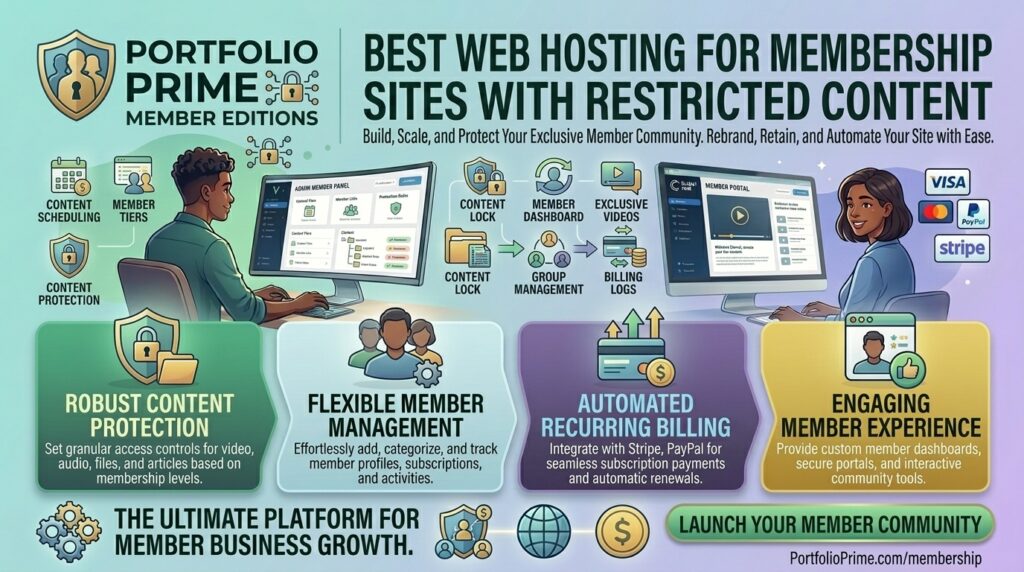
What is the best web hosting for membership sites with restricted content? Building a membership site, online course platform, or gated community on WordPress or custom PHP stacks is an incredible business model. Whether you use MemberPress, Paid Memberships Pro, Restrict Content Pro, or BuddyBoss, gating your content allows you to build a powerful recurring revenue stream.
However, membership sites are fundamentally different from standard blogs or brochure websites. Every logged-in member bypasses standard page caching entirely. When a subscriber logs into your dashboard, checks their profile, or accesses restricted content, the server cannot serve a static cached HTML file. It must query the database, process permission rules, and generate a personalized response dynamically for every single click.
If your membership enterprise operates out of or serves users across major commercial and technology corridors like New York, San Francisco, Texas, Washington, or California, choosing the wrong hosting provider will lead to sluggish page loads, database lockups, failed payment webhooks, and frustrating 503 Service Unavailable errors.
This comprehensive guide explores the absolute best web hosting providers for membership sites with restricted content, core technical requirements, optimization strategies, and 10 detailed FAQs.
The 4 Non-Negotiable Requirements for Membership Site Hosting
Standard shared hosting plans are built for static blogs with low traffic. Putting a membership site on a cheap $2/month shared server is a recipe for disaster. To protect your restricted content and maintain fast page loads under concurrent user load, your host must support:
- Dedicated PHP Workers: PHP workers are the background threads that process dynamic WordPress requests. Because logged-in members cannot use page caches, every click consumes a PHP worker. Standard shared hosts cap you at 2 to 4 workers. If 10 members click around your course modules simultaneously, your site will stall. Membership sites require robust plans with at least 8 to 16+ dedicated PHP workers.
- Redis Object Caching: Membership sites generate dozens of repetitive database queries on every page load to check user roles, access tokens, and tier permissions. Without Redis Object Caching storing these query results in server RAM, your MySQL database will bottleneck instantly.
- Dedicated IP Address & Email Deliverability: Mission-critical emails—such as welcome notifications, password resets, payment receipts, and course access keys—must land in your members’ inboxes, not their spam folders. A dedicated IP address ensures your domain builds a clean email sender reputation.
- Strict Resource Isolation: When membership site members upload files, submit assignment forms, or run community forums, resource spikes can occur. Isolation technology (such as CloudLinux CageFS or dedicated VPS containers) ensures that your site is never impacted by neighboring noisy accounts.
Top 5 Web Hosting Providers for Membership Sites – What is the best web hosting for membership sites with restricted content
To balance dynamic database processing speed, un-cached traffic handling, and bulletproof security for restricted content, these five providers lead the industry:
1. SiteGround (Best Managed WordPress Host for Growing Communities)
SiteGround powers millions of domains globally and is widely recognized for its robust server infrastructure and developer-friendly WordPress tools.
- Why it shines for membership sites: SiteGround’s intermediate and high-tier plans (GrowBig and GoGeek) include advanced dynamic caching, built-in staging tools, daily automated backups, and isolated account structures capable of handling high volumes of logged-in traffic.
- Pros: Outstanding 24/7 customer support, proprietary speed-optimization plugins, and robust security firewalls.
- Cons: Renewal rates increase significantly after the initial introductory term expires.
2. Cloudways (Best Scalable Cloud VPS for High-Traffic Membership Platforms)
Cloudways provides a fully managed orchestration layer on top of premium cloud infrastructure providers like DigitalOcean, Vultr, and AWS.
- Why it shines for membership sites: Because Cloudways grants you dedicated server RAM and CPU cores, you can scale resources vertically instantly when your membership drive brings hundreds of users online simultaneously. It comes pre-integrated with Redis and Varnish caching.
- Pros: Pay-as-you-go pricing, choice of US data center locations (including East and West coasts), zero traffic throttling, and complete server-level control.
- Cons: Requires basic familiarity with cloud server management compared to traditional cPanel setups.
3. Nexcess / Liquid Web (Best Fully Managed Enterprise Hosting for Paid Courses)
Ncess (part of the Liquid Web family) specializes in high-performance managed hosting built specifically for heavy e-commerce and membership platforms like WooCommerce and WordPress LMS plugins.
- Why it shines for membership sites: Nexcess plans come out-of-the-box with built-in Redis object caching, automatic database query optimization, instant scalability buffers to absorb traffic spikes, and proactive security monitoring.
- Pros: Zero overage fees on traffic bursts, auto-scaling capabilities, and elite support teams well-versed in membership architecture.
- Cons: Higher baseline cost compared to entry-level shared hosting options.
4. Hostinger (Best High-Performance Value with LiteSpeed Caching)
Hostinger has emerged as a powerhouse for cost-effective, high-speed hosting backed by LiteSpeed web servers and NVMe storage arrays.
- Why it shines for membership sites: Hostinger’s Cloud hosting tiers provide isolated resource pools, dedicated IP options, and built-in LSCache integration, allowing membership site owners to achieve fast database query execution on a budget.
- Pros: Incredibly competitive pricing structures, global CDN integration, and simple, intuitive user control dashboards.
- Cons: Advanced staging tools and on-demand backups require selecting upper-tier business or cloud plans.
5. ScalaHosting (Best Managed Cloud VPS with SPanel Security)
ScalaHosting offers fully managed cloud VPS packages equipped with their proprietary SPanel control panel, offering a secure, cost-effective alternative to traditional cPanel ecosystems.
- Why it shines for membership sites: You get 100% dedicated resources (CPU and RAM) dedicated solely to your membership database and gated directories, protected by real-time cybersecurity monitoring (SShield).
- Pros: Free professional site migrations, dedicated IP addresses included, and unlimited email accounts.
- Cons: SPanel interface has a slight learning curve for administrators accustomed strictly to legacy cPanel layouts.
Actionable Tips to Optimize Membership Sites and Protect Restricted Content
Operating a membership site requires proactive technical management to ensure smooth user experiences and secure content delivery:
- Always Enable Redis or Memcached Object Caching: Offload repetitive permission checks and database queries to server RAM. This reduces database load by up to 70% on active membership portals.
- Protect Media and Downloadable Files: Do not store premium PDFs, videos, or digital downloads in standard public WordPress upload folders where direct URL leaks can bypass membership restrictions. Use secure membership plugins or cloud storage buckets (like Amazon S3 with signed temporary URLs).
- Implement Reliable Transaction Webhooks: If you use membership plugins that process payments via Stripe or PayPal, ensure your hosting server does not block incoming webhook callbacks. Missed webhooks can cause membership accounts to remain un-provisioned after payment.
- Optimize Database Tables Regularly: Membership sites accumulate massive amounts of user session data, transient options, and access log rows. Regularly clean and optimize your MySQL database tables (
wp_options,wp_usermeta) to prevent query bloat. - Utilize Edge Caching Carefully: While static pages can be cached globally on a CDN like Cloudflare, make sure your membership login pages, checkout screens, and user account areas are explicitly bypassed from edge caching to prevent members from seeing each other’s private account details.
10 Frequently Asked Questions (FAQs)
1. Why do membership sites need special hosting compared to regular blogs?
Standard blogs rely heavily on page caching because visitors view identical static content. Membership sites feature logged-in users viewing unique, personalized dashboards and restricted files, requiring intense, un-cached database and PHP processing.
2. What are PHP workers and why do they matter for membership sites?
PHP workers are server threads that process dynamic requests. Each simultaneous uncached click from a member consumes a worker. If your host limits you to 2 workers, your site will crash under minimal concurrent traffic. Membership sites need at least 8 to 16+ workers.
3. Can I run a membership site on cheap shared hosting?
While a brand new membership site with zero traffic might survive on shared hosting temporarily, any growth beyond 50 active daily users will quickly exhaust PHP memory limits and result in server errors.
4. How does Redis Object Caching help protect restricted content performance?
Redis stores frequent database queries (like membership access validation checks) in server memory. This prevents your database from crashing when multiple members load restricted course pages simultaneously.
5. How do I prevent users from sharing their membership login credentials?
You can use membership plugins integrated with device-limiting or concurrent-login restriction extensions (such as Simultaneous Login Prevention for MemberPress) to block multiple users from logging into the same account simultaneously.
6. Do I need a dedicated IP address for a membership site?
Yes. A dedicated IP address ensures that crucial transactional emails—such as password resets, subscription renewals, and course access confirmations—do not get flagged as spam due to neighbor IP blacklisting.
7. How does hosting speed impact my membership site’s SEO and churn rates?
Slow membership portals frustrate users, driving up cancellation (churn) rates. Furthermore, Google evaluates page responsiveness and Core Web Vitals, meaning fast server responses directly support organic search visibility.
8. What is the best platform to build restricted content sites?
WordPress combined with robust membership plugins (such as MemberPress, Restrict Content Pro, or Paid Memberships Pro) alongside an LMS like LearnDash or BuddyBoss is the industry standard.
9. How do I back up sensitive member databases securely?
Your host should provide automated daily backups that include both your WordPress file directory and your encrypted MySQL database containing subscriber records and payment metadata.
10. Which US data center locations should I choose for my target audience?
To minimize latency for members located across California, Texas, New York, Washington, and San Francisco, select US East or US West coast data center nodes depending on where your primary demographic resides.
Conclusion
Running a successful membership site with restricted content requires a robust technical foundation that goes far beyond basic shared web hosting. Because logged-in members generate continuous dynamic traffic and heavy database queries, your platform demands dedicated PHP workers, Redis object caching, and strict server resource isolation.