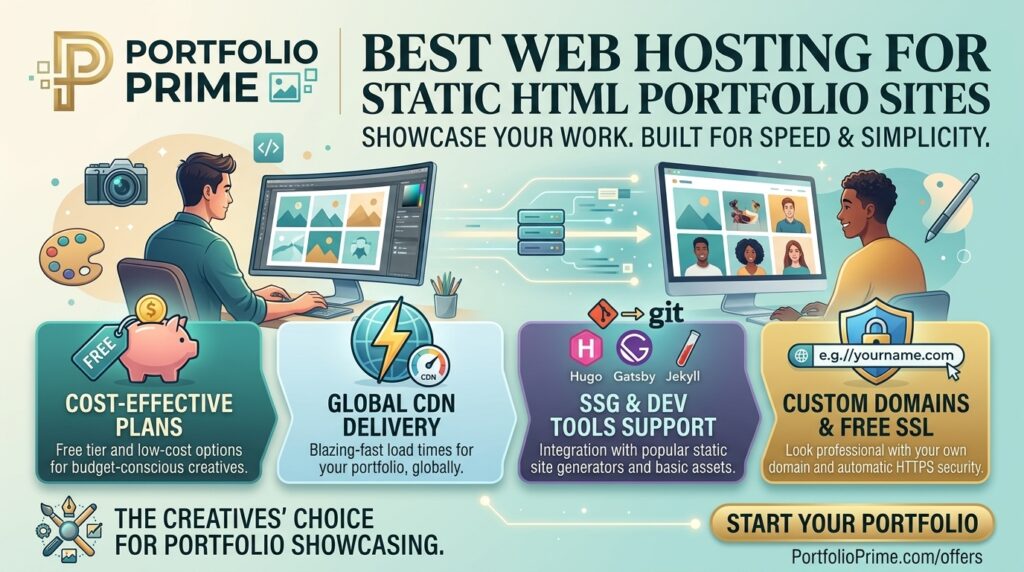
What is the best web hosting for static html portfolio sites? In an era dominated by heavy database-driven content management systems, complex JavaScript frameworks, and bloated web application stacks, simple static HTML portfolio sites remain the absolute gold standard for speed, security, and pure elegance. Whether you are a freelance designer, software engineer, photographer, copywriter, or digital architect, a clean static HTML portfolio presents your work to potential clients and hiring managers without lag, security vulnerabilities, or database timeouts.
However, choosing the right web host for a static portfolio isn’t as simple as picking the cheapest option. Even static sites require ultra-fast global Content Delivery Networks (CDNs), custom domain routing, automated SSL encryption, seamless continuous integration (CI/CD) pipelines, and optimized server configurations.
If your creative business or digital agency operates out of major technology and commercial hubs like Texas, New York, California, Washington, or San Francisco, choosing a hosting platform that delivers lightning-fast Core Web Vitals to local and global recruiters is critical.
This comprehensive guide breaks down the absolute best web hosting services for static HTML portfolio sites, optimization techniques, security best practices, and 10 detailed FAQs.
Why Static HTML Portfolios Beat Dynamic Platforms
Before exploring individual hosting providers, it is important to understand why static HTML portfolios offer significant advantages over platforms like WordPress or Drupal:
- Blistering Page Speeds: Static HTML, CSS, and minimal JavaScript files require zero database calls or dynamic server-side PHP processing. When a visitor hits your URL, the web server serves pre-rendered files directly from disk or edge RAM, yielding near-instant Time to First Byte (TTFB).
- Unbeatable Security: Without dynamic code processing, active databases (like MySQL), or vulnerable plugin ecosystems, static HTML sites have virtually zero attack surfaces. They are immune to SQL injection, cross-site scripting (XSS), and PHP exploit scripts.
- Ultra-Low Resource Consumption & Cost: Static hosting requires minimal computing resources. As a result, many top-tier global hosting platforms offer free or extremely affordable static hosting plans with global CDN distribution built in.
- Zero Maintenance Overhead: Static HTML sites do not require constant core updates, plugin patches, or security maintenance. Once published, a static portfolio remains online indefinitely without breaking.
Top 5 Web Hosting Providers for Static HTML Portfolio Sites
To help you choose the ideal host, we evaluated leading platforms based on deployment speed, CDN edge network infrastructure, ease of custom domain mapping, pricing, and developer workflows:
1. GitHub Pages (Best Free Choice for Developers & Coders)
GitHub Pages is directly integrated into GitHub repositories, making it the top choice for software engineers, web developers, and technical creatives who already use Git version control.
- Why it shines for static portfolios: You host your static HTML, CSS, and JS files directly in a public or private GitHub repository. Pushing changes to your
mainbranch automatically builds and deploys your updated portfolio globally. - Pros: 100% free with generous bandwidth allowances, native custom domain support, free automatic Let’s Encrypt SSL, and built-in continuous deployment.
- Cons: Lacks advanced server-side routing or built-in contact form handling out of the box.
2. Vercel (Best for High-Performance Edge Rendering & Designers)
Built by the creators of Next.js, Vercel provides a modern cloud framework built specifically for static sites and front-end developers who demand modern workflows.
- Why it shines for static portfolios: Vercel connects effortlessly to GitHub, GitLab, or Bitbucket. Every git commit triggers an instant global build, deploying your HTML portfolio across their ultra-fast Edge Network.
- Pros: Generous free Hobby tier, instant global CDN deployment, preview deployments for every branch/pull request, automatic custom domain SSL configuration, and built-in performance analytics.
- Cons: Enterprise usage costs can escalate if bandwidth exceeds hobby thresholds (though rare for standard portfolios).
3. Netlify (Best Overall Platform for Modern Static Web Projects)
Netlify pioneered the modern Jamstack movement and remains one of the most flexible platforms for hosting static websites with zero backend maintenance.
- Why it shines for static portfolios: Netlify offers “drag-and-drop” deployment for beginners (where you simply drop your folder of HTML files into the browser) as well as advanced Git-based continuous delivery for experienced developers.
- Pros: Excellent free starter plan, built-in contact form handling (Netlify Forms), automated SSL, continuous integration, and seamless integration with serverless functions.
- Cons: Paid tiers can be costly for team accounts, though the free tier easily covers individual portfolios.
4. Cloudflare Pages (Best for Blazing Global CDN Performance & Speed)
Cloudflare operates one of the largest and fastest global network backbones on earth. Cloudflare Pages brings that enterprise-grade power directly to static sites.
- Why it shines for static portfolios: Your portfolio is distributed directly across Cloudflare’s massive global edge network, delivering near-zero latency to visitors whether they are browsing from San Francisco, New York, Texas, or Washington.
- Pros: Generous free plan with unlimited bandwidth, unlimited static builds, enterprise-grade DDoS protection, automatic HTTPS, and web analytics integration.
- Cons: Requires updating your domain’s nameservers to Cloudflare to unlock full edge benefits.
5. Hostinger (Best Traditional Shared Host with cPanel/hPanel Flexibility)
If you prefer traditional web hosting with graphical file managers (FTP/hPanel), professional email hosting, and standard domain management in one place, Hostinger is the premier choice.
- Why it shines for static portfolios: Hostinger’s entry-level plans run on high-speed LiteSpeed web servers equipped with NVMe SSD storage, making simple HTML portfolio rendering instantaneous.
- Pros: Ultra-cheap introductory rates, bundled custom domain and professional business email addresses, hPanel graphical File Manager, and 24/7 support.
- Cons: Not free like static Jamstack platforms, though extremely affordable for all-in-one packages.
Actionable Tips to Optimize Your Static HTML Portfolio for Google SEO
Deploying static HTML files guarantees raw speed, but ranking at the top of Google search results for key industry terms requires strategic SEO optimization:
- Structure Clean Semantic HTML5: Use proper HTML5 elements (
<header>,<nav>,<main>,<section>,<article>,<footer>) to help Google’s web crawlers understand your site structure and highlight key creative projects. - Optimize Meta Tags & Open Graph Data: Implement unique
<title>tags, descriptive meta descriptions (<meta name="description">), and Open Graph protocol tags (og:title,og:image) so your portfolio previews accurately when shared across social networks or LinkedIn. - Compress Images & Convert to WebP: Large portfolio images (graphic design assets, high-res photography, project screenshots) destroy page load performance. Compress all visual assets and convert them into lightweight WebP or AVIF formats.
- Implement a Lightweight Contact Form: Static HTML lacks backend PHP processing to process form actions directly. Use third-party endpoints like Formspree, Web3Forms, or Netlify Forms to receive client inquiries safely without writing complex backends.
- Configure Canonical Tags and Robots.txt: Explicitly set
<link rel="canonical" href="[https://yourportfolio.com/](https://yourportfolio.com/)">tags and provide a simplerobots.txtandsitemap.xmlfile to ensure Google indexes your primary domain cleanly.
10 Frequently Asked Questions (FAQs)
1. Can I host a static HTML portfolio completely for free?
Yes! Modern static hosting platforms like GitHub Pages, Vercel, Netlify, and Cloudflare Pages offer completely free starter tiers that include free SSL, global CDN distribution, and custom domain support.
2. Do I need a custom domain name for my static portfolio site?
While platforms provide free subdomains (e.g., yourname.netlify.app), purchasing a custom domain (e.g., yourname.com) is strongly recommended to establish a professional brand identity and boost Google search credibility.
3. How do I process contact forms on a static HTML website?
Since static sites have no backend server scripts, you can integrate lightweight form services such as Netlify Forms, Formspree, Web3Forms, or Formcarry to forward submissions directly to your email inbox.
4. How does hosting speed impact my portfolio’s Google SEO rankings?
Google uses Core Web Vitals (Largest Contentful Paint, First Input Delay, Cumulative Layout Shift) as direct ranking factors. Fast static hosting ensures instant page loads, lower bounce rates, and improved search visibility.
5. What is the difference between static HTML hosting and traditional WordPress hosting?
Static hosting simply serves pre-built HTML, CSS, and image files directly from a CDN with zero dynamic code execution. WordPress hosting requires a dynamic web server, PHP interpreter, and MySQL database to build pages on the fly.
6. Do I need an SSL certificate for a simple portfolio website?
Yes! HTTPS encryption is mandatory. Modern search engines like Google down-rank non-secure (HTTP) sites, and web browsers display warning alerts to visitors accessing unencrypted web pages.
7. How do I update my portfolio content on static web platforms?
If using Git-based hosts (GitHub Pages, Netlify, Vercel), you update local files and push your changes via Git (git push). If using traditional shared hosting (Hostinger), you upload updated HTML files via FTP or a Web File Manager.
8. Can I add dynamic interactive features to a static HTML portfolio?
Yes! Using client-side JavaScript, APIs, or micro-services (the Jamstack methodology), you can add interactive elements like dark mode toggles, project filters, embedded media, dynamic client reviews, and interactive code sandboxes.
9. What image formats work best for a static portfolio?
Next-generation image formats like WebP and AVIF provide high visual clarity at significantly smaller file sizes compared to traditional PNGs or JPEGs, dramatically improving page load speeds.
10. How do data center locations affect portfolio performance?
Serving your static HTML site over a global Content Delivery Network (CDN) automatically caches your portfolio files on edge servers worldwide (including major hubs in California, Texas, New York, and Washington), ensuring low network latency regardless of where recruiters are located.
Conclusion
Building a clean, static HTML portfolio is one of the smartest career investments a creative or technical professional can make. By removing database bloat and security vulnerabilities, static sites deliver unparalleled loading speeds, rock-solid security, and flawless user experiences.