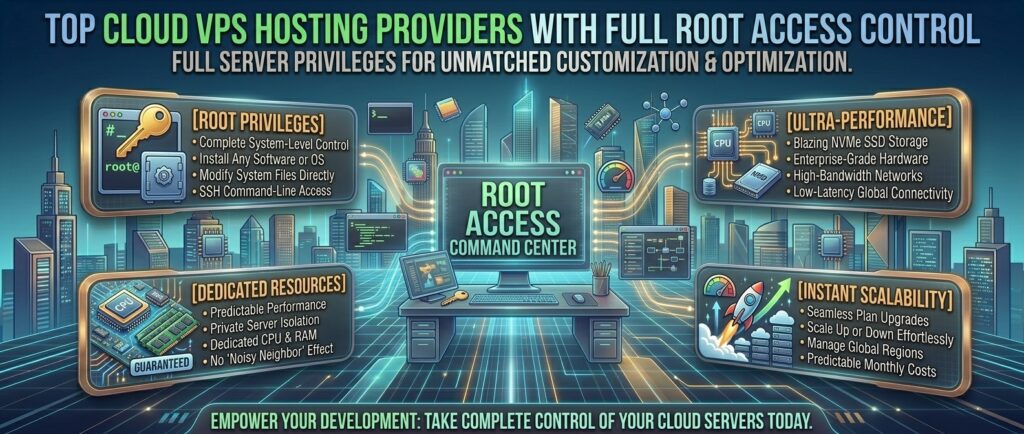
Top cloud vps hosting providers with full root access control. For scaling tech startups, enterprise developers, software engineers, and digital agencies managing heavy traffic properties across high-competition economic hubs like Texas, New York, California, Washington, and San Francisco, standard shared hosting environments present critical performance roadblocks.
When your applications demand custom software stacks, specialized caching daemons, dedicated CPU threads, and uncompromised security, shared hosting is no longer enough. You need the granular power, scalable architecture, and absolute autonomy of a Cloud Virtual Private Server (VPS) with full root access control.
With full root privileges (su / sudo), you act as the absolute administrator of your virtual environment. You can install any operating system distribution, compile custom Nginx or Apache builds, configure advanced firewall rules, deploy Docker containers, and tune kernel parameters to match your exact application workloads.
This comprehensive masterclass review guide analyzes the top-rated cloud VPS hosting providers offering full root access control, evaluating their hardware specifications, virtualization types, network performance, pricing tiers, and overall value.
What is Cloud VPS Hosting with Root Access?
Before reviewing specific hosting platforms, let’s examine why cloud VPS infrastructure paired with root access represents the gold standard for modern web operations:
- Guaranteed Dedicated Resources: Unlike shared hosting where resources fluctuate based on neighbor site activity, a Cloud VPS isolates your assigned vCPUs, RAM, and NVMe disk space using advanced hypervisors (like KVM).
- Unrestricted Administrative Control (Root Access): Having root access means you have terminal/SSH access to the core system. You can install custom packages (Node.js, Python, Ruby, Go), alter PHP configurations, and bind ports without restrictions.
- Elastic Scalability: Modern cloud VPS platforms allow you to scale your RAM and CPU cores vertically or horizontally with a simple click or API call, preventing downtime during unexpected traffic surges.
Top 5 Cloud VPS Hosting Providers with Full Root Access Control
1. DigitalOcean — Best Developer-Friendly Cloud Infrastructure
DigitalOcean has built a cult following among developers and modern tech agencies worldwide, known for its remarkably clean user interface, robust API ecosystem, and instant deployment of scalable compute nodes (“Droplets”).
- Root Access & Control: Complete, unhindered root access via SSH and web-based terminal consoles across all Linux distributions (Ubuntu, Debian, Fedora, CentOS/Rocky Linux).
- Infrastructure & Speed: Enterprise-grade NVMe SSD storage clusters, dedicated CPU instances, and a reliable global network infrastructure with low-latency data centers across New York and San Francisco.
- Key Features: Automated snapshot backups, floating IPs, cloud firewalls, and a robust developer API/CLI toolset.
- Pros: Incredibly intuitive control panel; transparent hourly/monthly pricing; massive library of community tutorials.
- Cons: Primarily unmanaged; technical server administration knowledge is required to handle security patches and software updates.
2. Hostinger — Best Value Budget KVM Cloud VPS
Hostinger has transformed the budget hosting sector by delivering high-performance KVM-based virtual private servers at a fraction of traditional enterprise costs.
- Root Access & Control: Full root access is provided out of the box, allowing you to install custom operating systems, control panels (like CyberPanel or aaPanel), or custom game server frameworks.
- Infrastructure & Speed: Powered by AMD EPYC processors, enterprise NVMe storage arrays, and robust 300Mb/s network connections.
- Key Features: Dedicated IP addresses, built-in AI troubleshooting assistant, automated weekly/daily backups, and an easy-to-use custom control panel.
- Pros: Unbeatable price-to-performance ratio; user-friendly management dashboard; full root freedom.
- Cons: Advanced scaling options are less granular compared to developer-centric clouds like DigitalOcean or Vultr.
3. Vultr — High-Performance Global Cloud Compute
Vultr is a favorite among performance-focused developers who demand high-clock-speed CPUs and instant deployment across a massive global footprint of data center locations.
- Root Access & Control: Instant root access provisioned via SSH keys or root passwords, with native support for custom ISO uploads, allowing you to deploy any operating system or custom image.
- Infrastructure & Speed: High-frequency compute instances featuring AMD EPYC and Intel Xeon processors with ultra-fast NVMe storage blocks.
- Key Features: Object storage integration, DDoS mitigation, VPC (Virtual Private Cloud) peering, and block storage volumes.
- Pros: Exceptional server response speeds; vast global data center selection; support for custom ISO installations.
- Cons: Customer support is heavily ticket-based and leans toward self-managed server administration.
4. InMotion Hosting — Enterprise Managed & Unmanaged Cloud VPS
InMotion Hosting is a premier choice for growing businesses and digital agencies that need scalable cloud resources backed by powerful security suites and flexible management tiers.
- Root Access & Control: Full root access is provided on unmanaged plans, while managed plans give you root-level flexibility combined with automated server hardening and optimization.
- Infrastructure & Speed: High-speed NVMe SSD storage pools, robust DDoS protection via Corero, and free dedicated IP addresses.
- Key Features: Docker compatibility, free server migrations, real-time malware scanning via Monarx, and cPanel/WHM integration options.
- Pros: Excellent hybrid support options (managed vs. unmanaged); generous resource allowances; robust security tools.
- Cons: Higher starting price points compared to basic unmanaged cloud compute providers.
5. Hostwinds — Highly Flexible Unmanaged and Managed VPS
Hostwinds provides exceptional flexibility for webmasters and engineers looking for customizable hardware allocations and reliable uptime guarantees.
- Root Access & Control: Full root access is standard across both managed and unmanaged Linux VPS plans, granting complete freedom over software installations and configurations.
- Infrastructure & Speed: Redundant solid-state drive architectures, 1Gbps network ports, and instant provisioning portals.
- Key Features: Real-time server monitoring, custom ISO support, nightly automated backups, and scalable IP configurations.
- Pros: Highly affordable unmanaged entry tiers; flexible management options; strong uptime reliability.
- Cons: Interface design feels slightly dated compared to modern minimalist dashboards like DigitalOcean.
Comparative Matrix: Cloud VPS Providers with Root Access
| Provider | Virtualization Type | Root Access? | Starting Storage | Starting Price |
| DigitalOcean | KVM (Droplets) | Yes (Full) | 25 GB NVMe | $4.00 / mo |
| Hostinger | KVM | Yes (Full) | 50 GB NVMe | $5.52 / mo |
| Vultr | Cloud Compute (KVM) | Yes (Full) | 32 GB NVMe | $5.00 / mo |
| InMotion Hosting | Enterprise VPS | Yes (Full) | 160 GB NVMe | Custom / Scaled Tier |
| Hostwinds | KVM | Yes (Full) | 30 GB SSD | $4.99 / mo |
Essential Best Practices for Securing a Cloud VPS with Root Access
Because full root access gives you total control over your server, it also places the security burden squarely on your shoulders. Follow these essential hardening steps immediately after provisioning your cloud VPS:
- Disable Root Password Login: Create a standard non-root user account with
sudoprivileges. Then, edit your SSH configuration file (/etc/ssh/sshd_config) to setPermitRootLogin no, forcing logins through secure SSH keys. - Configure an Active Firewall (UFW / CSF): Close all unnecessary network ports. Only leave required ports open—such as Port 22 (or a custom SSH port), Port 80 (HTTP), and Port 443 (HTTPS).
- Establish Automated System Backups: Set up recurring cloud snapshots or automated cron-job backups so you can instantly restore your entire server state if a software update or configuration error breaks your production environment.
- Enable Fail2Ban: Install and configure Fail2Ban to monitor system logs for brute-force SSH login attacks and automatically ban malicious IP addresses.
Frequently Asked Questions (FAQ)
1. What is root access in cloud VPS hosting?
Root access grants you absolute administrative privileges over your virtual server, allowing you to install, modify, or delete any file, software package, or operating system setting.
2. What is the difference between managed and unmanaged VPS hosting?
With unmanaged VPS, you are entirely responsible for server setup, security patches, software updates, and troubleshooting via the command line. With managed VPS, the host’s engineering team handles routine maintenance and technical support.
3. Can I install a graphical control panel on my root VPS?
Yes. With full root access, you can install popular web management control panels like cPanel/WHM, CyberPanel, aaPanel, or Webmin to simplify website and database management.
4. What operating systems can I run on a cloud VPS?
Most providers support popular Linux distributions (Ubuntu, Debian, AlmaLinux, Rocky Linux, CentOS) as well as Windows Server editions (though Windows often incurs extra licensing fees).
5. How does a cloud VPS differ from shared web hosting?
Shared hosting places hundreds of sites on a single server sharing common resource pools. A cloud VPS isolates your dedicated compute resources (vCPU, RAM, storage) using hypervisor virtualization.
6. Is technical expertise required to manage a root VPS?
Yes, unmanaged root VPS hosting requires familiarity with Linux command-line interfaces, SSH terminal navigation, and basic server security protocols.
7. Can I host multiple websites on a single cloud VPS?
Absolutely. With full root access, you can host an unlimited number of websites, domains, and client projects, constrained only by your server’s RAM and CPU limits.
8. What is KVM virtualization, and why does it matter?
Kernel-based Virtual Machine (KVM) is a robust hardware-level virtualization technology that ensures your allocated RAM and CPU cores are strictly dedicated to your instance and never oversold.
9. Can I upgrade my VPS resources as my website traffic grows?
Yes. Cloud infrastructure allows seamless vertical scaling (adding more RAM or CPU cores) with minimal server downtime.
10. Which cloud VPS provider is the best overall choice?
For a combination of developer-friendly infrastructure, reliable performance, and granular root control, DigitalOcean is the top overall recommendation.
Conclusion
Securing a high-performance cloud virtual private server with full root access control provides the ultimate foundation for scaling resource-intensive web applications, e-commerce stores, and digital agencies. By partnering with a top-tier infrastructure provider—such as DigitalOcean, Hostinger, Vultr, InMotion Hosting, or Hostwinds—developers and enterprise teams operating across major competitive hubs like Texas, New York, California, Washington, and San Francisco can achieve uncompromised speed, absolute system autonomy, and infinite scalability.