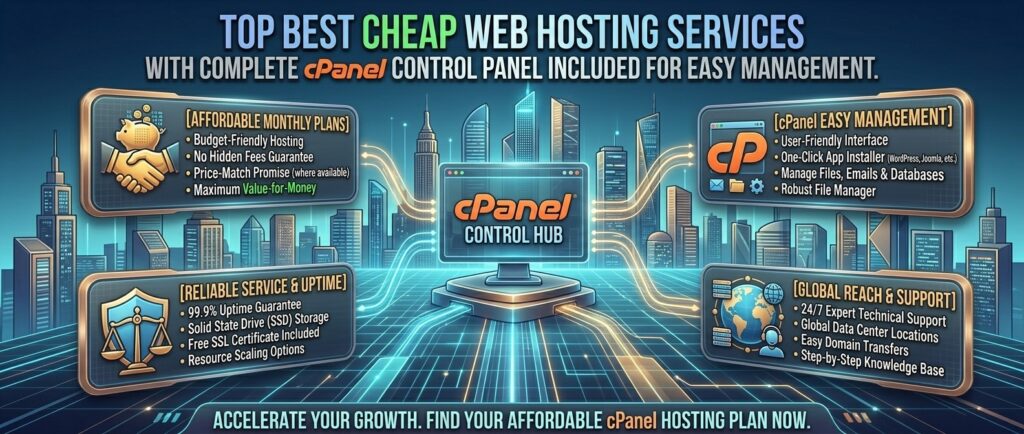
Best cheap web hosting services with cPanel control panel included. For independent bloggers, web design freelancers, and small business owners launching new web properties across commercial markets like Texas, New York, California, Washington, and San Francisco, finding affordable hosting that doesn’t sacrifice core management utilities is vital.
In recent years, many web hosting providers have abandoned the industry-standard cPanel control panel in favor of proprietary, custom-built dashboards to cut licensing costs. While custom panels can be sleek, millions of users still prefer cPanel because of its familiar layout, massive ecosystem of 1-click script installers (Softaculous), robust email routing tools, and effortless file management.
Finding a host that combines budget-friendly pricing with an authentic, fully functional cPanel license can be challenging.
This masterclass review guide analyzes the best cheap web hosting services that still include cPanel, comparing their pricing structures, hardware speed, security configurations, and overall value.
Why Choose cPanel for Your Web Hosting?
Before jumping into individual hosting providers, let’s look at why cPanel remains the most trusted web hosting control panel on the internet:
- Universal Familiarity: If you migrate from one host to another, a cPanel-based host ensures you will instantly recognize your file manager, database wizard, and SSL configurations without retraining your workflow.
- Robust Add-On Domain & Email Management: cPanel makes it exceptionally easy to set up professional business email accounts (
you@yourbrand.com), configure forwarders, and manage DNS zone records in one place. - Seamless Backups & Migration: Built-in tools allow you to generate full cPanel backup archives (
.tar.gz) with a single click, making site migrations across different providers straightforward.
Top Cheap Web Hosting Services with cPanel Included
1. Namecheap — Best Overall Cheap cPanel Hosting
Namecheap has built an industry-wide reputation for offering low-cost domain registration and web hosting without hidden catch clauses, maintaining strong support for native cPanel interfaces.
- cPanel Implementation: Namecheap includes the industry-standard cPanel across all shared hosting tiers (Stellar, Stellar Plus, and Stellar Business), complete with 2FA security options and Softaculous app installers.
- Infrastructure & Speed: RAID-protected SSD storage, unmetered bandwidth, and reliable global data center selections (including US and European server nodes).
- Key Features: Free AutoSSL certificates, free website migrations, and a reliable 100% uptime service level agreement on select plans.
- Pros: Outstanding introductory and renewal pricing; transparent resource metrics; reliable cPanel layout.
- Cons: Inodes (file and folder limits) are capped on entry-level plans, requiring careful asset management.
2. HostGator — Beginner-Friendly Cheap Hosting with Full cPanel
HostGator is a veteran web hosting provider that powers millions of websites worldwide, known for its friendly onboarding and deep integration with standard cPanel workflows.
- cPanel Implementation: Every shared hosting plan includes the traditional cPanel dashboard, giving users absolute control over MySQL databases, FTP accounts, and DNS records.
- Infrastructure & Speed: Solid-state drives (SSD), unmetered bandwidth allocations, and integrated caching features.
- Key Features: Free domain name for the first year on annual plans, free SSL certificates, and a 30-day money-back guarantee.
- Pros: Very easy for absolute beginners to navigate; reliable 24/7 customer support via live chat.
- Cons: Renewal rates increase significantly after the initial promotional term ends.
3. Bluehost — Official WordPress-Recommended Host with cPanel Integration
Bluehost is an official WordPress-recommended hosting provider that combines beginner-oriented onboarding tools with classic cPanel administrative power.
- cPanel Implementation: Bluehost provides structured cPanel interfaces (or customized cPanel-backed control views depending on the specific plan tier) that simplify WordPress staging and email management.
- Infrastructure & Speed: Optimized resource management, custom PHP handling, and scalable cloud infrastructure.
- Key Features: Free domain for one year, free CDN integration, and automated security safeguards.
- Pros: Exceptional brand trust and documentation; strong community support forums.
- Cons: Aggressive cross-selling of auxiliary marketing add-ons during the checkout process.
4. HostPapa — Small Business Hosting with Robust cPanel Tools
HostPapa specializes in small business web hosting, combining high-performance configurations with traditional control panel tools tailored for entrepreneurs.
- cPanel Implementation: Features a fully loaded cPanel control panel paired with a simple multilingual management suite and 1-click script installers.
- Infrastructure & Speed: Reliable solid-state storage architecture optimized for small e-commerce catalogs, portfolios, and blogs.
- Key Features: Free website migration service, free domain registration, and robust firewall protection.
- Pros: Dedicated customer onboarding support; excellent small-business feature bundles.
- Cons: Introductory rates require multi-year commitments to lock in the lowest monthly price.
5. ChemiCloud — High-Performance Cloud Hosting with cPanel
ChemiCloud is a boutique, performance-driven web host that utilizes cloud infrastructure while keeping the familiar cPanel layout intact for users.
- cPanel Implementation: Combines lightning-fast cloud architecture with the industry-standard cPanel control panel, ensuring smooth server management without a custom learning curve.
- Infrastructure & Speed: Powered by NVMe solid-state storage arrays and LiteSpeed web server compatibility on advanced tiers.
- Key Features: Free domain registration for life (with certain plans), free daily backups, and a 45-day money-back guarantee.
- Pros: Blazing-fast cloud speeds; stellar customer support response times.
- Cons: Higher base pricing compared to ultra-budget shared hosts.
Comparative Matrix: Cheap cPanel Hosting Providers
| Hosting Provider | Control Panel Type | Free Domain Included? | Money-Back Guarantee | Starting Price |
| Namecheap | Classic cPanel | No (Available to buy) | 30 Days | $2.28 / mo |
| HostGator | Classic cPanel | Yes (1 Year) | 30 Days | $3.75 / mo |
| Bluehost | cPanel-Backed UI | Yes (1 Year) | 30 Days | $1.99 / mo |
| HostPapa | Classic cPanel | Yes (1 Year) | 30 Days | $2.95 / mo |
| ChemiCloud | cPanel + Cloud | Yes (1 Year) | 45 Days | $2.95 / mo |
Tips to Keep Your Cheap cPanel Hosting Fast and Secure
Choosing a low-cost hosting plan doesn’t mean your website has to run slowly. Follow these professional optimization tips inside cPanel:
- Leverage Softaculous for Staging: Use the Softaculous Apps Installer inside cPanel to spin up staging versions of your CMS before deploying major plugin updates.
- Optimize PHP Version Settings: Navigate to Select PHP Version inside cPanel and upgrade your server environment to the latest stable PHP version (e.g., PHP 8.2 or 8.3) to maximize execution speed and security patches.
- Manage Inodes Wisely: Cheap shared hosting plans usually enforce a file count (inode) limit (e.g., 300,000 files). Regularly purge old email spam folders and uncompressed backup zips from your cPanel file manager to avoid hitting account limits.
Frequently Asked Questions (FAQ)
1. What is cPanel?
cPanel is a Linux-based web hosting control panel software that provides a graphical interface and automation tools designed to simplify the process of hosting a website and managing server parameters.
2. Why are some hosting providers dropping cPanel?
cPanel increased its software licensing fees significantly over recent years, prompting many budget hosts to develop their own custom control panels to keep their advertising prices low.
3. Is cheap cPanel hosting secure?
Yes. Reputable cPanel hosts integrate robust security measures such as Imunify360, automated free Let’s Encrypt SSL certificates, and two-factor authentication (2FA) for cPanel logins.
4. Can I install WordPress easily using cPanel?
Yes. Every cPanel host includes the Softaculous Apps Installer, which allows you to install WordPress, Joomla, or Drupal with a single click.
5. What is the difference between disk space and inodes in cPanel?
Disk space measures the physical gigabytes your website files consume, while inodes measure the total number of individual files, folders, and emails stored on your account.
6. Can I host multiple websites on a cheap cPanel plan?
It depends on the specific plan. Entry-level tiers (like Namecheap Stellar or Hostinger Single) often limit you to 1 website, while mid-tier plans allow unmetered or unlimited domain hosting.
7. Will my hosting renewal price increase after the first term?
Yes. Nearly all budget web hosts offer deep introductory discounts for your first billing cycle (1 to 3 years), after which plans renew at standard regular rates.
8. How do I create business email accounts in cPanel?
Simply locate the Email Accounts icon inside your cPanel dashboard, click “Create,” enter your desired username and secure password, and allocate your mailbox storage limit.
9. Are automated backups included with cheap cPanel hosting?
Some budget hosts include basic weekly or automated daily backups inside cPanel (such as Namecheap’s Stellar Plus or ChemiCloud), while others require you to configure manual backups.
10. Which cheap cPanel host is the best overall choice?
For an exceptional balance of low entry cost, transparent resource limits, and a reliable traditional cPanel layout, Namecheap is the top overall recommendation.
Conclusion
Securing affordable web hosting that retains the industry-standard cPanel control panel gives you total administrative freedom without forcing you to learn a complicated proprietary dashboard. By choosing a trusted, budget-friendly provider like Namecheap, HostGator, Bluehost, or ChemiCloud, creators, freelancers, and small businesses operating across competitive commercial hubs like Texas, New York, California, Washington, and San Francisco can launch and scale professional websites quickly, securely, and within a tight budget.