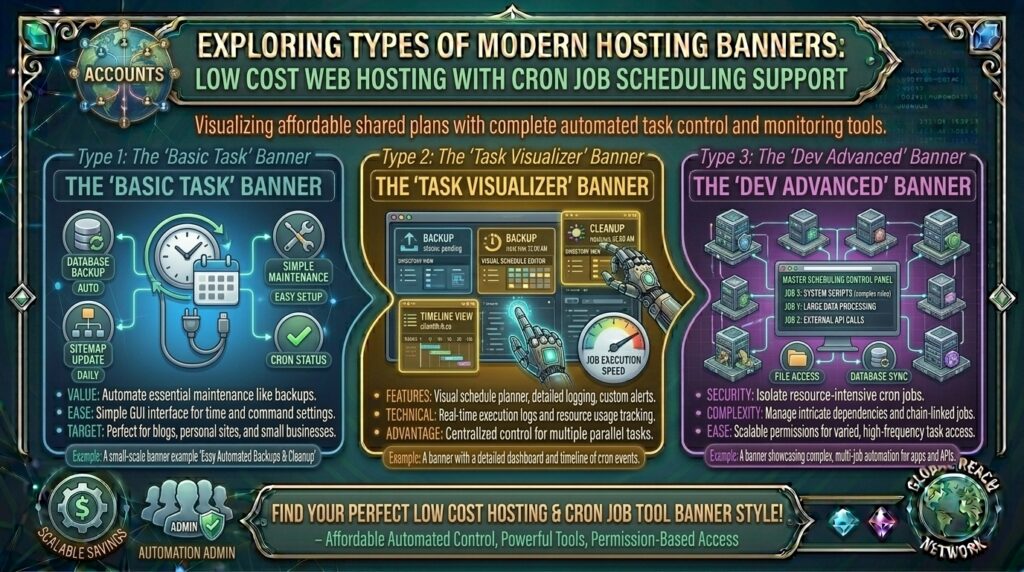
Cheap Web Hosting with Cron Job Scheduling Support: The Ultimate Automation & Task Management Guide
Introduction: Automating Your Website Operations on a Shoestring Budget
Whether you are managing e-commerce transactions in New York, scaling high-traffic SaaS backends in San Francisco, scheduling automated client reports in Texas, running marketing newsletters in Washington, or testing software workflows in California, operational efficiency dictates digital success. Modern websites are no longer static digital brochures; they are dynamic, data-driven applications that require continuous background maintenance.
From clearing database caches and purging expired shopping cart sessions to sending automated customer follow-up emails, backing up site files, and fetching real-time API updates, routine tasks must happen automatically without manual intervention.
To execute these recurring background scripts, webmasters rely on Cron jobs—the Unix-based time-based scheduler built into server environments. Historically, robust cron scheduling was restricted to expensive dedicated servers and high-tier cloud instances. Today, competitive budget web hosting providers include full Cron job scheduling support inside their entry-level shared and cloud hosting plans starting at just a few dollars a month.
In this comprehensive guide, we explore how cron job scheduling works, evaluate the top cost-effective hosting providers supporting it, review practical automation scripts, and explain how proper background task execution maximizes your long-term Google SEO performance and server reliability.
Understanding Cron Architecture: How Server-Side Scheduling Works
Before choosing a budget hosting provider, it helps to understand how the Linux cron daemon operates behind the scenes to execute automated commands.
+-------------------------------------------------------------+
|              The Cron Job Execution Pipeline                |
+-------------------------------------------------------------+
|  [Hosting Control Panel (cPanel / hPanel Cron Editor)]      |
|          │                                                  |
|          ├── Schedule Expression (e.g., * * * * *)          |
|          └── Target Command / Script Path                   |
|                    │                                        |
|                    ▼                                        |
|  [Linux Server Cron Daemon (crond)]                         |
|          │                                                  |
|          ▼ (Triggers at Exact Minute / Hour Interval)       |
|  [Server PHP Interpreter / Shell Command Execution]         |
|          │                                                  |
|          ▼                                                  |
|  [Background Task Completed (Database Clean / Email Dispatch)|
+-------------------------------------------------------------+
- The Core Function of Cron: A cron job is a scheduled command or script that runs automatically on your web server at predefined intervals (hourly, daily, weekly, or custom cron expressions).
- Why WordPress and Web Apps Need Cron: Content management systems like WordPress rely heavily on wp-cron to check for plugin updates, publish scheduled blog posts, and clear expired transients. Replacing default visitor-triggered page loads with server-side cron jobs drastically improves site responsiveness.
- The Value of Cheap Cron Hosting: Having native control panel access to add, edit, and log cron jobs without paying for dedicated developer resources empowers solopreneurs and small business owners to run enterprise-level automations on a bootstrap budget.
Top Budget Web Hosts Offering Free Cron Job Scheduling Support
Review how leading cost-effective hosting platforms compare when bundling robust cron management tools, user-friendly control panels, and budget-friendly pricing structures:
| Hosting Provider | Starting Promo Price | Cron Management Interface | Control Panel | Best Suited For |
| Hostinger | ~$2.69 / mo | Advanced Cron Job Editor | Custom hPanel | Fast, beginner-friendly automation & WordPress |
| InterServer | ~$6.00 / mo | Full cPanel Cron Access | cPanel / Webuzo | Traditional cPanel script execution |
| ScalaHosting | ~$2.95 / mo | SPanel Cron Manager | SPanel / cPanel | Secure automated database workflows |
| A2 Hosting | ~$2.99 / mo | Advanced Cron & CLI Access | cPanel | Developer-heavy cron scripting |
In-Depth Analysis: Best Low-Cost Hosts for Cron Automation
1. Hostinger: Best Overall Value with Streamlined hPanel Cron Tools
Hostinger combines aggressively low introductory pricing with its custom-built hPanel interface, providing one of the most user-friendly cron management environments in the industry.
- The Cron Workflow: Inside hPanel, navigating to the Advanced > Cron Jobs section presents a clean visual interface where you can configure common execution intervals (once per hour, daily, weekly) or write custom cron expressions without touching a command-line terminal.
- Resource Performance: Backed by fast NVMe SSD storage and optimized LiteSpeed caching, Hostinger ensures that background cron scripts execute quickly without consuming your site’s frontend visitor resources.
2. InterServer: Best Traditional cPanel Host with Unrestricted Cron Power
InterServer is renowned for its stable shared hosting environment backed by a strict price-lock guarantee that protects against unexpected renewal hikes.
- The Cron Workflow: Every standard hosting account includes full cPanel access featuring the Cron Jobs module. This allows you to schedule shell scripts (
/usr/bin/php), execute specific PHP file paths, and route automatic error logging directly to your administrative email address.
SEO Impact: How Proper Cron Management Boosts Google Rankings
While cron jobs are typically viewed as backend IT tasks, they play a vital role in maintaining your technical search engine optimization metrics:
- Eliminating Frontend Page Load Lag: By default, popular CMS platforms trigger background tasks (like checking updates or publishing scheduled posts) via frontend visitor traffic (e.g.,
wp-cron.phprunning on page load). If a visitor arrives and triggers a heavy background script, their page load time balloons, hurting your Largest Contentful Paint (LCP) and Core Web Vitals. Moving these tasks to server-side cron jobs keeps frontend pages lightning-fast. - Ensuring Timely Content Publication: For news sites and high-frequency content publishers, ensuring articles publish at exact scheduled timestamps prevents indexing delays and keeps Googlebot crawlers engaged with fresh, predictable content cadences.
- Preventing Database Bloat: Unmanaged database tables fill up with expired transients, spam comment drafts, and session logs over time, slowing down database query speeds. Automated nightly cron scripts clean up these tables, keeping TTFB (Time to First Byte) low—a key Google ranking signal.
Pros and Cons of Budget Hosting with Cron Support
The Pros 👍
- Complete Automation Freedom: Automate repetitive database cleanups, backups, API calls, and email newsletters without manual intervention.
- Improved Frontend Speed: Offloading resource-heavy background processes from visitor page loads directly accelerates user experience.
- Zero Extra Cost: Reliable budget hosts include full cron job scheduling tools free inside their standard control panels.
The Cons 👎
- Execution Timeouts on Shared Tiers: Ultra-cheap shared hosting plans often enforce strict maximum execution time limits (e.g., 30 to 60 seconds), which can cause long-running cron scripts to time out.
- Syntax Sensitivity: Writing incorrect cron expressions (e.g., misformatting star symbols and minute intervals) can cause scripts to fail silently or run too frequently, overloading server CPU quotas.
Step-by-Step Guide: Setting Up a Server-Side Cron Job in cPanel or hPanel
Configuring an automated background task on a budget hosting account follows a structured, foolproof workflow:
- Log Into Your Control Panel: Access your host’s client portal (such as Hostinger’s hPanel or cPanel) and log in using your secure credentials.
- Locate the Cron Job Manager: Search for Advanced in your dashboard menu and click on Cron Jobs (or Cron).
- Select Your Common Settings: Use the drop-down menu to select a preset frequency (e.g., Once a day, Once an hour, or Once every 5 minutes). For custom scheduling, enter your specific cron timing expression.
- Enter the Command / Script Path: Specify the execution command. For a standard PHP script, input the path to the PHP binary followed by your file path, such as:
usr/local/bin/php -q /home/username/public_html/cron-task.phpAlternatively, for web-accessible URLs, usewgetorcurl:curl -s [https://thehostreviews.com/wp-cron.php?doing_wp_cron](https://thehostreviews.com/wp-cron.php?doing_wp_cron) > /dev/null 2>&1 - Add the Cron Job: Click Add New Cron Job. Verify that the job appears in your active list and check your email inbox after the scheduled window to confirm successful execution logs.
10 Essential Tips to Optimize Cheap Cron Job Hosting
- Disable Default CMS Frontend Cron: If you are running WordPress, disable default frontend execution by adding
define('DISABLE_WP_CRON', true);to yourwp-config.phpfile, then set up a server-side cron job to runwp-cron.phpevery 10 to 15 minutes. - Redirect Output to Prevent Email Spam: Append
> /dev/null 2>&1to the end of your cron command line to suppress unnecessary email notifications every time a script executes successfully. - Schedule Resource-Heavy Tasks at Night: Run intensive database optimizations, large backups, and heavy reporting scripts late at night (e.g., between 2:00 AM and 4:00 AM local time) when server traffic is lowest.
- Test Scripts Manually First: Always run your PHP cron script manually in a browser or via terminal to verify it completes without errors before scheduling it inside the cron manager.
- Watch Out for Shared Hosting CPU Limits: Avoid setting resource-intensive cron scripts to run every single minute on shared hosting tiers, as excessive execution can trigger automated CPU throttling.
- Log Errors for Troubleshooting: If a cron job fails silently, configure a temporary log path (e.g.,
>> /home/username/cron-error.log 2>&1) to capture debugging error messages. - Use Absolute Paths: Always use absolute server file paths rather than relative paths in your cron commands (e.g.,
/home/user/public_html/script.phpinstead ofscript.php). - Secure Cron URL Endpoints: If executing cron jobs via HTTP URLs (
curl), secure your endpoint tokens or use secret query parameters so malicious actors cannot trigger your background scripts manually. - Monitor Script Execution Times: Ensure your scripts finish executing well before your hosting provider’s maximum script execution time limit is reached.
- Scale to a VPS When Automation Grows: If your business expands to run hundreds of complex background jobs or heavy web scraping scripts, migrate smoothly to a cheap VPS plan that offers unthrottled cron execution.
Frequently Asked Questions (FAQ)
1. What is a cron job in web hosting?
A cron job is a time-based scheduler in Unix-like operating systems that allows webmasters to automate repetitive tasks—such as backups, database cleanups, and email notifications—to run in the background at set intervals.
2. Is cron job scheduling included for free with cheap web hosting?
Yes. Most reputable budget web hosting providers include full cron job editors inside their control panels (such as cPanel or hPanel) free of charge on standard shared hosting plans.
3. Do I need coding or command-line skills to use cron jobs?
Basic cron management requires no advanced coding. Most control panels feature user-friendly drop-down menus for common schedules (hourly, daily) where you simply paste your script file path.
4. How do cron jobs improve website loading speed?
By moving resource-heavy background tasks (like CMS update checks, database optimizations, and newsletter dispatches) from frontend visitor page loads to server-side cron jobs, visitor page loading speeds improve significantly.
5. What is the difference between server-side cron and WordPress cron?
WordPress cron (wp-cron.php) runs by default whenever a visitor loads your website. Server-side cron uses your hosting server’s system scheduler to trigger wp-cron.php at precise, independent time intervals.
6. Can a bad cron job crash my website?
If a cron job is configured incorrectly or runs infinite loops that consume all server CPU and RAM resources, it can trigger resource throttling or temporary performance slowdowns on shared hosting accounts.
7. What does the command > /dev/null 2>&1 mean in a cron job?
This command suffix suppresses standard output and error messages, preventing your hosting server from spamming your admin email inbox with a notification email every single time the cron job runs.
8. How often should I run database optimization cron jobs?
For most small to medium business websites running on budget hosting, running database optimization and transient cleanup cron jobs once a week or once a day is optimal.
9. What should I do if my cron job fails to execute?
Check your cron command syntax, verify that you are using absolute server file paths, ensure the PHP binary path is correct, and check your hosting account’s error logs for clues.
10. Which budget host offers the best cron job management tools overall?
Hostinger (via its intuitive hPanel cron manager) and InterServer (via traditional cPanel cron tools) stand out as exceptional choices for reliable, low-cost script automation.
Conclusion
Securing cheap web hosting with cron job scheduling support allows solopreneurs, developers, and small business owners to automate essential backend operations without paying for expensive enterprise infrastructure. By leveraging cost-effective hosting providers like Hostinger and InterServer, you gain access to powerful task schedulers that keep your website clean, optimized, and running smoothly 24/7.