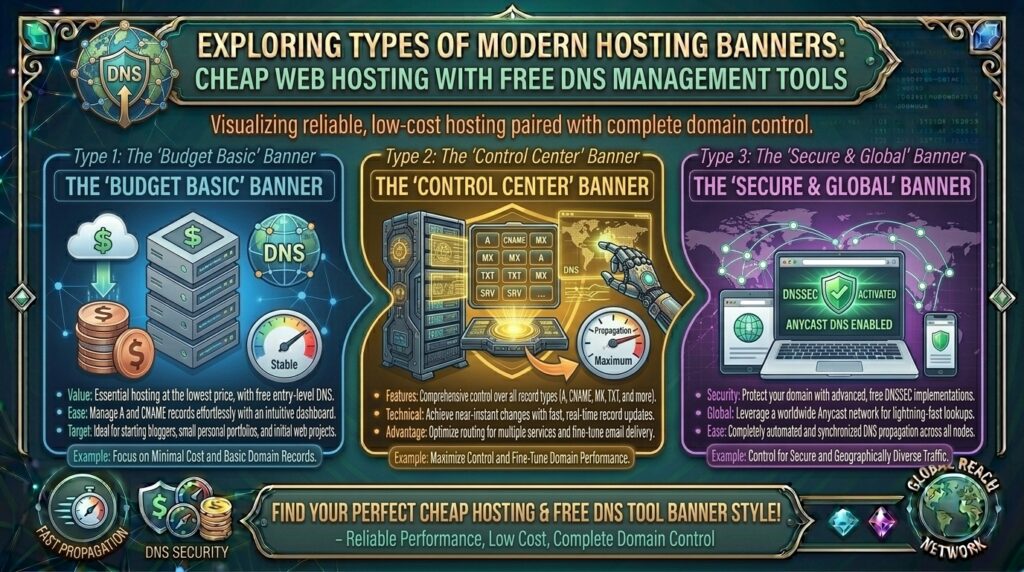
Cheap Web Hosting with Free DNS Management Tools: The Ultimate Domain Control & Performance Guide
Introduction: Mastering Your Domain Infrastructure on a Budget
Whether you are launching an e-commerce storefront in New York, scaling SaaS platforms in San Francisco, building digital agencies in Texas, operating tech blogs in Washington, or testing agile web applications in California, your website’s domain name is your most valuable digital real estate. However, simply purchasing a domain name is only half the battle. To control how web traffic, email routing, and security validations connect to your web hosting server, you need robust, intuitive Domain Name System (DNS) management tools.
Historically, budget web hosting providers charged extra for advanced DNS zone editors or forced website owners to use rigid, sluggish name servers that lacked real-time record propagation. Today, the hosting ecosystem has evolved. Leading low-cost web hosting providers bundle comprehensive, free DNS management tools directly inside beginner-friendly control panels, starting at just a few dollars a month.
In this comprehensive guide, we explore how budget DNS management works, evaluate the top cost-effective hosting providers, review essential record types, and explain how proper DNS administration maximizes your long-term Google SEO performance and global uptime.
Understanding DNS Architecture: How Domain Names Connect to Web Hosting
Before choosing a cheap hosting provider, it helps to understand how the DNS resolution pipeline operates behind the scenes every time a user visits your website.
+-------------------------------------------------------------+
|              The DNS Resolution Workflow                    |
+-------------------------------------------------------------+
|  [User Enters "thehostreviews.com" in Browser]              |
|          │                                                  |
|          ▼                                                  |
|  [Global DNS Root & TLD Servers]                            |
|          │                                                  |
|          ▼                                                  |
|  [Authoritative DNS Nameservers (Managed via Hosting Panel)]|
|    ├── A Record ──────> Maps IPv4 Address (Server Host)     |
|    ├── CNAME Record ──> Maps Subdomains to Root Domain      |
|    ├── MX Record ─────> Directs Email Routing (Google/Zoho) |
|    ├── TXT Record ────> Validates SPF, DKIM, & Google Search|
|          │                                                  |
|          ▼                                                  |
|  [Browser Connects Instantly to Web Hosting Server]         |
+-------------------------------------------------------------+
- The Core Function of DNS: DNS acts as the phonebook of the internet, translating human-friendly domain names into machine-readable numeric IP addresses.
- The Importance of Free Zone Editors: A robust DNS manager allows you to create, edit, and delete critical DNS records (
A,CNAME,MX,TXT,SRV,CAA) instantly without paying third-party registrar markups or hidden fees. - Propagation Speed: Modern, high-performance DNS nameservers use Anycast routing networks to propagate record updates globally in seconds rather than hours.
Top Budget Web Hosts Offering Free DNS Management Tools
Review how leading cost-effective hosting platforms compare when bundling powerful DNS zone editors, user-friendly control panels, and budget-friendly pricing structures:
| Hosting Provider | Starting Promo Price | DNS Zone Management | Control Panel | Best Suited For |
| Hostinger | ~$2.69 / mo | Full Free DNS Editor + Cloudflare Integration | hPanel | Fast, beginner-friendly WordPress & custom sites |
| Namecheap | ~$1.98 / mo | FreeDNS + Advanced Host Records | Custom Dashboard | Budget domain management & small web apps |
| HostArmada | ~$1.99 / mo | Comprehensive cPanel Zone Editor | cPanel / Stellar | Cloud-backed shared hosting |
| Bluehost | ~$1.99 / mo | Integrated DNS Manager | Simplified Dashboard | New WordPress blogs & small businesses |
In-Depth Analysis: Best Low-Cost Hosts for DNS Control
1. Hostinger: Best Overall Value with Advanced hPanel DNS Tools
Hostinger combines aggressively low introductory pricing with its custom-built hPanel interface, providing one of the most streamlined DNS management experiences in the industry.
- The DNS Workflow: Inside hPanel, navigating to the DNS Zone Editor presents a clean, visual interface where you can manage
A,AAAA,CNAME,MX,TXT, andSRVrecords with zero technical friction. - Global Anycast Performance: Hostinger’s integrated infrastructure ensures that DNS queries are resolved rapidly across global nodes, minimizing initial connection latency for international visitors.
2. Namecheap: Best Legacy Domain Registrar with Free DNS Infrastructure
Namecheap built its global reputation on affordable domain registration and extends robust, free DNS management utilities across all web hosting tiers.
- The DNS Workflow: Users receive a reliable FreeDNS management console equipped with dynamic DNS support, host record mapping, and easy integration with external email and CDN providers.
SEO Impact: How Proper DNS Management Protects Google Rankings
While DNS management is often viewed as a technical IT task, it plays a critical role in preserving your technical search engine optimization metrics:
- Minimizing Global Downtime: If your DNS records are misconfigured or hosted on an unstable nameserver, search engine crawlers (Googlebot) encountering DNS resolution failures (
DNS_PROBE_FINISHED_NXDOMAIN) will temporarily de-index your pages or downgrade keyword rankings. - Email Authentication and Domain Trust: Proper DNS configuration allows you to publish crucial SPF, DKIM, and DMARC TXT records. These records authenticate your outgoing business emails, preventing your messages from landing in spam folders and protecting your brand’s digital reputation.
- Fast Time to First Byte (TTFB): Utilizing high-speed authoritative DNS nameservers accelerates the initial lookup phase, shaving crucial milliseconds off your overall page loading speed—a confirmed Google ranking factor.
Pros and Cons of Cheap Hosting with Free DNS Management
The Pros 👍
- Complete Control Without Extra Fees: Manage all domain routing, subdomains, and mail exchangers directly from your hosting subscription without paying third-party DNS providers.
- Seamless Integration: Hosting control panels automatically pre-configure essential
AandCNAMErecords when you add a domain, eliminating manual setup errors. - Enhanced Security Support: Easily implement DNSSEC (Domain Name System Security Extensions) and CAA records to restrict unauthorized SSL certificate issuance for your domain.
The Cons 👎
- Propagation Latency on Lower-Tier Providers: Budget hosts utilizing older static name server architectures can occasionally experience up to 24 hours of global DNS propagation delay.
- Interface Complexity for Beginners: Unfamiliarity with record syntax (such as trailing dots in CNAME targets) can occasionally cause configuration lockouts if mistakes are made.
Step-by-Step Guide: Managing DNS Records in Hostinger’s hPanel
Configuring and updating DNS records on a budget hosting account follows a straightforward, foolproof workflow:
- Log Into Your Hosting Dashboard: Navigate to your host’s client portal (such as Hostinger’s hPanel) and log in using your credentials.
- Locate the DNS Zone Editor: In the dashboard search bar or domain management menu, look for Advanced and click on DNS Zone Editor.
- Select Your Record Type: Choose the appropriate record type based on your needs:
- A Record: Point your domain to your hosting server IPv4 address.
- CNAME Record: Create subdomains (like
blog.thehostreviews.com) pointing to your root domain. - MX Record: Route mail traffic to external providers like Google Workspace or Zoho Mail.
- TXT Record: Add verification strings for Google Search Console, SSL certificates, or SPF email rules.
- Input the Details: Enter the required Host, Points To (Value), and TTL (Time to Live) parameters.
- Save Changes: Click Add Record or Save, and your updates will propagate across global DNS networks.
10 Essential Tips to Optimize Cheap DNS Management Hosting
- Keep TTL Settings Optimized: Set your TTL (Time to Live) to 300 seconds (5 minutes) when preparing for a website migration, and raise it back to 3600 seconds (1 hour) during normal operations to optimize lookup speeds.
- Always Implement SPF and DKIM: Publish mandatory TXT records for Sender Policy Framework and DKIM to secure your domain email deliverability.
- Use Cloudflare for Enhanced DNS Protection: Point your domain nameservers to a free Cloudflare account while keeping your cheap web hosting; this adds enterprise-grade Anycast DNS and DDoS protection for free.
- Double-Check CNAME and Root Record Conflicts: Never create a CNAME record on your root domain (
thehostreviews.com), as standard DNS protocols forbid root CNAME entries—use anArecord instead. - Document Custom DNS Changes: Keep a secure spreadsheet of all custom DNS records, mail exchanges, and API validation keys in case you ever need to migrate hosts.
- Enable DNSSEC When Available: Activate DNS Security Extensions in your hosting control panel to protect visitors from cache poisoning and man-in-the-middle DNS spoofing attacks.
- Verify Google Search Console via TXT: Use a TXT DNS record rather than an HTML file upload to verify ownership of your website in Google Search Console for permanent security.
- Monitor Domain Expiration Dates: Ensure your domain registration and your web hosting renewal dates are synchronized to prevent accidental domain lapses that break your DNS zones.
- Test Propagation Worldwide: Use online lookup tools like dnschecker.org to verify that your updated DNS records have successfully propagated across international nodes.
- Keep Backup Name Servers Active: Ensure your hosting provider supplies redundant secondary name servers to maintain 100% DNS availability during primary server reboots.
Frequently Asked Questions (FAQ)
1. What is DNS management in web hosting?
DNS management is the ability to configure and control how domain names resolve to your web server, email servers, and other external services using record types like A, CNAME, MX, and TXT.
2. Is free DNS management included with cheap web hosting?
Yes. Most reputable budget web hosting providers include a full, free DNS Zone Editor inside their control panels (such as cPanel, hPanel, or custom dashboards) at no extra cost.
3. What is the difference between domain registration and DNS hosting?
Domain registration is purchasing the legal right to use a domain name, while DNS hosting manages how traffic directed to that domain is routed across the internet.
4. How long does it take for DNS changes to take effect?
Global DNS propagation typically takes anywhere from 5 minutes to 4 hours, depending on your chosen TTL settings and global ISP caching intervals.
5. What is an ‘A’ record and why is it important?
An ‘A’ (Address) record maps your human-readable domain name directly to your web hosting server’s numeric IPv4 address, allowing browsers to locate your website files.
6. Can I use external DNS providers with cheap web hosting?
Yes. You can purchase hosting from a budget provider, keep your DNS managed externally via Cloudflare or Namecheap, and simply point your domain’s A record to your host’s IP address.
7. What happens if I make a mistake while editing my DNS records?
Incorrect DNS records can temporarily break your website access or disrupt your business email delivery. Fortunately, mistakes can be corrected instantly by reverting the record values.
8. Do I need technical skills to use a DNS Zone Editor?
Basic DNS management requires no programming skills, though understanding standard record types (A, CNAME, MX) helps ensure accurate configuration.
9. What is a TXT record used for?
TXT records are used to hold arbitrary text data, commonly deployed for domain ownership verification (Google Search Console), SSL certificate validation, and email anti-spam policies (SPF/DKIM).
10. Which budget host offers the easiest DNS management tools overall?
Hostinger and Namecheap stand out as top choices, offering intuitive, beginner-friendly DNS editors and robust global network performance.
Conclusion
Securing cheap web hosting with free DNS management tools gives you absolute control over your domain routing, email deliverability, and security infrastructure without inflating your operational overhead. By leveraging cost-effective providers like Hostinger and Namecheap, you gain access to powerful domain editors that make network administration seamless.