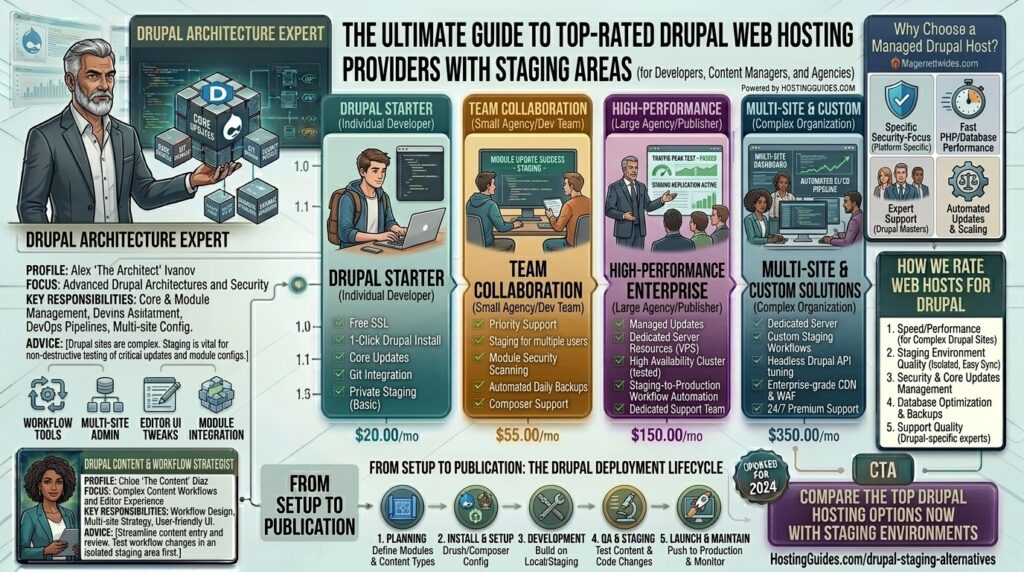
What is the best Drupal web hosting providers with staging areas? Drupal is one of the most robust, secure, and structurally sophisticated content management frameworks in existence. Powering major enterprise websites, government portals, universities, and high-traffic digital magazines, Drupal relies on complex module architectures, flexible content types, and intensive database queries.
However, updating a production Drupal site directly can lead to catastrophic errors. A conflicting contributed module, a faulty core patch, or a broken Twig template can instantly crash your live web presence. This is why a staging environment—an exact clone of your live site where you can safely test updates, code changes, and migrations—is non-negotiable for professional Drupal administrators.
If your enterprise or digital publication operates within major technical corridors across Texas, New York, California, Washington, or San Francisco, choosing a web host that pairs raw Drupal performance with seamless 1-click staging areas is vital for your workflow and Google SEO rankings.
This comprehensive guide explores the best Drupal web hosting providers featuring native staging areas, critical configuration tips, and 10 detailed FAQs.
Why Drupal Websites Strictly Require Staging Areas
Unlike lightweight blogging platforms, Drupal deployments involve intricate dependency chains via Composer, database schema updates (using Drush and hook updates), and heavy module interactions.
A proper hosting staging area allows you to:
- Test Core and Module Updates Safely: Run
composer updateor module upgrades in an isolated sandbox before deploying them to your live public audience. - Prevent Downtime and Loss of Revenue: Eliminate the risk of the dreaded White Screen of Death (WSOD) interrupting your active user base or customer checkout flows.
- Streamline Team Collaboration: Allow developers, designers, and content editors to test custom modules, layout changes, and configuration synchronizations without touching live data.
- Push-to-Live Synchronization: Easily migrate database structures and code files back and forth between staging and production with a single click.
Top Web Hosting Providers with Built-In Drupal Staging Areas
Evaluating hosting providers for Drupal requires looking beyond standard shared hosting limitations. These top-rated platforms offer robust staging environments combined with deep Drupal compatibility:
1. Cloudways (Best Managed Cloud Hosting with 1-Click Staging)
Cloudways operates as an elite managed layer on top of powerhouse cloud infrastructure providers like DigitalOcean, Vultr, AWS, and Google Cloud.
- Why it shines for Drupal Staging: Cloudways provides a clean, native Staging and Cloning feature. With a single click inside your dashboard, you can spin up an isolated staging clone of your Drupal site, test your modules, and push changes back to production.
- Pros: Complete server control, built-in Redis and Varnish caching, pay-as-you-go billing, and zero long-term commitments.
- Cons: Requires basic familiarity with cloud architecture management.
2. Acquia Cloud Platform (The Ultimate Enterprise Drupal Host)
Founded by Drupal’s original co-creator, Dries Buytaert, Acquia is the undisputed gold standard for enterprise-grade Drupal hosting.
- Why it shines for Drupal Staging: Built explicitly for Drupal from the ground up, Acquia features a sophisticated Dev-Stage-Prod (CD/CI) workflow framework. It provides automated git-based code deployment pipelines across distinct, isolated staging environments.
- Pros: Unmatched enterprise security, native Drush integration, world-class Drupal technical support, and infinite scalability.
- Cons: Prohibitively expensive for small businesses or independent publishers; pricing caters strictly to enterprise budgets.
3. SiteGround (Best Mid-Range Managed Host with Staging Tools)
SiteGround delivers high-performance managed hosting backed by Google Cloud infrastructure, making it a favorite for growing businesses and agencies.
- Why it shines for Drupal Staging: SiteGround’s GrowBig and GoGeek plans feature an intuitive Staging Tool. You can create a complete duplicate of your Drupal installation, apply changes, and merge or restore points effortlessly via their custom Site Tools dashboard.
- Pros: Blazing-fast page speeds, built-in dynamic caching, free daily automated backups, and excellent customer support.
- Cons: Renewal pricing increases after the introductory discount period ends.
4. InMotion Hosting (Best VPS & Dedicated Staging Workflows)
InMotion Hosting offers powerful VPS and dedicated cloud server configurations built for developers and organizations that demand high resource allocation.
- Why it shines for Drupal Staging: Their managed VPS plans feature robust staging capabilities and comprehensive developer toolsets (including SSH, WP-CLI/Drush support, and Git integration) to manage multi-environment workflows smoothly.
- Pros: High-performance NVMe storage, robust launch-assist onboarding, and generous resource allowances.
- Cons: Control panel interfaces can feel overwhelming for non-technical beginners.
Actionable Tips for Managing Drupal Staging & Production Workflows
Maximizing the efficiency of your staging environment requires adhering to strict configuration best practices:
- Always Utilize Drupal Configuration Management (
config export/config import): Do not rely solely on database cloning for everything. Use Drupal’s native YAML configuration synchronization to track structural site changes (content types, fields, views) independently from user-generated content. - Sanitize Databases After Syncing: When pushing a production database down to your staging environment, ensure sensitive user data, customer emails, and payment tokens are scrubbed to maintain data privacy compliance.
- Keep PHP and Composer Versions Identical: Ensure your staging server runs the exact same PHP version (e.g., PHP 8.2 or 8.3) and Composer dependencies as your production server to prevent fatal runtime errors upon deployment.
- Protect Staging URLs with Password Restrictions: Prevent search engine indexers from crawling your staging area by applying HTTP basic authentication or utilizing robots.txt blocks. Duplicate indexing harms your main site’s Google SEO authority.
- Leverage a Global CDN (Cloudflare): Keep static assets cached cleanly across edge locations near your users in New York, California, and Washington to ensure seamless asset delivery.
10 Frequently Asked Questions (FAQs)
1. What is a staging area in web hosting?
A staging area is a private, exact replica of your live website hosted on a subdomain or temporary URL. It allows you to safely test updates, modules, and design changes without risking your live public site.
2. Can I create a Drupal staging site on cheap shared hosting?
Most basic budget shared hosting plans do not include automated 1-click staging tools. If you use shared hosting, you typically have to create a staging site manually by sub-folder or subdomain, which is tedious and error-prone.
3. How does a staging environment protect my Google SEO rankings?
By letting you test updates offline or in a sandbox, staging prevents broken layouts, database crashes, and 500 errors from occurring on your live site, safeguarding your Core Web Vitals and organic search positions.
4. What is the difference between Cloudways and Acquia for Drupal staging?
Cloudways is a flexible, cost-effective managed cloud platform suitable for small to mid-sized businesses. Acquia is an enterprise-grade ecosystem built specifically for massive Drupal organizations with advanced CI/CD code deployment pipelines.
5. How do I sync database changes from staging to live production?
Most managed hosts with staging areas provide a direct “Push to Live” button. However, for Drupal specifically, you must be careful not to overwrite fresh user-submitted content or e-commerce orders placed on the live site while you were staging code.
6. Do I need command-line access (SSH/Drush) to use staging tools?
Not necessarily with managed hosts like Cloudways or SiteGround, which handle staging creations via visual dashboards. However, advanced Drupal developers often prefer SSH and Drush for precise database synchronizations.
7. Does SiteGround offer free staging tools for Drupal?
Yes, SiteGround includes staging functionality on their mid-tier (GrowBig) and top-tier (GoGeek) hosting plans, allowing you to create copies with a single click.
8. Why do Drupal sites break more often during updates compared to simple blogs?
Drupal relies heavily on interconnected core modules, contributed modules, and complex database schemas. A minor mismatch in PHP extensions or a deprecated function can halt the application boot sequence.
9. Can multiple developers work on the same Drupal staging area?
Usually, staging areas are designed as single-sandbox environments. For multi-developer teams, standard practice involves using local environments (Docker/Lando) that sync up to a centralized staging branch via Git.
10. Are automated backups included with Drupal staging hosting?
Reputable managed Drupal hosts provide automated daily backups for both your live production environment and your staging instance, allowing for instant point-in-time recoveries.
Conclusion
Running a professional Drupal website without a staging environment is an unnecessary operational risk. By selecting a high-performance, developer-friendly hosting provider equipped with robust staging capabilities—such as Cloudways, SiteGround, or Acquia—you can innovate fearlessly, protect your live user experience, and maintain optimal site velocity for top Google search visibility.