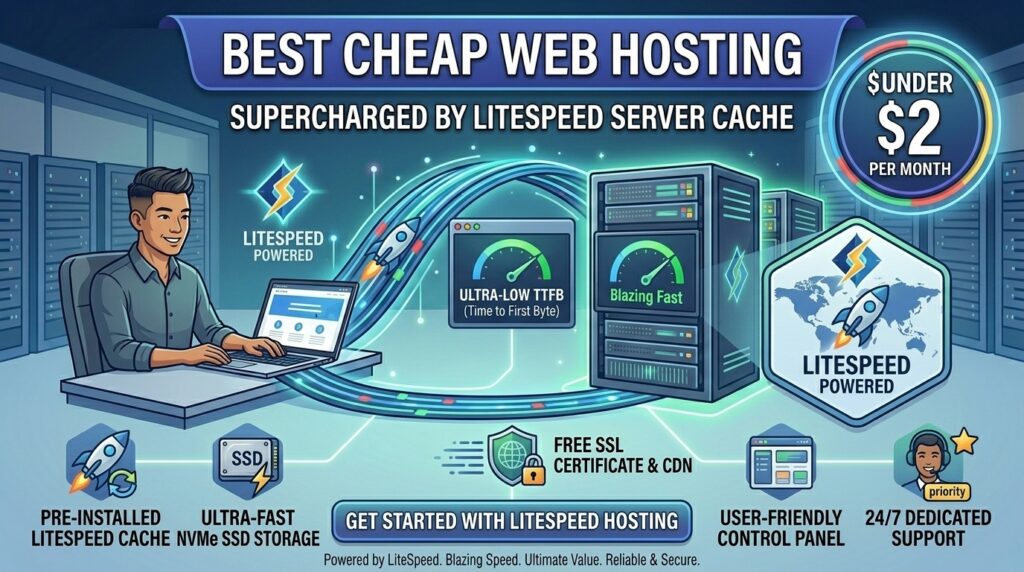
When launching a digital platform—whether you are operating a high-traffic e-commerce store in New York, a SaaS tech blog in San Francisco, an online agency in Texas, a digital media hub in Washington, or a creative portfolio in California—page loading speed is directly tied to business success. Visitors abandon slow websites within seconds, and search engines heavily penalize sluggish response times.
Historically, achieving lightning-fast speeds meant paying steep monthly fees for dedicated enterprise servers or complex cloud optimization layers. Budget shared hosting plans typically relied on legacy Apache web server stacks, which easily bog down under traffic surges, spiking your Time to First Byte (TTFB).
The introduction of the LiteSpeed Web Server (LSWS) paired with native server-level caching (LSCache) has transformed the budget hosting landscape. You can now secure enterprise-grade speed on affordable shared or cloud hosting plans. In this comprehensive guide, we explore how LiteSpeed caching works, evaluate the top budget hosts utilizing this technology, analyze its impact on Google SEO rankings, and share actionable optimization tips.
Understanding LiteSpeed Web Server and Server-Level Caching
Before selecting a budget hosting plan, it helps to understand why LiteSpeed outperforms traditional setups, especially for Content Management Systems (CMS) like WordPress, Magento, and Joomla.
+-------------------------------------------------------------+
|             LiteSpeed vs. Traditional Apache Stack          |
+-------------------------------------------------------------+
|  [Apache Stack]     --> Process heavy PHP requests per hit  |
|  [LiteSpeed LSWS]   --> Native server-level page caching    |
|  [Performance Gain] --> Up to 6x faster PHP execution       |
+-------------------------------------------------------------+
1. Drop-In Apache Compatibility with Superior Handling
LiteSpeed Web Server is engineered as a drop-in replacement for Apache. It reads standard .htaccess files and works natively with existing control panels (like cPanel or DirectAdmin). However, its event-driven architecture handles thousands of concurrent visitor connections simultaneously while consuming a fraction of the memory and CPU resources.
2. The Magic of LSCache (LiteSpeed Cache)
Traditional WordPress caching plugins operate at the application level—meaning PHP must still initialize before serving a cached page. LiteSpeed Cache (LSCache) operates at the server level. It communicates directly with the web server kernel, serving static HTML copies of dynamic pages instantly, slashing server response times dramatically.
Top Cheap Web Hosts Offering LiteSpeed Server Cache
Several budget-friendly web hosting providers incorporate LiteSpeed server architecture and LSCache integration into their affordable tiers.
1. Hostinger (Best Overall Value for LiteSpeed Performance)
- Approximate Pricing: Introductory shared plans starting around $2.49 to $2.99 per month.
- LiteSpeed Integration: Deploys LiteSpeed Web Server technology across its shared and cloud infrastructure, paired with custom hPanel management and built-in LSCache optimization tools.
- Key Inclusions: NVMe SSD storage, free automated weekly backups, global data center routing, and free SSL certificates.
- Verdict: The top recommendation for budget-conscious creators seeking seamless LiteSpeed performance coupled with a clean, user-friendly control interface.
2. WebHostMost (Best Long-Term Flat-Rate LiteSpeed Pricing)
- Approximate Pricing: Entry plans starting at $2.50 per month with lifetime renewal price locks.
- LiteSpeed Integration: Full LiteSpeed Enterprise server deployment coupled with native LSCache capabilities on every account tier.
- Key Inclusions: AMD EPYC processors, NVMe SSD storage drives, and anti-abuse security shields.
- Verdict: An exceptional choice for users looking to escape aggressive introductory price hikes while enjoying high-end hardware performance.
3. YouStable (Best Budget Provider with Custom Optimization Support)
- Approximate Pricing: Ultra-low promotional shared tiers starting under $3.00 per month.
- LiteSpeed Integration: Optimized LiteSpeed server stacks configured specifically to accelerate database-heavy applications and WordPress blogs.
- Key Inclusions: NVMe drives, 24/7 technical customer support, and free migration assistance.
- Verdict: Great for beginners seeking hands-on migration help combined with budget LiteSpeed infrastructure.
SEO Impact: How LiteSpeed Hosting Boosts Google Search Rankings
Google’s search ranking algorithms heavily prioritize user experience metrics, codified under Core Web Vitals. LiteSpeed server technology directly impacts these ranking signals:
- Minimizing Time to First Byte (TTFB): Standard Apache shared servers often suffer from TTFB spikes above 600ms under load. LiteSpeed server-level caching consistently drives TTFB down well below 200ms, satisfying Google’s “Good” performance threshold.
- Enhancing Largest Contentful Paint (LCP): Because static assets and cached HTML pages are delivered almost instantaneously, your website’s primary visual elements load faster, boosting your LCP score.
- Handling Traffic Spikes Gracefully: When a marketing campaign or social media share drives a sudden surge of visitors, LiteSpeed manages concurrency efficiently without throwing server timeout errors, protecting your crawl budget.
Pricing Structures and Performance Benchmarks
When shopping for affordable LiteSpeed hosting, review how introductory rates and hardware specs compare:
| Hosting Provider | Monthly Entry Cost | Web Server Technology | Storage Type | Renewal Price Stability |
| Hostinger | ~$2.99 / mo | LiteSpeed Enterprise | NVMe SSD | Standard promotional hikes |
| WebHostMost | ~$2.50 / mo | LiteSpeed Enterprise | NVMe SSD | Lifetime price lock |
| YouStable | ~$2.80 / mo | LiteSpeed Optimized | NVMe SSD | Budget-friendly renewal tiers |
Pros and Cons of LiteSpeed Web Hosting
The Pros 👍
- Blazing-Fast Page Speeds: Server-level caching delivers static and dynamic content up to 5x faster than legacy Apache setups.
- Native WordPress Optimization: The LSCache plugin integrates deeply with WordPress to manage page caching, object caching (Redis/Memcached), and image optimization effortlessly.
- Resource Efficiency: Handles higher traffic volumes on modest hardware allocations without crashing.
- Seamless Compatibility: Drop-in Apache support means existing
.htaccessrewrite rules work instantly without modification.
The Cons 👎
- Configuration Complexity: Fine-tuning advanced object caching rules and ESI (Edge Side Includes) requires a basic understanding of caching behavior.
- Proprietary Software Licensing: LiteSpeed is commercial software, meaning ultra-cheap hosts running custom or unlicensed forks may lack official security patches.
Step-by-Step Guide: Configuring LiteSpeed Cache for Maximum SEO Speed
Once you deploy your budget LiteSpeed hosting account, follow this checklist to maximize your site’s performance:
- Install WordPress via Auto-Installer: Use your host’s control panel (like hPanel or cPanel) to spin up a clean WordPress installation.
- Install the Official LSCache Plugin: Navigate to your WordPress dashboard, click Plugins > Add New, search for LiteSpeed Cache, and install/activate it.
- Enable LiteSpeed Cache Preset Profiles: Go to the LSCache settings menu and select a preset configuration (such as Basic or Advanced) depending on whether your site is a standard blog or an e-commerce store.
- Configure Image Optimization: Utilize the built-in QUIC.cloud integration within the LSCache plugin to automatically compress and convert your JPEGs and PNGs into next-gen WebP formats.
- Test Your Performance Improvements: Run your live URLs through Google PageSpeed Insights or GTmetrix to verify your improved TTFB and Core Web Vitals scores.
10 Essential Tips to Optimize Cheap LiteSpeed Hosting
- Select US-Based Data Centers: If your primary target audience operates in North American business hubs (New York, Texas, California, Washington, or San Francisco), choose a local data center region during checkout.
- Enable Guest Mode in LSCache: Turn on Guest Mode in your LiteSpeed Cache plugin settings to serve fully optimized cached pages to first-time mobile and desktop visitors instantly.
- Leverage Object Caching (Redis): Enable Redis object caching via your hosting control panel and link it inside the LSCache plugin to speed up heavy database queries.
- Clean Database Tables Regularly: Periodically purge post revisions, transient cache rows, and spam comments to keep your database lean and responsive.
- Route DNS Through Cloudflare: Pair your LiteSpeed server with Cloudflare’s global edge network to cache static files closer to your global users.
- Minimize External JavaScript Files: Keep third-party scripts and plugins to a minimum to prevent render-blocking delays during page rendering.
- Monitor Inode and Storage Limits: Keep an eye on your shared hosting storage thresholds so image uploads and cache folders do not exceed your account caps.
- Automate Core Updates: Keep WordPress core, themes, and plugins updated to prevent security vulnerabilities from opening your site to malicious bots.
- Use Lightweight Themes: Pair your LiteSpeed hosting stack with speed-optimized page builders or lightweight themes (like GeneratePress or Astra) rather than bloated frameworks.
- Test Checkout Flows Frequently: If running an WooCommerce store, make sure dynamic cart pages are properly excluded from full-page server caching to prevent customer order mix-ups.
Frequently Asked Questions (FAQ)
1. What is LiteSpeed Web Server and why is it better than Apache?
LiteSpeed Web Server is a high-performance, drop-in Apache replacement. It handles concurrent user connections significantly faster, consumes less server memory, and features built-in server-level caching that traditional Apache stacks cannot match.
2. Do I need a special plugin to use LiteSpeed caching?
Yes. To leverage server-level caching fully, you should install the official LiteSpeed Cache (LSCache) plugin on platforms like WordPress, which connects your CMS directly to the server kernel.
3. Will LiteSpeed hosting directly improve my Google search rankings?
Yes. By drastically reducing your Time to First Byte (TTFB) and improving Core Web Vitals performance metrics, LiteSpeed hosting ensures a better technical SEO baseline for search engine crawlers.
4. Is LiteSpeed hosting more expensive than traditional hosting?
Not necessarily. Many affordable web hosts (such as Hostinger and WebHostMost) include LiteSpeed server technology and LSCache natively in their standard shared plans starting around $2.50 to $2.99 per month.
5. Can I use my existing .htaccess rules on a LiteSpeed server?
Yes. LiteSpeed is fully compatible with Apache .htaccess configuration files, allowing seamless migrations without rewriting your custom URL redirect rules.
6. Does LiteSpeed support e-commerce platforms like WooCommerce or Magento?
Yes. LiteSpeed provides exceptional performance for dynamic e-commerce platforms through specialized ESI (Edge Side Includes) caching, which caches static layout elements while keeping shopping carts dynamic.
7. What is the difference between client-side caching and LiteSpeed server caching?
Client-side caching happens in the visitor’s browser. LiteSpeed server caching happens on the web hosting server itself, serving cached HTML pages instantly without executing heavy PHP or database queries.
8. Are free SSL certificates included with cheap LiteSpeed hosting plans?
Yes. Reputable budget LiteSpeed hosting providers bundle free Let’s Encrypt SSL/TLS certificates to secure your domain traffic automatically.
9. How do I know if my website is actually running on a LiteSpeed server?
You can use browser developer tools (Inspect Network tab), online server header checkers, or specialized browser extensions (like Wappalyzer or LiteSpeed Cache Check) to verify your server signature.
10. Which cheap web host is best overall for LiteSpeed performance?
Hostinger stands out as a leading industry choice for beginner-friendly LiteSpeed hosting, while WebHostMost offers incredible long-term value with lifetime price-lock guarantees.
Conclusion
Securing the best cheap web hosting with LiteSpeed server cache gives digital entrepreneurs, bloggers, and business owners enterprise-grade performance without inflating operational costs. By replacing sluggish legacy Apache stacks with event-driven LiteSpeed architecture and server-level caching, you can achieve lightning-fast loading speeds effortlessly.
By choosing performance-driven hosts like Hostinger or WebHostMost and configuring the LSCache plugin correctly, website operators across Texas, New York, California, Washington, and San Francisco can satisfy Google’s strict Core Web Vitals requirements, enhance user experience, and dominate search engine result pages.