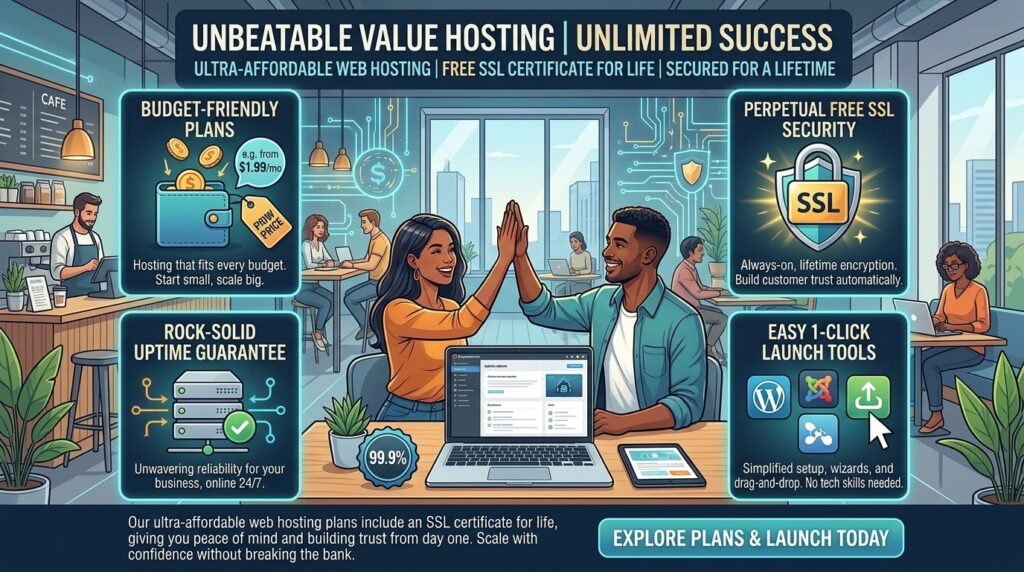
Cheap web hosting with free SSL certificate for life: When establishing an online footprint for a digital marketing agency in San Francisco, an e-commerce shop in New York, a consulting startup in Texas, a tech portal in Washington, or a creative blog in California, security is paramount. Years ago, a Secure Sockets Layer (SSL) certificate was an expensive add-on reserved strictly for e-commerce networks processing credit cards. Today, it is an absolute baseline requirement for any website on the internet.
Google explicitly marks non-HTTPS websites as “Not Secure” in browser address bars, causing immediate visitor drop-offs and penalizing your search engine rankings. Yet, many legacy web hosting companies still attempt to upsell SSL certificates as annual subscription extras costing anywhere from $50 to $200 per year.
Fortunately, the hosting industry has evolved. You can easily secure cheap web hosting with a free SSL certificate included for life. In this comprehensive, data-driven guide, we analyze how free SSL works, review the top budget hosts offering lifetime automated encryption, evaluate their impact on Google SEO, and provide actionable tips to maximize your web security.
Understanding Free SSL: How Lifetime Automation Works
Before evaluating specific hosting providers, it helps to understand why SSL certificates are now universally free and how “lifetime” coverage operates on modern web servers.
+-------------------------------------------------------------+
|               The Evolution of Website Security             |
+-------------------------------------------------------------+
|  Legacy Era   --> Paid Comodo/Symantec Certificates ($100+) |
|  Modern Era   --> Automated Let's Encrypt / ZeroSSL (Free)  |
|  Lifespan     --> 90-day cycles auto-renewed by host forever|
+-------------------------------------------------------------+
1. The Disruption Caused by Let’s Encrypt
In the past, Certificate Authorities (CAs) charged high fees for manual SSL issuance. The launch of Let’s Encrypt—an open, automated certificate authority backed by the Linux Foundation—changed the game. It allows web hosts to generate and install enterprise-grade encryption certificates at zero cost.
2. What Does “Free for Life” Actually Mean?
Let’s Encrypt certificates are technically issued in 90-day validity blocks to maintain robust cryptographic security. However, when a reputable web host states that they include a free SSL certificate for life, it means their server architecture automatically renews and reinstalls the certificate every 60 to 89 days in the background. You never have to pay a cent or touch a line of code; your HTTPS lock remains active indefinitely for the lifetime of your hosting account.
Top Cheap Web Hosts Offering Lifetime Free SSL
Several elite budget-friendly web hosts combine low entry pricing with automated, lifetime free SSL certificate management.
1. Hostinger (Best Overall Value for Cheap Hosting + Free SSL)
- Approximate Pricing: Starting around $2.49 per month on multi-year commitments.
- SSL Implementation: Offers unlimited free Let’s Encrypt SSL certificates across all shared and managed WordPress plans. Certificates are auto-installed and auto-renewed indefinitely via their custom hPanel dashboard.
- Performance Baseline: Features LiteSpeed web servers, fast loading speeds, and robust uptime.
2. Namecheap (Best Budget Registrar & cPanel Host)
- Approximate Pricing: Starting around $1.88 to $2.28 per month.
- SSL Implementation: Includes free PositiveSSL or Let’s Encrypt auto-renewable certificates for the first year, with auto-renewal options and free integration across cPanel accounts.
- Performance Baseline: Reliable cPanel backend with dependable uptime records.
3. DreamHost (Best Month-to-Month / Long-Term Value)
- Approximate Pricing: Highly competitive introductory tiers.
- SSL Implementation: Automated free Let’s Encrypt SSL installation activated instantly upon domain setup.
- Performance Baseline: Recommended officially by WordPress.org, featuring custom dashboards and solid NVMe speed frameworks.
SEO Impact: How Lifetime Free SSL Supercharges Your Google Rankings
Website security is a direct ranking factor in Google’s search algorithms. Integrating lifetime free SSL hosting provides several core SEO advantages:
- Eliminating “Not Secure” Warnings: Browsers like Chrome and Safari display full-page warnings to visitors attempting to access HTTP sites. SSL eliminates this friction, preventing high bounce rates and preserving user trust.
- Direct Google Ranking Boost: Google’s HTTPS ranking signal gives secure sites a fractional algorithmic edge over unencrypted competitors, helping you climb search engine results pages (SERPs).
- Protecting Core Web Vitals Trust Flow: Secure connections establish stable data pipelines, ensuring that modern protocols (such as HTTP/2 and HTTP/3) deliver site assets without security handshake delays.
Pricing Structures and Renewal Realities
When shopping for cheap web hosting with lifetime free SSL, understanding the billing lifecycle prevents unexpected costs:
| Cost Component | Introductory Term | Renewal Term |
| Monthly Pricing | ~$2.00 to $3.00 / mo | ~$5.00 to $12.00+ / mo |
| SSL Cost | $0.00 (Free Forever) | $0.00 (Always Free via Host) |
| Commitment | Upfront prepay (1 to 3 years) | Standard annual or recurring cycles |
Pros and Cons of Cheap Hosting with Free SSL
The Pros 👍
- Zero Ongoing Security Costs: Never pay renewal fees for standard Domain Validated (DV) certificates.
- Zero Maintenance: Automated background scripts handle 90-day renewals seamlessly without user intervention.
- Instant Trust Indicators: The green padlock appears immediately in web browsers, building consumer confidence.
- Full SEO Compliance: Satisfies Google’s mandatory encryption requirements straight out of the box.
The Cons 👎
- Basic Validation Level: Free certificates are Domain-Validated (DV). Large corporations requiring Organization-Validated (OV) or Extended-Validation (EV) green bars with business warranties still need premium paid certificates.
- Introductory Price Jumps: While the SSL remains free forever, the underlying hosting plan adjusts to standard market rates upon renewal.
10 Essential Tips to Maximize Security and SEO on Cheap SSL Hosting
- Force HTTPS Traffic Globally: Use your hosting control panel (.htaccess or Nginx rules) to force all incoming HTTP traffic to automatically redirect to HTTPS.
- Update Internal Site URLs: Ensure your WordPress or CMS general settings reflect
https://rather thanhttp://to prevent mixed-content errors. - Fix Mixed-Content Warnings: Scan your pages to ensure all images, scripts, and stylesheets load via secure HTTPS links rather than legacy HTTP paths.
- Select US-Based Data Centers: If your primary audience is based in North American hubs (New York, Texas, California, Washington, or San Francisco), choose a local server node to optimize SSL handshake latency.
- Enable HTTP/2 or HTTP/3 Protocols: Confirm that your budget host supports modern web protocols, which leverage SSL encryption to accelerate parallel asset loading.
- Set Up HSTS (HTTP Strict Transport Security): Implement HSTS headers to instruct browsers to interact with your domain exclusively via secure connections.
- Monitor Certificate Expiry Dashboards: Periodically check your hosting panel to confirm that automated Let’s Encrypt renewal tasks are firing correctly.
- Pair SSL with Cloudflare CDN: Route your DNS through Cloudflare for an extra layer of edge encryption and enterprise-grade DDoS mitigation.
- Audit Plugins for Security Gaps: Keep your CMS core, themes, and plugins updated to ensure hackers cannot bypass your SSL encryption layer via application vulnerabilities.
- Plan for Future Scalability: Treat cheap hosting as a launchpad; upgrade to a robust VPS or cloud instance once your traffic scales up across multiple regional markets.
Frequently Asked Questions (FAQ)
1. Are free SSL certificates just as secure as paid SSL certificates?
Yes. From a cryptographic standpoint, free certificates (such as Let’s Encrypt) provide the exact same 256-bit data encryption strength as expensive paid certificates. The only difference lies in organizational warranties and validation levels.
2. Do free SSL certificates really stay free for the lifetime of my website?
Yes. Reputable web hosts include automated tools that renew your free Let’s Encrypt SSL certificate every 90 days indefinitely, meaning you will never have to pay for standard domain-validated encryption.
3. Do I need to manually renew my free SSL certificate every few months?
No. Quality budget hosts automate the entire renewal lifecycle in the background, ensuring your site remains secure without requiring manual re-installations.
4. How do I know if my website’s SSL certificate is active and working?
You can verify your SSL status by looking for a padlock icon next to your URL in the browser address bar, or by checking that your URL begins with https://.
5. Can I use a free SSL certificate for an e-commerce online store?
Yes. Domain-validated free SSL certificates provide full encryption for customer login details, personal info, and shopping cart transactions, making them entirely sufficient for standard e-commerce websites.
6. Will a free SSL certificate improve my Google search rankings?
Yes. Google considers HTTPS encryption a positive ranking signal, and securing your site helps you avoid browser “Not Secure” penalties that harm user trust and SEO performance.
7. What happens if my web host tries to charge me for an SSL renewal?
If your host attempts to charge an annual fee for a standard DV SSL certificate, you should look into switching to a modern host (like Hostinger) that includes automated Let’s Encrypt SSL certificates for free.
8. Can I install a free SSL certificate on multiple subdomains?
Many budget hosts support Wildcard SSL certificates or allow you to generate individual free SSL certificates for unlimited subdomains attached to your primary hosting account.
9. What is a mixed-content error, and how do I fix it?
A mixed-content error occurs when a secure HTTPS page loads elements (like images or scripts) over an insecure HTTP connection. You can fix this by updating those resource links to use https://.
10. Which cheap web hosting provider offers the best free SSL integration?
Hostinger stands out as a top recommendation, offering unlimited lifetime automated Let’s Encrypt SSL certificates paired with high-performance shared and WordPress hosting tiers.
Conclusion
Securing your website with an SSL certificate is no longer optional—it is a fundamental pillar of user trust, data protection, and search engine optimization. Fortunately, you no longer need to fall victim to legacy hosting companies charging inflated annual fees for basic encryption.
By choosing budget-friendly, performance-optimized providers like Hostinger or Namecheap that bundle automated, lifetime-free SSL certificates, digital entrepreneurs across Texas, New York, California, Washington, and San Francisco can lock down their web assets, satisfy Google’s strict security requirements, and scale their digital ventures with absolute peace of mind.