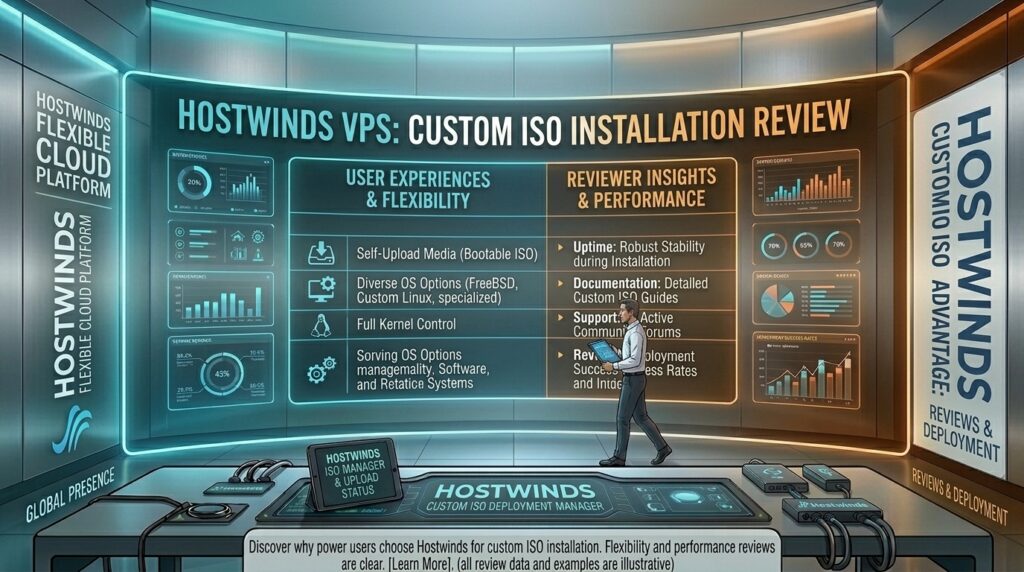
Hostwinds vps custom ISO installation review: When deploying infrastructure for growing applications, custom software environments, or specialized production stacks across major digital ecosystems—from New York and San Francisco to Los Angeles (California), Seattle (Washington), and Austin (Texas)—standard operating system templates often fall short.
Many cloud providers lock you into a rigid list of pre-approved Linux distributions or standard Windows Server editions. If your project requires a hardened legacy OS, a bleeding-edge experimental kernel, or a proprietary distribution, you need a host that supports Custom ISO installations.
Hostwinds has earned a strong reputation in the VPS hosting market by offering a high degree of hardware configurability, instant scalability, and built-in Custom ISO support.
This comprehensive, data-driven review examines Hostwinds’ Custom ISO installation process, its performance characteristics, potential limitations, and how your virtual server environment affects your long-term Google SEO strategy.
1. Why Custom ISO Support Matters for Advanced Webmasters
Most entry-level users are content clicking a button to deploy an automated Ubuntu or AlmaLinux instance. However, developers, system architects, and agencies often require granular control over their server environments.
+-----------------------------------------------------------------------+
|                 BENEFITS OF HOSTWINDS CUSTOM ISO MOUNTING             |
+-----------------------------------------------------------------------+
| • OS Freedom      : Install any preferred Linux distribution, custom  |
|                     BSD, or licensed Windows builds.                  |
| • Enterprise Tools: Boot from custom rescue disks, diagnostic media,  |
|                     or disaster recovery toolkits.                    |
| • Strict Compliance: Tailor partition structures, encryption protocols|
|                     and security hardening from scratch.              |
+-----------------------------------------------------------------------+
Hostwinds stands out in the budget-to-mid VPS tier by natively supporting custom ISO uploads or mounts directly within their cloud management portal, removing the bureaucratic friction often found with legacy hosting providers.
2. Step-by-Step: How the Custom ISO Installation Works
Deploying a custom operating system on Hostwinds requires navigating their Cloud Control Portal. While powerful, the process assumes a baseline level of system administration competence.
+-----------------------------------------------------------------------+
|                  HOSTWINDS CUSTOM ISO WORKFLOW                        |
+-----------------------------------------------------------------------+
| Step 1: Secure an accessible direct download URL for your target ISO. |
| Step 2: Navigate to the ISO management section in the Cloud Control   |
|         Portal and input your image link.                             |
| Step 3: Attach/mount the ISO file to your target VPS instance.        |
| Step 4: Access the VPS via the web-based VNC Console to execute the   |
|         interactive installation wizard.                              |
+-----------------------------------------------------------------------+
Potential Roadblocks to Keep in Mind
- Download Speeds: The time it takes for Hostwinds to pull your custom ISO depends on the source mirror’s bandwidth. Large Windows Server ISOs can take several minutes to stage.
- VNC Console Dependency: Because you are installing a non-standard operating system, network configurations (like static IP addresses, subnet masks, and gateways) must be manually inputted during the installer setup. If network settings are misconfigured, you may lose remote access post-installation.
3. Performance Audit: Hardware Infrastructure and Reliability
A custom ISO is only as stable as the underlying metal it runs on. Hostwinds equips its VPS lineup with solid-state infrastructure designed for fast I/O performance.
- NVMe/SSD Storage: Fast disk operations are crucial for database-heavy web applications. Custom installations benefit heavily from Hostwinds’ underlying storage arrays, keeping read/write bottlenecks to a minimum.
- 1 Gbps Network Ports: Every VPS instance connects to a high-speed port, ensuring that your custom environment can handle high-volume data requests and rapid asset delivery.
- Uptime Track Record: Hostwinds maintains strong uptime metrics, which is critical for preventing unexpected
5xxgateway drops that harm user experience and search engine indexation.
4. Google SEO and Core Web Vitals Implications
How does a custom-configured Hostwinds VPS impact your search engine optimization strategy across competitive regions like New York, San Francisco, or Texas?
- Lightning-Fast TTFB: By configuring your own web stack (such as tuning an NGINX + PHP-FPM + Redis caching architecture via a custom ISO), you can optimize your Time to First Byte (TTFB), helping your pages clear Google’s Core Web Vitals thresholds for Largest Contentful Paint (LCP).
- Crawl Consistency: Rock-solid server stability ensures that Googlebot can crawl your XML sitemaps and index new content without encountering sudden timeout errors.
- Geographic Edge Routing: Selecting a Hostwinds data center node closest to your primary target audience (e.g., US-West for California/Washington or US-East for New York) minimizes packet transit latency, directly improving user engagement metrics.
5. Expert Tips for Maximizing Hostwinds VPS Custom ISOs
- Test in a Staging Environment First: Before deploying a custom ISO to a live production server, test the installation wizard and configuration scripts on a smaller, secondary VPS instance.
- Double-Check Network Configurations: When installing via custom ISO, always have your assigned Hostwinds IP address, subnet mask, and gateway details written down. Automated DHCP often fails on custom setups.
- Harden Your Security Immediately: Because you are installing a raw, unmanaged operating system image, your server is initially exposed. Update firewall tables, disable root password logins via SSH, and set up fail2ban right away.
- Leverage Hostwinds Snapshots: Once your custom OS is successfully installed and configured, take a manual snapshot in the control portal. This gives you an instant restore point if a future software update breaks the system.
6. Frequently Asked Questions (FAQ)
1. What is a Custom ISO installation on a VPS?
It is a feature that allows you to upload or mount your own operating system installation image (such as a specific Linux distro, FreeBSD, or Windows version) rather than relying on the host’s pre-made templates.
2. Does Hostwinds charge extra for Custom ISO support?
No. Hostwinds includes Custom ISO mounting capabilities standard across their VPS hosting packages at no additional cost.
3. How do I access my server during a Custom ISO installation?
You will use the browser-based VNC Console provided inside the Hostwinds Cloud Control Portal to interact with the virtual screen and complete the installation setup.
4. Can I install Windows Server using a Custom ISO on Hostwinds?
Yes, provided you supply your own valid Microsoft Windows license key and the installation media is compatible with the virtual hardware environment.
5. What happens if my network configuration fails during installation?
If you enter incorrect network settings during a custom OS installation, you may lose remote connection. You will need to use the VNC console to log in locally and fix your network configuration files.
6. Are Hostwinds Custom ISO servers managed or unmanaged?
Custom ISO installations typically fall under unmanaged or self-managed workflows, meaning Hostwinds supports the hardware and virtualization layer, but you are responsible for configuring and troubleshooting the operating system.
7. What is the maximum size for a Custom ISO file on Hostwinds?
While Hostwinds handles standard operating system ISO files efficiently, extremely large or bloated custom images should be optimized to ensure smooth downloading and mounting speeds.
8. How do Hostwinds VPS instances perform for Google SEO?
With dedicated resources, high-speed SSD storage, and fast network ports, a well-optimized Hostwinds VPS delivers the low latency and quick response times required to satisfy Google’s Core Web Vitals.
9. Can I take backups after installing a Custom ISO?
Yes. Hostwinds provides snapshot tools and automated backup options that capture your custom server state, allowing for easy disaster recovery.
10. Where are Hostwinds data centers located for US traffic?
Hostwinds operates major data center hubs in strategic locations across the United States, providing low-latency routing for visitors in New York, Texas, California, and Washington.
7. Conclusion
Hostwinds’ support for Custom ISO installations makes its VPS platform an exceptionally versatile choice for developers, system administrators, and tech-savvy businesses. While it requires a higher level of technical proficiency than clicking an automated installer, the reward is total control over your software stack, security protocols, and system architecture.
For digital projects scaling across New York, San Francisco, Texas, Washington, and California, combining Hostwinds’ reliable hardware infrastructure with a tailored custom operating system provides a powerful, high-performance foundation for long-term Google SEO success at thehostreviews.com.