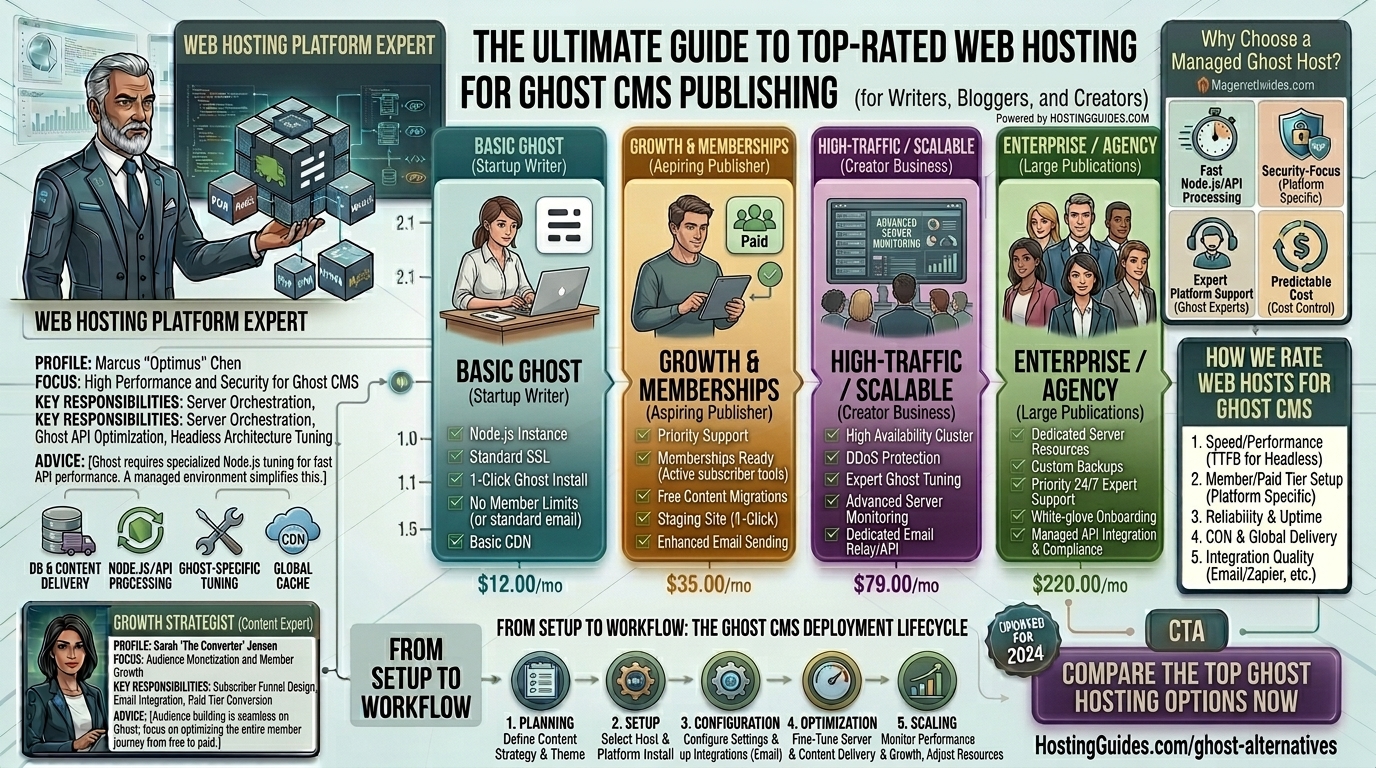
Ghost CMS has rapidly evolved into the premier publishing platform for modern professional bloggers, independent journalists, newsletter creators, and media companies. Built on a lean Node.js stack instead of traditional PHP and MySQL, Ghost is celebrated for its blistering speed, clean minimalist architecture, and integrated membership and monetization tools.
However, because Ghost runs on Node.js rather than conventional Apache/cPanel environments, finding the right hosting infrastructure can be challenging. Standard budget shared hosting won’t work out of the box.
Whether your publication targets readers across tech-forward regional hubs like San Francisco, Seattle, New York, Austin, or Los Angeles, choosing a top-rated web host engineered for Node.js is critical for achieving optimal Google Core Web Vitals and top search engine rankings.
This comprehensive guide explores the absolute best web hosting choices for Ghost CMS publishing, technical setup requirements, optimization tips, and 10 detailed FAQs.
Why Ghost CMS Requires Specialized Node.js Hosting
Most mainstream web hosting providers are optimized specifically for WordPress, utilizing Apache or Nginx with PHP and MySQL databases. Ghost, on the other hand, requires a completely different architectural stack:
- Node.js Runtime Environment: Ghost executes server-side JavaScript through Node.js, demanding persistent background processes rather than standard request-response scripts.
- MySQL or SQLite Database: While SQLite works for tiny, low-traffic blogs, production-grade Ghost publications require a dedicated MySQL server to handle member data, subscriptions, and dynamic content delivery securely.
- Reverse Proxy (NGINX): An Nginx reverse proxy configuration is necessary to route incoming web traffic securely to the Node.js application port.
- Process Manager (PM2): Keeps the Ghost application running continuously in the background, automatically restarting it if server updates or crashes occur.
Top-Rated Web Hosting Options for Ghost CMS Publishing
Because Ghost requires specialized management, hosting options generally fall into three categories: Official Managed Ghost Hosting, Developer Cloud VPS Providers, and Managed Node.js Environments.
1. Ghost(Pro) (Best Official Managed Solution)
Operated by the core creators of Ghost itself, Ghost(Pro) is the ultimate hassle-free option for publishers who want zero technical friction.
- Why it shines for Ghost: Everything is pre-configured specifically for the platform. It includes automatic core updates, enterprise-grade CDN routing, automated backups, and native transactional email support for newsletters.
- Pros: Absolutely zero maintenance, seamless scalability as your subscriber base grows, and direct support from the software engineers who build Ghost.
- Cons: Higher monthly costs compared to raw cloud VPS instances, with minor restrictions on installing custom server-level modules.
2. DigitalOcean (Best Developer Choice & Official Recommendation)
DigitalOcean is widely regarded by developers as the gold standard for self-hosting Ghost using cost-effective Virtual Private Servers (Droplets).
- Why it shines for Ghost: DigitalOcean provides an official Ghost One-Click App via their marketplace, allowing you to deploy a fully functional Ghost instance on Ubuntu in less than 60 seconds.
- Pros: Exceptional performance-to-price ratio, full root access, predictable hourly/monthly pricing, and scalable RAM/CPU resources.
- Cons: Requires basic command-line (SSH) familiarity for ongoing security maintenance and manual updates.
3. Cloudways (Best Managed Cloud for Ghost)
If you love the raw power of cloud infrastructure providers like DigitalOcean, Vultr, or AWS but hate managing servers via the command line, Cloudways provides a brilliant managed application layer.
- Why it shines for Ghost: Cloudways simplifies custom application deployments, handling server security patches, SSL certificates, and automated backups while letting you run Ghost on optimized cloud servers.
- Pros: User-friendly control dashboard, vertical scaling on demand, staging environments, and 24/7 expert support.
- Cons: Does not feature a native 1-click installer specifically for Ghost out of the box (requires custom deployment via Git or Custom PHP/Node apps).
4. Kamatera (Best for Enterprise Scalability & Custom Resources)
Kamatera delivers high-performance cloud infrastructure with fully customizable CPU, RAM, and NVMe storage configurations, making it ideal for rapidly scaling digital publications.
- Why it shines for Ghost: You can build a custom server environment matching your exact traffic needs, scaling resources up or down in real time as your readership surges.
- Pros: Blistering fast NVMe storage, highly elastic scaling, and global data center presence (including major US hubs on both coasts).
- Cons: Unmanaged by default; requires technical knowledge or selecting a managed support add-on.
5. FirePress (Best Specialized Managed Ghost Host)
FirePress is a boutique managed hosting provider built explicitly for Ghost publishers who want a middle ground between expensive official hosting and raw VPS management.
- Why it shines for Ghost: Provides fully managed Ghost hosting with automated updates, custom domain mapping, built-in security hardening, and flexible traffic tiers.
- Pros: Dedicated Ghost support, simple migration paths, and no traffic caps on standard plans.
- Cons: Smaller ecosystem compared to massive cloud providers.
Actionable Tips to Optimize Ghost CMS for Maximum SEO & Speed
Ghost is naturally faster than WordPress, but maximizing your site’s technical performance requires careful optimization:
Diggity Marketing
- Leverage a Global CDN (Cloudflare Enterprise): Route your publication through a Content Delivery Network to cache static assets and serve pages from edge locations closest to your readers in New York, San Francisco, or London.
- Optimize Theme Asset Sizes: Ghost themes use Handlebars (
.hbs). Ensure your CSS and JavaScript files are minimized and that product or blog images are automatically converted to next-gen WebP formats before upload. - Configure Custom Transactional Email (Mailgun/Postmark): Ghost relies heavily on email delivery for member signups, magic links, and newsletters. Integrate a dedicated SMTP provider like Mailgun or Postmark rather than relying on default server mail functions to ensure high inbox deliverability.
- Keep Node.js Updated: Regularly update your Node.js runtime environment to match recommended Ghost core requirements, ensuring optimal memory efficiency and security patches.
- Enable Database Maintenance Scripts: Set up automated cron jobs or monitoring tools to check your MySQL database health, clearing out stale session tokens and unnecessary logs.
10 Frequently Asked Questions (FAQs)
1. Can I host Ghost on cheap shared hosting providers like Bluehost or Hostinger?
No. Standard shared hosting providers run Apache and PHP, which do not support the Node.js environment required to execute Ghost. You must use a VPS or a Node.js-compatible cloud environment.
2. Is Ghost faster than WordPress for SEO?
Yes. Ghost has a much smaller codebase, lacks heavy plugin bloat, and natively generates clean semantic HTML, structured data, and XML sitemaps, resulting in exceptional Google Core Web Vitals scores.
3. How difficult is it to install Ghost on a DigitalOcean Droplet?
It is relatively straightforward. DigitalOcean offers an official Ghost 1-click installation app that automatically provisions an Ubuntu server with Node.js, Nginx, and MySQL configured.
4. What is the difference between Ghost(Pro) and self-hosting?
Ghost(Pro) is a fully managed service where the platform creators handle all updates, security, and infrastructure maintenance. Self-hosting gives you complete control over your server environment and files, but requires you to handle updates and security yourself.
5. Do I need coding skills to run a Ghost publication?
Not to publish content. Ghost features a clean, distraction-free markdown and block editor. However, self-hosting on a raw VPS does require basic familiarity with command-line terminal commands.
6. How does web hosting affect my Google search rankings?
Google prioritizes fast page load speeds, low Time to First Byte (TTFB), and stable mobile experiences. Fast cloud hosting ensures your articles load instantly, reducing bounce rates and boosting organic search rankings.
7. Can I run a paid newsletter and membership site on Ghost?
Yes! Ghost features native membership and subscription infrastructure built directly into the core platform, allowing you to monetize your content without relying on third-party plugins.
8. What are the minimum server specs required to run Ghost?
A basic production Ghost site requires at least 1 vCPU and 1GB to 2GB of RAM running on an SSD or NVMe storage drive.
9. How do I handle sudden viral traffic spikes?
If you use cloud infrastructure (like DigitalOcean or Kamatera), you can scale your server’s CPU and RAM resources vertically within minutes to absorb heavy traffic surges.
10. Are free SSL certificates available for Ghost?
Yes. Reputable cloud setups and managed hosts utilize Let’s Encrypt to provide free, auto-renewing SSL certificates (HTTPS) for secure data transmission.
Conclusion
Choosing the right web hosting for Ghost CMS publishing depends entirely on your technical comfort level and business model. Whether you opt for the total hands-off convenience of Ghost(Pro), the developer-friendly scalability of DigitalOcean, or the managed cloud power of Cloudways, investing in a high-performance Node.js environment ensures your publication remains lightning-fast, secure, and fully optimized for top-tier search engine visibility.