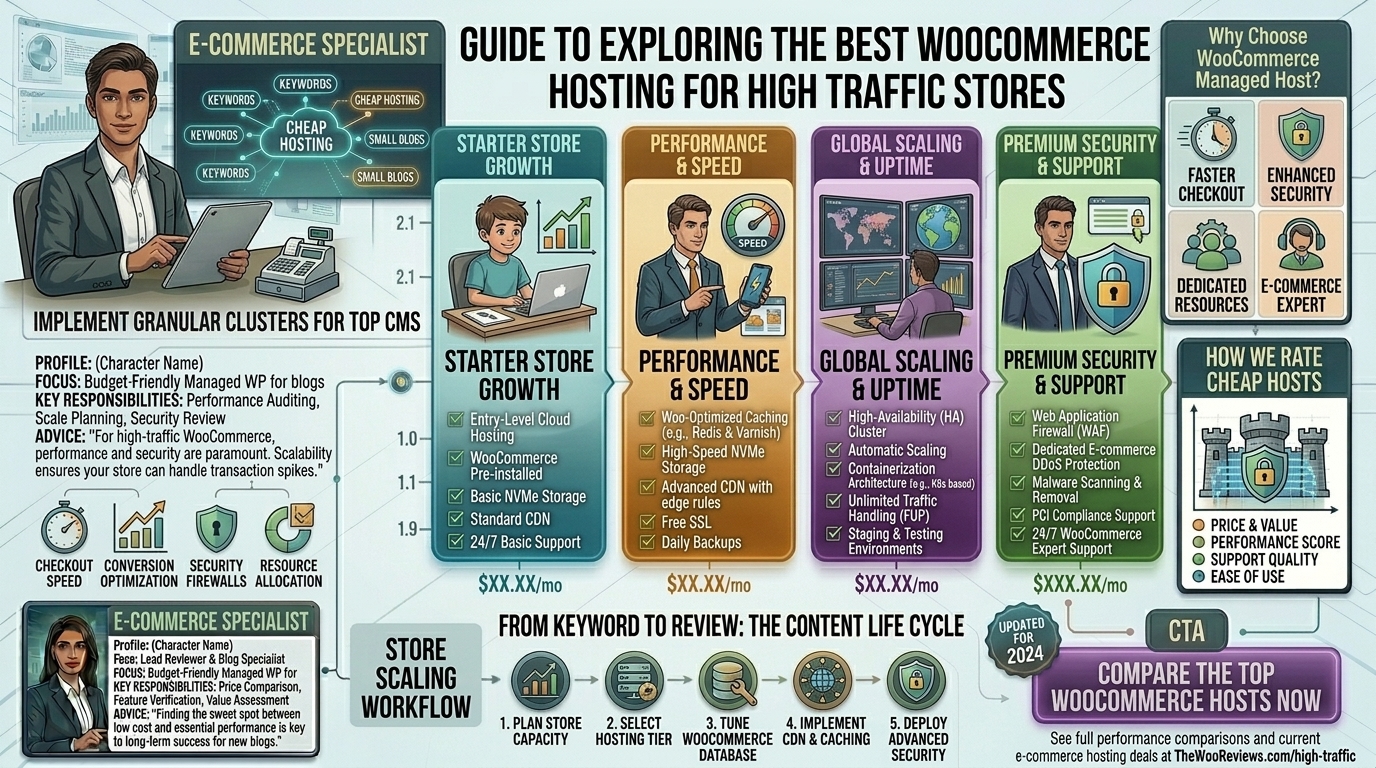
Running an e-commerce website with heavy traffic is a high-stakes game. When your visitor count climbs into the tens of thousands—or spikes dramatically during flash sales, holiday seasons, or viral marketing campaigns—standard shared web hosting instantly collapses.
If you are scaling a WooCommerce store based in major commercial hubs like New York, San Francisco, Los Angeles, Seattle, or Austin, your customers expect sub-second load times, flawless security, and absolute checkout stability. A one-second delay in load time can tank your conversion rates by up to 7%.
This comprehensive guide explores everything you need to know about choosing the best hosting for WooCommerce high-traffic stores, complete with architectural breakdowns, actionable optimization tips, top provider evaluations, and 10 detailed FAQs.
Why High-Traffic WooCommerce Stores Need Specialized Hosting
Unlike static blog sites or corporate brochures, WooCommerce is dynamically intensive. Every single click, product search, filter adjustment, and addition to a cart triggers database queries (MySQL).
When hundreds of concurrent users browse your store simultaneously, standard servers run out of PHP workers, database locks occur, and your site begins to crawl or completely crash with a 500 Internal Server Error.
High-traffic WooCommerce hosting requires a specialized technical stack:
- Object Caching (Redis or Memcached): Stores frequently accessed database queries in RAM to drastically minimize MySQL load.
- LiteSpeed Web Server or NGINX: Far superior to legacy Apache for handling heavy concurrent traffic.
- PHP Worker Allocation: Dedicated background processes to execute dynamic cart and checkout requests simultaneously without queueing users.
- NVMe Storage: Ultra-fast read/write speeds that accelerate file execution and asset delivery.
Top 5 Hosting Providers for High-Traffic WooCommerce Stores
Based on architecture, scalability, reliability, and real-world performance, these hosting solutions lead the market for high-volume e-commerce brands:
1. Cloudways (Best for Developer Flexibility & Custom Cloud Infrastructure)
Cloudways acts as a powerful managed layer on top of elite cloud infrastructure providers like DigitalOcean, Vultr, AWS, and Google Cloud.
- Why it shines for high traffic: You can scale your server’s RAM and CPU vertically with a single click the moment traffic spikes. It features built-in Varnish, Redis, and Memcached.
- Pros: Pay-as-you-go pricing, root-level control, zero long-term contracts, and exceptional handling of heavy concurrent sessions.
- Cons: Requires basic technical familiarity; does not include cPanel or native email hosting out of the box.
2. Kinsta (Best for Google Cloud C2 Performance)
Powered entirely by the elite tier of the Google Cloud Platform, Kinsta is engineered specifically for speed-obsessed enterprise brands and high-volume online stores.
- Why it shines for high traffic: Utilizes isolated software containers for every site, meaning your resources are never shared with neighbors, even during extreme traffic surges.
- Pros: Enterprise-level Cloudflare Enterprise integration with built-in DDoS protection, global edge caching, and automated weekly database optimizations.
- Cons: Premium pricing tiers that cater strictly to established, revenue-generating businesses.
3. WP Engine (Best for Enterprise Scalability & Developer Workflows)
WP Engine is a legendary name in managed WordPress and WooCommerce hosting, renowned for its proprietary EverCache technology.
- Why it shines for high traffic: Built to effortlessly absorb massive traffic waves without buckling. Their environment includes automated threat detection and advanced staging tools.
- Pros: Outstanding developer workflows, global CDN integration, and 24/7 priority e-commerce support.
- Cons: Strict plugin bans (certain resource-heavy caching or backup plugins are prohibited because their server-side stack handles it better).
4. Nexcess (Best Out-of-the-Box Managed WooCommerce Solution)
Nexcess (by Liquid Web) provides fully managed infrastructure that comes pre-configured with auto-scaling capabilities designed specifically for online stores.
- Why it shines for high traffic: It includes built-in sales performance monitoring, automated database cleanup, and an ingenious auto-scaling feature that temporarily provisions extra PHP workers during unexpected traffic spikes so your checkouts never fail.
- Pros: Built-in advanced image compression, abandoned cart features, and robust PCI compliance support.
- Cons: Dashboard layout has a steeper learning curve compared to traditional cPanel interfaces.
5. MassiveGRID (Best for Uptime-Critical & High-Availability Stores)
MassiveGRID takes a radically reliable approach by running e-commerce architectures on High-Availability (HA) cloud environments with automatic failover and triple-replicated storage.
- Why it shines for high traffic: If a physical server hardware component fails, your store instantly shifts to a secondary node with zero downtime. This eliminates single points of failure.
- Pros: 99.99%+ uptime SLAs, LiteSpeed web servers with customized WooCommerce cache rules, and full cPanel accessibility.
- Cons: Higher entry cost than shared alternatives.
Actionable Tips to Optimize WooCommerce for Massive Traffic
Choosing the right host is only half the battle. To keep a high-traffic store running like a Swiss watch, implement these advanced optimization strategies:
- Offload Heavy Media to a CDN: Never serve high-resolution product images and videos directly from your primary hosting server. Integrate a reliable Content Delivery Network (CDN) like Cloudflare Enterprise or BunnyCDN to cache static assets globally.
- Clean Out the WooCommerce Bloat: Avoid installing dozens of unnecessary plugins. Each active plugin loads scripts and stylesheets that increase database overhead. Regularly audit your extensions.
- Optimize the Database Regularly: WooCommerce stores accumulate massive amounts of transient data, session logs, and order revisions. Use tools like WP-Optimize or Advanced Database Cleaner to automatically purge old transients and optimize database tables weekly.
- Implement Redis Object Caching: Ensure your hosting environment has Redis enabled. This prevents WooCommerce from repeatedly running heavy database queries for common user tasks like viewing categories or loading cart totals.
- Use WebP/AVIF Image Formats: Large product image files destroy mobile performance. Automatically convert all JPEGs and PNGs into next-gen WebP or AVIF formats using compression tools upon upload.
10 Frequently Asked Questions (FAQs)
1. What makes high-traffic WooCommerce hosting different from regular web hosting?
High-traffic hosting provides dedicated resources (like isolated RAM, expanded PHP workers, and Redis object caching) designed to handle dynamic database operations. Regular shared hosting shares server space indiscriminately, causing sites to crash under heavy user loads.
2. How many visitors can standard shared hosting handle?
Most standard shared hosting plans begin to struggle or crash once you cross roughly 10,000 to 15,000 monthly visitors, or if more than 15 to 20 users attempt to checkout simultaneously.
3. Why are PHP workers critical for a busy WooCommerce store?
PHP workers handle dynamic requests—such as adding an item to a cart or processing a payment. If your store gets 50 simultaneous visitors trying to check out, but your server only has 4 PHP workers, 46 users will be forced into a queue, resulting in severe slowdowns or timeouts.
4. Is unmanaged cloud hosting (like raw AWS or DigitalOcean) recommended for beginners?
No. Raw unmanaged cloud servers require deep command-line administration knowledge, manual security hardening, and manual firewall setups. High-traffic store owners should stick to managed cloud options (like Cloudways or Kinsta) to avoid critical security vulnerabilities.
5. Does my hosting provider affect my Google SEO rankings?
Yes, absolutely. Google uses Core Web Vitals (measuring page loading speed, interactivity, and visual stability) as direct ranking factors. Fast hosting improves user experience, lowers bounce rates, and directly boosts organic search visibility.
6. What is Object Caching and why do I need it?
Object caching stores the results of complex database queries in server memory (RAM). When a user browses your store, the server fetches data instantly from RAM instead of querying the MySQL database from scratch every single time.
7. Can cheap $3/month hosting handle a growing store?
Budget shared hosting plans rely on oversold servers packed with thousands of other websites. They are entirely unsuited for e-commerce stores experiencing heavy transactional traffic.
8. What should I look for in a hosting provider’s backup policy?
Ensure your host performs automated real-time or daily incremental backups, stores those backups on an independent remote server, and allows one-click restores so you can recover quickly from bad plugin updates or database corruptions.
9. How do I handle traffic spikes during Black Friday or holiday sales?
Choose a host that features flexible resource scaling (allowing you to temporarily scale up your CPU and RAM limits) or utilize cloud setups equipped with auto-scaling PHP workers.
10. Why is SSL certification vital for WooCommerce hosting?
Beyond securing customer credit card details and personal data during checkouts, modern browsers flag non-HTTPS sites as “Not Secure,” destroying customer trust and crushing your conversion rates overnight. Reliable hosts include free, auto-renewing SSL certificates (like Let’s Encrypt).
Conclusion
Scaling a high-traffic WooCommerce store requires a robust ecosystem where performance, security, and infrastructure reliability intersect. Whether you lean toward the flexible cloud management of Cloudways, the high-end Google Cloud infrastructure of Kinsta, or the enterprise auto-scaling power of Nexcess, investing in premium e-commerce hosting protects your revenue, safeguards your customer data, and positions your brand for long-term digital dominance.